





mbc0
Members
-
Joined
-
Last visited
Everything posted by mbc0
-
Thank you so much I understand now. Personally I am happy to use both your delugevpn and privoxy so am good to go but thank you for explaining 😁
-
Thank you for working this out @binhex that is great! I am afraid due to lack of knowledge I do not fully understand everything you say so to put in lamens terms to be able to route lidarr-lad, sab, jackett etc through privoxy is it working properly or not? can it work properly on *any* container I would like to put through your privoxy docker? Thank you again!
-
I can confirm I have Jackett, sabnzbd, lidarr-lad, deezloadermx working with your privoxy docker
-
ok, I wish I knew, I know I am not alone but tried a dozen plus times using the deluge vpn docker with no dice but the privoxy one works perfectly.
-
Maybe you are on to something there? the repository just says binhex/arch-delugevpn there is no :latest or anything but then so does your privoxy repository, that just says binhex/arch-privoxyvpn should that have :latest on it?
-
Hi, Just to update, I have installed binhex-privoxyvpn and followed exactly the same guide from @SpaceInvaderOne and it works perfectly, for some reason it just doesn't work for me using binhex-delugvpn docker.
-
Hi, Just to update, I have installed binhex-privoxyvpn and followed exactly the same guide from @SpaceInvaderOne and it works perfectly, for some reason it just doesn't work for me using binhex-delugvpn docker.
-
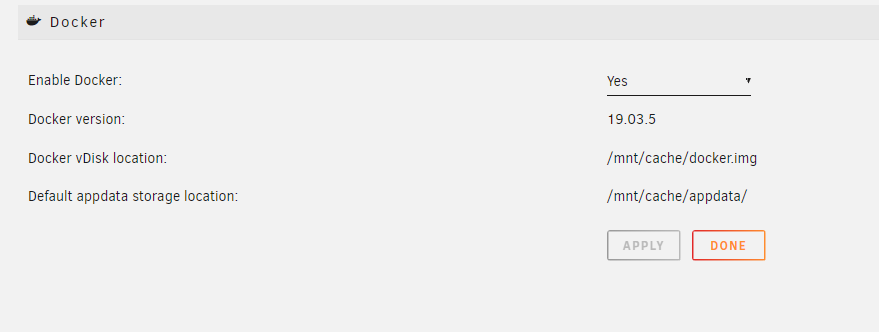
Hi, all the dockers are starting, I can use the console to check the IP address and can confirm all working just no webui am on 19.03.5 docker version as well
-
@SpaceInvaderOne says 6.8.3 or above? I am on 6.8.3
-
Thanks for your comment, It appears there are a few of us now spread across a few threads with the same issue, it's working but no Webui, I also have tried quite a few dockers now with the same result.
-
I have this set in your deluge docker

-
Hey, yes, unraid IP is 192.168.0.33 yes, V6.8.3 no ad blockers of any kind, tried accessing from 3 machines, as soon as I change back to bridge network, remove the extra params and the port entry in binhex-delugevpn I can access the webui again..
-
I can confirm (like others that cannot get this working) that each docker I try is using the vpn tunnel but I just cannot access the webui of each docker
-
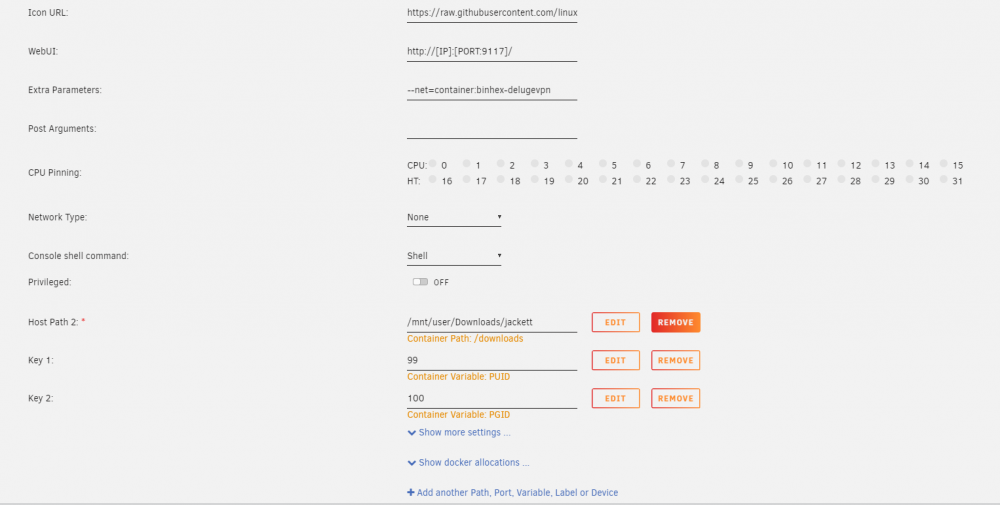
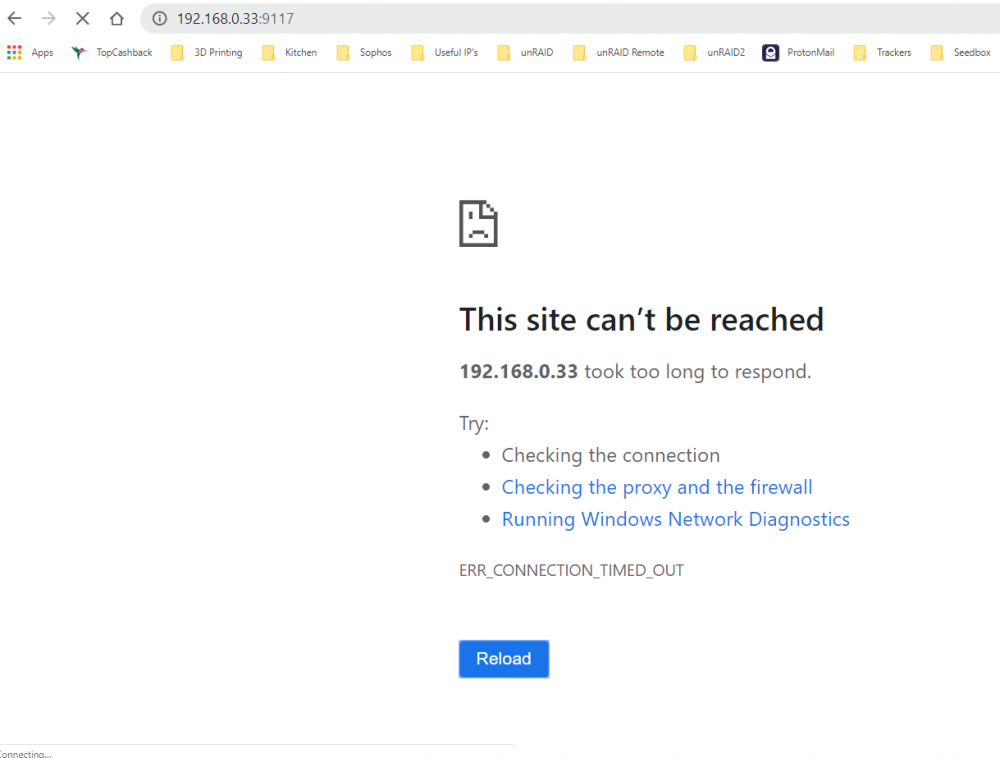
Just tried with Jackett and still the same problem, I am obviously missing something but have watched the video 3 times and tried various dockers but always the same?

-
Removed Port config although it still shows in docker overview? but still not working..

-
Hi, yes, I did, I posted a step by step with screenshots on Spaceinvaderone's post here
-
I know @SpaceInvaderOne says you must be on 6.8.3 for this to work but he is using 6.9 so maybe that is the issue?
-
@binhex Hi mate, it is because of the video that I found I cannot access the webui of all dockers routed through 😄 tried 4 dockers now, all exactly the same, they are connected through the vpn on your docker but cannot access webui on any of them
-
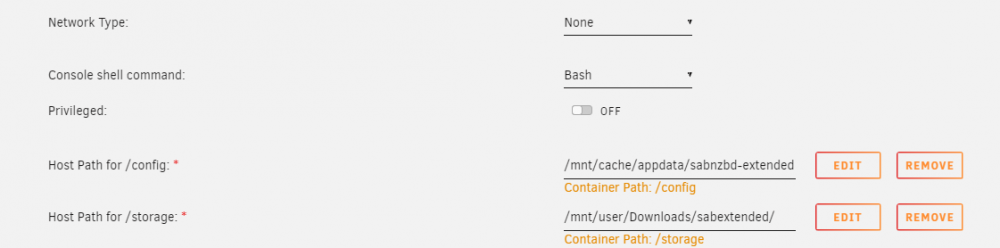
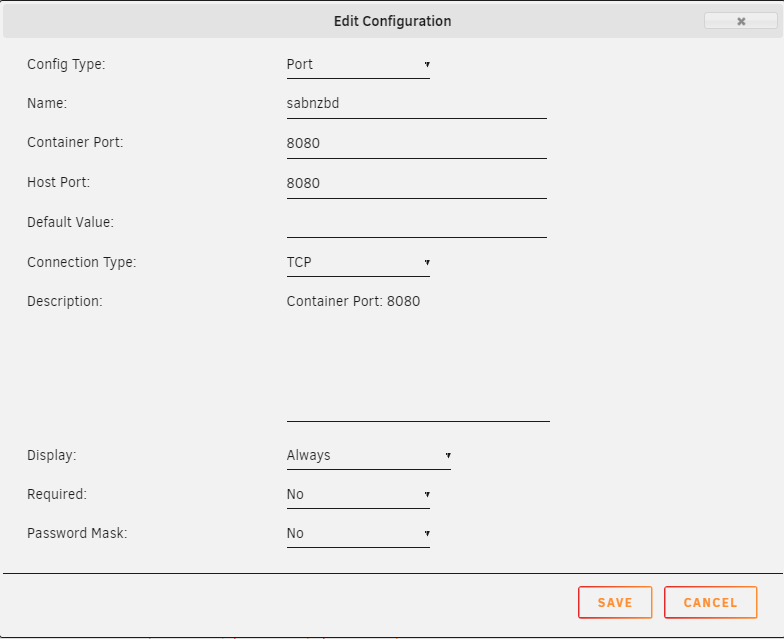
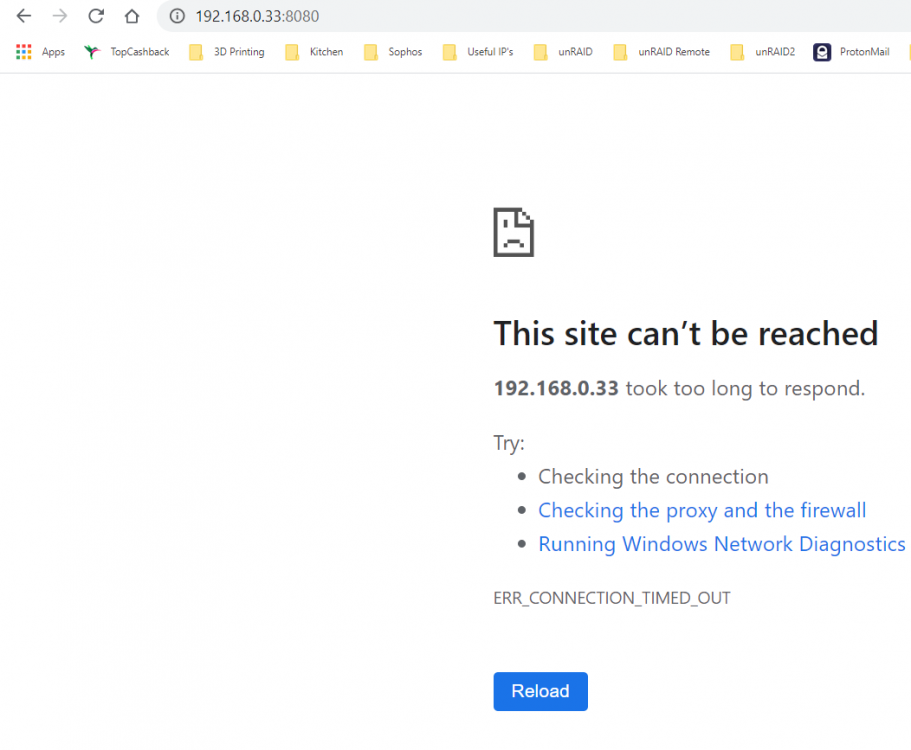
Hi @SpaceInvaderOne Again, thanks so much for this video! as well as all the others! 😄 I would be lost without them! I am sure I am doing something wrong but for the life of me cannot see it? I have entered this in my binhex-delugevpn which is running in bridge mode this is my sabnzbd docker which has network type set to none but all I get is this Any suggestions? 🙂 Thank you and keep safe!


-
Hi! I am loving this docker, it works very well except I have an issue with sending books via wifi to all my android devices. My Main network is 192.168.0.* and my Wifi Network is 192.168.1.* in the calibre settings I cannot send anything outside of 192.168.0.* are there any workarounds anyone knows of? Thank You!
-
ah, this is good new! 🙂 Thank you! I presume you dont mean you do this by filling out the template as there is only room to put one domain, unless is it comma seperated? or do you add another variable to the template?

-
Hi, I already have a previous installation on my server following spaceinvaderones guide. I would like to install this one on a new server similtaneously on another domain until in a position to shut the previous one down Unless I am missing something I would need another instance of letsencrypt? I am probably (hopefully) overthinking this but I have been really struggling to get this working. can anyone confirm if it is possible or and even throw in a pointer or two if it is! 🙂
-
Hi, I followed this guide in May last year and have been running great since then. I have just used the last port on my 4 port nic as a seperate VPN connection and whilst getting help from netgate in setting it up it was noticed my version was very old (2.4.3_1) but the status is always showing as up to date and if I try to update it says I am on the latest version. I have worked through the help section and all end with this error Upgrading pfSense-repo... Updating pfSense-core repository catalogue... pfSense-core repository is up to date. Updating pfSense repository catalogue... pfSense repository is up to date. All repositories are up to date. Checking integrity...Assertion failed: (strcmp(uid, p->uid) != 0), function pkg_conflicts_check_local_path, file pkg_jobs_conflicts.c, line 386. Child process pid=10408 terminated abnormally: Abort trap So I have been advised to ditch it and replace it with a fresh installation of 2.4.5 Is there a recommended way of doing this? I have obviously taken a backup but looking for any advice as don't want to be without internet whilst in lockdown!
-
Hi, I would like to try installing this today, I have a large library (200GB) do people on here install books onto the array / SSD Cache etc? with performance in mind. Thanks 🙂
-
Hi, this was because I was choosing MySQL/MariaDB due to the warning of performance issues when SQL Lite was selected! I already have Nextcloud installed on another server (linuxserver version) using MariaDB & LetsEncrypt, I followed Spaceinvader One's excellent guide to do this, I suppose I need to follow the guide again using this docker? are there any differences in setup that you can think of that I need to be aware of?


