mbc0
Members
-
Joined
-
Last visited
Everything posted by mbc0
-
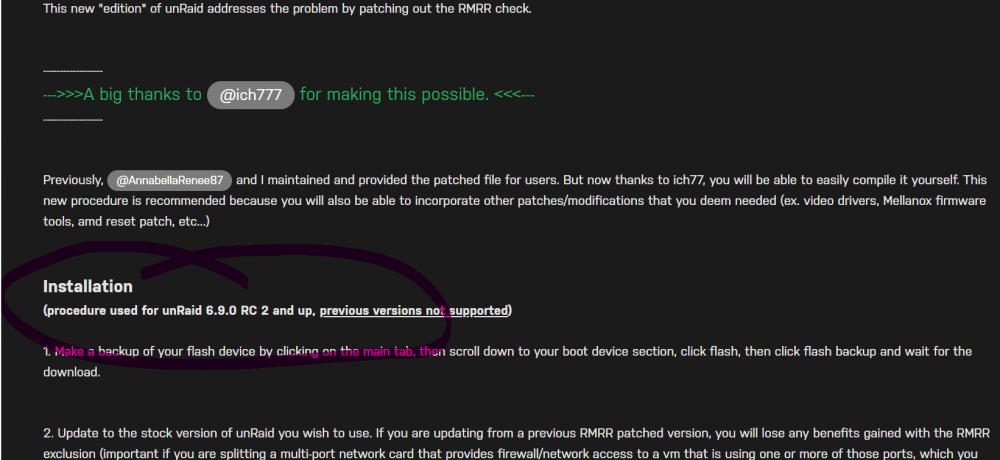
I think I fell into the trap on this thread as it is titled current, maybe that thread title can be changed if it is not current? This is where it states you need 6.9.0 RC2 & up and being on 6.9.2 and the fact I read the title of the thread as current. CURRENT/NEW - UNRAID HP PROLIANT EDITION - RMRR ERROR PATCHING
-
Thank you, it states 6.9.0 RC 2 and up and I am on 6.9.2 so I presume the patch is included? Hopefully @ich777 can confirm? Thanks again for your time!
-
Thank you for your reply, I had already discussed the problem with @ich777 here He asked me to post in VM Support as he thinks it is not an RMRR issue?
-
Hi, Thanks so much for your time and the link, I have followed everything that user had done but still cannot start a VM (Any VM) with group 11-14 CPU Mode, Machine type or Bios make no difference sadly, Is it possible that this card will not pass through? could it be that I need a different card? I see others have successfully passed through but maybe not for my hardware setup? Again, thanks!
-
Thank you, I created a post in VM support yesterday on your advice, many thanks for your time!
-
Thanks, I appreciate it! so many hours on this now, would love to know what is wrong. tower-diagnostics-20220312-2018.zip
-
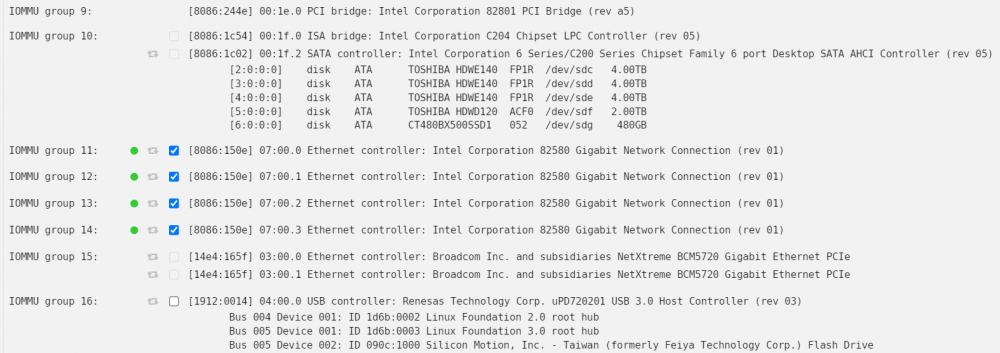
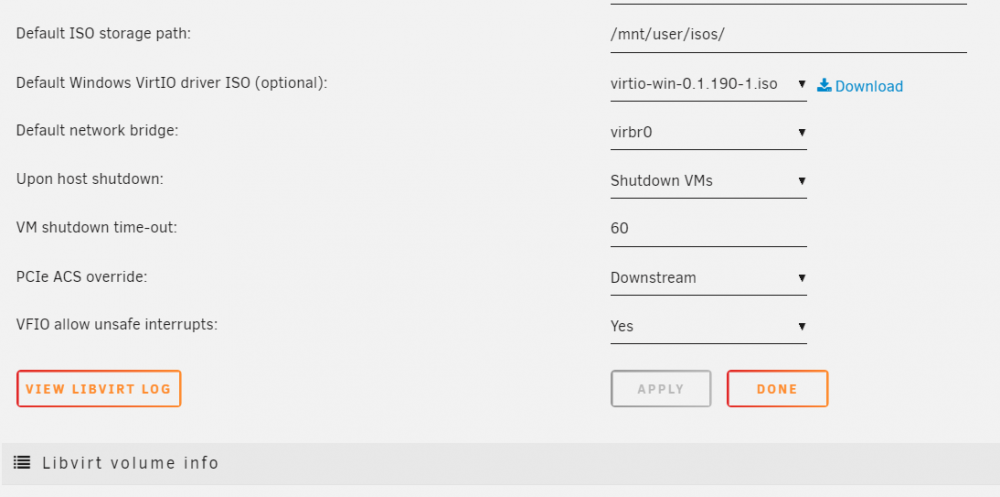
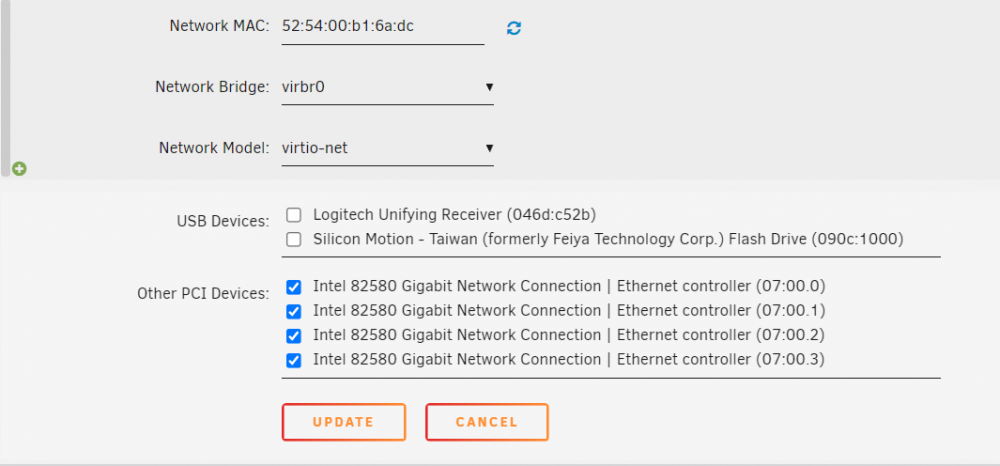
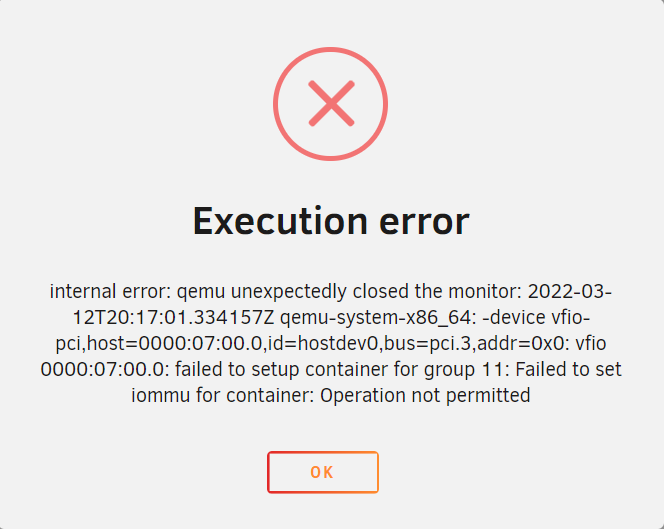
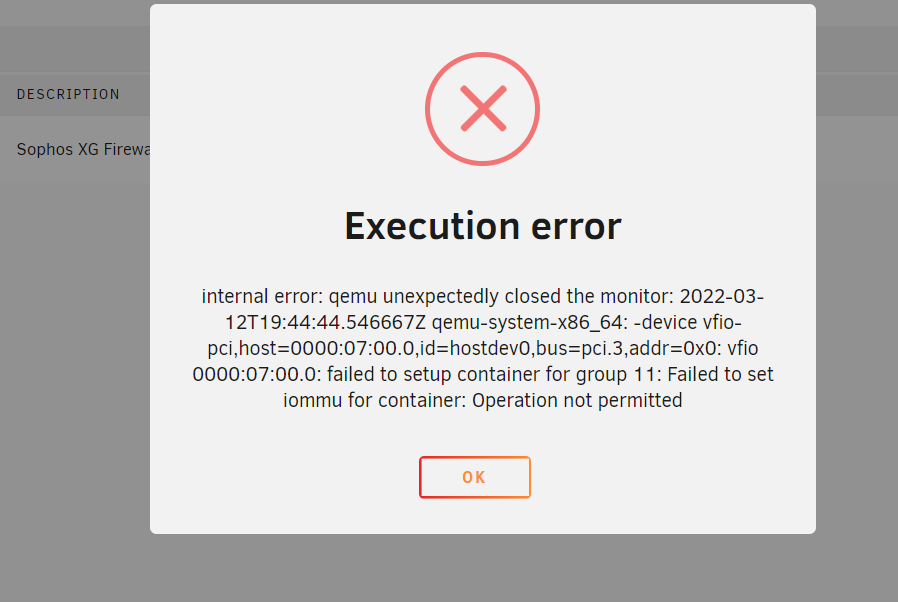
Hi, I have a 4 port NIC which I have managed to seperate on my HP Gen 8 Microserver using downstream all 4 ports are passed through but if I select any one of them (or all 4) I get the Execution error below. I have tried VFIO allow unsafe interrupts also with no change. Can anyone offer any advice please? Many thanks! tower-diagnostics-20220312-2018.zip
-
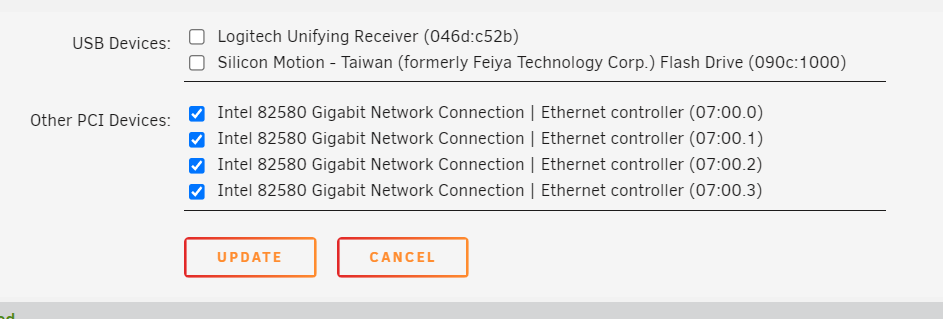
OK, thank you anyway, I did what you said and all 4 ports are now tickable and available in the VM but I still get an error when starting the VM
-
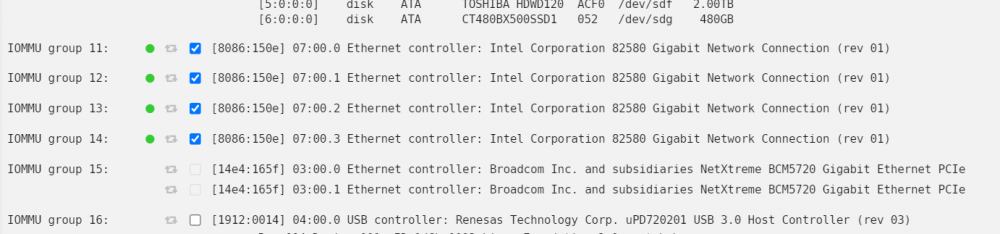
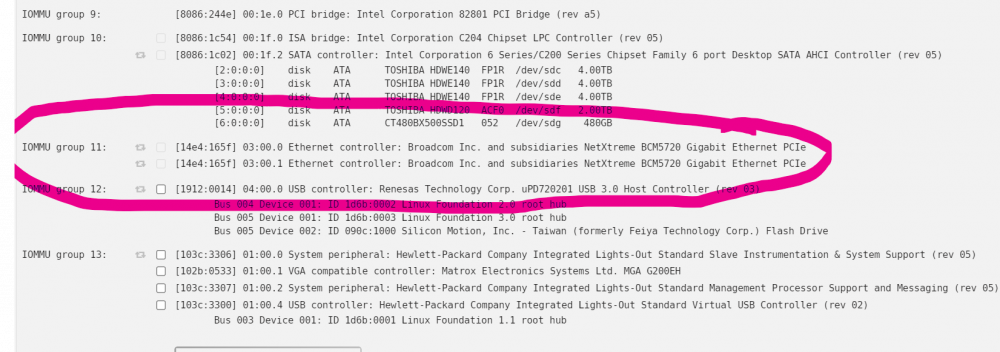
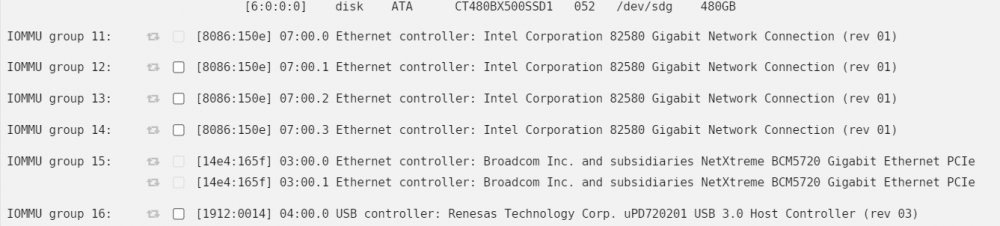
Hi, yes it is a quad gigabit card, I have tried singularly passing through ports 12-14 (11 is greyed out) I have removed the card and now the 2 ports on the Gen8 are showing in group 11 is that what you mean? does unraid HAVE to use 11? When you say bind all the NICS that I want to pass through on the 4 port card, do you mean within unraid network settings? Thank you This is the list with the Quad NIC removed This is with the QUAD NIC installed
-
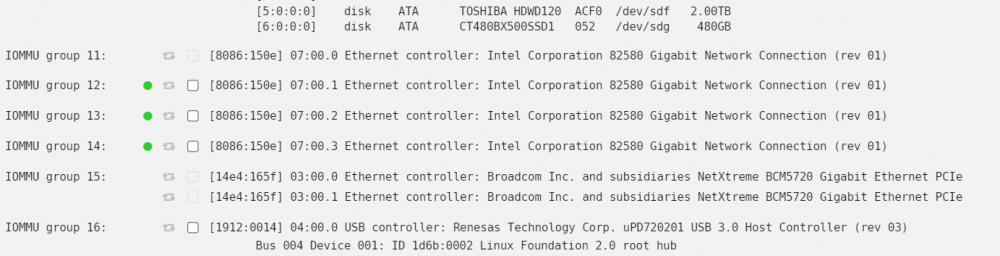
Thank you, that makes sense now 🙂 Unfortunately I still have the problem internal error: qemu unexpectedly closed the monitor: 2022-03-12T11:53:40.135099Z qemu-system-x86_64: -device vfio-pci,host=0000:07:00.2,id=hostdev0,bus=pci.3,addr=0x0: vfio 0000:07:00.2: failed to setup container for group 13: Failed to set iommu for container: Operation not permitted It does this for groups 12-14 (for some reason I cannot select group 11?) What is annoying is I did this years ago successfully with the same hardware and I have resurrected the microserver. I have entered the command as shown Any ideas what could be the problem? Thank you tower-diagnostics-20220312-1158.zip
-
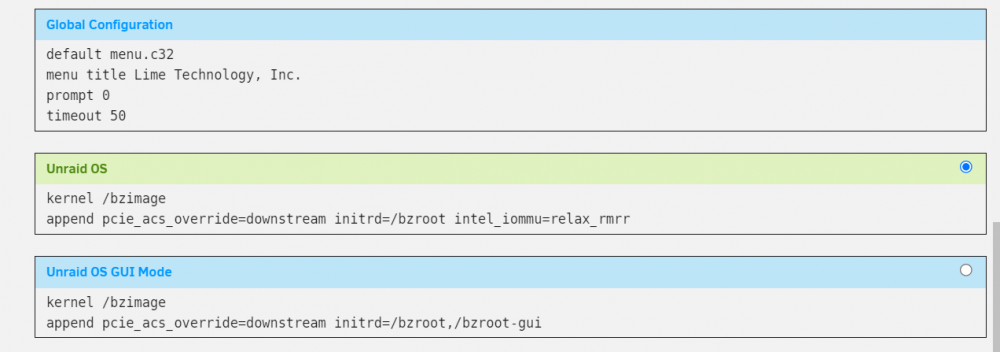
@ich777 Thank you for your reply 🙂 I cannot see the changelog link? Maybe this will help me and others if this topic is modified to day it is not in use? I went from this post to this post titled New & Current Method On this post there is no mention of a change? it is read as it is titled as current method Thank you for letting me know I just need to add intel_iommu=relax_rmrr to my syslinux.cfg but if I click the link to github that you provided the syslinux.cfg looks completely different to mine? do I just put intel_iommu=relax_rmrr at the end? I cannot find any documentation for this? This is my syslinux.cfg default menu.c32 menu title Lime Technology, Inc. prompt 0 timeout 50 label Unraid OS menu default kernel /bzimage append pcie_acs_override=downstream initrd=/bzroot label Unraid OS GUI Mode kernel /bzimage append pcie_acs_override=downstream initrd=/bzroot,/bzroot-gui label Unraid OS Safe Mode (no plugins, no GUI) kernel /bzimage append initrd=/bzroot unraidsafemode label Unraid OS GUI Safe Mode (no plugins) kernel /bzimage append initrd=/bzroot,/bzroot-gui unraidsafemode label Memtest86+ kernel /memtest Thank you so much for your time!
-
Hi! I would love to get this rmmr patch running on my Gen8 Microserver, I am currently running 6.9.2 so cannot see the kernal helper in the app section, would it be visible if I changed to 6.10.0-rc3? there are no other options in the update os branch? The prerequisite is 6.9.0 RC 2 and up I would have thought that would have included 6.9.2? The purpose for me is to pass through a 4 port network card Many thanks
-
Hi! I would love to get this running on my Gen8 Microserver, I am currently running 6.9.2 so cannot see the kernal helper in the app section, would it be visable if I changed to 6.10.0-rc3? there are no other options in the update os branch? Many thanks 🙂
-
Hi, I have been running this container for years, installed using the spaceinvader one guide but today installed fresh on a new server and need to be able to upload files several gigabytes in size. Is this file the only one I need to modify to enable that option? nextcloud/nginx/site-confs/default client_max_body_size Thank you
-
I also do have my local network specified in LAN_NETWORK

-
Sorry, forgot to say, radarr,sonarr etc are NOT using privoxy
-
Hi! Hope everyone has had a great Christmas! 🙂 Wondering if anyone can help please? I have just added the prowlarr container to privoxy and can acess it no problem but cannot find a way for prowlarr to commincate with sonarr/radarr I have tried http://sonarr:8989 http://radarr:7878 Can anyone offer any advice please? TIA 🙂
-
Hi! I noticed my phone was not uploading photos to my nextcloud and cut a long story short I could not access the server due to an internal error. I noticed that the config.php was refreshed (standard looking) so restored my config.php from a backup and now I am stuck at the update screen every time I boot? I cannot find a way get into my server without being presented with the update screen to 22.1.1? Nextcloud will be updated to version 22.1.1 The following apps will be updated: All I have is a start update button, there is no cancel or anything I can do to get out of this loop? Can anyone help please? Thank you
-
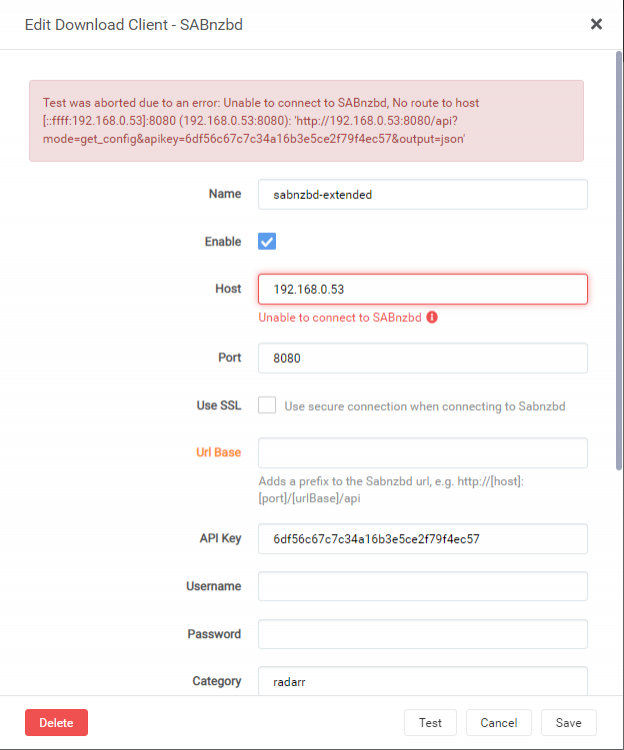
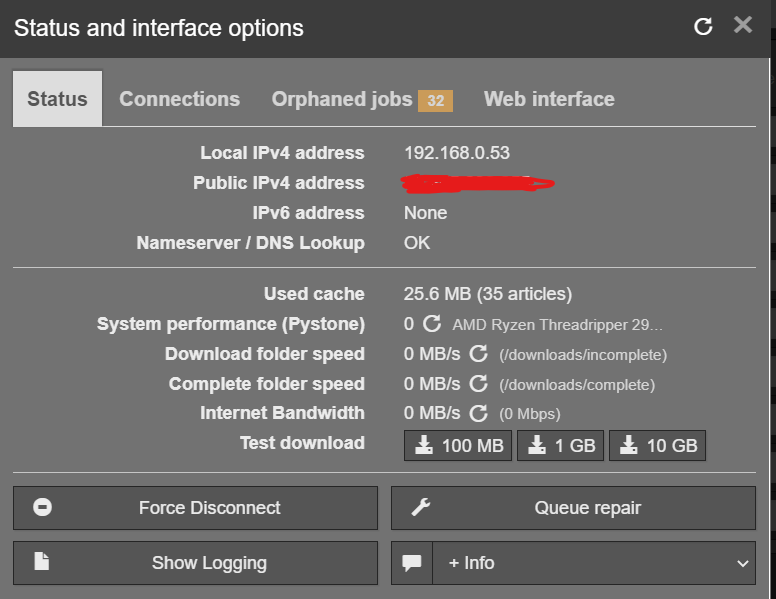
Hi, I have today just hit this problem as well but I do not use privoxy for this docker as I use custom br0 It has been like this forever but today lidarr, sonarr & radarr all refuse to connect to sabnzbd? anyone else had this issue outside of privoxy?
-
Hi @binhex I posted on the wrong thread the other day, reposting on this, the correct thread as didn't want you to think I was ungrateful! I have managed to get all my containers talking to each other in your container now and can now access all my containers WebUI's and they are all talking to each other. The answers were there in your guide & Q&A I just needed some help understanding a few things. Just wanted to say a MASSIVE thank you for your work, time and patience, it is HUGELY appreciated!
-
Hi @binhex I have managed to get all my containers talking to each other in your container now (Q26) and can now access all my containers WebUI's and they are all talking to each other. Just wanted to say a MASSIVE thank you for your work, time and patience, it is HUGELY appreciated!
-
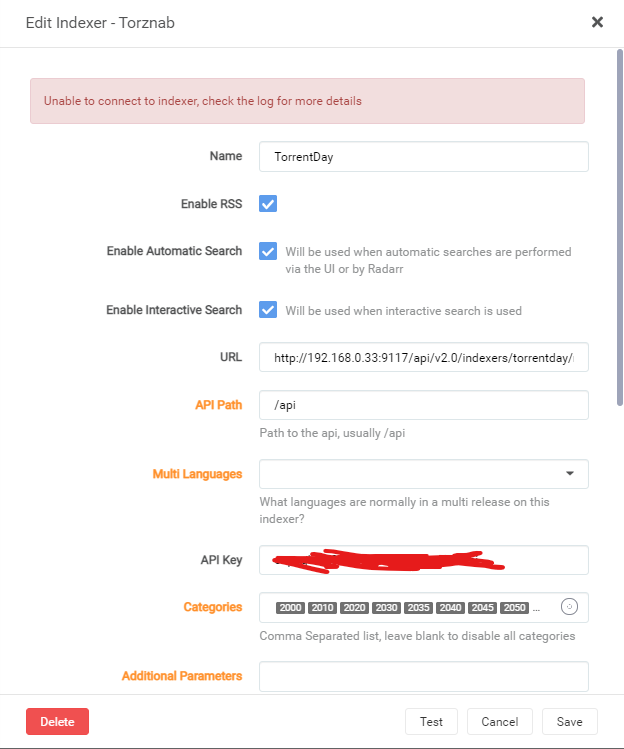
I am sorry but what do you mean by index site? if you mean the torznab feed address I have updated all those, the only difference is the IP has changed from 192.168.0.38 to 192.168.0.33 Nothing has been changed in jackett or radarr (other than the torznab feeds mentioned above) radarr has proxy disabled.
-
Hi yes it is,
-
Unless I just use a different vpn without such tight restrictions for xteve?
-
Ok, I have had to read that a few times to try and understand (sorry) From what I understand for radarr etc to talk to jackett I would have to include them in the vpn network, I would then have to move my SABNZBD as well. My other main reason for using the vpn network is for xteve but for xteve to talk to emby I would then also have to move emby inside as well which would possibly lead to speed issues as the vpn is much slower. Have I understood that correctly?