





ceyo14
Members
-
Joined
-
Last visited
Everything posted by ceyo14
-
yes on 1.5.0, have not changed to 2.0.0 I am running 6.9.2 and a bunch of other things... not sure if these help, but I am including diagnostics as of now, working normally... without the checkmk docker running nas-diagnostics-20210618-1338.zip
-
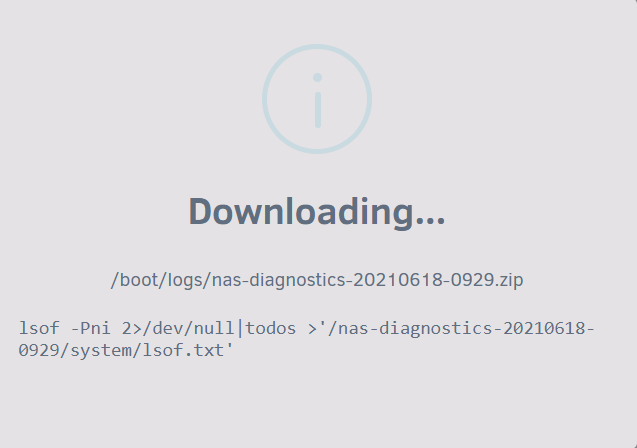
so I just saw the server locked up a bit, it did respond again and I tried pulling diagnostics but it stopped here...
-
I am having issues stopping the container, logs is empty as if it stopped but it stays running... It is not up though. I am trying to assign LAN IP as it cant see the unraid host.
-
ok, I was not getting this version, it looks different already...
-
ok, just reinstalled after deleting appdata and old template. Let me give this one a try and I'll let you know. Thanks! Pulling image: checkmk/check-mk-raw:latest IMAGE ID [1249670742]: Pulling from checkmk/check-mk-raw. IMAGE ID [75cb2ebf3b3c]: Pulling fs layer. Downloading 100% of 21 MB. Verifying Checksum. Download complete. Extracting. Pull complete. IMAGE ID [d3206bc22f0f]: Pulling fs layer. Downloading 100% of 330 B. Verifying Checksum. Download complete. Extracting. Pull complete. IMAGE ID [2564c74456e7]: Pulling fs layer. Downloading 100% of 89 MB. Verifying Checksum. Download complete. Extracting. Pull complete. IMAGE ID [0de9bba343fc]: Pulling fs layer. Downloading 100% of 88 MB. Verifying Checksum. Download complete. Extracting. Pull complete. IMAGE ID [f78fb65e4cf5]: Pulling fs layer. Downloading 100% of 126 MB. Verifying Checksum. Download complete. Extracting. Pull complete. IMAGE ID [6909d26b85cc]: Pulling fs layer. Downloading 100% of 1 KB. Verifying Checksum. Extracting. Pull complete. Status: Downloaded newer image for checkmk/check-mk-raw:latest TOTAL DATA PULLED: 324 MB Command: root@localhost:# /usr/local/emhttp/plugins/dynamix.docker.manager/scripts/docker run -d --name='Checkmk-RAW' --net='bridge' -e TZ="America/La_Paz" -e HOST_OS="Unraid" -p '5000:5000/tcp' -v '/mnt/user/appdata/checkmk':'/omd/sites':'rw' -v '/etc/localtime':'/etc/localtime':'ro' --restart=unless-stopped --ulimit nofile=1024 'checkmk/check-mk-raw' c7167b313b7c05a3d418af6d42fbd94798c445edb85ffe0c88632ac2249edcf4 The command finished successfully!
-
Hmm... I am not sure... if I try to install it shows Checkmk-RAW... but if I look at the existing template it says checkmk/check-mk-raw:2.0.0-latest... I will erase everything and try again. the agent hasn't given much issue. I did remove IPMI tools plugin testing, it was working before but I am not sure if it mattered, (I saw some errors for it)
-
I have installed Checkmk-RAW and Checkmk Agent but I believe when I use Checkmk-RAW it locks up the webui and then the unraid server, it gets to a point I cannot login using even SSH and I even loose my router VM and have to reset completely, if the issue is starting I can reach it with SSH but it wont let me pull diagnostics, it never saves it. I think once I lost the webui and was also in Checkmk-RAW but everything kinda froze, unraid webui wouldnt load or refresh as well as Checkmk-RAW, but after a while it started working until it later completely locked and had to power cycle.
-
I'd like this too, especially since it seems better than keycloak and privacyidea....
-
I tried this but it didn't work because docker engine would start before the router VM and the networking side was not as expected... I still had to restart docker for it to do the networking correctly. I tried to make docker engine start delayed using a user script but it didn't quite work as I expected (script kiddie here).... Then after sometime after upgrading to 6.9.1 I checked after a reboot and this whole issue appears to have been corrected by the update. so to me this is no longer an issue.
-
just so I understand this... My brother has his minecraft server setup at his house, and I can login on the XBOX using the DNS trick... if I set this docker up on my server, I won't need the DNS trick? is that what this does? what is the reason for this? I don't have my own minecraft server... My son just uses my brothers so they can play together....
-
Is there a reason why this isn't already integrated with unraid? I think it should at least be offered, with any disclaimer it may need.
-
I believe even a soft reboot causes this. but please do try it to make sure. I opened this report, please reply there....
-
I would love to implement this on a docker... https://github.com/privacyidea/privacyidea
-
I have a few dockers running on br0 with their own IPs. after a reboot I lose access to the Host from these dockers. If I open the console for the docker and curl to the host it fails. I then have to stop the docker service, disable the allow host access to custom networks hit apply, enable the allow host access to custom networks again, hit apply and finally start the docker service and hit apply. then everything works beautifully. If I run curl on the host now it instantly responds. Below has info on this, and to me it is not solved...
-
is there even a bug report submitted regarding this?
-
Ok. Remove any additional graphics card. Like how it is by default which will show only the VNC. Now on the only graphics card setting just select only the RX580. This way VNC will not be used and the RX580 is the ONLY GPU. No additional GPUs.
-
@trurl @jonathanm I am sorry, I was not aware about this and only quoted @Philaudio to reply to him, I guess I should have tagged him instead but I was not aware of the legal issues around that and didn't think anything about it, I didn't even read that part only his paragraph below.
-
did you try instead of adding the RX580 to swap the VNC for the RX580. so no VNC on it.
-
UPDATE!! Guys I was reading around and found this link on some forum https://forum.level1techs.com/t/attention-flr-kernel-patch-fixes-usb-audio-passthrough-issues-on-agesa-1-0-0-4b/151877 edit.... umm that some forum was this same forum... lol. here is the link to that. basically I added this pcie_no_flr=1912:0014 to the syslinux config and can now reboot the VM with the Renesas controller passedthrough... Try it and let me know how it goes. @CHBMB I know you tried a lot of controllers... but give this a try since you have a much better understanding of this.
-
I have a Renesas USB card and can't believe this is the culprit to this issue.... thanks for finding this. Now I would like to replace mine but I only see 2 usb slot cards with the ASM1142 and only one Startech at over $100. Are there any other options that are known to work? is there a compatibility matrix for this? I am using a Supermicro board
-
I think once you are able to login it is just the ubuntu password that you need to change
-
Where the heck does it say this is the user and password??? Why isn't this stated on the description for the Docker?
-
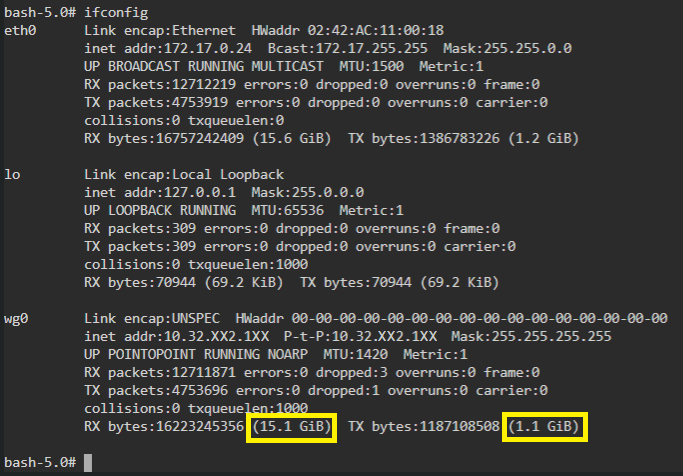
I tried to set this up, and I believe it is working except as you mentioned I can't access qbittorrent WebUI.... I get an HTTP Error 401... I specified to turn off the VPN on qbittorrentvpn.

-
I believe that is exactly what this docker can do... https://hub.docker.com/r/thrnz/docker-wireguard-pia I just don't know how to setup it up... or how to setup another docker to use that one... I just thought it would be possible to add that dockers scripts to this one... But obviously out of my scope... I tried adding that docker to unraid and tried a few different things but failed....
-
can you incorporate wireguard for PIA, there is a docker setup to get the config file... on docker hub its called "docker-wireguard-pia" but I don't know what to do.... I just tested on my laptop and for some reason I can only get 1MB/s but with wireguard it gave me 25MB/s which is saturating my bandwidth provided by the ISP...


