






SimonF
Community Developer
-
Joined
-
Last visited
Everything posted by SimonF
-
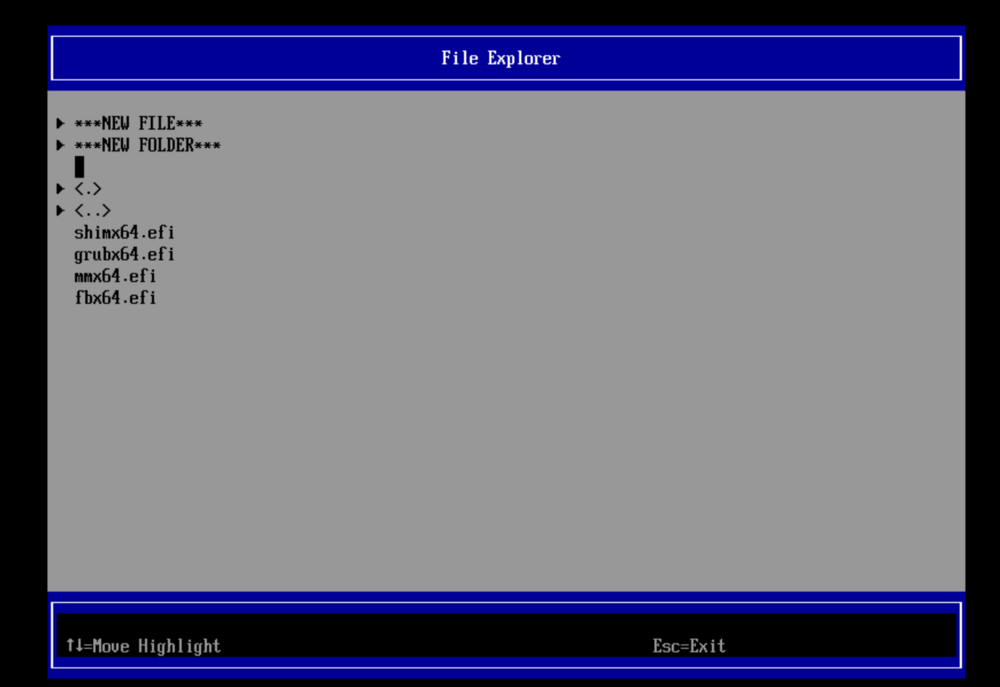
Is state connected when you look at the VM XML when the VM is running?This is the way the clone function in VM manager works tries CP with reflink if that fails reverts to rsync. You cannot clone if snapshots exist. The rsync failed can you try running in manually to see why it fails?This should be all that is needed for Spice. Tested on Windows works as expected. You need vdagent to be installed this is not the same as the guest agent. <channel type='spicevmc'> <target type='virtio' name='com.redhat.spice.0' state='connected'/> <alias name='channel1'/> <address type='virtio-serial' controller='0' bus='0' port='2'/> </channel> https://www.spice-space.org/download.htmlIs guest Linux or windows?What client are you using? XML should be modified when changes options, Which Unraid Version are you running. For spice you need to use virt-viewer, Web console does not support copy paste.You may need to an entry in boot manager to run the loader ie grubx64.efi or correct bootloader.
 Do the two 10Gs have drivers attached lspci -kWill look to update in next release.There is no background process to check. Updates are based on the GUI update that widget. You may be able to create a user script.No worries happy to help.I dont think winfsp has ever been included in the virtio cd.Maybe try without the driver, was another post I was looking at didn't have that entry.This is correct. Will keep looking to see if there is another way. <devices> <hostdev mode='subsystem' type='pci' managed='yes'> <source> <address domain='0x0000' bus='0x04' slot='0x00' function='0x0'/> </source> <alias name='ua-test'/> </hostdev> </devices> <qemu:override> <qemu:device alias='ua-test'> <qemu:frontend> <qemu:property name='x-msix-relocation' type='string' value='bar2'/> </qemu:frontend> </qemu:device> </qemu:override>Did you save in xml page or did you revert to form view. Need to save in xml view.Looks like you cannot use the PCI ID but need to have an alias. This is unlikely to be removed if you change via the GUI. Change qemu part to be. <qemu:commandline> <qemu:arg value='-set'/> <qemu:arg value='device.nvmetest0.x-msix-relocation=bar2'/> </qemu:commandline> Save then edit and change to XML mode and add the alias to you nvme line. <hostdev mode='subsystem' type='pci' managed='yes'> ... <alias name='nvmetest0'/> </hostdev>will update in the next release but just want to make sure on values. Can you create a file /tmp/pidcheck with the code below. The run php -f /tmp/pidcheck PID replace PID with the process ID from nvidia-smi and post the output please. <?PHP function getFullCommand(int $pid): string { $command = ''; $file = sprintf('/proc/%0d/cmdline', $pid); if (file_exists($file)) { $command = trim(@file_get_contents($file), "\0"); } return $command; } /* * Retrieves the full command of a parent process with arguments for a given process ID * * @param int $pid * @return string */ function getParentCommand(int $pid): string { $command = ''; $pid_command = sprintf('ps j %0d | awk \'{ $1=$1 };NR>1\' | cut -d \' \' -f 1', $pid); echo "$pid_command\n"; $ppid = (int)trim(shell_exec($pid_command) ?? 0); echo "Parent PID:$ppid\n"; if ($ppid > 0) { $command = getFullCommand($ppid); } return $command; } $pid = $argv[1]; echo "PID is:$pid\n"; echo "PID Info\n"; echo getFullCommand($pid); echo "\nParent for PID Info\n"; echo getParentCommand($pid)."\n"; ?>For which GPU and driver?Fixed in 2025.04.27can you edit /usr/local/emhttp/plugins/gpustat/lib/Nvidia.php and change the line for immich to be the following. Should be arroung line 68, to see if that works? 'immich' => ['/config/machine-learning/cuda',"python3","ffmpeg"],I can reproduce will work on a fix.Create a 2nd USB drive with Stock stable Unraid 7.0.1 to see if it boots ok.I would rename vfio-pci.cfg on the flash as now may be incorrect. Plug usb into another machine and this file is in the config directory.Cat the file and send please. Cat /tmp/gpurawdata*





