






SimonF
Community Developer
-
Joined
-
Last visited
Everything posted by SimonF
-
You need to include the full path /dev/disk/by-id/....... Using /dev/nvmen1 should be fine but that could change if hardware is changed.
-
If you plan to format in the VM use one without part as that is the first partion on the disk. Re pci passthru is your Bios up todate.
-
Bind to VFIO so you can attach as a PCI device. or you can put the drive path in the disk location. paths are here. ls /dev/disk/by-id/
-
Yes you can create hooks scripts. Examples below. oot@computenode:~# ls /etc/libvirt/hooks/qemu.d/ ArcReset Notify* USB_Manager* VMTest root@computenode:~# cat /etc/libvirt/hooks/qemu.d/VMTest #!/bin/bash VM_NAME="$1" ACTION="$2" if [[ "$ACTION" == "prepare" ]]; then export LIBGL_ALWAYS_SOFTWARE=0 export DRI_PRIME=1 export VDPAU_DRIVER=nvidia export LIBVA_DRIVER_NAME=nvidia export __GLX_VENDOR_LIBRARY_NAME=nvidia export DISPLAY=:0 # Log the environment to verify it's applied env | grep -E 'LIBGL|DRI_PRIME|VDPAU|LIBVA|GLX' >> /tmp/qemu-hook.log fi root@computenode:~# cat /etc/libvirt/hooks/qemu.d/Notify #!/usr/bin/env php <?php if ($argv[2] == 'started' || $argv[2] == 'stopped'){ shell_exec("/usr/local/emhttp/webGui/scripts/notify -i normal -s \"VM {$argv[1]}\" -d \"".ucfirst($argv[2])."\" >/dev/null 2>&1 & disown") ; } ?> root@computenode:~# cat /etc/libvirt/hooks/qemu.d/USB_Manager #!/usr/bin/env php <?php #begin USB_MANAGER if ($argv[2] == 'prepare' || $argv[2] == 'stopped'){ shell_exec("/usr/local/emhttp/plugins/usb_manager/scripts/rc.usb_manager vm_action '{$argv[1]}' {$argv[2]} {$argv[3]} {$argv[4]} >/dev/null 2>&1 & disown") ; } #end USB_MANAGER ?> root@computenode:~#
-
Did you reboot after adding entries to system drivers?
-
You need to have the following. Mar 31 18:38:00 Tower kernel: i915 0000:00:02.0: [drm] fb0: i915drmfb frame buffer device Mar 31 18:38:00 Tower kernel: i915 0000:04:00.0: Your graphics device 4908 is not properly supported by i915 in this Mar 31 18:38:00 Tower kernel: kernel version. To force driver probe anyway, use i915.force_probe=4908 Mar 31 18:38:00 Tower kernel: module parameter or CONFIG_DRM_I915_FORCE_PROBE=4908 configuration option, Mar 31 18:38:00 Tower kernel: or (recommended) check for kernel updates. Mar 31 18:38:00 Tower kernel: xe 0000:04:00.0: Your graphics device 4908 is not officially supported Mar 31 18:38:00 Tower kernel: by xe driver in this kernel version. To force Xe probe, Mar 31 18:38:00 Tower kernel: use xe.force_probe='4908' and i915.force_probe='!4908' Mar 31 18:38:00 Tower kernel: module parameters or CONFIG_DRM_XE_FORCE_PROBE='4908' and Mar 31 18:38:00 Tower kernel: CONFIG_DRM_I915_FORCE_PROBE='!4908' configuration options. Examples in system drivers

-
install Network UPS Tools (NUT) by desertwitch from Community Applications
-
If you are running nut you can add 2nd as a slave.
-
Will look tomorrow as late here can you provide intel_gpu_top -J -n 1 when transcoding. If you run intel_gpu_top to you see any usage?
-
You may be able to change date with apctest on CMD line. I don't use APC so don't know if it works. https://opensource.com/article/21/12/linux-apcupsd
-
A310 needs change to intel top timers, Latest version of GPU stat and top fix this so check you are on the latest.
-
-
Yes install the tail scale client for the VM os.
-
Try 2025.03.29 to see if that fixes your issue.
-
Release 2025.03.29 - Chg Use new -n intel_gpu_top option for more reliable data gather. This removes the top timers requirements. - N.B must be running the latest intel_gpu_top from ich777 i.e 2025.03.15 or later.
-
One of the reason for them being plugins it allows out of cycle updates and fixes. If was rolled into the core then would be max 3/4 updates a year.
-
Do you have the latest version of Intel_gpu_top plugin. intel_gpu_top -J -n 1 should provide a clean json. I am in the process of changing to use this new method. New Intel.php is a few post up.
-
If easier I can make a package available to install.
-
Repo is here https://github.com/SimonFair/gpustat-unraid
-
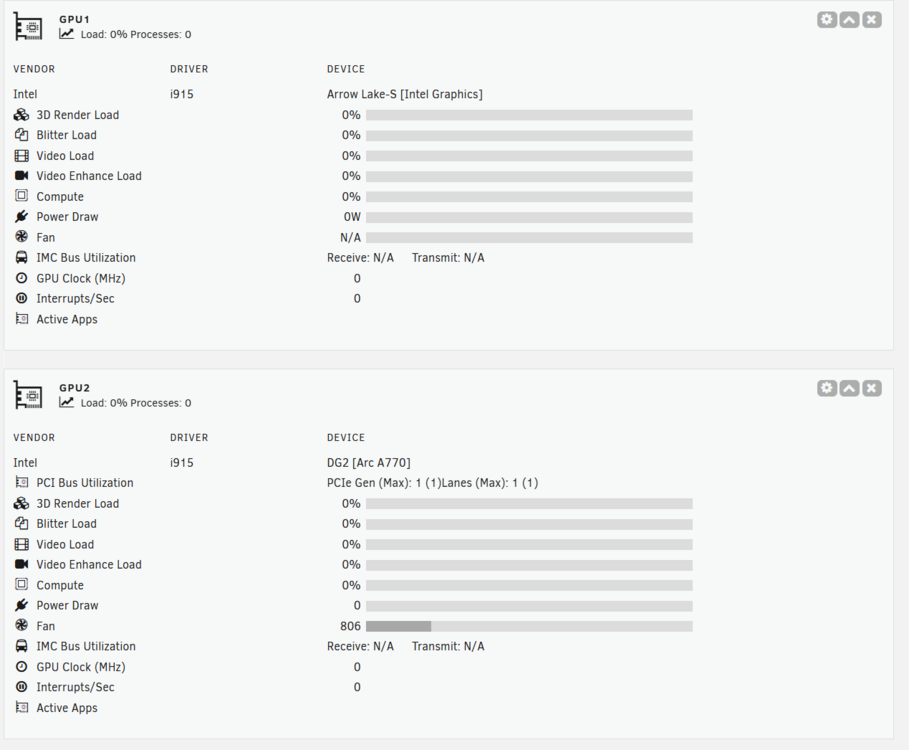
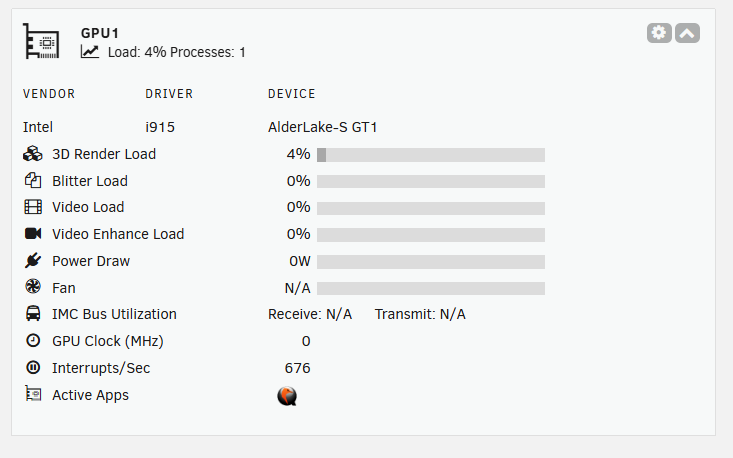
Looking for some testers. I have worked with ich777 to put my modified code into intel_gpu_top to allow it to run n times. intel_gpu_top -J -n 1 This allows me to not need timers and I have raised this upto the intel_gpu_top team to include. You will need to be running this version of Top. Release Notes 2025.03.15 Bumped 'intel_gpu_top' version. Based on Intel-GPU-Tools v2.0 with patch from SimonF Make copy of existing file i.e. cp /usr/local/emhttp/plugins/gpustat/lib/Intel.php /usr/local/emhttp/plugins/gpustat/lib/Intel.old Install this file in /usr/local/emhttp/plugins/gpustat/lib It is working on both igpu and dgpu on my test system. Let me know feedback and I will package over the weekend to release. Intel.php
-
Framebuffer disabled in step 3, other bit means booting without binding to vfio and the driver resets the card.
-
AMDGPU and lspci -k will show it in use at boot.
-
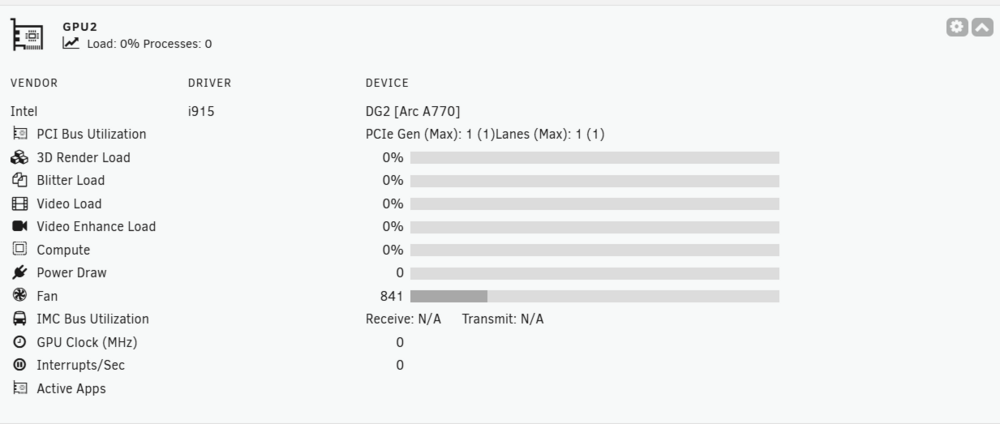
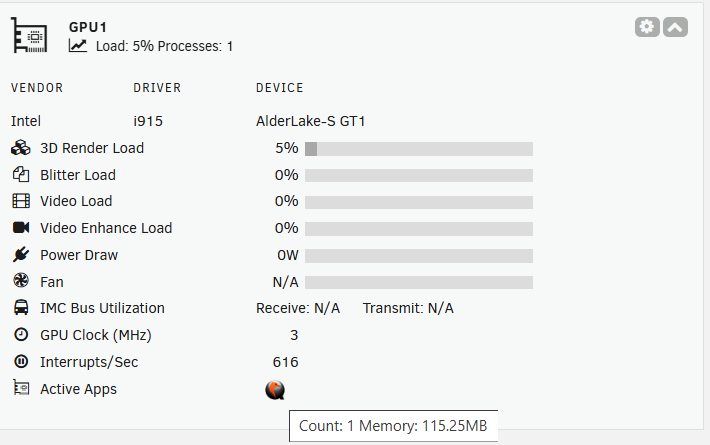
Release 2025.03.28 - Add Fan for Intel DGPU. - Fix Handbrake Icon for Intel. - Add Metrics for A310s and others that report via clients. - Add Memory for Processes(Intel) - Add Compute Bar(Intel) needs to be enabled in settings.
-
Post diagnostics
-
Thanks will release an update tomorrow.




