iamnypz
Members
-
Joined
-
Last visited
-
WoW! had this problem for ages. Thanks a million!
-
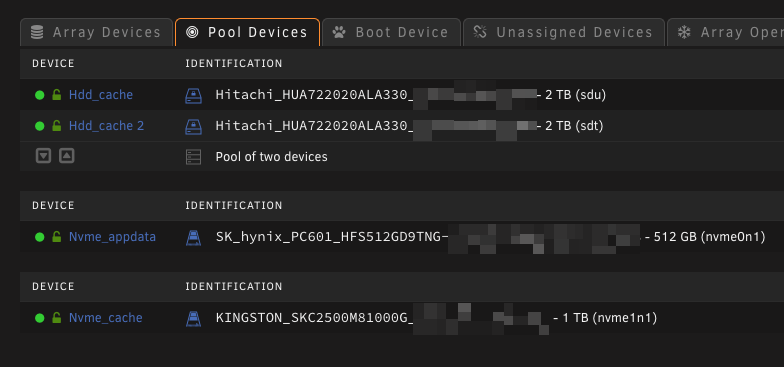
Honestly - I don't remember. I know it sounds silly but the years pass... Right now it's on the nvme_appdata cache with just the appdata-share. The Nvme_cache is just for Nextcloud data-share. Do you recommend that the docker.img should be on that one instead?
-
I actually have the docker image under /appdata/system/docker/docker.img and I do get this error. Any advice getting around this error? Thanks a million for taking over the dev of this very important plug-in and happy new year to you!
-
Yup, same here. No dice getting it to work
-
I have the same issues. VMs been rock solid on 6.8.3 and upgraded to 6.9.1 and then 6.9.2 and the load is generally low on the VM but super laggy after about 24hrs of uptime on the VM and/or the unRAID server. I have no GPU passtrough though. Edit: At glance, it seems like changing the scaling governor actually helps. Strange. Never been an issue for me earlier. Had it schedueled for "power save" from 0100-1600hrs and "performance" 1600-0100 hrs. Changing it to "on demand" reduced VM lag as it seems.
-
Hi, I just upgraded to 6.9.2 and I get theese errors as well. Haven't changed anything regarding network. Log as follows:
-
Ahhh dayum!
-
Nvidia's Virtualization Unlocked On Gaming GPUs via Hack | Tom's Hardware
-
Update: By adding "vfio-pci.ids=1b39:0001" to the Syslinux Configuration as below i managed to get the drive visible for passthrough when I edit a VM But still no soup as I want to use the PCIe card as a unassigned device and run my VMs and dockers on it

-
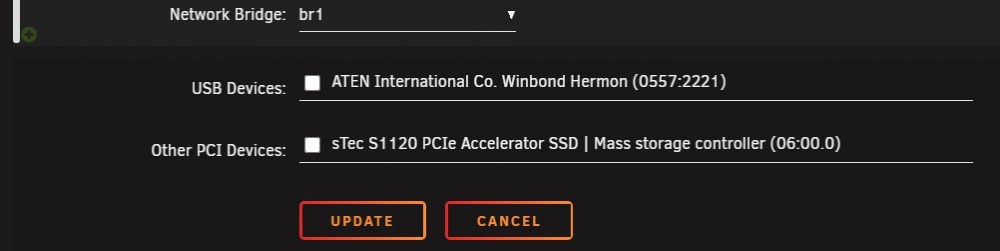
Hi, Just bought a PCIe accelerator card as described above (link) and i can't use the drive. I may be over my head on this one BUT as far as i know, the driver was included per customer req in unRAID 6.6.0 The card shows up in system devices as follows: But i can't find it as a drive in the WebGUI using unassigned drives or as a choice when i assign drives to the array. From syslog: Any ideas? Do i have to compile drivers manually?
-
Hi! I'm trying to troubleshoot this issue as well. Had it for like a month or two. Transcode of anything fails within 24hrs of restart of the docker. Though i want to point out that i'm not using this docker, instead i'm using linuxserver.io's docker. Seems like a Plex issue?
-
I deleted the docker image under settings->docker and now it works. Try it!
-
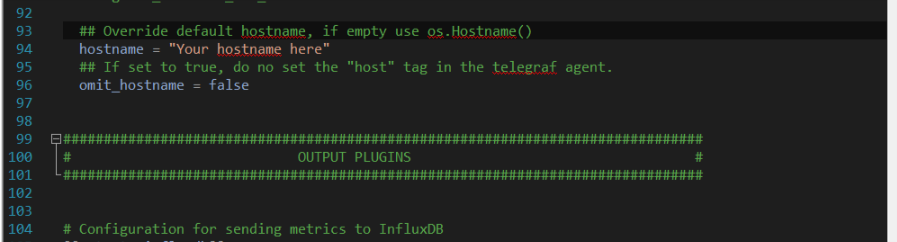
It jus doest that i guess. Same happened to me. Change hostname in line 94 in telegraf.conf (se attached pic)
-
Funny thing. This just happend to me as well, and i can't get it working again. Super frustrating. On unRAID 6.8.3 got both eht0 and eth1 bonded and briged and the only options in grafana now is "eth0" and "all". When i look into the influxdb that's the only entries as well, so i guess the telegraf docker is f****? edit: Spelling
-
iamnypz changed their profile photo
-
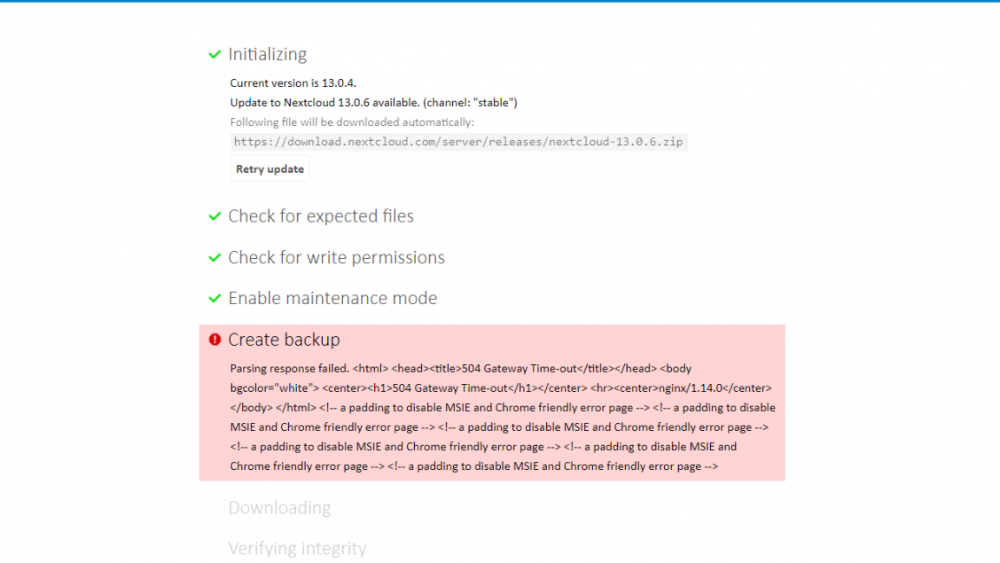
Hi guys! Haven't been able to update Nextcloud in a while due to this error, any ideas why it appears? At first, I wasn't able to even see the upgrade screen since I got the "Step 4 is currently in process. Please reload this page later" error. I found a site that recommends removing the "nextcloud-data/updater-randomstring/.step"-file wich I did and then could proceed. But then this error comes up! Worth mentioning is that the data folder (including "nextcloud-data/updater-randomstring/.step" ) is on a FreeNAS server. The share is mounted in unRAID (NFS) with the "unassigned drives"-plug in and there's no problem storing and accessing data there otherwise (got all my sh*t there). Any thoughts?