





Joly0
Members
-
Joined
-
Last visited
Everything posted by Joly0
-
Hey, was curious if its possible to use an nvidia gpu in the debian vnc container?
-
Thats right, though i just faced this issue while trying to install cubecoders AMP in an LXC Container. AMP needs the right locale settings for its setup and the setup needs to be run by root user. Hm, i am just testing various things and reporting them back, and this behaviour is something i noticed, so i thought, maybe its better to report this 😅 Using this command works. Using locale afterwards shows the correct locale settings for the container.
-
Though i just tested with a new container. Using just locale there shows posix for everything, using su root followed by locale shows the correct locale settings, without the need to use the dpkg-reconfigure command. So i guess this is just a bug
-
Yes, i have tried that alraedy. Using this command for example dpkg-reconfigure locales && locale-gen or this command update-locale LANG=en_US.utf8. Though even after rebooting the container, the locale command still shows posix for everything. Using su root followed by locale shows the correct locale settings which i have defined with the dpkg-reconfigure locales command Yes, i know that LXD is not included, i just meant, that it would be great to have an option like that, which works.
-
While we are at it regarding feature requests. I am facing the issue explained here https://lists.linuxcontainers.org/pipermail/lxc-users/2016-March/011277.html The solution using su root works no problem, though its inconvenient. The option using the lxc config command looks better, though i cant use that because the command is missing. Would be great to be able to set the locale in a future update. But no hurry, using su root is ok. Take your time and enjoy your vacation
-
Thanks for the answer, i knew i could type bash there, though i am used to being able to define the bash which is used, i didnt found an option for that an assumed its done automatically, which isnt the case apparently. So i thought this is a bug, which it isnt, it just isnt implemented yet. Regarding the coding of the unraid shell and the sh shell i didnt knew that, good to know for the future, thanks for the explanation
-
Oh, and it looks like there is another issue aswell

-
Btw, just updated to the latest rc and found a "bug". I wrote about that on the official unraid server already, but i though it would be useful information here aswell. Ill just copy/paste it here: Not sure if this is an Unraid issue (6.10.2 RC2) or an issue with the LXC plugin, though i post it here first. This RC added an LXC Terminal Button, though this button assumes /bin/sh for the containers. If i install eg a debian container and use that function, in the new terminal window i cant use autocomplete or see the current path
-
Yep, had a space there, sry
-
@ich777I might have found another issue with the jDownloader 2 container, though looking at the sourcecode on github, i cant find an apparent issue. Setting a custom resolution (in my case i wanted to set 1536x*864x) i get the following error message in the docker logs: ---Libraries found!--- ---Checking for old logfiles--- ---Checking for old display lock files--- ---Resolution check--- /opt/scripts/start-server.sh: line 96: [: 1536 ]; then CUSTOM_RES_W=1024 fi if [ -z : binary operator expected sed: can't read 864,: No such file or directory ---Window resolution: 1536x 864--- ---Starting TurboVNC server--- ---Starting Fluxbox--- ---Starting noVNC server--- WebSocket server settings: - Listen on :8080
-
Hm, seems like my docker folder was corrupted somehow. recreated it, installed the jdownloader docker (had to remove the old appdata/jdownloader2 folder) and it works again
-
Hey guys, i have an issue with the jDownloader container. Starting it results in the following log: standard_init_linux.go:228: exec user process caused: no such file or directory standard_init_linux.go:228: exec user process caused: no such file or directory standard_init_linux.go:228: exec user process caused: no such file or directory standard_init_linux.go:228: exec user process caused: no such file or directory standard_init_linux.go:228: exec user process caused: no such file or directory standard_init_linux.go:228: exec user process caused: no such file or directory standard_init_linux.go:228: exec user process caused: no such file or directory standard_init_linux.go:228: exec user process caused: no such file or directory Anyone has an idea how to fix this?
-
Yes, exactly, i use the folder option for docker
-
Any option to hide Snapshots or Volumes from the list (idk what exactly). I have my docker not as an image, but as a folder and i see like 30 Snapshots/Volumes belonging to Docker which i would like to hide. Is that possible?
-
Some screenshots would be nice to see if its worth a try, unfortunately there arent any on github either
-
Hey, i have a weird issue. After one of the last updates, the container doesnt start anymore, it keeps looping through this cycle: Build: [02/08/22 01:36:51] [master] [75c2df31157b4b86e9a712e0d9a866152ffab516] [ /etc/cont-init.d/10-setup_user.sh: executing... ] **** Configure default user **** Setting run user uid=100(default) gid=99(default) Adding run user to video, input and audio groups Setting umask to 000 Create the user XDG_RUNTIME_DIR path '/run/user/99' Adding default home directory template Setting root password Setting user password DONE [ /etc/cont-init.d/20-configre_sshd.sh: executing... ] **** Configure SSH service **** DONE [ /etc/cont-init.d/30-configure_dbus.sh: executing... ] **** Configure container dbus **** Container configured to run its own dbus DONE [ /etc/cont-init.d/30-configure_udev.sh: executing... ] **** Configure container to run udev management **** **** Ensure the default user has the correct permissions on input devices **** Allow /dev/uinput r/w to the group Adding user 'default' to groups: user-gid-71,root [ /etc/cont-init.d/40-setup_locale.sh: executing... ] **** Configuring Locales to de_DE.UTF-8 UTF-8 **** Generating locales (this might take a while)... de_DE.UTF-8... done en_US.UTF-8... done Generation complete. DONE [ /etc/cont-init.d/50-configure_pulseaudio.sh: executing... ] **** Configure pulseaudio **** Configure pulseaudio to pipe audio to a socket DONE [ /etc/cont-init.d/70-configure_vnc_audio.sh: executing... ] **** Configure VNC audio **** Disable audio stream Disable audio websock DONE [ /etc/cont-init.d/80-configure_gpu_driver.sh: executing... ] **** Found NVIDIA device 'NVIDIA T600' **** Downloading driver v510.39.01 and that over and over again. Any ideas?
-
Hey, its me again with the dns issue. I was able to setup the the container so it could connect to the lancache which is running in a container using br0 network mode. The trick was to sett the --dns entry first in the extra parameters field (i tried it last, which somehow didnt work?). Though now i am facing another issue: For the controller support, if i understood that correctly, i need the uinput plugin and the steam-headless container has to be in host network mode, but there lays the problem as the container in host mode cant contact containers running in br0 on the same docker host, so currently i can either use controller support or lancache support. Is it possible to alter this container so it is able to use the uinput plugin even in br0 network mode? Or any idea how to make it communicate with containers in br0 while being in the host network mode?
-
Hey, i tried to add a custom dns through the --dns="xyz...." option in the extra parameters field, which in theory should work, but somehow the dns is not used. I am trying to use my lancache as a dns server so game downloaded get downloaded way way faster if i have them downloaded atleast once in the past year/s, unfortunately, this doesnt work. Any idea why or an option to set a custom dns through an environment variable maybe?
-
Btw i have 2 bugs. Streaming steam to my nvidia shield i am able to use my dualsense controller in the steam menus but as soon as i get into a game, i cant do anything anymore. Same is for audio, works in the steam menu, but as soon as i start a game, i cant hear anything streaming to my shield
-
Ye, i know. Just an idea what might be useful to be added to the base image, but nontheless, great project, works good so far for me
-
Hey, great Project. Maybe it could be a good idea to integrate protonup/proton ge https://github.com/AUNaseef/protonup
-
I am available now for the rest of the day
-
Any specific date? I am available now and for the next ~4 hours
-
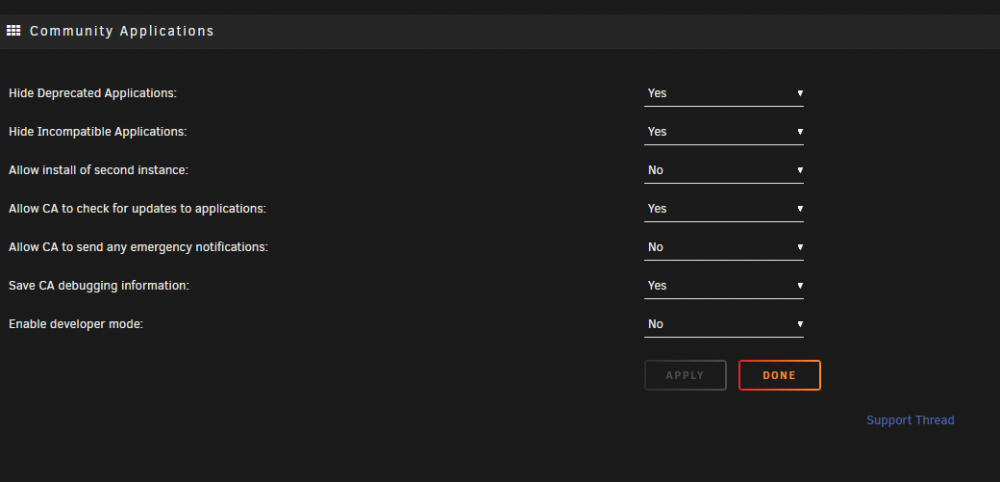
Cant do the second part, there is no "Download logs" option for me.
-
Any logs or anything i could give you to help solve this issue?


