





TheBrian
Members
-
Joined
-
Last visited
-
Disabling the "throttle speeds while streaming" option resolved this for me.
-
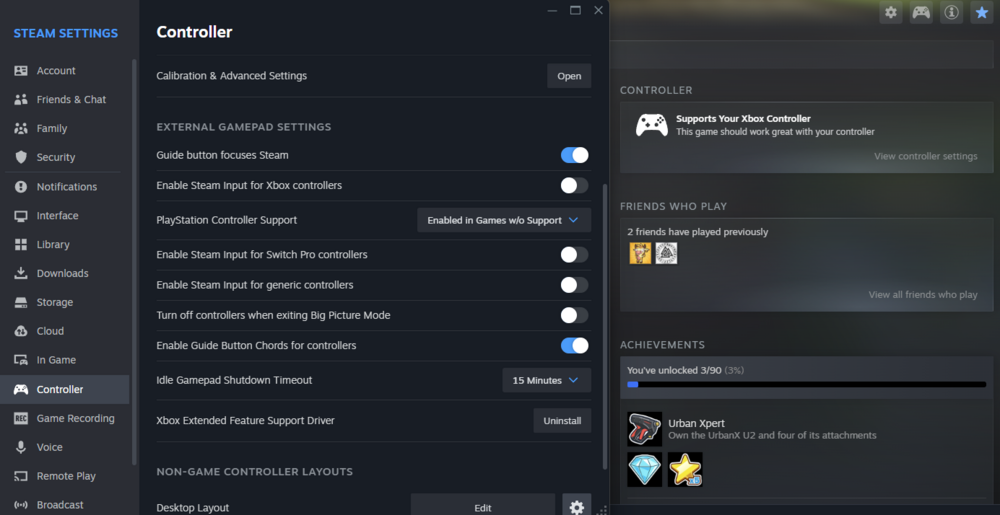
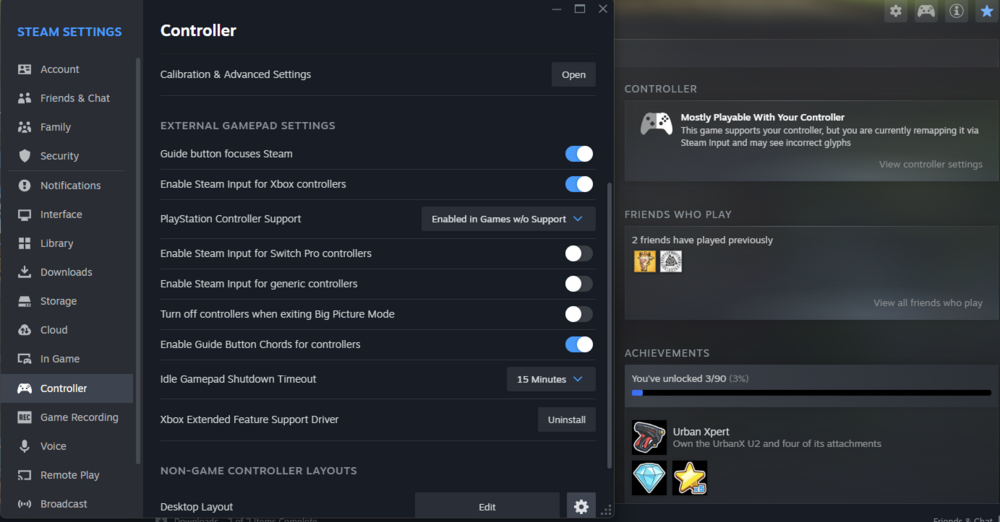
Thanks for the reply. Here are my steam client "Controller" settings: When I select "Enable Steam Input for Xbox controllers" the "CONTROLLER" dialog box for the game switches to "Mostly Playable...": Regardless of these settings, the controller is recognized in Steam and passes calibration perfectly. The controller stops functioning when starting a game, but the mouse and keyboard continue to work. This experience is the same on a Windows PC using Steam Remote Play (STREAM) and Steam Link on the nvidia shield. I've tried a bluetooth Xbox S controller and the nvidia shield controller, both behave the same. I even tried the "Xbox Extended Featured Support Driver" without success. I contrast, I tried streaming from a Windows PC and it worked perfectly. I suppose I can try streaming from a Linux PC to see if the controller works. Maybe the issue isn't the steam-headless container, but a Linux issue in general. I've found stuff like this which sounds similar, but to no avail. Any help is appreciated. This is such a cool idea--being able to run GPU compute workloads next to gaming is a fantastic idea. UPDATE: I've been testing with Windows/Proton games. I just tried with a native Linux game, Valheim, and the controller worked perfectly! Any idea why Proton games don't work with controllers?
-
Bummer. I appreciate the reply.
-
Same issue. Did you ever figure this out?
-
BepInEx requires this directory and libraries be removed. V+ is just a mod (one of thousands) that experiences this problem because the issue isn't with the mod but with BepInEx. This also isn't really a bug but more of a hygiene/clean-up issue. BepInEx no longer requires these libraries and if they exist, the game tries to load them but fails simply because they've been deprecated and should no longer be used. I would trigger off of BepInEx being enabled which would allow your container to work with any mod.
-
If BepinEx is enabled, the unstripped_corlib directory should be removed. V+ requires BepInEx, so if this is the only mod you're supporting, then I suppose yes, you can trigger off of v+ being enabled.
-
They're no longer needed. If they're seen, the game crashes:

-
delete the 'unstripped_corlib' directory.
-
I found my temporary root password at "/mnt/cache/appdata/<my container data dir>/config/initial_root_password"
-
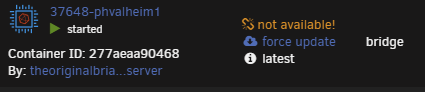
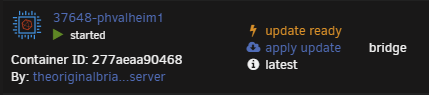
I figured it out. This isn't a CA or unRAID issue. It's OCI compatibility with DockerHub. Hopefully this can help someone else. My debugging process: I grepped through the entire directory /usr/local/emhttp/plugins/dynamix.docker.manager/include for "not available" which is the HTML label shown in the Unraid Docker UI To prove to myself that I found the right label, I added the "!" you see in the screenshot above. This label is inside a case/switch condition. I.e., 0="up-to-date", 1="update ready", 2="rebuild ready" else, "not available" within the DockerContainers.php file. My containers were returning a NULL value which results in the "default/else" (not available message). This condition evaluates the variable "$updateStatus". This variable is set by an array read of the $info['updated'] array element. This variable is set by DockerClient.php and where most of my debugging occurred. /usr/local/emhttp/plugins/dynamix.docker.manager/include/DockerClient.php: I added the following to the "getRemoteVersionV2" function to assist in debugging. $file = '/tmp/foo.txt'; file_put_contents($file, PHP_EOL . $image . '(' . $manifestURL . ')' . ' ', FILE_APPEND); This sent me on a reverse engineering journey and helped me create a little test script: #!/bin/bash repo="theoriginalbrian/phvalheim-server" TOKEN=$(curl --silent "https://auth.docker.io/token?scope=repository:$repo:pull&service=registry.docker.io" | jq -r '.token') curl --header "Accept: application/vnd.docker.distribution.manifest.v2+json" --header "Authorization: Bearer $TOKEN" "https://registry-1.docker.io/v2/$repo/manifests/latest" The output of this little test script: {"errors":[{"code":"MANIFEST_UNKNOWN","message":"OCI manifest found, but accept header does not support OCI manifests"}]} A bit of research landed me in DockerHub API documentation...in short, OCI images do not contain the SHA256 image digest (at least in the location DockerHub expects). This led me to look at how I'm building my images. My dev system is just a simple Rocky 8.6 (EL) VM, which runs podman. By default, podman builds in the OCI format. Simply passing "--format=docker" to my podman build command solved the issue. Results: After clicking "check for updates": After clicking "apply update": After clicking "apply update" and "check for updates:" TL;DR: add "--format=docker" to your docker/podman build command. -Brian
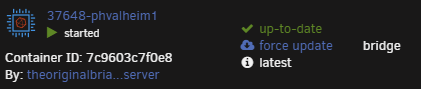
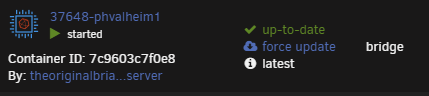
-
It looks like we're alone on this one.
-
You're likely having the same issue. I use other containers from CA that I didn't author and also have this issue.
-
I'm wondering if someone can help with a published Unraid+Docker app problem. I've built 2 containers and published them to CA. One of the containers (phvalheim-server) show updates "not available". The other (intel-gpu-telegraf) works fine. The .xml templates are very similar and I can't seem to figure out how to fix this. I'm getting complaints from people using Unraid that this new container (phvalheim-server) is showing "not available" on everyone's installation. Including mine and two of my test systems. The only search results I find are related to all containers having this issue which is DNS related or a bug prior to 6.9. I'm on 6.11.5 and all versions since creating this container have had this issue. Template for phvalheim-server: https://github.com/brianmiller/docker-templates/blob/master/phvalheim-server/phvalheim-server.xml Template for intel-gpu-telegraf: https://github.com/brianmiller/docker-templates/blob/master/intel-gpu-telegraf/intel-gpu-telegraf.xml Here is a screenshot showing the issue. My other container works fine. Any help is appreciated. -Brian
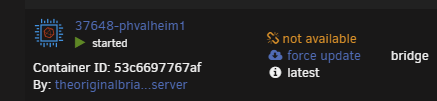
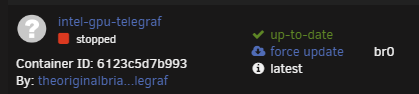
-
I would like this too.
-
I'm seeing the same issue with one of my containers that I built. I have another that has a similar unraid docker template that doesn't have this issue.





