





MyKroFt
Members
-
Joined
-
Last visited
Everything posted by MyKroFt
-
Am getting the following warning: **** Default docker appdata location is not a cache-only share **** Default appdata storage location: /mnt/cache/system/docker/ /mnt/cache/system is a cache only share docker - contains all my docker related setups libvirt - contains all my vm related setups this is on a SSD cache pool Myk
-
For support reasons - just had a docker author ask for config/template settings and needed to make 3 screen shots as there were many items on the list. Pasting the raw XML is hard to read and takes up more space than just "VARIABLE /config = /mnt/cache/appdata/etc" A simple text paste for new users would be much easier Just a thought Myk
-
Request: When viewing installed apps - how about a link somewhere that will open a pop up with a plain txt version of the current template settings? Would be much easier for support to paste plain txt vs making screen shots of the template settings.... ? Thanks Myk
-
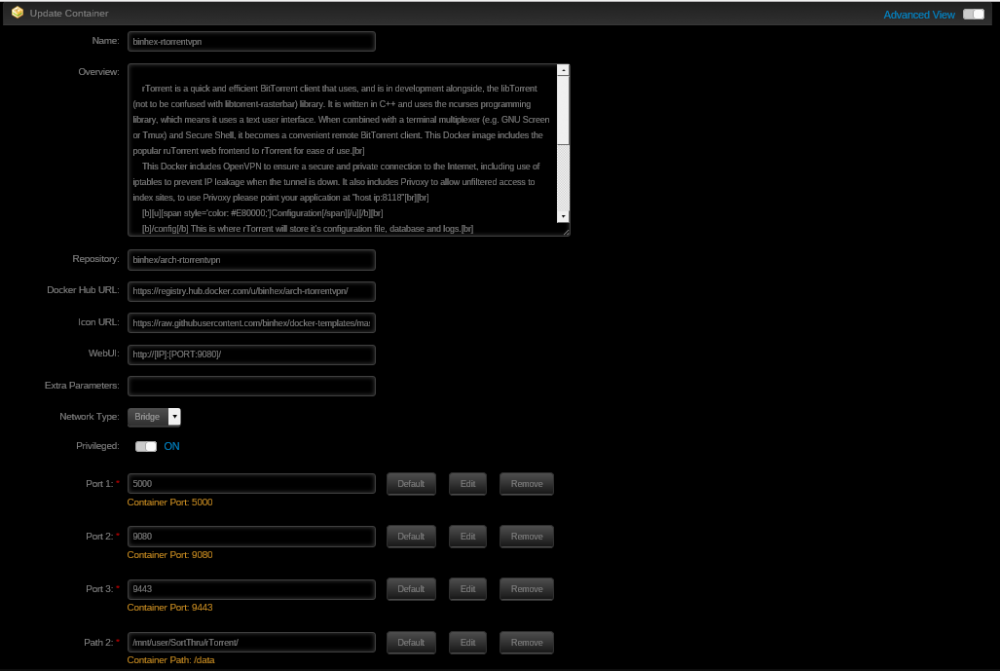
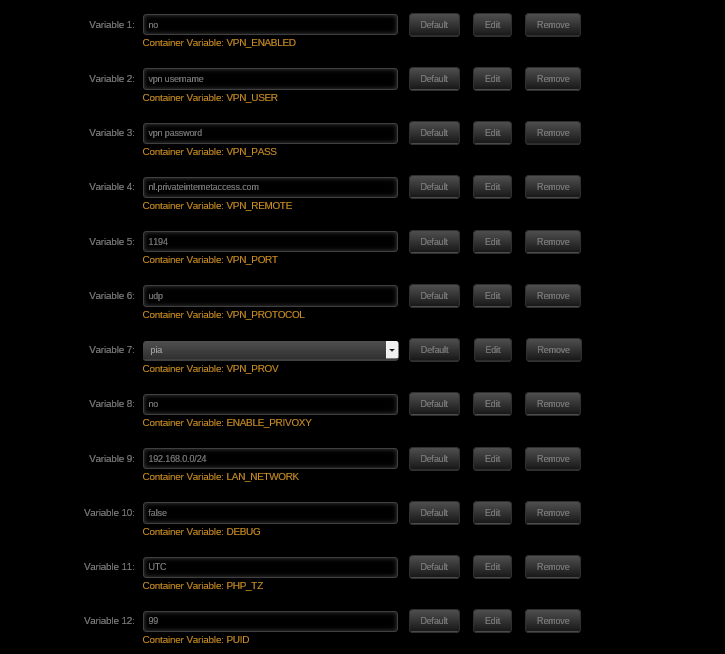
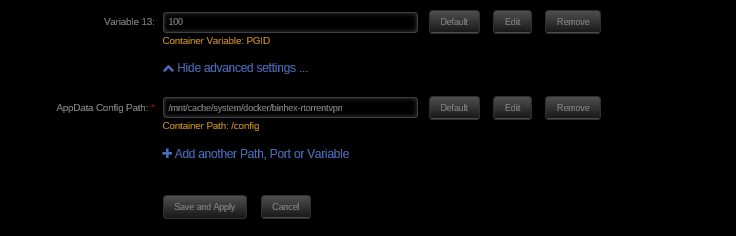
Here is container settings Remember I don't have vpn setup yet - just wanted to get basic container running to look at the web interface etc Myk
-
My bad, it is bridged and privileged Myk
-
I can do a teamviewer session if you want to come in and look? Myk
-
Yes privileged and host mode what about May 24 11:51:24 Tower kernel: script[16521]: segfault at 0 ip 00002b710faff3e4 sp 00007fff174a0360 error 4 in libc-2.22.so[2b710fa97000+19a000] in my syslog every time I start the container? Myk
-
Ok have been using your DelugeVPN container for months and wanted to try this one. Default setup, mapped /data to /mnt/user/SortThru/rTorrent, vpn set to no to start with. Upon starting the container I get the following error: 2016-05-23 20:15:10,274 CRIT Set uid to user 0 2016-05-23 20:15:10,274 WARN Included extra file "/etc/supervisor/conf.d/rtorrent.conf" during parsing 2016-05-23 20:15:10,277 INFO supervisord started with pid 20 2016-05-23 20:15:11,279 INFO spawned: 'start-script' with pid 23 2016-05-23 20:15:11,280 INFO spawned: 'rtorrent-script' with pid 24 2016-05-23 20:15:11,281 INFO spawned: 'webui-script' with pid 25 2016-05-23 20:15:11,282 INFO spawned: 'privoxy-script' with pid 26 2016-05-23 20:15:11,288 DEBG 'rtorrent-script' stdout output: [info] rTorrent config file already exists, skipping copy 2016-05-23 20:15:11,289 INFO success: start-script entered RUNNING state, process has stayed up for > than 0 seconds (startsecs) 2016-05-23 20:15:11,289 INFO success: rtorrent-script entered RUNNING state, process has stayed up for > than 0 seconds (startsecs) 2016-05-23 20:15:11,289 INFO success: webui-script entered RUNNING state, process has stayed up for > than 0 seconds (startsecs) 2016-05-23 20:15:11,289 INFO success: privoxy-script entered RUNNING state, process has stayed up for > than 0 seconds (startsecs) 2016-05-23 20:15:11,289 DEBG 'rtorrent-script' stdout output: [info] Removing any rtorrent session lock files left over from the previous run... 2016-05-23 20:15:11,290 DEBG 'privoxy-script' stdout output: [info] VPN not enabled, skipping VPN tunnel local ip checks 2016-05-23 20:15:11,290 DEBG fd 20 closed, stopped monitoring <POutputDispatcher at 47216798210960 for <Subprocess at 47216788900752 with name privoxy-script in state RUNNING> (stdout)> 2016-05-23 20:15:11,290 DEBG fd 24 closed, stopped monitoring <POutputDispatcher at 47216798211392 for <Subprocess at 47216788900752 with name privoxy-script in state RUNNING> (stderr)> 2016-05-23 20:15:11,290 INFO exited: privoxy-script (exit status 0; expected) 2016-05-23 20:15:11,290 DEBG received SIGCLD indicating a child quit 2016-05-23 20:15:11,291 DEBG 'rtorrent-script' stdout output: [info] VPN not enabled, skipping VPN tunnel local ip checks [info] All checks complete, starting rTorrent... 2016-05-23 20:15:11,291 DEBG fd 8 closed, stopped monitoring <POutputDispatcher at 47216798137592 for <Subprocess at 47216797572632 with name start-script in state RUNNING> (stderr)> 2016-05-23 20:15:11,291 DEBG 'start-script' stdout output: [info] VPN not enabled, skipping configuration of VPN 2016-05-23 20:15:11,291 INFO exited: start-script (exit status 0; expected) 2016-05-23 20:15:11,291 DEBG received SIGCLD indicating a child quit 2016-05-23 20:15:11,292 DEBG 'rtorrent-script' stdout output: Script started, file is typescript 2016-05-23 20:15:11,292 DEBG 'rtorrent-script' stderr output: script: cannot open typescript: Permission denied 2016-05-23 20:15:11,292 DEBG fd 9 closed, stopped monitoring <POutputDispatcher at 47216798136656 for <Subprocess at 47216788900608 with name rtorrent-script in state RUNNING> (stdout)> 2016-05-23 20:15:11,292 DEBG fd 14 closed, stopped monitoring <POutputDispatcher at 47216798136296 for <Subprocess at 47216788900608 with name rtorrent-script in state RUNNING> (stderr)> 2016-05-23 20:15:11,292 INFO exited: rtorrent-script (terminated by SIGTERM; not expected) 2016-05-23 20:15:11,292 DEBG received SIGCLD indicating a child quit Am not sure what to look for - can never get to the webUI.... I do get this line in my syslog when starting the container - am running 6.2 - Beta 21 May 23 20:15:11 Tower kernel: script[27654]: segfault at 0 ip 00002b64d99f43e4 sp 00007fff7ef07290 error 4 in libc-2.22.so[2b64d998c000+19a000] Thanks Myk
-
No? http://lime-technology.com/forum/index.php?topic=40262.msg471536.msg#471536 Sent from my LG-D852 using Tapatalk Sorry, missed that reply Thanks! Myk
-
-
Since we can now backup into dated folders, can we get a options to keep the last X number of dated folders and removed the rest? Thanks Myk
-
I would be believing what the kernel is telling you until you have more substantial evidence that that assumption is wrong! What I suspect is happening is that you have a problem with the bonding of the CPU cooler to the CPU chip. Perhaps it is old/misapplied heat sink compound or a loose heat sink. You should also check that CPU cooling fan is running. When this happened with my Xeon cpu - the stock cooler could not keep up. I replaced it and have never had any problems since. 33C i would get throttling and cpu alarm intermittent - now it stays around 21-22C Myk
-
Will do as soon as I get home Sent from my SM-G920V using Tapatalk
-
Getting this: 2 drive cache pool btrfs formatted Disk cache2 is formatted as The only supported file systems are ReiserFS, btrFS, XFS. This error should only happen if you are setting up a new array and the disk already has data on it. Prior to with a fix, you should seek assistance in the forums as the disk may simply be unmountable. Whatever you do, do not hit the format button on the unRaid main screen as you will then lose data Myk
-
Settings > Scheduler > SSD Trim Settings on my system with plugin installed Myk
-
ok, no problem - will add something to my win desktop monitor to do what I need Thanks Mtyk
-
To view the log as it progresses? Logs are available (in DOS format) on the flash drive upon completion. as in a button on the backup screen to execute: http://Tower/logging.htm?title=Log%20Information&cmd=/webGui/scripts/tail_log&arg1=community.applications.backup.log Even if /var/log/community.applications.backup.log is a symlink to the log on the flash ? As it is now - the backup.log will keep filling up the flash drive without manual intervention..... Thanks Myk
-
Love the work! A view log button on the backup screen would be nice Myk
-
take it - it is not possible to backup to a folder under a share? I have another script I run that is \\Tower\Backups\Cache - but I also have my crashplan in there as well under \\Tower\Backups\Crashplan Wanted to keep all backups together - nice and tidy etc.... Myk
-
Until you update the docker. Not just restart it Sent from my SM-G920V using Tapatalk
-
Ok I can understand why and live with it - but the template is STILL stating version=plexpass as a option..... Myk
-
version=plexpass no valid anymore? I had to change to version=latest to get plex to come back up after a restart this am Myk
-
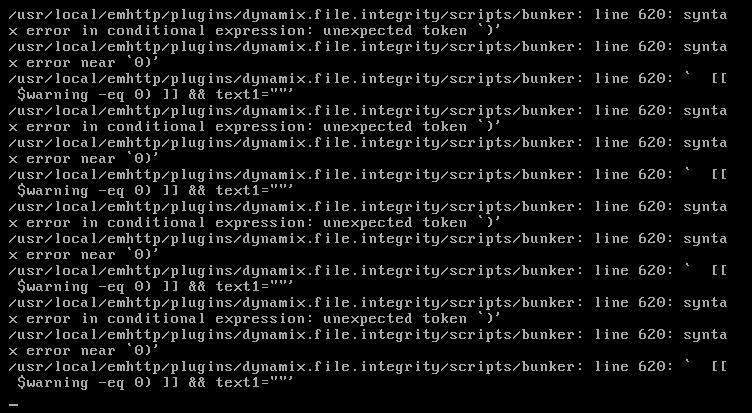
Latest verison of the plugin and 62b19 of unRAID and am getting the following spamed to the local console Myk
-
Working fine on the beta here as well Myk
-
search for pfsense here, there are many threads on how some ppl are doing it and how some tried Myk


