





optiman
Members
-
Joined
-
Last visited
Everything posted by optiman
-
Thanks. No, all disks SMART logs are good and no errors. I will check the controller and all cables and power. How can I get unraid to recognize disk 2 and parity again to try again?
-
Anyone using the new WD 14tb RED Pro drives with LSI controller with success? I've never had 2 drives fail at the same time, very weird. Both are Iron Wolf 12tb and only 3 years old. SMART data and logs look good, so not sure why unraid disabled them. Diag file attached if anyone can help sort out what happened. Thanks! tower-diagnostics-20210907-0859.zip
-
binhex/arch-sickchill:latest that worked for me
-
Great! Thank you for letting us know.
-
read the posts above yours and you'll see that you'll need to roll back to a earlier version
-
Thanks guys - rolled back and working good now.
-
how do I roll back? I've never had to do that with a docker.
-
same for me too
-
First, you'll want to read and decide if you want to make the suggested drive fw changes. https://forums.unraid.net/topic/103938-69x-lsi-controllers-ironwolf-disks-summary-fix/ Can you confirm which controller you have these two Seagate drives connected to?
-
Ok now we have several Seagate models affected, something is just not right here. Does anyone know what has actually changed and caused this? Can the Unraid team fix this in a future release or does this mean that for everyone running Seagate drives are at risk? Even if the fix works today, how do you know it will be ok in the next release? It seems there is a deeper issue here that must get addressed. With all of this, I'm staying 6.8.3 for now and continue to enjoy my trouble-free server. I don't have any spare drives to test with and data loss is not an option for me. A fix that does not involve messing with drive fw or options would much appreciated.
-
I'm trying to decide if I should update the fw on the 8tb drives or leave them on SN04. I haven't had any issues and they say we should not upgrade unless you are having issues. Advice please - upgrade SN05 on those 8tb drives first, or leave them and make the changes using TDD's instructions and then upgrade unraid?
-
Yes, thank you! I didn't see that thread. I've posted in that thread, thank you!
-
Thank you all for this thread, very helpful. I'm still on 6.8.3 and I have several Seagate ST8000NM0055 (standard 512E) firmware SN04, which are listed as Enterprise Capacity. I just checked and Seagate has a firmware update for this model, SN05 I also have several Seagate ST12000NE0008 Ironwolf Pro drives with firmware EN01, no firmware updates available. My controller is a LSI 9305-24i x8, bios P14 and firmware P16_IT. I've had zero issues, uptime 329 days. I was thinking of using the Seagate provided usb linux bootable flash builder and boot to that and run the commands outside of unraid. Given I only have seagate drives, I will need to do them all. Has anyone tried this with success?
-
awesome, thank you!
-
That is awesome to hear! I think it may have to do with which controller is in use. Mine is a LSI 9305-24i x8. I see you are also running LSI card. Weird how some are having the issue and some are not.
-
Has anyone using Seagate drives updated to 6.9.2 yet? I'm still on 6.8.3 due to people posting that their Seagate drives were having errors and dropping. As posted by @TDD, the issue is a result in a recent merge into the combined mpt3sas driver and kernel. It was all fine under 4.19. TDD also said that he reported this bug , so I would like to know if 6.9.2 fixed the issue before I try to upgrade. I have not made any changes to my Seagate drives and my server is rock solid with no issues and uptime is at 329 days I would rather not have to disable the EPC or the low current spin up settings on all of my Seagate drives if I don't need to.
-
Hello Kev, just checking in with you to see if you still have had no issues with your Seagate drives? I have the Seagate tool on a flash drive ready to go, but I'm holding off for a while to see if the super Unraid team will fix this in the next update or not. I would rather they address this issue so I do not have to make changes to the drives. The other concern is all of my data drives are Seagate, so if things go wrong, it will be really bad for me. My server has been up and running with 6.8.3 for 322 days straight without any issues. Yes, I'm knocking on wood right now LOL. Did you officially report this as a bug? From what you stated, it sounds like a mpt3sas driver / kernel issues that could be fixed in a future unraid update. With so many people using Seagate drives, I'm surprised that there are not more people reporting issues after updating.
-
Hopefully others will chime in and know what that error is. If it were me, I would start eliminating possible causes. First, turn off all dockers and leave off, and see if the error continue. Try to pin it down to the specific docker, if that is even the issue. I saw an older post from 2016 where the Signal 15 Caught, Saving and Exiting error was related to sabnzbd Did you run the Fix Common Problems ?
-
I saw it, but I would rather not have to disable the EPC or the low current spin up settings if I don't need to. That's why I'm asking if anyone out there has the same drives as I do and upgraded with no issues.
-
what dockers are you running?
-
Now that there are at least two different Seagate drive models with issues after upgrading, can anyone confirm they upgraded with no issues with the same drives I have? 12TB ST12000NE0008 fw: EN01 8TB ST8000NM0055 fw: SN04 LSI 9305-24i x8 controller
-
good stuff here. I just installed this docker. I too tried setting the unraid dns to the pi-hole IP and found it to be way too slow. I read here unraid should have real dns ip address. I also set my router dns to pi-hole ip address. The issue I have now is my asus router is configured to issue the dns of pi-hole ip via DHCP. That works, but also pushes the router ip as a second dns ip address. I am looking into how to correct this so the router dhcp only issues the pi-hole dns ip. I do see these errors in my unraid log, but everything seems to be working. Jan 22 12:03:24 Tower kernel: igb 0000:03:00.0 eth0: mixed HW and IP checksum settings. Jan 22 12:03:24 Tower kernel: igb 0000:04:00.0 eth1: mixed HW and IP checksum settings. any ideas?
-
Today my miniDLNA stopped working. The docker is running and it says I have the latest version. If you scan for the miniDLNA service, it is no longer broadcasting. I've tried a Forced Update twice to no avail. Has anything changed? I did notice that binhex updated sickchill two days ago, but not sure if they share any files. Suggestions?
-
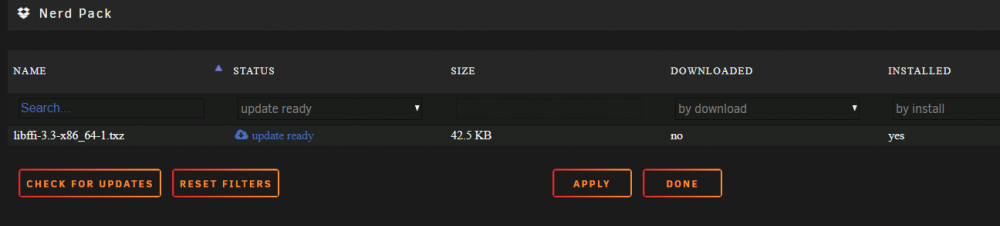
libffi is just a temp version fix for python until they update the version included with unraid. A lot of updated python apps won't run without v3.3. Maybe I should bug them to update libffi. As far as it not updating, maybe download or corruption of some sort. Nerdpack checks bad package downloads and deleted them though. You can manually delete them on the flash drive Ok, so I looked through the flash drive and didn't find the libffi package. I'm not sure how it got installed. On the Nerd Pack tab, under the Downloaded column, it says By Download is No. I'm guessing that means it was not installed using NP. What is the recommend resolution to fix this so it will update? Should I use NP and select Uninstall, and then Install it again? Thank you!
-
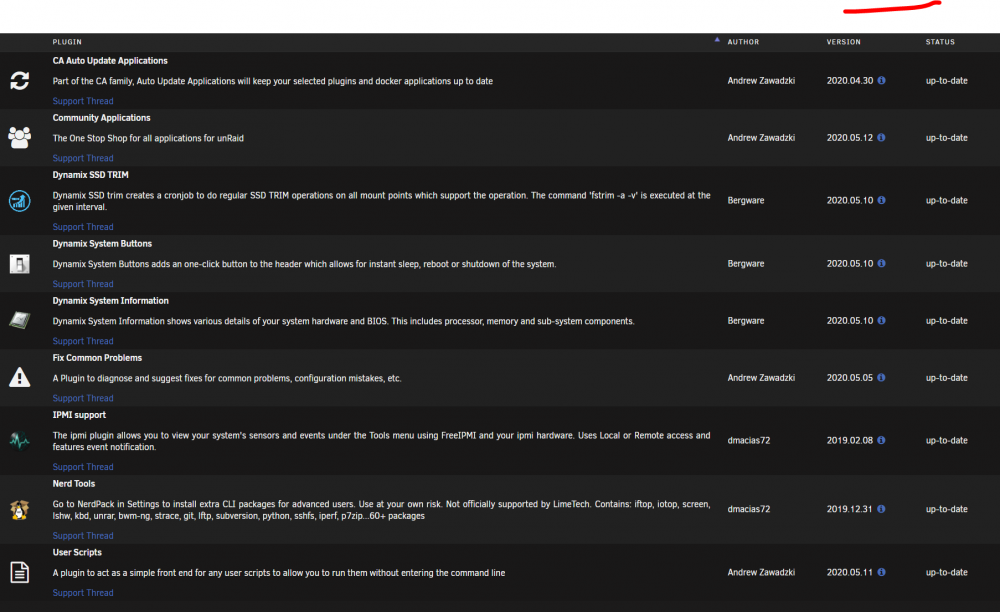
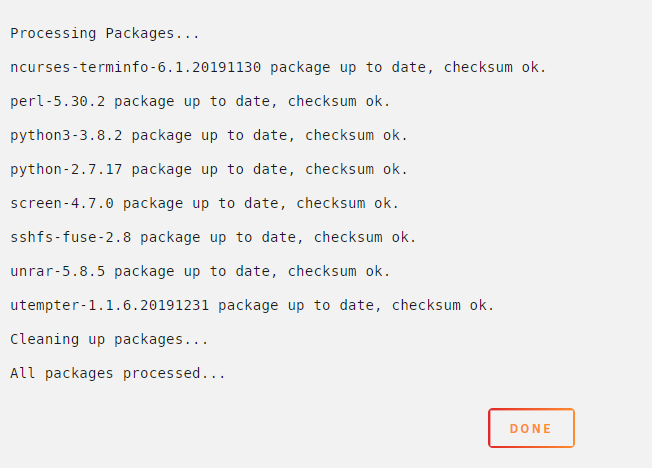
I have one item in my Nerd Pack that won't update, libffi. It continues to show up as needing an update. However, it shows up again after running the update. I can't remember why this was installed initially. The only thing in my GO file is: #!/bin/bash # Start the Management Utility /usr/local/sbin/emhttp & Here is a list of the Plugins I have installed: I also have 5 dockers installed. This is the output when I select Update: It's been many years but I recall that when something like this happens, the resolution would be to Uninstall and then Install again using the Nerd Pack tab. Is that still the recommended resolution? I do not know why this Libffi is even being installed, but it must have been something related to a Plugin, or perhaps it's not even needed anymore. Any ideas?




