Nanobug
Members
-
Joined
-
Last visited
Everything posted by Nanobug
-
Valheim is weird atm. It usually works to connect directly to it with the sub.domain.com:port setup. The IP works a swell. Steam servers doesn't always wants to find the Valheim server to be added to favorites. But so far, I've only experienced it in Valheim. From what I understood on the Valheim server, it's on Valheim developers end, so there's nothing we can do, unless you're planning to get a job there.
-
Subdomains just translates it into an IP, so there's no difference. Except it's easier to remember names than numbers.
-
I haven't tried hostname myself. But my hostnames usually don't work anyway. I'm using subdomains instead. But valid point!
-
This is probably not where the issue lies, but try without Valheim Plus, just in case it changes something. It probably won't, but it's always a good idea to take it one step at a time. Did you have other servers running on unRAID?
-
2456-2457, or whatever ports I've assigned them too. I run a couple of Valheim servers, so I'm the 2060's port range as well. Correct. Still correct.
-
I think I set mine for both UDP and TCP in the protocol (I'm using Ubiquiti though). According to this, you need both TCP and UDP.
-
I don't know about PFsense, usually outgoing connections are allowed by default, and you need to allow incoming connections through forwarding.
-
That's odd. I'd just go over my settings again, maybe start over with the game server if that' doesn't work. I usually get it working the first time, then delete it at do it again, just to make sure I got it right.
-
Also, if you're using a subdomain to connect to it with, it takes 1-24 hours for the DNS to update. So it might not find anything at first. Usually it works within a couple of hours. BepInEx is Valheim Plus?
-
Did you wait 15-30 minutes? Sometimes it takes time for it to update on the community servers. Also, try connecting through your WAN IP, even though it's dynamic, it should use the same one for some time, at least enough for you to test it through the WAN IP.
-
I stopped asking them about it. But thank you for clarifying
-
They don't even install it in a VM. They just install the OS, and then the game servers they want on it. The reason they gave, was performance. You lose performance in a docker or in a VM. According to them.
-
Not yet. I can't remember if it's on their roadmap. There might be a 3rd part tool or something, but I haven't seen one.
-
I already tried myself, I just don't know how to do it. I event tried the mod Discord server, but it turned into a debate on why I was running it in a docker. So I didn't get far with that. Are you validating the installation on that picture? - Because I'm getting high CPU load when mine does, but afterwards it's running just fine. And your CPU shouldn't be that much worse than mine.
-
Ah, no worries I'll look into spinning up a VM for it then. Thank you anyway
-
Can you join it with the LAN IP?
-
They just wanted the world to be called Oriath. It's a modpack called Enigmatica 6. The link is here: https://www.curseforge.com/minecraft/modpacks/enigmatica6 The instructions says to run the installation script, I'm just not sure that works in a docker like that. Can you help?
-
I can't tell you what went wrong. I removed all the files in the appdata folder, let it set it up, renamed the server.jar to Oriath.jar and it works now. I did the same thing before I posted here. I can't seem to figure out how to install the mods/plugins for it. Do you know how?
-
I'm having a similar issue. It loops through the bootup. I tried removing all the files and let it download it all again, I tried a couple of different runtime, even though I don't exactly what they're for. I've added some log in a text file. I'm not sure how to proceed from this point. minecraft_log.txt
-
The only thing I can recommend, is to use Space Invader One's videos for setting it up from scratch.
-
I can't tell you what happened, but I removed the container and installed it again, using all of the same files and configuration, and it works now.
-
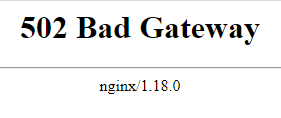
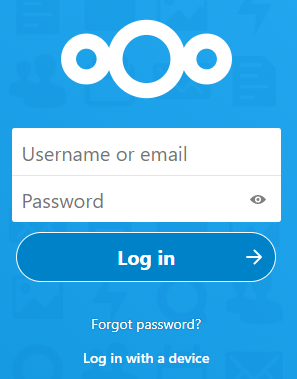
Hello, I'm getting this erorr, when I'm trying to login. I do get to the login page: - I just can't loging. The log said this: 2021/03/04 13:23:10 [error] 393#393: *28 recv() failed (104: Connection reset by peer) while reading response header from upstream, client: X.X.X.X, server: _, request: "POST /login HTTP/2.0", upstream: "fastcgi://127.0.0.1:9000", host: "X.X.X.X" 2021/03/04 13:32:11 [error] 393#393: *98 recv() failed (104: Connection reset by peer) while reading response header from upstream, client: X.X.X.X, server: _, request: "POST /login HTTP/1.1", upstream: "fastcgi://127.0.0.1:9000", host: "subdomain.domain.com" I've changed my domain and local IP. I tried a different browser as well. Then I tried using a direct link to a zipped file, that one works. So it seems like the login part of Nextcloud is messed up for some reason. I'm not sure what version I'm running exactly, because I don't know where to find it. But I did check for an update before this post, so it's the latest version as of this post. I've tried rebooting the container and the proxy manager as well. I tried looking at the nginx configuration files, but I don't know exactly what to look for. Does anyone have a solution for that?
-
Yes. You're transcoding each stream. Yes, the multi streaming server is just like a distributor. You asked about streaming requirements, so I thought you meant the transcode power. If you're just using the multi streaming, then I think a couple of cores is enough. Don't hold me up on that though, I haven't tried it myself. I guess the easiest way is to test it yourself to find out what is needed.
-
It depends on what resolution and fps you want to stream in, and at what bitrate. Quick search on google says 2-4 cores and 4 B of RAM.
-
Make sure the CPU is good enough to handle the stream. I doubt the single core VPS you can get, will be able to do it