Nanobug
Members
-
Joined
-
Last visited
Everything posted by Nanobug
-
If there was a hidden character, and it worked after after adding the comment line, shouldn't the result have been the same then? Another thing, and this is probably on me. Can you make it stream to a remote server? For example: Can my brother send the transcoding work to my server over the internet? I tried port forwarding it, but I wasn't successful with it. I'm not sure how to make it work exactly. Any ideas?
-
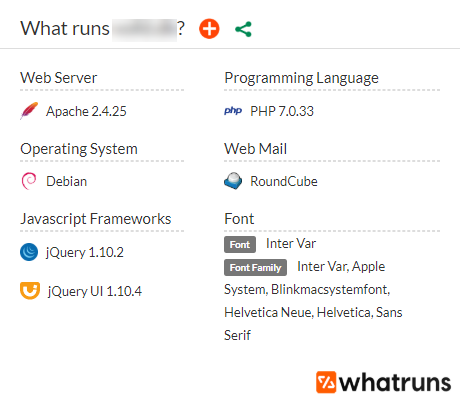
I'm still new to unRAID and Linux in general, so take my response with a grain of salt. All I did to make it work, was using the Wordpress and mariadb docker, so most things are in the Wordpress docker, and it saves it in the mariadb. I don't know what version it's using, but accordingly to WhatRuns (Chrome extension), it's this:
-
Hello. I just wanted to put a pointer out to people who might need it when they can't get it to work. I've been on this constantly for over 3 hours now. If you're sure your NPM works, then remove mariadb and Wordpress including the files (you can use Krusader for that), then install mariadb and WordPress again. Just take your time to install and configure everything. Write down, or open a text editor and type IP's, ports, usernames, password and database names down, all information you've created in one way or another, and then slowly progress, and you'll get there.
-
I agree. It makes no sense, but that's how I got it to work.
-
I found my issue. The blog post said: user nginx; worker_processes auto; rtmp_auto_push on; events {} rtmp { server { listen [::]:1935; chunk_size 4096; application live { live on; record off; push 'rtmp://live-atl.twitch.tv/app/<yourTwitchStreamKey>'; } } } But the picture had this: user nginx; worker_processes auto; rtmp_auto_push on; events {} rtmp { server { listen [::]:1935; # ipv6only=off; chunk_size 4096; application live { live on; record off; push 'rtmp://live-atl.twitch.tv/app/<yourTwitchStreamKey>'; } } } So I had to add this line: # ipv6only=off; before it worked. I don't know if anyone else had the same issue. But this was how I solved it at least.
-
Is there a place where I can get help with the troubleshooting, or should I just don it here?
-
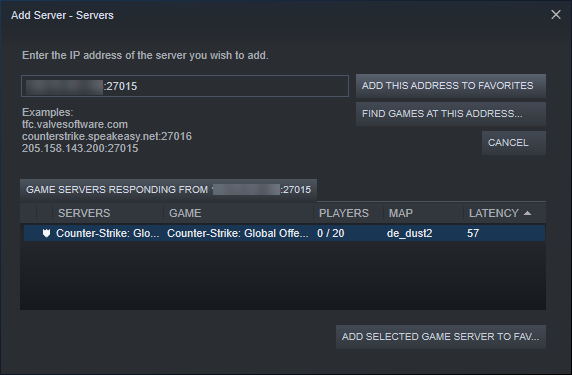
Good morning (I'm from Europe) I haven't changed any config files or anything, since I wanted the sever to go online first. It shows this on my servers when I try to find it: Does it mean it's online? I've only used the default port for now. Does it mean, if I change the port, I need to set it all up again, and not just restart the server?
-
It is possible to see it in the steam server browser. But I just had a friend test, and it gets stuck at "connecting to server". I looked at the log on unraid, it said this: It's the last part in red, that makes me wonder what it is, and why my friend can't connect to it?
-
I've got the server running now, but I can't get it to be access able on WAN, only LAN. Can you look through a config file or something, or should I show you some screenshots?
-
So it should look like this, if my token as "1234": Is that correct? I'm just trying to get it to work at first, then I will run it with a different IP.
-
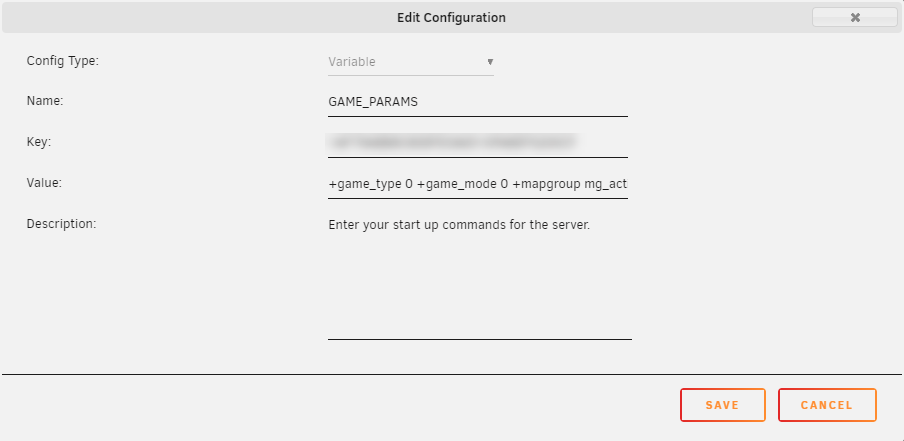
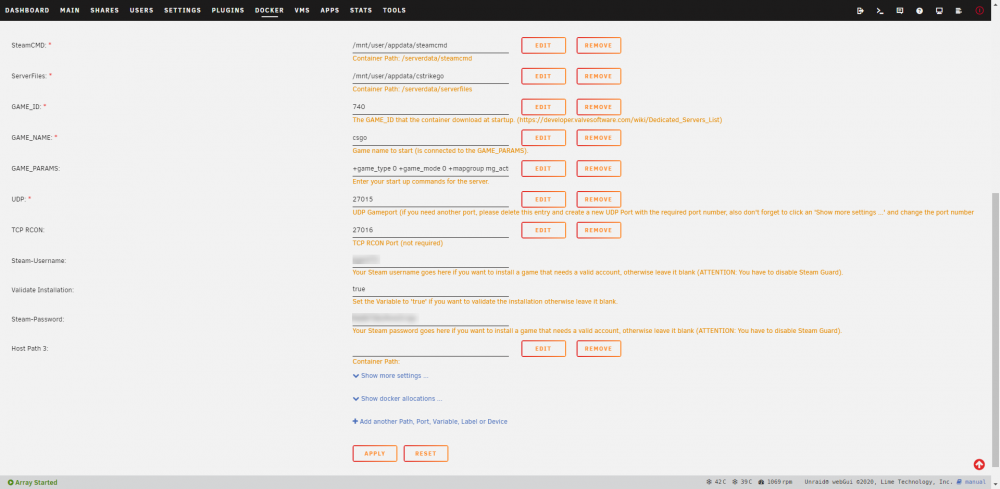
I'm trying to host a CS:GO server. I've got a static IP, I've port forwarded the port to my server, and it's not online. I was sure where I was supposed to put in the login token (screenshot added). I've added a screenshot of my setting. The docker log says this: I've tried to look through everything. But I can't get it to work. Does anyone have a beginners guide to it?
-
My router was messed up, so I had a friend drop off a router, and everything works now. Thank you for trying to help, it's really appreciated.
-
The DNS problem disappears when I restart the server, but the torrent issue persists. Just to try it out, I installed Deluge on my Windows 10 Pro, and it works right away. The use the same network configuration, except the unraid server has a static IP, and my Windows PC has a DHCP IP.
-
My DNS is for some reason messed up again. I think that might be the case right now. I don't know why it happens "Fix Common Problems" detected it. I guess I'll have to fix that first.
-
When I booted up unraid today, it did start downloading ubuntu, so I tried adding the fedora and debian torrent to Deluge again, and it's being a jerk to me now. It does get the IP now, where it said n/a before. It adds the torrent in paused now, and I can't resume them. Any ideas?
-
Alright. Let me know if you can think of something Thanks for trying to help anyway.
-
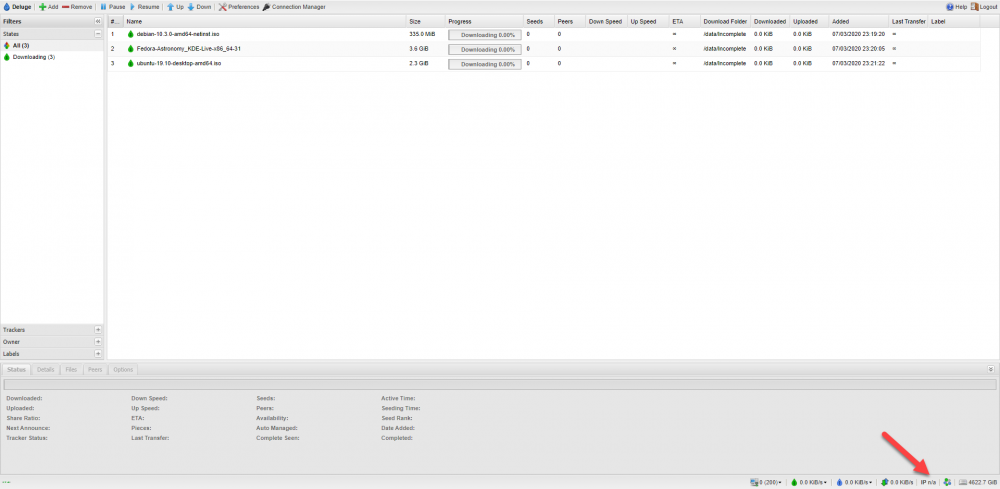
Tried 2 other Linux distros, and downloading the ubuntu torrent and adding it again. It doesn't show my IP in the bottom now, it did that before. Is that normal?
-
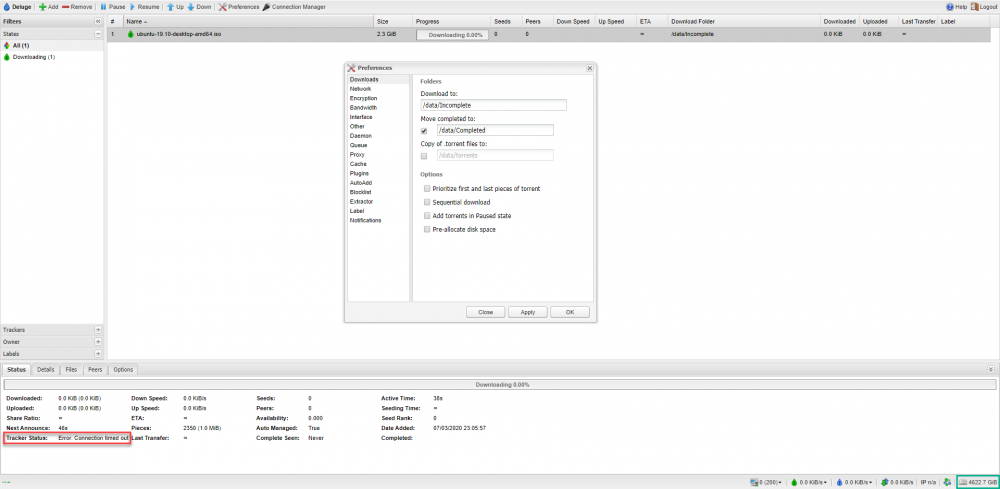
This is my "Downloads" and its 4 subfolders: Now Deluge mentions no error in the bottom right, but still gives the error in tracker status. I've removed the torrent, rebooted the docker, and added the torrent again before it gave this error.

-
I'm not sure what you mean by that. Can you explain it, or somehow show it?
-
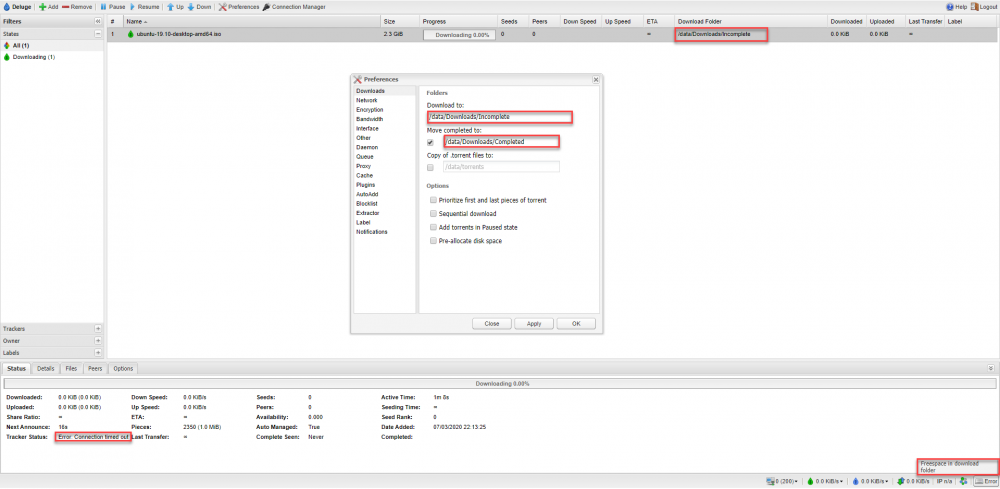
This is what I have right now:
-
I don't know if it's mapped properly. How do I check that? The port is open in the router, even though https://www.canyouseeme.org/ is not agreeing with that.
-
Mother of.... Was it that simple?! I feel stupid now. Big thanks though. I did only download 2.39%. Then it says "Error: Connection times out". If I recheck and update the tracker, it goes straight into the error in tracker status. I tried getting a ubuntu torrent to see if it was the one I used, or a second one as well. The second one messed up too. Is it Deluge, or me? I think the last one, but I'm not sure. A quick Google search is unclear to me.
-
If it's a spinning drive (mechanical) it's normal. Imagine it's a CD/DVD disk, on the edge it will access more data, because the circle is larger, because it has more area to read/write from, the closer it gets to the center, it will have less, because the circle is smaller.
-
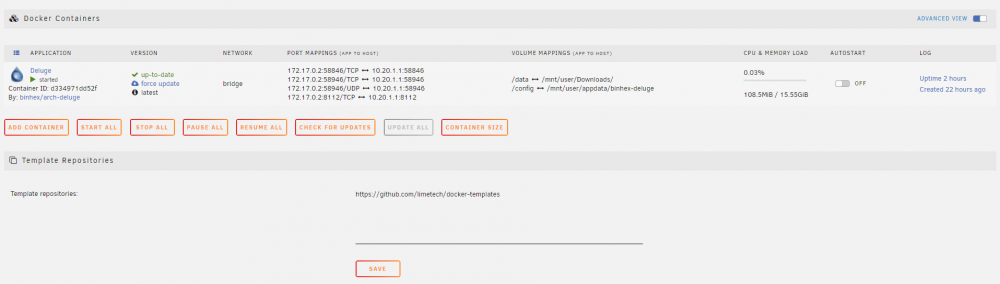
Is it this?
-
I'm really new and unexperience at unraid. How do I check that?