





Pascal51882
Members
-
Joined
-
Last visited
Everything posted by Pascal51882
-
@JorgeBthank you I think safe boot is not required because Unraid gets really fast after disabling the docker service. It must have something to do with Docker, right?
-
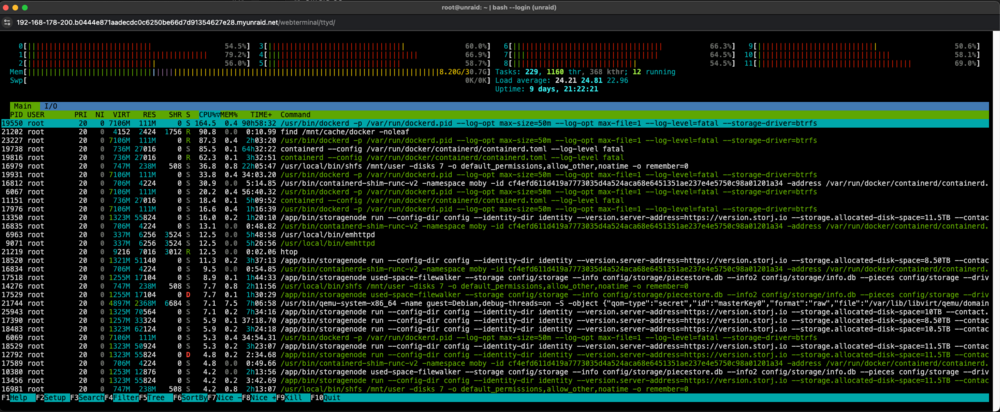
Hello unfortunately my Unraid webinterface is not usable anymore since I added 2 hard disks and 2 dockers. Every now and then it is reasonably fast, but most of the time a click takes 5-30 seconds. The docker web interface and and apps I access is usable normally. The 2 new storagenode-v3 dockers themselves only show a few percent utilization. One of the dockers wrote its log file locally to the hard disk. After I deactivated this, it was better for a short time. However, this is more likely due to the restart of the storagenode-v3 Docker. I excluded the first 2 cores for this Docker. That did not help. Shutting down my only Linux VM with little usage also helps sometimes to speed the system up. Storj writes and reads many small files. This probably results in too much DiskIO wait. In HTOP I almost always see that a Docker service draws a lot of performance. Mostly the log. Is this only due to the DiskIO wait that Unraid no longer responds quickly? What can I do to keep the web interface fast? Thank you so much! HTOP: unraid-diagnostics-20241015-1209.zip
-
Looks like the nvme ssd is bad? Its strange that it takes almost 6 months every time. Its strange that its always between 21:00-22:00. I have very frequent reboots every few weeks. Could also be the Port of the mainboard? I could update the Bios and try another port. But so far no reports of bad Bios version 4403 on TUF GAMING X570-PLUS.
-
Hello the problem came back out of no where. I did reformat the Cache drive and created Docker from scratch. Took couple of months to get the error again. Do the errors say anything? What should I try next? It would have been best to run a system diagnosis but I didn't think about that at the time.
-
Thank you @Kilrah I am using the folder version. Why is it impossible to transfer? My dockers are running fine. Do you really think its caused by corruption?
-
Hello 😀 do you know where the Docker Image Pulls from Dockerhub are located in the docker folder? After switching my cache drive these old files have permission problems. I cant update dockers with old image files because oft that and would hope that I dont need to manually recreate them. (I have some local self build dockers I could not recreate at the moment. So deleting the whole docker file is not really an option for me). I would like to check the permissions or could I just run the Tool "New Permissions" over my docker share?

-
Hey zusammen 😀 habe Probleme mit meinen bereits heruntergeladenen Docker Images. Durch das kopieren auf eine neue Cache SSD haben sich anscheinend die Berechtigungen der Dockerhub Image Pulls geändert? Das sollte doch mit dem Dynamix File Manager eigentlich nicht passieren? Dadurch kommt es bei jedem Docker Update zu Fehlern und ich muss einmal das alte Image löschen und den Docker neu erstellen. Das ist bei 30 Dockern ganz schön nervig + bei den offline installierten möchte ich es vermeiden. Wo liegen diese Pulls eigentlich genau ab, damit ich mir die Berechtigungen anschauen kann? Wo liegen die Images der Docker die ich selbst gebaut habe? Kann ich das auch mit dem Unraid Tool "New Permissions" einfach überschreiben oder würde ich es damit schlimmer machen? Vielen Dank für eure Hilfe!
-
Hello, I got some problems yesterday evening. First my NVME Cache went Read Only. I copied all the files to my Array and wanted to reformat it from BTRFS in to XFS. My Array did not stop so I forced a reboot with sudo reboot -f After the reboot my Cache started working fine again I see some errors related to my OS flash drive, but I dont know what to do with them. How bad is this error? Everything seems to run fine at the moment. I read a lot of posts that BTRFS works really bad on NVME and gets easily corrupt. Is this true? Should I reformat my cache? With Sata SSD Cache I had no problems in 3 years. Cache error log before reboot: OS Flash error: Another error I cant fix: unraid-diagnostics-20240112-0902.zip
-
Found the solution! You can just mount it into a VM an format it there (Lubuntu in my case). Just worked and is mountable
-
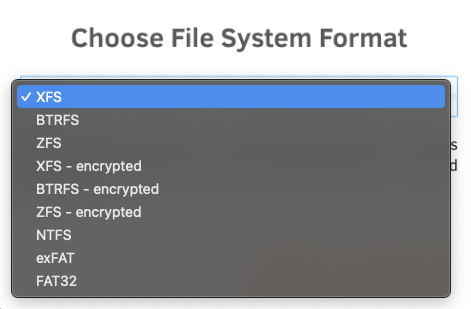
Hi i am searching for a way to format a drive in ext4 in Unraid. I need ext4, because the drive needs to read/write/change a lot of very small files. XFS performs really bad with 7TB data on it. I did not find options in the GUI for this. Only other filesystems are available. (NTFS worked a little bit bettter, but I would say that is no good option für linux.) I tried it manual over the command line but I still can only chose format in unassigned devices. I am not sure if my commands are right: Thank you very much for your help!
-
The WD Red M.2 1TB with 2PB TBW sounds amazing for the price. Should I mix different M.2s for Raid 1 cache? Could 2 identical SSDs fail at the same time?
-
I replaced the SSD and I was really unlucky. There was a defective firmware on that SSD too. Samsung replaced it
-
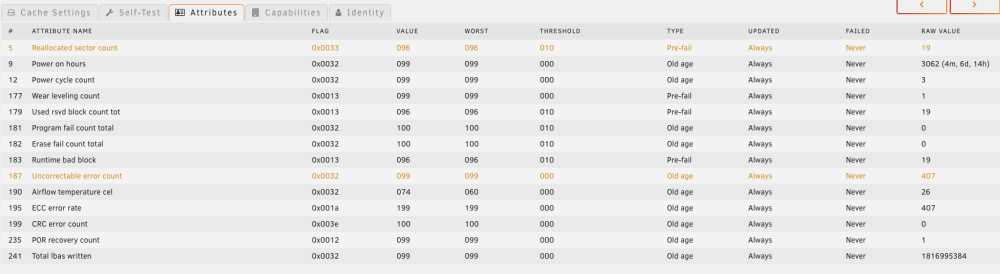
Hello 😀 I have a bit of a strange problem with my cache drive in my second Unraid Server. Its a little Dell PC with a Samsung 870 EVO 500GB SSD. I am not doing a lot with it. Only 9 low demand dockers. My first SSD died in less than 6 months. I had read that the old charge had a problem and I replaced it with a brand new 870 Evo. Now the same thing is happening after 4 months. The Smart values increase very fast. Is this just bad luck with 2 SSDs or is something wrong with my Unraid Server? Which SSD would you buy? I have another Samsung 870 EVO build at 10.2022 but I dont have trust in it. I just can't understand it because my other server with 850 EVO 500GB has been running 24/7 for 5 years with almost 30 dockers and 2 VMs without any problems.
-
I have some weird smb problems after my USB flash kinda failed. I got this error * **Directory Bread Errors found**. I then noticed that UEFI can no longer be used for booting. I then loaded a backup of the flash from a few days ago and transferred everything to a new USB stick. Whether the backup is error-free I do not know exactly. I have now updated Unraid from 11.0 to 11.5 and SMB still does not work. Before I changed the USB stick SMB was working despite the errors. What are my options? I would like to exclude the flash backup as error. Can I paste the config folder onto a fresh unraid installation? I saw this in a video but have never heard of it otherwise.
-
Is it save to run a single SSD Array without parity? Heard of problems with trim in the Array. Currently I am using a spare USB as Array and my SSD as Cache for all docker/vms. The USB seems like a big point of failure for me even it is 100% empty.
-
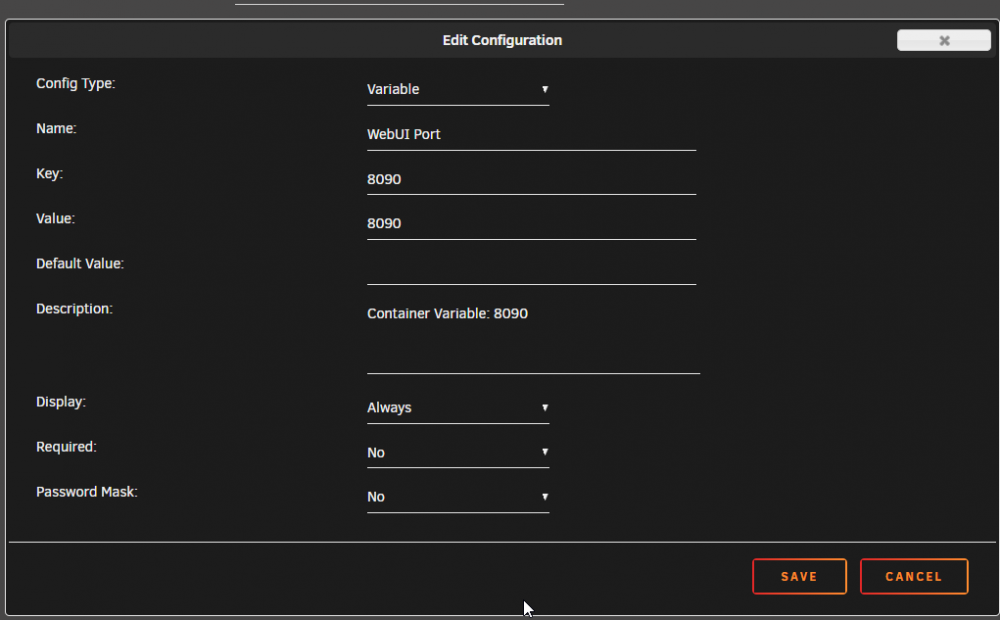
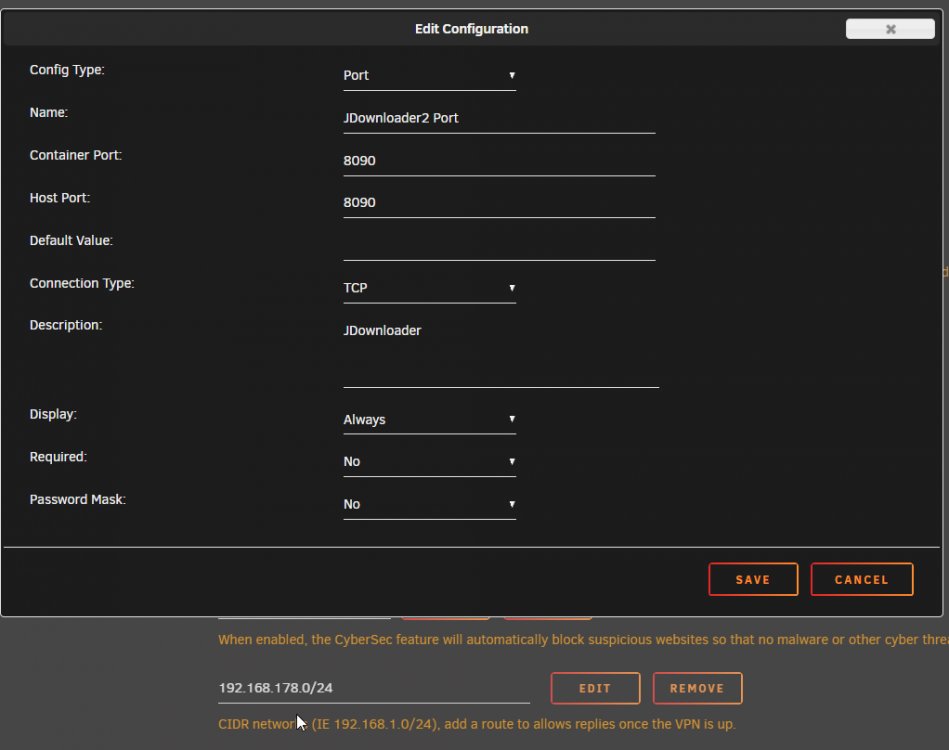
Hello, unfortunately I despair of the web interface of Jdownloader. I have adjusted the network in NordVPN and tried all suggestions since page 1. This is how it looks currently. What can I test? Thank you very much. JD Docker: NordVPN:
-
Thank you @mpalpha that works fine for me.
-
Hi, I followed the guide from spaceinvader one. After changing my directories I get an error while transcoding with the GPU. Before it worked for 6 files fine. I than recreated the tdarr and tdarr node dockers but the problem persists. With the CPU it would just work but thats teribble slow. The GPU Plugin is for sure active. My GPU is a GTX 1080 with the nvidia driver installed in the newest version. GPU stats is also installed and detects the GPU right. The error I see is: I get this for every single file. Even files I could transcode before would fail (had a copy in h264). edit: The problem seems to be the Plugin: Tdarr_Plugin_MC93_Migz1FFMPEG Migz-Transcode Using Nvidia GPU & FFMPEG With other it works but which one would you use instead? I have 720p-> UHD
-
I have the same motherboard since the end of last year and still the same problem. I updated the Bios today but this seems to make no difference.
-
Every time someone downloads something from my Nextcloud server my docker image fills up to up 100%. The data is accesed from SMB shares of the APP external devices. It seems like Nextcloud loads the full file in the docker image every time someone downloads a file. After the download the space is free like before. I set it up like in the video of spaceinvader with my own domain and letsenrcypt. I tried some things from this forum. Changing the Log Level to 4. Changed via the extra parameters the Log file to 1 with max 50MB. edit: All dockers are up to date and Unraid is 6.8.2
-
I used the source path for output. Does this docker need a GPU to work? I switched to a CPU without one and now I get error 1006 disconneted.
-
I can not read/write to my output directory. ls -la shows everyone can read/write/execute my media path i selected in the docker. What could cause this? Any special configuration needed?
-
I set this docker also up on my Unraid 6.7.0 Works with no problems The config is a lot more easy than pasting the commands each by my self (I moved from Debian 9 on a VMware VM)
-
I am also running the docker now. 10TB will take a while
-
Same Problem with a 10TB WD Red/My Book over USB. After like 2 days of waiting I got the same error..


