





feins
Members
-
Joined
-
Last visited
Everything posted by feins
-
i've just check its the docker.img and libvirt.img just donno how it turns up on the Disk its been like for months.
-
Ive just stop docker and VM and perform mover and see how's thing going. Will update as 44GB take sometime to move.
-
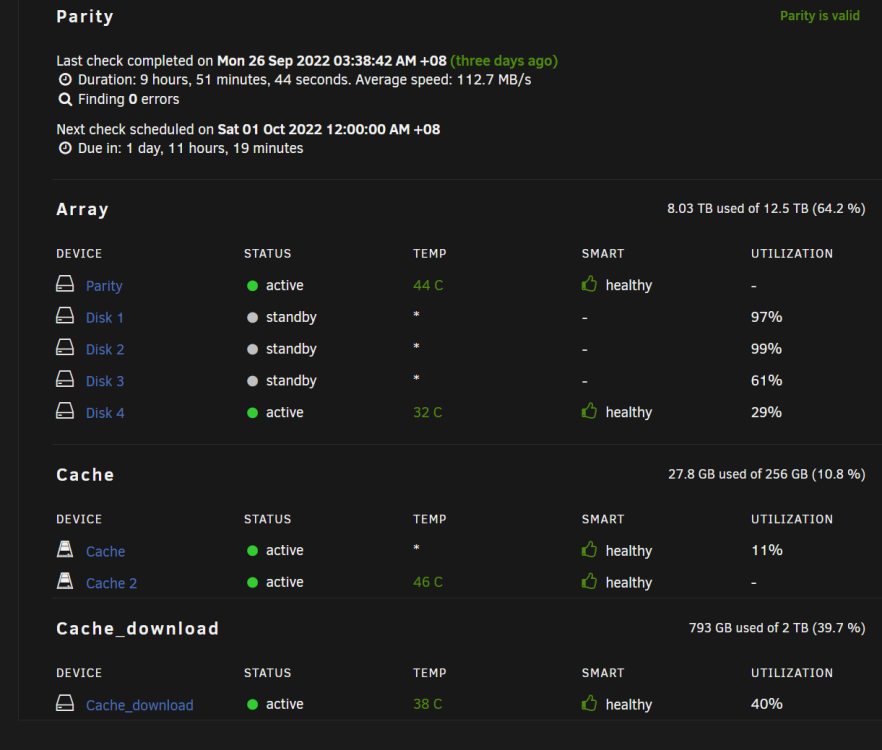
Like to know what might be the issue and how should i resolve it as i notice always one of my Drive wont spin down. Also does Parity usually spindown by itself as i ntoice my Parity is always up aswell. ts-p500-diagnostics-20220929-1244.zip
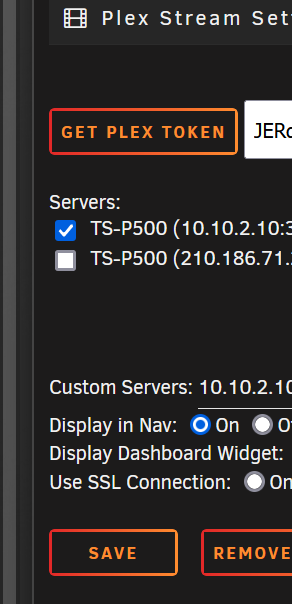
 Thanks, indeed im only use 1 ip all this while just donno why it show 2 Action. If i try enable both IP i got 3 Action.@dorgan Any clue what might be the issue what im experience. If i try to enable both IP i got 3 Active.I've been trying to do everything to reboot the server, shutdown ther server ect ect but the system just too slow in respond even wait for 1 hour for the shutdown process it still not shutting down. Ended i force to manual power cycle the server and ended with a parity check where after completed in 10hour with 0 error. retest everything and seems all back to normal.Yes only one server IP is selected. It doesnt make any different wither the local or remote server ip is it?
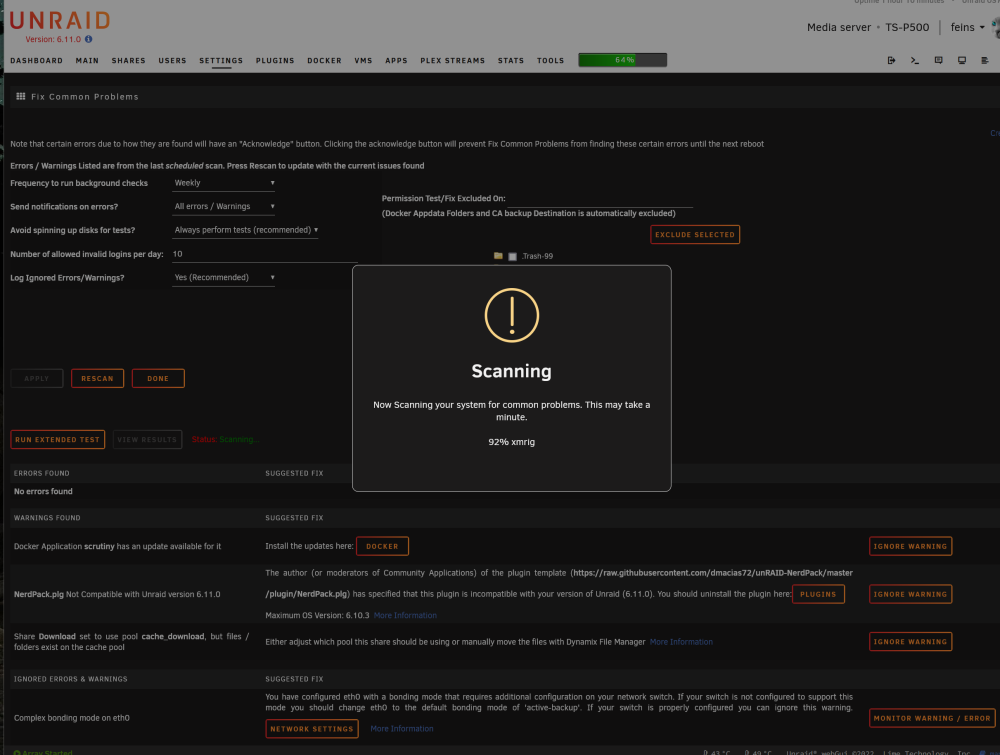
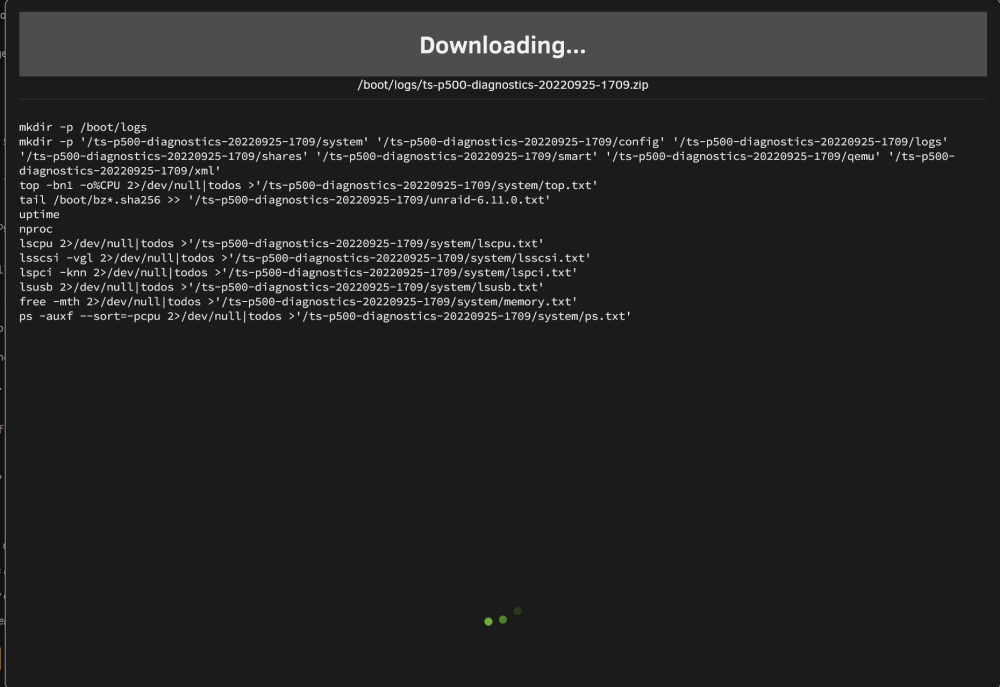
 Ive just update to Unraid 6.11.0 after reboot my Server was at a snail craw status. After the server boot up i notice all the container and VM are not been display at the Dashtop and when i click on the Docker Tab it toke 5min to just load the Docker and i notice that the Docker are still on Startingup status even after 20min of waiting. Try to do a Fix Problem Scan and notice the scan toke a long time and wont be completing even wait for 20min. Trying to generate Diagostic also take way longer that use and been waiting for long time still in process like the attach picture.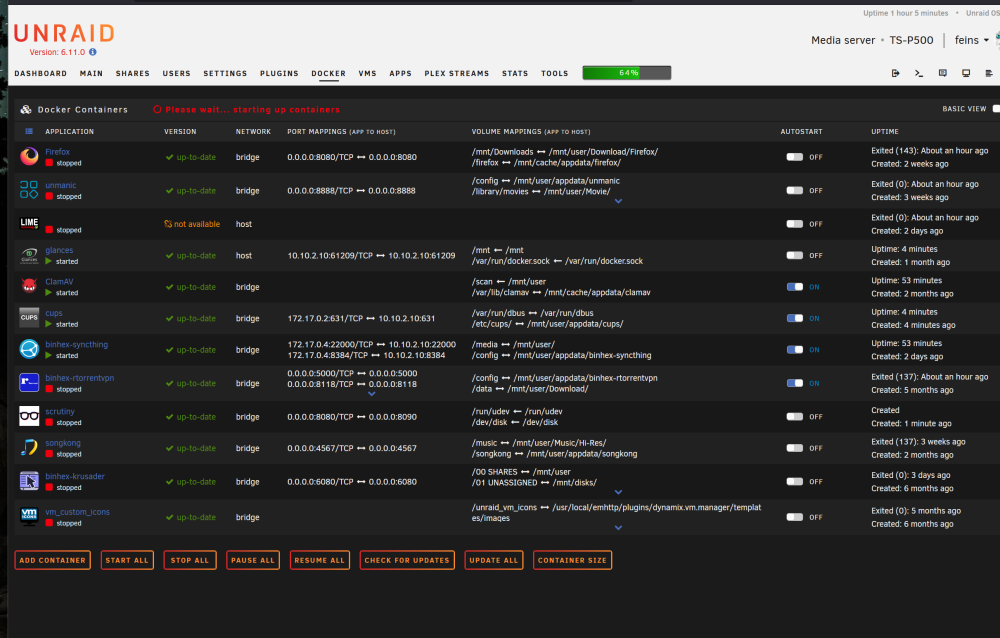
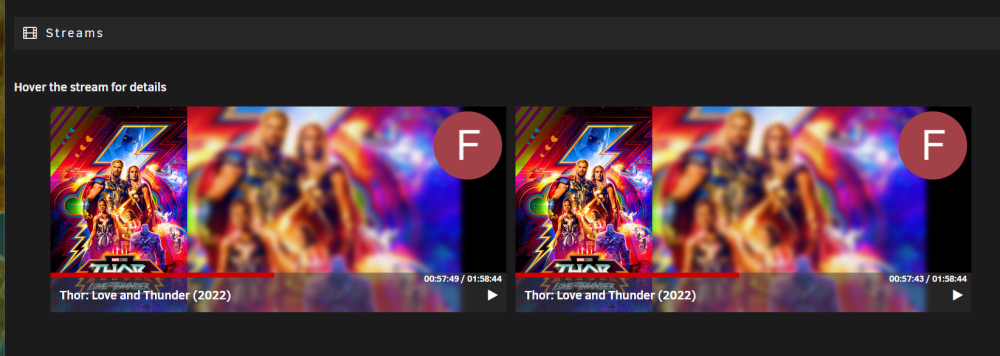
 Simple question I had 1 movie streaming buy why Plex Streams report 2 Active? Is this normal?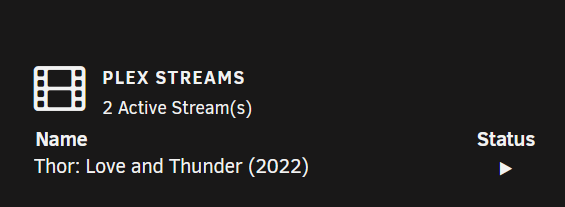
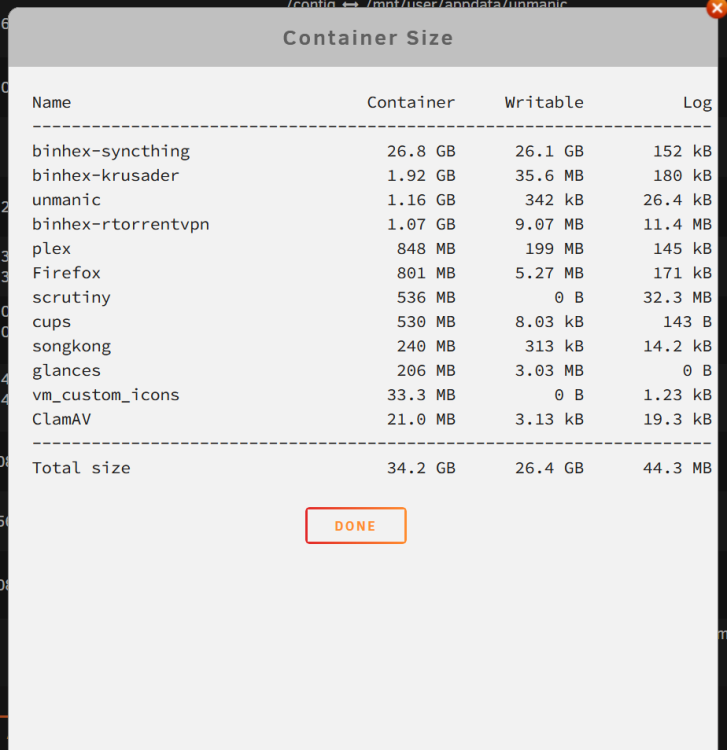
 Thank Binhex just simple as that. it resolve the issue.I did the same mistake and now even ive change the Path and my Syncthing are working correctly my Syncthing container claim 70% of the Docker. Can you help how can i reclaim the docker image size?
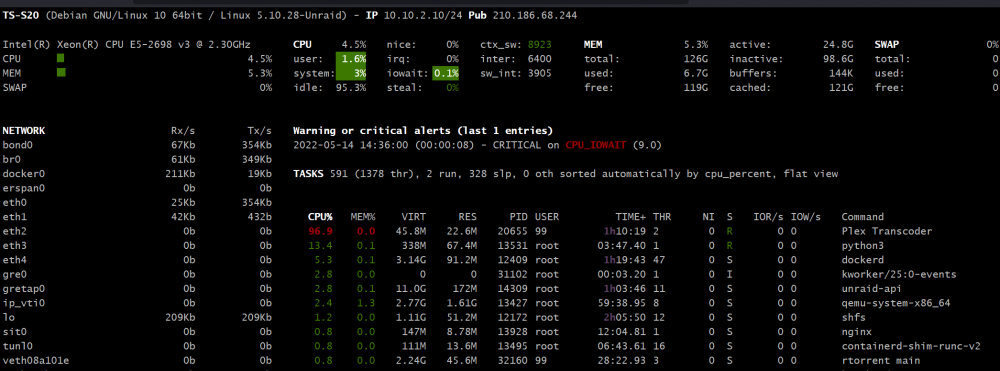
 Im having issue after reset the password even my server is up when i run plex i got server offline. I've try to WEBUI to my plex server i got This XML file does not appear to have any style information associated with it. The document tree is shown below.I've just update to 6.10.1 and my Plex docker can't start. Attach log from Plex anyone manage to resolve the Plex Issue? [cont-init.d] 10-adduser: exited 0. [cont-init.d] 40-chown-files: executing... [cont-init.d] 40-chown-files: exited 0. [cont-init.d] 45-plex-claim: executing... [cont-init.d] 45-plex-claim: exited 0. [cont-init.d] 50-gid-video: executing... **** creating video group videoyeom with id 18 **** **** adding /dev/dri/renderD128 to video group videoyeom with id 18 **** **** permissions for /dev/dri/card0 are good **** [cont-init.d] 50-gid-video: exited 0. [cont-init.d] 60-plex-update: executing... Docker is used for versioning skip update check [cont-init.d] 60-plex-update: exited 0. [cont-init.d] 90-custom-folders: executing... [cont-init.d] 90-custom-folders: exited 0. [cont-init.d] 99-custom-scripts: executing... [custom-init] no custom files found exiting... [cont-init.d] 99-custom-scripts: exited 0. [cont-init.d] done. [services.d] starting services [services.d] done. Starting Plex Media Server. Critical: libusb_init failed [cont-finish.d] executing container finish scripts... [cont-finish.d] done. [s6-finish] waiting for services. [s6-finish] sending all processes the TERM signal. [s6-finish] sending all processes the KILL signal and exiting. ** Press ANY KEY to close this window **Need some help. Recently i notice that my CPU had been spiking from time to time and i notice that my Server are drawing over 50W of power during idle. Ive check what application is using my processor on Glances and notice that Plex Transcoder are there but i notice that plex are not streaming anything i've even open plex server and notice there is no task running on plex dashboard. What's might be wrong with Plex here anyone could help please.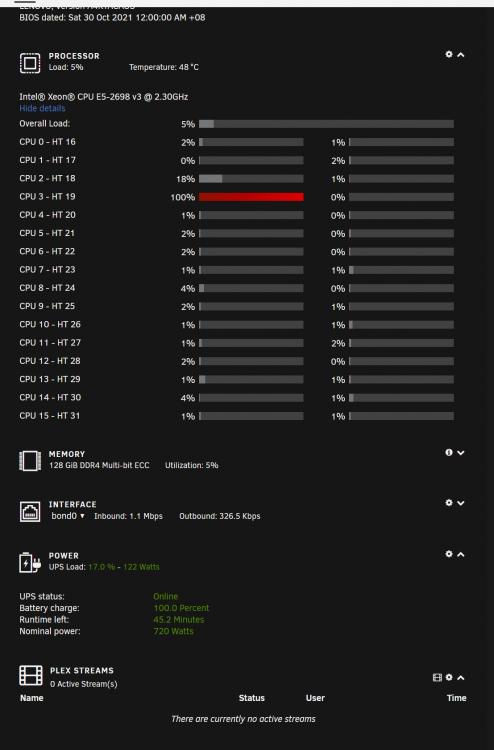
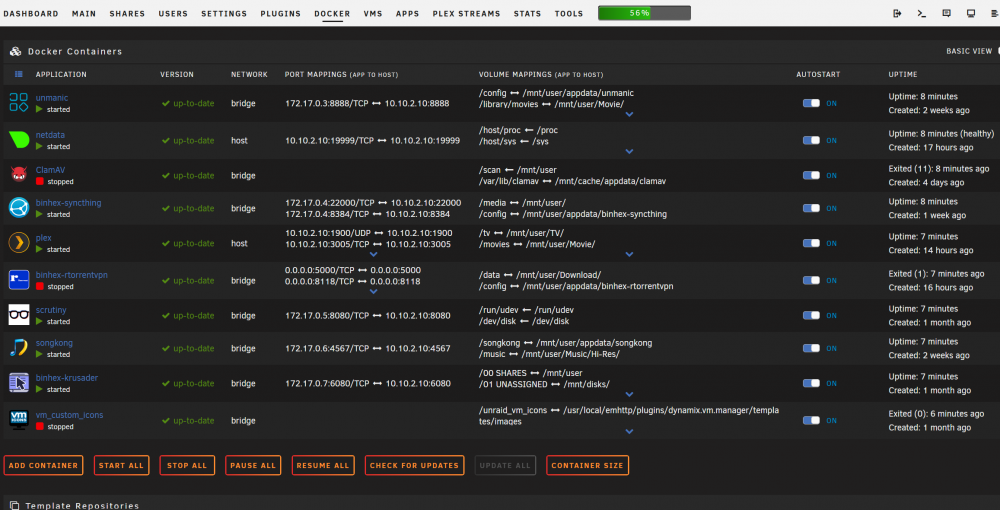
 Thanks for the guide ich777.I've install Firefox and would like to know how to copy or move the downloaded files from the container? Can i change the download folder to other share folders so that it dont download into the container itself?Hi Binhex, Thanks for the guide. Ive deleted the wg0.conf files as requested and it work as usual after the docker restart. Thanks for your time and respond.Hi Binhex, Thanks for your reply. If that’s the case how should I do? Can I uninstall and reinstall rTorrentVPN resolve this issue? Sent from my iPhone using TapatalkrTorrent wasn't working since yesterday. Im getting the particular error from the log. 2022-04-19 21:19:48,542 DEBG 'start-script' stderr output: Warning: `/config/wireguard/wg0.conf' is world accessible 2022-04-19 21:19:48,553 DEBG 'start-script' stderr output: [#] ip link add wg0 type wireguard 2022-04-19 21:19:48,556 DEBG 'start-script' stderr output: [#] wg setconf wg0 /dev/fd/63 2022-04-19 21:19:48,557 DEBG 'start-script' stderr output: Line unrecognized: `PublicKey=' Configuration parsing error 2022-04-19 21:19:48,560 DEBG 'start-script' stderr output: [#] ip link delete dev wg0 2022-04-19 21:19:48,611 DEBG 'start-script' stdout output: [warn] WireGuard interface failed to come 'up', exit code is '1' 2022-04-19 21:20:18,616 DEBG 'start-script' stdout output: [info] Attempting to bring WireGuard interface 'up'... 2022-04-19 21:20:18,627 DEBG 'start-script' stderr output: Warning: `/config/wireguard/wg0.conf' is world accessible 2022-04-19 21:20:18,635 DEBG 'start-script' stderr output: [#] ip link add wg0 type wireguard 2022-04-19 21:20:18,638 DEBG 'start-script' stderr output: [#] wg setconf wg0 /dev/fd/63 2022-04-19 21:20:18,639 DEBG 'start-script' stderr output: Line unrecognized: `PublicKey=' Configuration parsing error 2022-04-19 21:20:18,641 DEBG 'start-script' stderr output: [#] ip link delete dev wg0 2022-04-19 21:20:18,675 DEBG 'start-script' stdout output: [warn] WireGuard interface failed to come 'up', exit code is '1'I need some help. Im not sure whats has happen, as recently i notice after i did a reboot or start my Unraid Server some of the Docker wont auto start. I've try to enable all the Docker to auto start and notice that two of them didnt start after reboot where the rTorrent vm_custom_icons and ClamAV. Can anyone happen to guide me how to resolve this as i dont wana rebuild the server again as my Plex setup had some share to my family which if i rebuild Plex will go off line and need to redo Plex all over again. ts-s20-diagnostics-20220414-1317.zip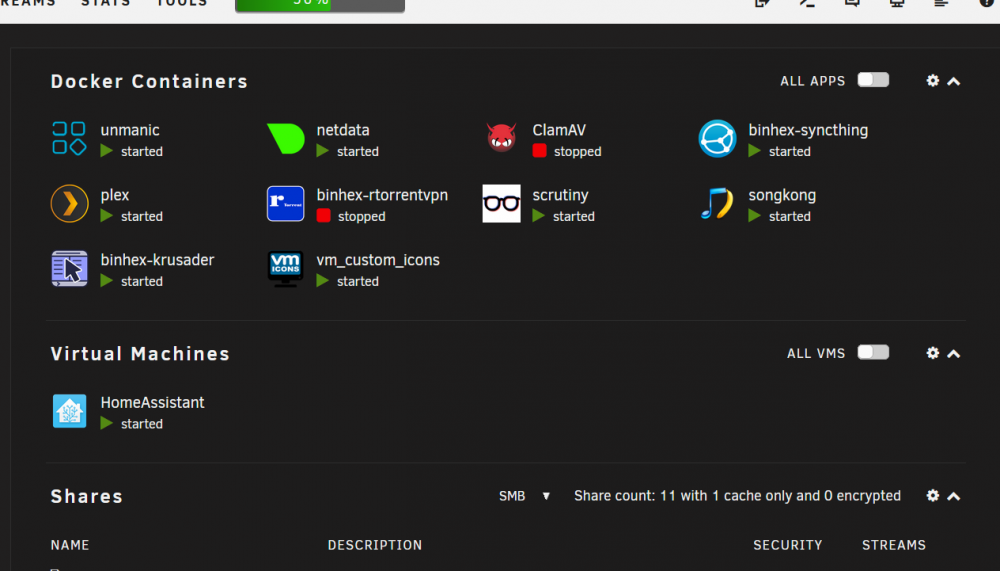
 Dear all, I'm trying to enable Jumbo Frame on Interface Bond 0 by increase the desire MTU Size to 9000 but i notice from my Dashboard still show MTU Size of 1500, did i configure it wrongly? ts-s20-diagnostics-20220409-0017.zip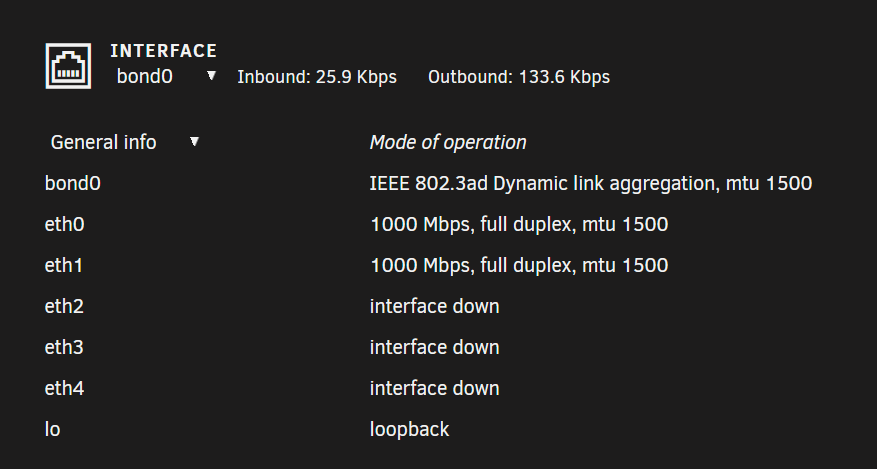
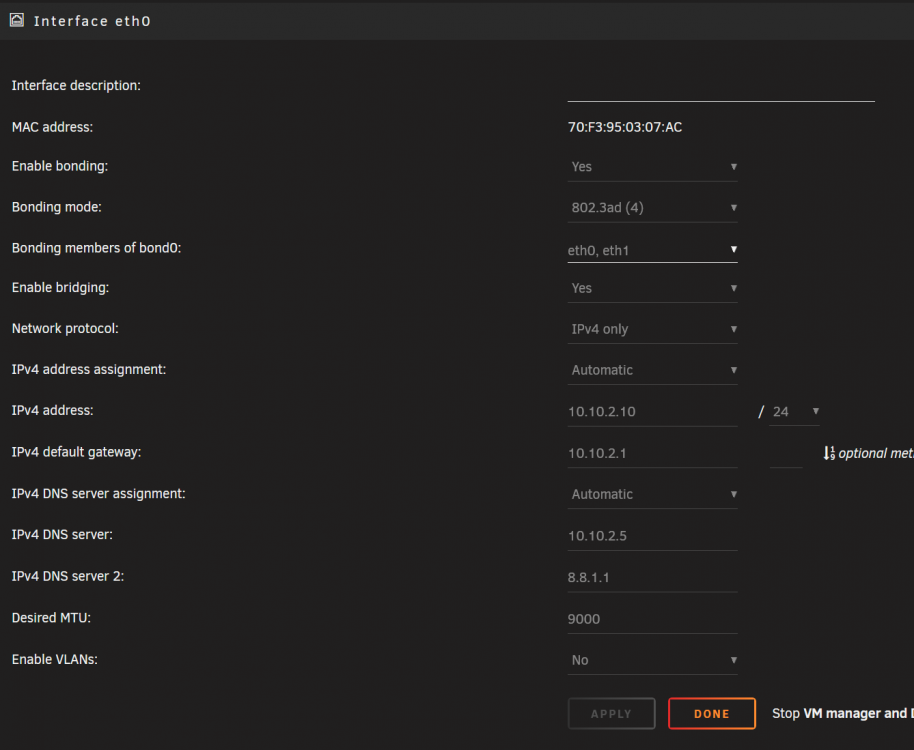 Me too. Facing same issue. I’ve post on the general support forum but been moved to KVM support tread where the request wasn’t been respond. Sent from my iPhone using TapatalkI setup Plex transcode to /dev/shm but my transcoding seems doesn't work? I wonder why. The media just keep buffering and nothing happen.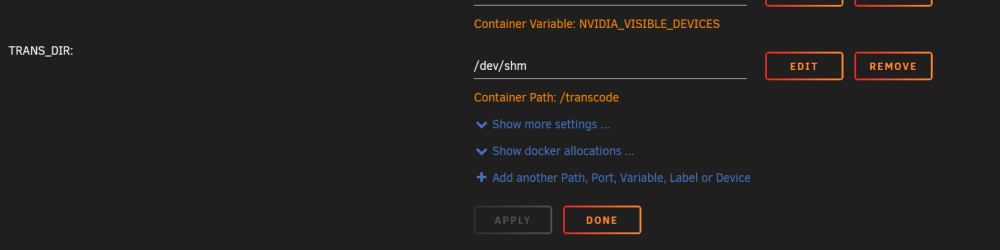
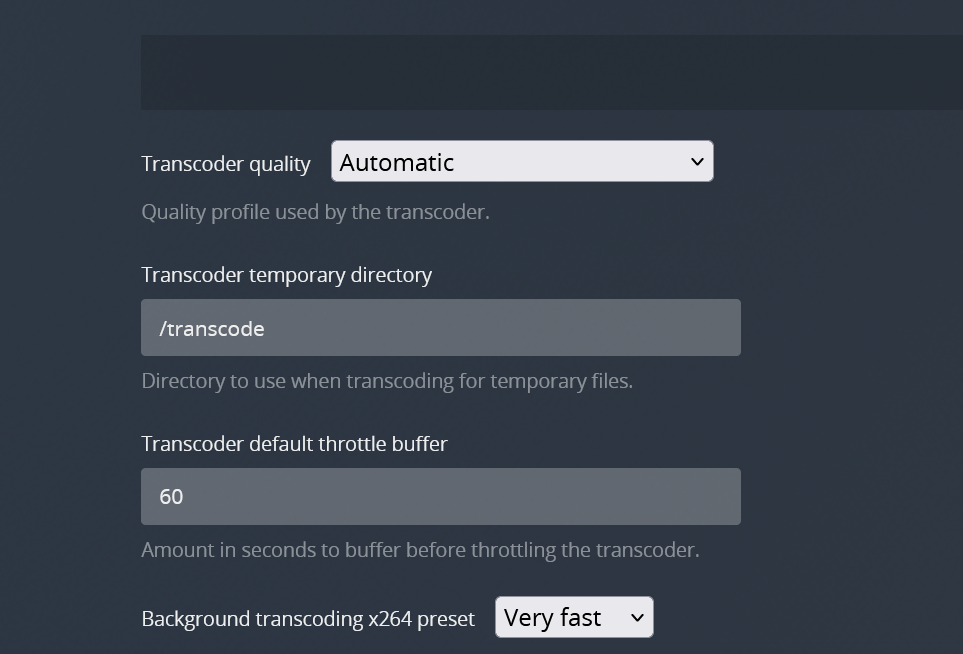
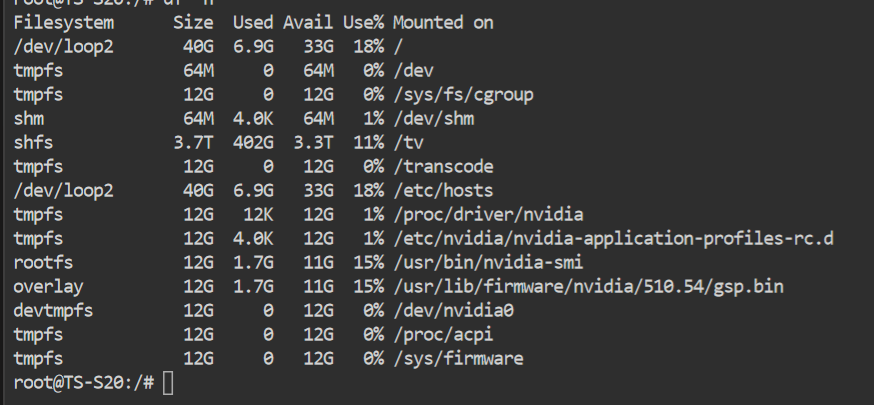
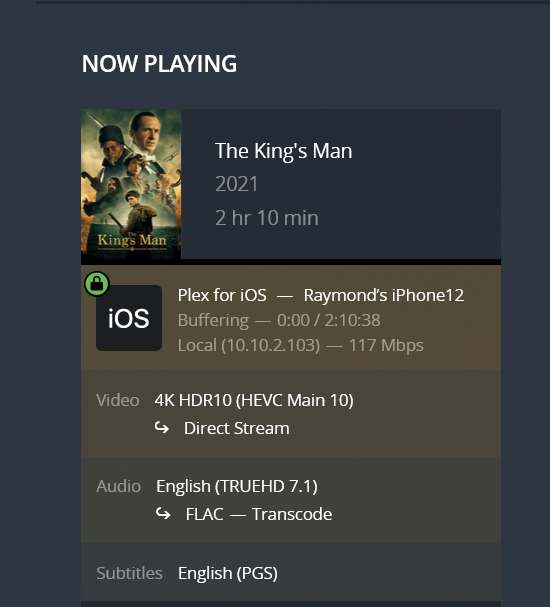 Hi any one manage to help me regarding to this issue? seems the thread post no one had reply on the issue and solution.




