Pixelpaule
Members
-
Joined
-
Last visited
Everything posted by Pixelpaule
-
Here the Info for all Unraid user... This is my Post from the HA Forum Okay, it works… It was a mistake in the configuration. In the first YouTube tutorial, the YouTuber did not specify a username or password in the Z2M configuration. In the updated version of the Video he does! So I had to put only the data from the mqtt-user in the configuration of Z2M! Now it seems to work!
-
@stefan.tomko unfortunately, this does not work for me, as you have described it to me... How did you connect the stick to Z2M? I have always installed Z2M according to these instructions. But unfortunately the stick is not recognized correctly in Unraid. Under port I used /dev/ttyUSB0. Edit: These are my current settings: Home Assistant Hardware Infos (Settings -> System -> Hardware) Zigbee2MQTT Settings in HA: And i only get this Messages in the error log from Z2M: [19:05:53] INFO: Handing over control to Zigbee2MQTT Core ... Zigbee2MQTT:info 2022-09-23 19:05:55: Logging to console and directory: '/config/zigbee2mqtt/log/2022-09-23.19-05-55' filename: log.txt Zigbee2MQTT:info 2022-09-23 19:05:55: Starting Zigbee2MQTT version 1.27.2 (commit #unknown) Zigbee2MQTT:info 2022-09-23 19:05:55: Starting zigbee-herdsman (0.14.53) Zigbee2MQTT:info 2022-09-23 19:05:55: zigbee-herdsman started (resumed) Zigbee2MQTT:info 2022-09-23 19:05:55: Coordinator firmware version: '{"meta":{"maintrel":0,"majorrel":38,"minorrel":114,"product":0,"revision":"0x26720700","transportrev":0},"type":"ConBee2/RaspBee2"}' Zigbee2MQTT:info 2022-09-23 19:05:55: Currently 0 devices are joined: Zigbee2MQTT:info 2022-09-23 19:05:55: Zigbee: disabling joining new devices. Zigbee2MQTT:info 2022-09-23 19:05:57: Connecting to MQTT server at mqtt://core-mosquitto Zigbee2MQTT:error 2022-09-23 19:05:57: MQTT failed to connect: Connection refused: Not authorized Zigbee2MQTT:error 2022-09-23 19:05:57: Exiting... Zigbee2MQTT:info 2022-09-23 19:05:57: Stopping zigbee-herdsman... Zigbee2MQTT:info 2022-09-23 19:05:58: Stopped zigbee-herdsman Edit Edit: 🤣 What surprises me the most: I have deactivated Z2M in Home Assistant and installed the ZHA integration. This works without problems and the stick is recognized correctly by ZHA. I did not change anything in the USB Manager settings.
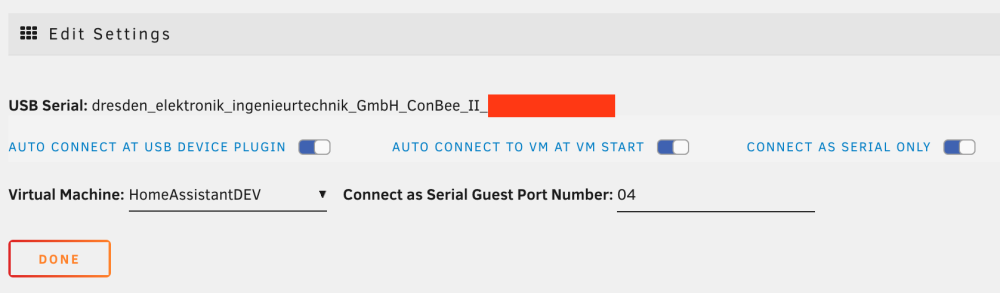
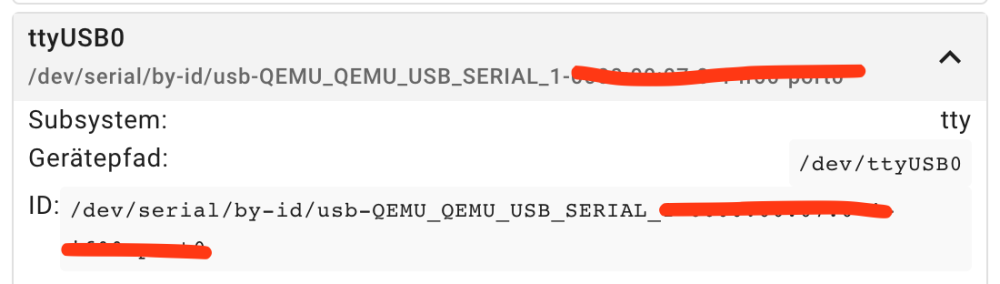
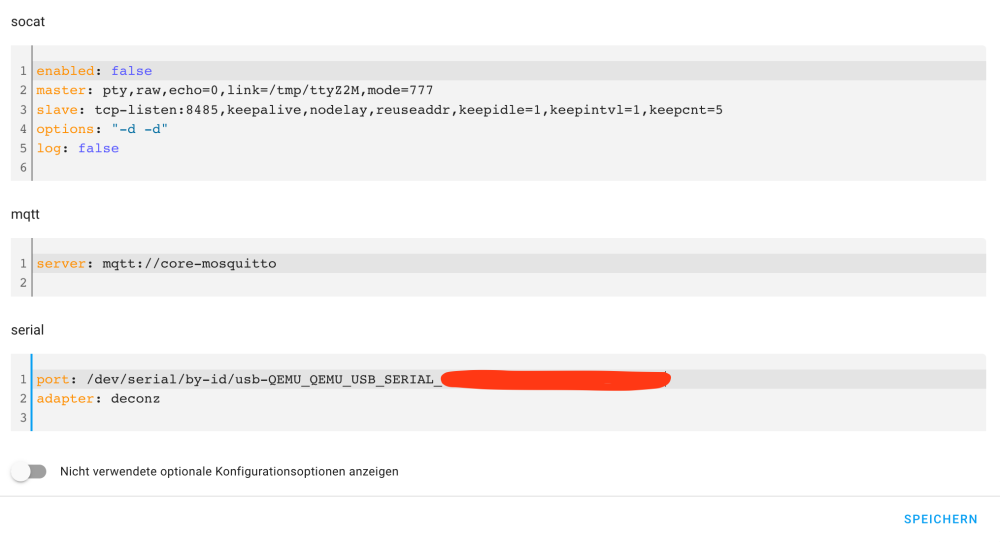
-
The change from 2.0 (EHCI) to 3.0 (quemu XHCI) did not bring any improvement for me.
-
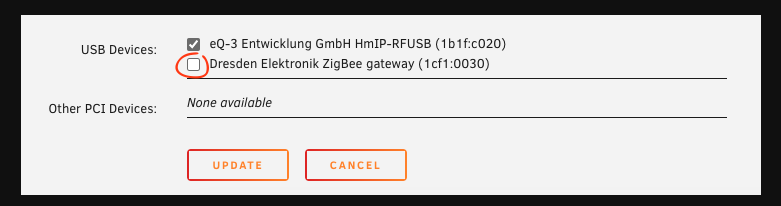
Hello, so unfortunately I can not give any information about the technical problems, but for me personally runs the Phoscon ConBee II with Unraid "Version: 6.10.3" and Home Assistant (Home Assistant 2022.9.4; Supervisor 2022.08.6; Operating System 9.0; Frontend 20220907.2 - latest) very unstable. Since yesterday and an update of Home Assistant it now does not run at all. With Unraid 6.9 I had no problems at all. I could simply select the stick in VM Manager (as seen in the screenshot) and it was detected cleanly in Home Assistant. Since the update to 6.10 the whole thing just doesn't work anymore. Here is a link to the Phoscon ConBee II from Dresden Elektronik. Can I provide more information logs etc?
-
Yes, the remote share is also available via smb. okay i change it. Thanks for your help! I think now it works!
-
Do I need to specify the server name of the Unraid server that Emby Docker is running on, or the name of the Unraid server that the remote share is on?
-
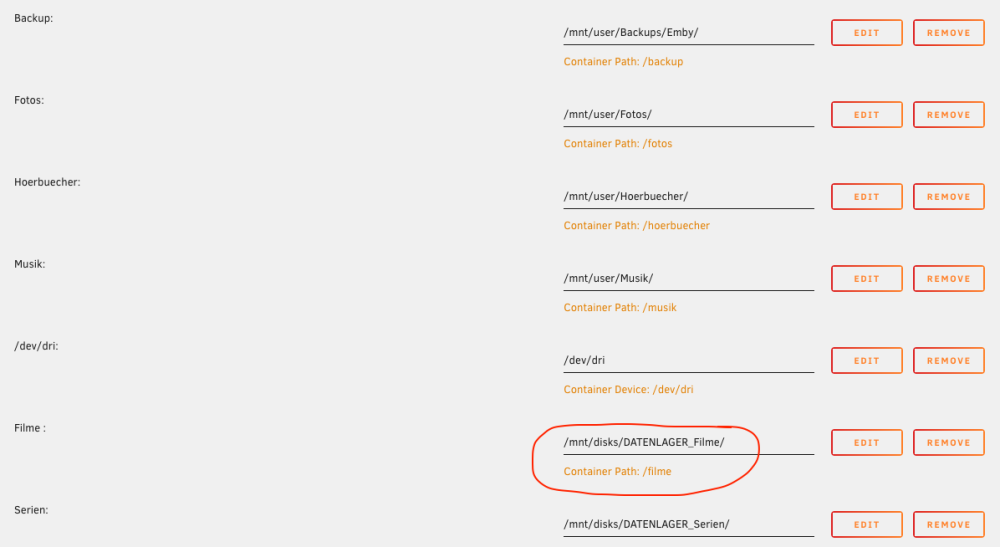
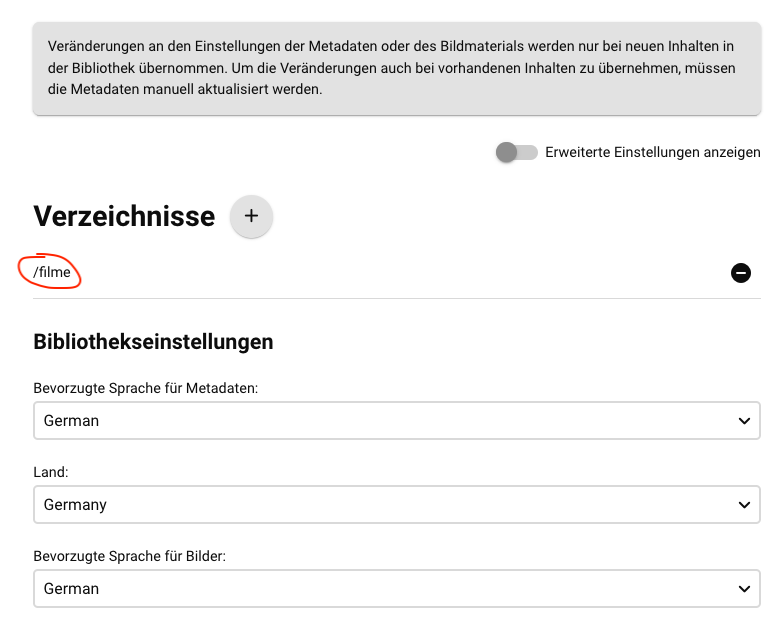
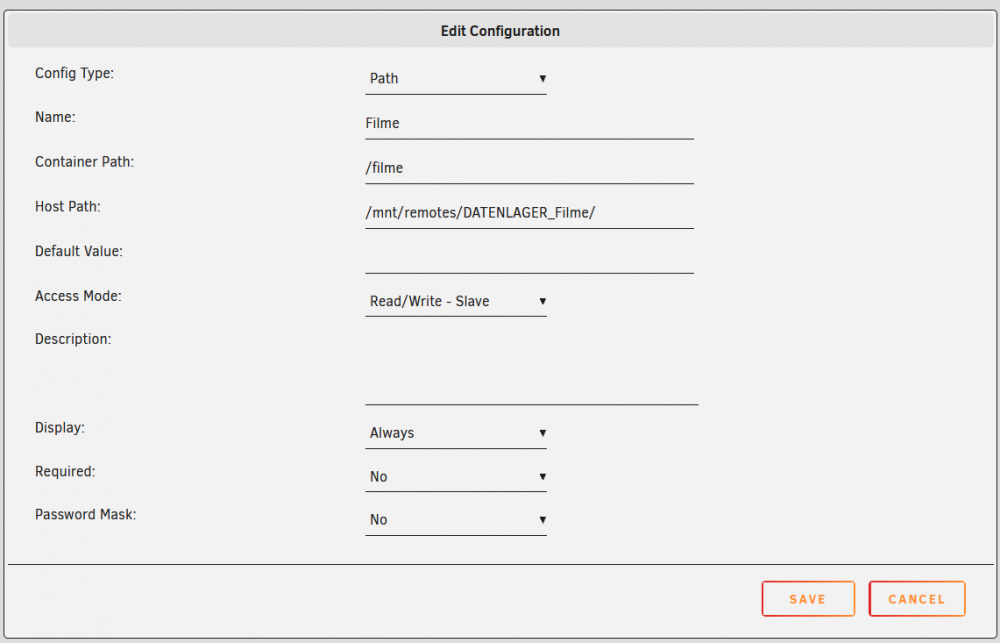
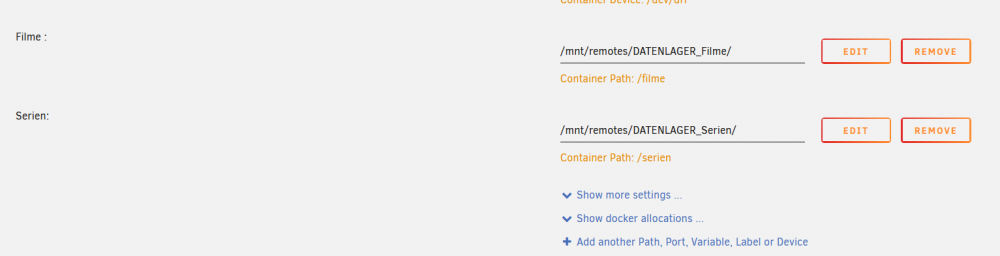
yes that's right, i have create for each library folder it's own folder path in the docker settings. I wanted to configure the read and write permissions for each path in Docker itself. So this seems to be the problem?! I have attached screenshots of the path settings as they are currently configured.
-
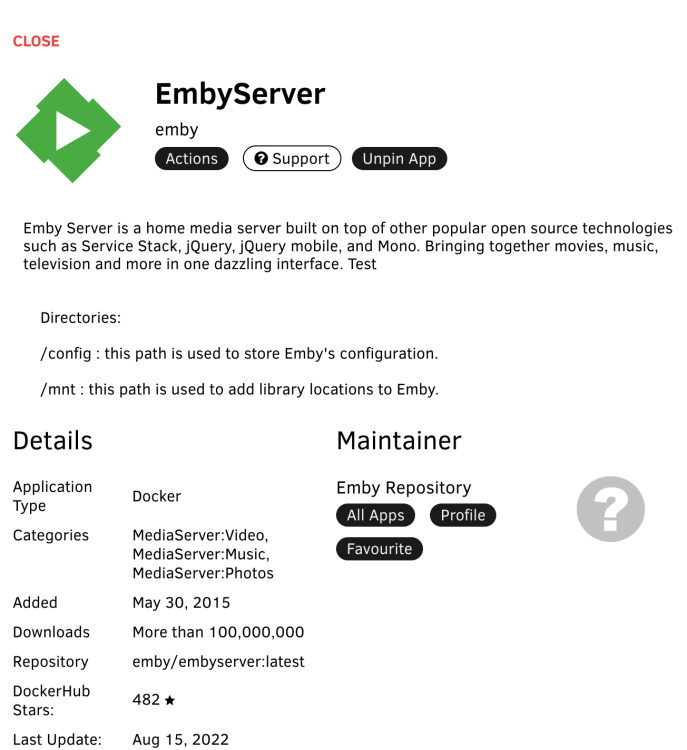
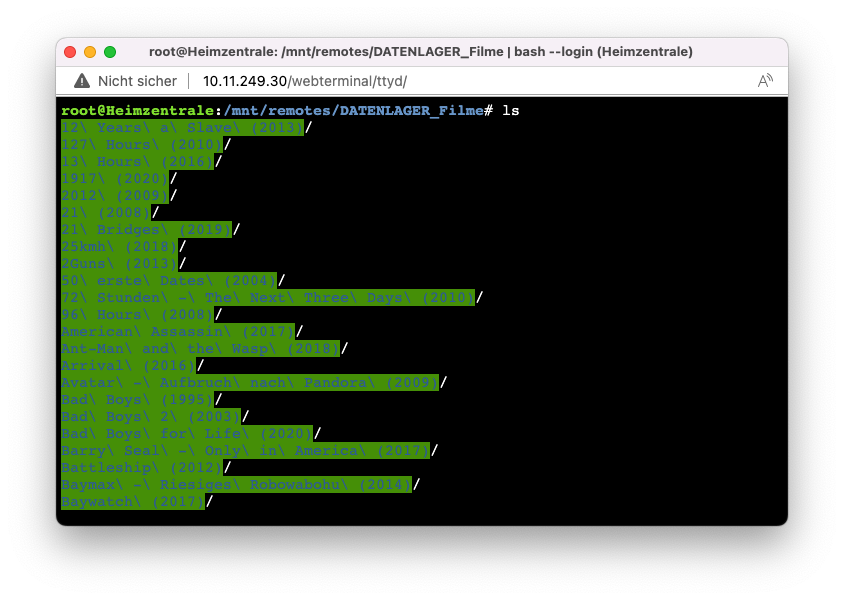
I use the offical Docker from the Emby. I have attached the diagnostic files. @dlandon Sorry but i think i don't understand your first post. XD You are correct, the path to my movies on the second unraid server (the remote server) ist /mnt/remotes/DATENLAGER_Filme/ as you can see in my screenshots from the "Apple" terminal. If i use /mnt/remotes/Datenlager_Filme/ in the Emby Docker settings, emby can access the data correctly if the server is started. But if the server goes to sleep mode the Docker container crash. If i use /mnt/disks/Datenlager_Filme/ emby can't access to the data. Not even if the remote server is started. heimzentrale-diagnostics-20220907-1818.zip
-
Hmm, unfortunately it does not work. As before, Emby cannot access the data. Also in the terminal I can't see any data when I print /mnt/disks/ "Remote Share Name" via the terminal. Do I need to set anything else elsewhere in Unraid? Can I provide any logs?
-
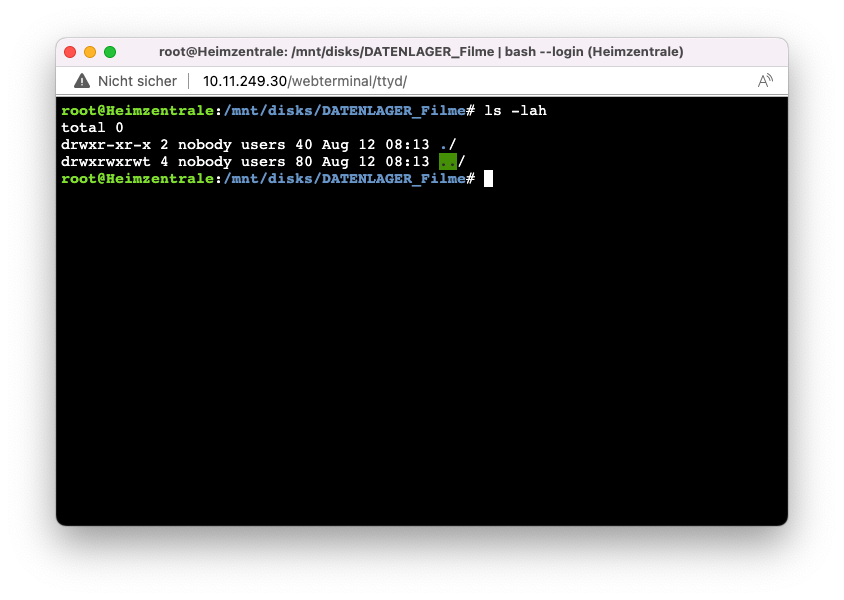
Hello all, Please excuse my late feedback, but the last time was a bit stressful and then I was still on vacation. Unfortunately the problem still exists. When I look in the terminal under /mnt/disks/ "Remote Share Name", there is no data. But as soon as I change to the directory /mnt/remotes/ "Remote Share Name", the data is displayed accordingly. However including the shares in Emby Docker with /mnt/remotes/ "Remote Share Name" unfortunately results in an error and Emby can no longer be run when the remote server goes into stand by. I hope someone can help me.
-
@Squid After chaning the Path the emby docker start up. But unfortionaly i cant access to the data on these shares.
-
hey, here is the output:

-
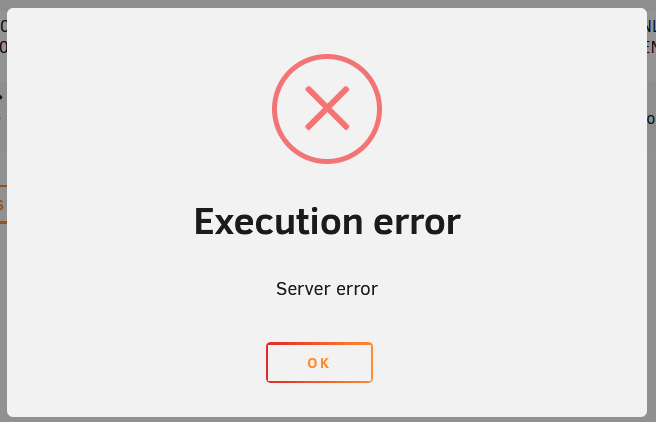
Thank you for your answer. If the datastore is in sleep mode, then the Docker container can no longer start. I don't know what the problem is either! Are there any log files I can provide? After some time the error message "Execution Error" comes up.... Unraid Version: Version: 6.10.3 UD Plugin: 2022.08.07
-
Hello all, I have two Unraid servers. Server 1 stores my personal data, music collection and photos. The second server is my data storage for my backups, movie & series collection. The Emby server runs as a Docker container on server 1. The shares movies & series are mounted with the unassigned devices plugin as remote SMB shares on server 1 and then mounted in the Docker container. When server 2 now goes into sleep mode, the Emby Docker container on server 1 crashes after some time (this can be a few hours). If I try to restart it and server 2 is still in sleep mode, it does not work. The Docker container can then no longer be started. Is there any way I can implement my scenario cleanly so that the remote shares only work?
-
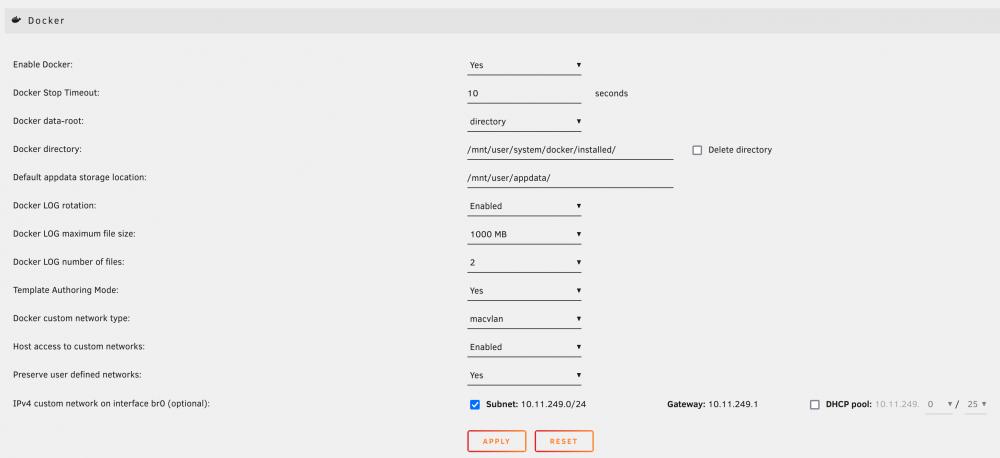
Hallo zusammen, leider habe ich das Problem immer noch nicht in den Griff bekommen... Kann es evenutell mit diesen Docker-Einstellungen zu tun haben?
-
Danke für den Anstoß! Ja, ich nutze feste IPs und den DHCP meiner Fritte... Diese soll aber bald in den Ruhestand gehen, da ich aktuell dabei bin alles auf Omada (TP-Link) umzustellen. Wobei es da keine Kollision geben sollte, da aktuell die Fritte den DHCP stellt und auch die verwaltung der festen IPs... Diese würde eine Dopplung nicht zulassen. Daher verstehe ich das ja nicht so ganz... vorallem weil es so plötzlich kam und ich keine neuen Geräte habe. Mitllerweile hat sich das Problem aber erledigt... Ich kann aber auch nicht sagen was es war?! ... Wireguard läuft jetzt wieder.
-
Hallo zusammen, es scheint bei mir irgendwie ein Konfilkt im Netzwerk zu sein... Was genau weiß ich noch nicht. Aber ich habe testweise die IP des Server mal gewechselt und es funktionierte. Daher muss ich wohl erst mal an anderer Stelle suchen.
-
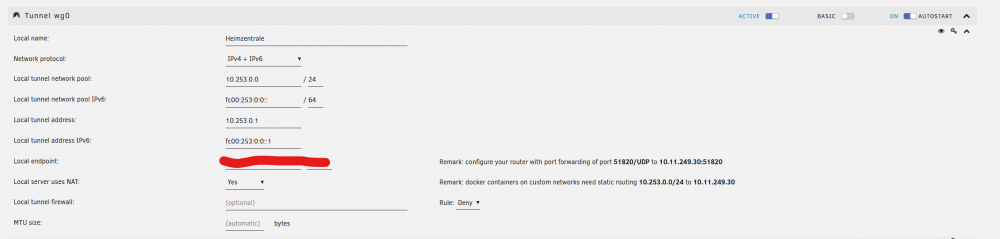
Hallo zusammen, seit heute habe ich Probleme mit meinem Wireguard VPN auf meinem Unraid Server. Besser gesagt ist es mir heute aufgefallen. Evenutell besteht das Problem auch schon seit 2-3 Tagen, länger aber nicht. Es ist nur eine Verbindung zum Unraid Server möglich. Internet, Geräte im LAN usw. sind nicht erreichbar. Das Einzige was ich gestern geändert habe, ist die Funktionsweise der Docker Container. Diese habe ich von der Image-Datei auf Directory geändert. Die Docker laufen alles auch sauber. Hier ein paar Infos: - Ich habe die Funktionwesie von IPv4 mal auf iPV4 + IPv6 geändert, was auch keinen Erfolg brachte. - Portfreigabe ist entsprechend in meiner FritzBox eingerichtet. - Die einzelnen Clients haben "Remote tunneled access". Ich habe auch schon hier im Forum nach Problemlösungen gesucht, aber nichts gefunden. Es gibt wohl ein paar User die das gleiche Problem haben, wo es aber auch keine Lösung zu gab. Version: 6.10.3. Ich weiß hier absolut nicht weiter.
-
Hey, sorry für meine späte Rückmeldung, aber ich bin am Wochenende leider erst dazu gekommen, die Unraid Sticks zu wechseln. Ich muss sagen dass es mit der Anleitung von @ich777 super funktioniert hat und ich keinerlei Probleme hatte. Das einzige was passiert ist: Als ich den bereits genutzten Stick mit der Basiclizenz für meinen neuen Hauptserver erstellt habe, wurde ein Ordner "user" unter /mnt/user/ angelgt, also /mnt/user/user. Das Plugin "Fix common Problems" hatte mich darauf hin gewiesen. Nach dem ich diesen gelöscht habe, war alles in Ordnung. Daher vielen lieben Dank für die Anleitung, mit der ich Problemlos den Wechsel der Sticks hinbekommen habe!
-
Hey, danke für deine Info! Genau, den Stick mit der aktuellen Basic Lizenz möchte ich weiter verwenden! Danke für den Hinweis mit dem Blacklisting! Den mit der Trial werde ich nicht weiterverwenden, da ich das System aktuell auf einem "Test-Stick" laufen habe. Ich denke aber das ich es mit der Anleitung hinbekommen sollte. Ich werde es in den kommenden Tagen mal testen und auf jeden Fall eine Rückmeldung geben. Danke schon mal.
-
Hallo zusammen, meine Testversion für meinen zweiten "neuen Hauptserver" läuft bald ab und ich muss nun eine Lizenz kaufen. Auf meinem bisherigen Unraid-Server, welcher nun der neuen "Zweitserver/Datengrab" wird, habe ich eine Basic Lizenz. Diese möchte ich gerne für meinen neuen Hauptserver einsetzen und für den zweiten Server direkt eine Pro Lizenz kaufen. Sollte ich nun einfach die vorhandene Basic Lizenz auf den Trail-Stick umschreiben lassen oder kann ich einfach nur die beiden Config Ordner auf den Sticks tauschen und für den Zweitserver eine neue Pro Lizenz kaufen? Was ist hier "best practice"? Euch allen schöne erholsame freie Tage!
-
Hey, thank's for your reply. This command returns me a lot of Infos. But i don't know which line i've to put in the Codesnipped from the first Post. I tried iSerial but it doesn't work. I am desperately trying to get my Conbee2 running in my Home Assistant VM.
-
hey, can somebody explain me how to get the usbid via command line?
-
Hallo zusammen, danke für Eure antworten. @MartinG du sprichst es an! Wollte dazu auch schon geantwortet haben. Ich hab hier im Forum und bei hardwareluxx Konfigurationen gesehen, die der Hardware meines aktuellen Unraid Servers sehr ähneln und die lagen teilweise bei 8-10W im IDL... Da muss doch eigentlich noch was gehen!? Ich meine wenn ich das erreichen würde wäre es ja völlig ok. Zu dem muss ich den Neukauf einer Lizenz (für die NUC) + Upgrade meiner jetzigen Lizenz rechnen... Dann noch eine SSD... Eventuell bin ich da mit einer Modifikation meines aktuellen Servers preislich ähnlich?! Mir kam der Gedanke mit der NUC auch nur, da diese zu Hause aktuell halt ohne Nutzen steht.
-
@Patty92 Danke für deine Antwort. Ja, Proxmox hatte ich mir auch überlegt, müsste ich mich aber einarbeiten, da ich mit Proxmox noch nichts gemacht habe... Debian / Ubuntu oder überhaupt Linux wäre nicht das Problem. Da könnte ich schon einiges an Erfahrung sammeln. Nur habe ich dort mit Docker noch nicht soooo viel gemacht. Was ich mit "Wäre das mit Unraid so überhaupt realisierbar?" meinte oder eher wo rauf die Frage abzielt ist eher, dass mit den 2 Festplatten. Also das ich die NUC mit Unraid und meinem vorhaben ohne Parity und den beiden SSDs nutze ... @MartinG Wieso nicht? a) Je mehr Geräte man einsetzt um so wichtiger ist es, dass die einzelnen Komponenten möglichst effizient sind! b) Die Kameras werden nicht 24/7 laufen und bei Bedarf eingeschaltet. Die Stromversorgung soll über PoE laufen.