





shpitz461
Members
-
Joined
-
Last visited
Everything posted by shpitz461
-
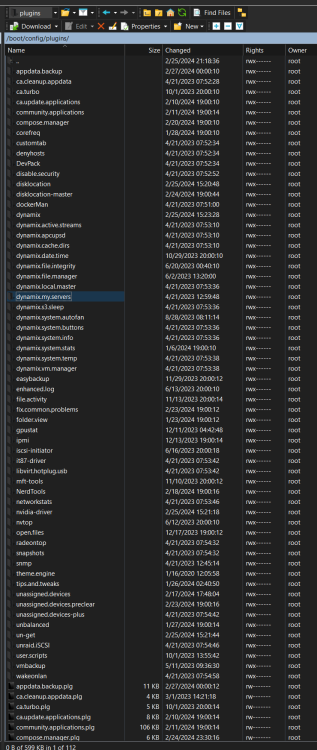
I have this plugin as a folder on the USB: There's no corresponding .plg file for it. Can i just delete the folder to make the issue go away? Thanks
-
I closed the page on the VM and opened it in my laptop, now the same error is logged on the laptop's IP: Every 5 seconds.
-
Thanks, I'll try later in the day. .69 is my windows 11 VM, from which I manage Unraid most of the time.
-
Here's the x64 package: https://ftp.ussg.indiana.edu/linux/slackware/slackware64-current/slackware64/n/openvpn-2.6.9-x86_64-1.txz
-
Anyone?
-
There was an old thread from 2019 which turned out to be netdata related, doesn't seem to be the case for me.
-
Hi again, this morning I had issues with upgrading from 6.12.6 to 6.12.8, which got resolved. I took a peak at my syslog just now, and it is flooded with hundreds of the following, every 5 seconds: I don't even have dynamix.my.servers listed in Plugins. How do I uninstall the plugin? I don't use it. Any idea? Thanks!
-
My bad, it worked! I had the webui pointed to https instead of http as I was trying different things. I am up and running with 6.12.8, thanks @itimpi!
-
In the meantime, how do i roll-back to previous version? do I just manually copy the files from /boot/previous/ to /boot and overwrite?
-
How do I restart the dsub service? there's no rc.* file for it. I tried to manually start elogind and vnstat, this is what I get:
-
Doesn't help, still same errors. Maybe the go-file is not the place to do it? Is it processed too late?
-
It's odd that until now this never happened in any prior builds I've been using...
-
Thanks! Is it similar to this? I'm already doing that for years in my go-file.
-
Feb 25 13:09:00 SelaNAS nginx: 2024/02/25 13:09:00 [crit] 23845#23845: pwrite() "/var/run/nginx.pid" failed (28: No space left on device)
-
I've rebooted several times, killed emhttpd and restarted it, to no avail. If I try to restart/reload emhttpd with rc.nginx:
-
Hi everyone, any idea why I can't access webUI? In the console I saw some 'no space' errors, but i can't seem to be able to dump the console log to a file. Thanks!
-
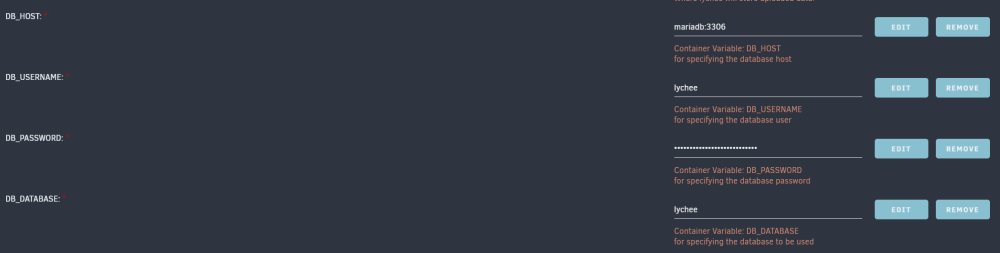
Are you using an external sql db? 172.17.0.1 is your mysql/mariadb container? Did you create a db and user for lychee in mysql/mariadb? If not, open a console to mariadb from the docker tab and then issue the following commands: mysql -u root -p You can use adminer container to connect to mariadb and check the db and user. Here's my db config for the container:
-
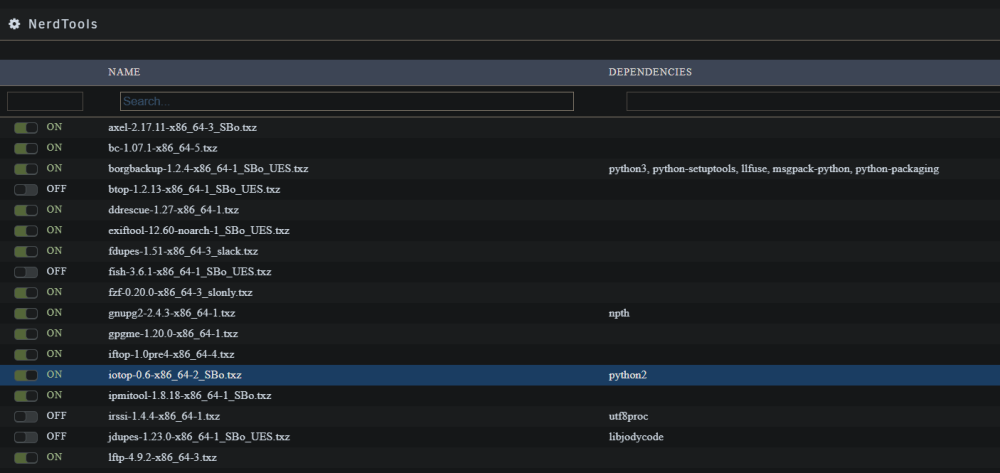
Happens to me as well. I just uninstall both iotop and python2 from NerdTools, then reinstall both and it works again.
-
It is included:
-
Hi, can you create a similar app for iperf2? It is my understanding that iperf3 is single-threaded while iperf2 is multi-threaded. Thanks
-
Just click the toolbar lock and turn it red (unlocked), then use arrows to the left of each folder and drag to change order.

-
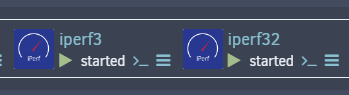
Thanks, I already got a 2nd instance installed via CA, I had to turn on multiple instance option in CA settings, then install a 2nd instance with a different name and port.
-
Hi, how can I install multiple instances so that I can measure from 2+ PC's at the same time? I currently have one instance of iperf3 installed in docker. Thanks
-
I've put the redis password in single quotes and now I don't get the error, but the container would not start. Is all I get, no errors shown on screen when I start the container in Docker tab. Any idea what's wrong?
-
Hi, how do I enter a Redis password with special chars?






