





domrockt
Members
-
Joined
-
Last visited
Everything posted by domrockt
-
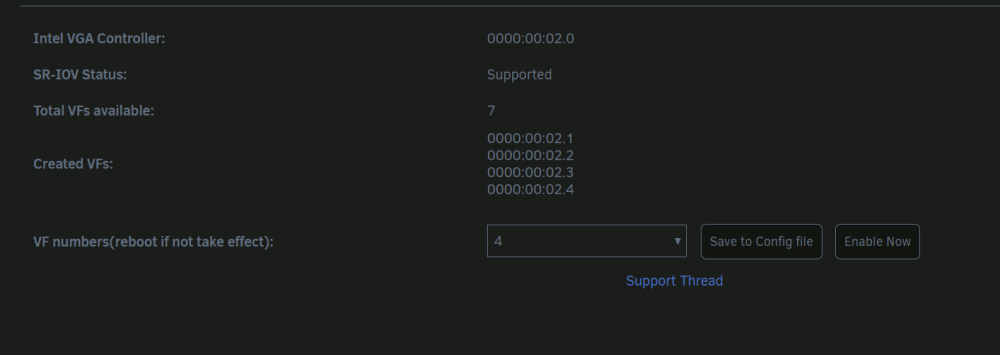
rebooting, iam going to edit here when rebootet. Yes it works, thank you very much!!

-
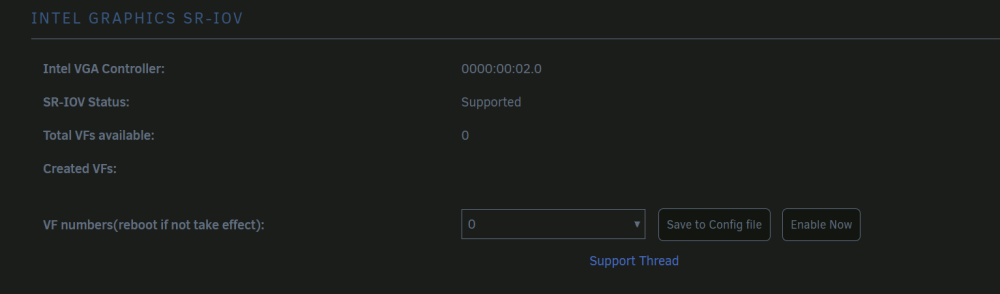
no VFs detected , went your route.
-
than good that iam testing it , my Arc a770 comes today so maintenance and reboots are on the menu today. No problemo glad to help *edit* updating *edit*
-
it does not work my, way downgrading atm
-
when already on 6.12.4 1. To install them do the following: 2. Execute this command from a terminal: mkdir -p /boot/config/plugins/i915-sriov/packages/6.1.49/ 3. Copy the two files from above in the folder: /boot/config/plugins/i915-sriov/packages/6.1.49/ 4. reboot 5. install plugin from @zhtengw 6. reboot
-
ok iam on it, i downgraded to 6.12.3 and give you all i have setting up a new Vm right now.
-
can i add a secial vdev mirror for the dedupe tables?
-
try this, make a connection via Remotedesktop (from Win)(as fallback) when this connection works delete the VNC in the VM and use just the VF, that should do the trick.
-
Parsec gives you the option to emulate an Display, you need to use this function.
-
Die Sorge ist schon recht unbegründet, läuft alles ganz gut. Es ist schon wie oben beschrieben recht schwer 1Gbit im Lan als Normalverbraucher so auszulasten das sogar der Download beeinträchtigt wird. Ansonsten bonding, verbinde beide Ports im PC zu einem Trunk in deinen Router und schon ist die Bandbreite höher, nicht die Geschwindigkeit aber die gleichzeitige Bandbreite im Lan zwischen PC und dem Rest vom LAN und Internet. (An sich unnötig aber wohl am ehesten eine das kannst du jetzt machen Lösung)
-
sometimes it helps to add an HDMI dummy plug into the Mainboard Slot.
-
Moment, was für eine Internet Verbindung liegt den vor? 1Gbit? Ich rieche ein Verständnissfehler.
-
Fujitsu Esprimo HP Elite Desks Lenovo M700 to name a few options in the mostly barebone config 100€ ish. Happy Hunting
-
Yes sure, install Parsec or a Virtual Display Driver like https://github.com/roshkins/IddSampleDriver and you are good to go be sure to use only the VF's 00:02.1, 00:02.2, 00:02.3 and so on..., in your VM's NOT the OG IGPU 00:02.0!!! Do not STUB that either
-
Its a Shoot in the dark but, what Intel gen we are Talking about? You could, when That Works use an Windows VM with passe dtrough Display and put it to sleep that should off the Display. Thanks to Intel GVT you can Split the igpu and still use it with docker and that vm when it Sleeps it uses very few resources
-
Yes i5 5/6th gen is fine 8gb of DDR3 will be fine for now. Go on Ebay Look for Dell Optiplex about 100€ should be enough an fine refurb 8tb seagate HDD for Starters Sets you back about 60-80€ put a few of your ssd in that PC and you are Good to Go you can get away with unser 200€ and Start Ripping Unraid is easy to learn, the docker System Works fine, the Community is very helpfull. once you Start using Unraid, your System will grow over time
-
Those are Hyperthreads you have 8 Real Cores and 8 Virtual ones when your 8 Cores are Hammered all real Cores are used so no „leftover“ for the Threads
-
you need to delete the Intel GPU Top you need to delete the Intel sriov Plugin bind the IGPU 00:02.0 to VFIO reboot add your IGPU to your VM Output should work.
-
That Makes totaly Sense. your PC boots up with Display Output over the Nvidia until Unriad Boots up then Unraid stubs that GPU so no Output. Unraid finds another active GPU and takes over. That IGPU + Output is used by Unraid because its Not stubbed IF you install something like the steamOS docker und use the HDMI you get an Display Output on your Monitor. That is the State of sriov with Intel IGPUs in Unraid. in the Intel Papers there are some hints that you could get more Video Outputs with VGPUs. the VFs dont have Video Output over HDMI by now. you need a virtual Display driver in your VM to use Parsec or install AnyDesk or something Similar.
-
How many clients are we Talking about? what is „dream i.e“ Language barrier in my case. what should that Quadro do? Sriov? Could you pls Segment your questions and be more specific what you want to achive? when you want one cloud VM for yourselfe, you can do a few things that work just fine.
-
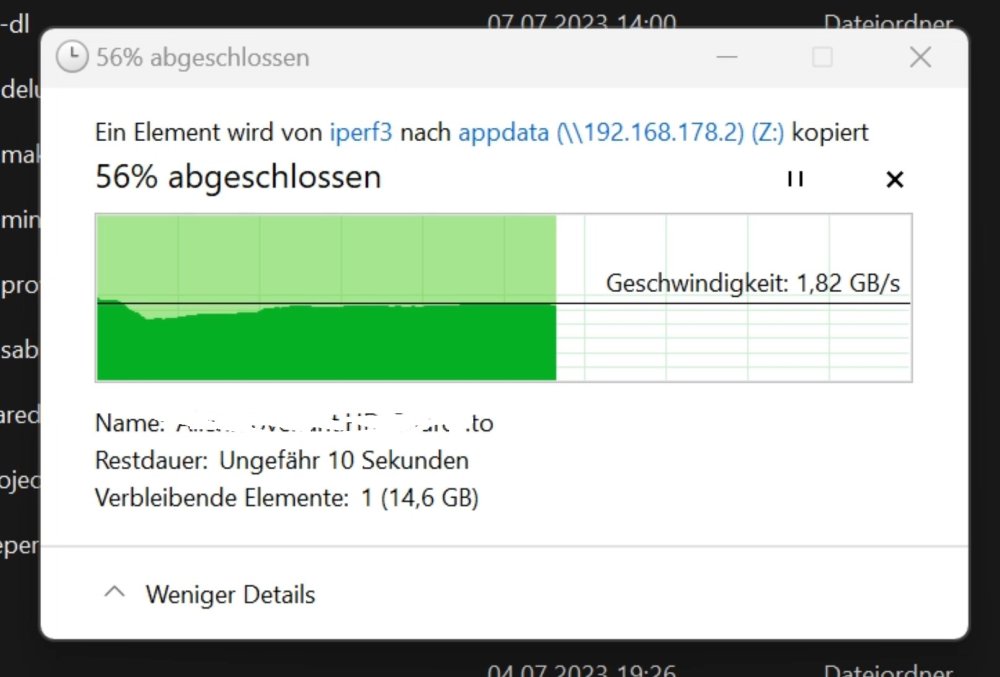
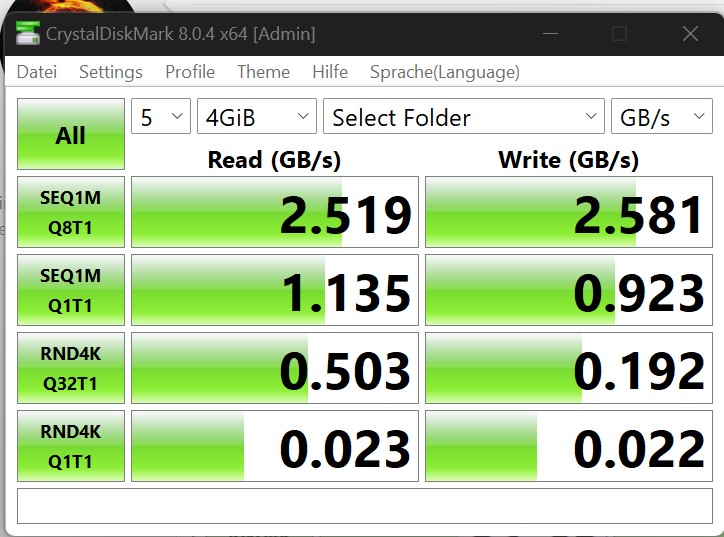
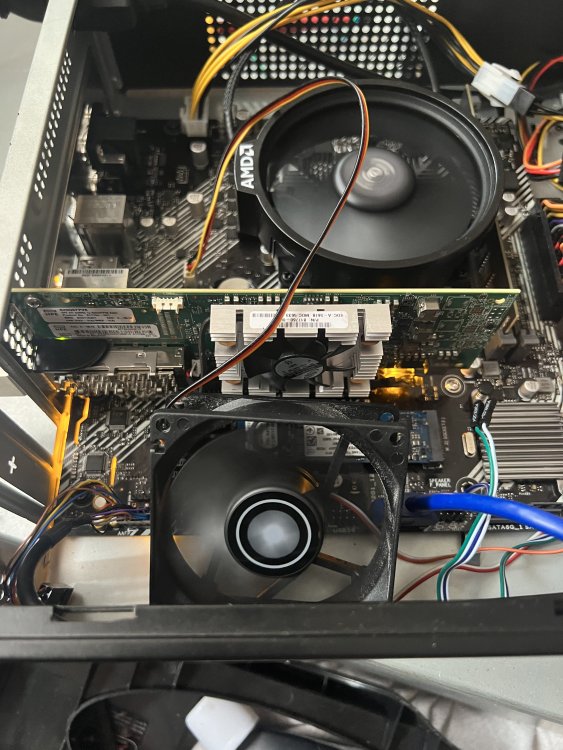
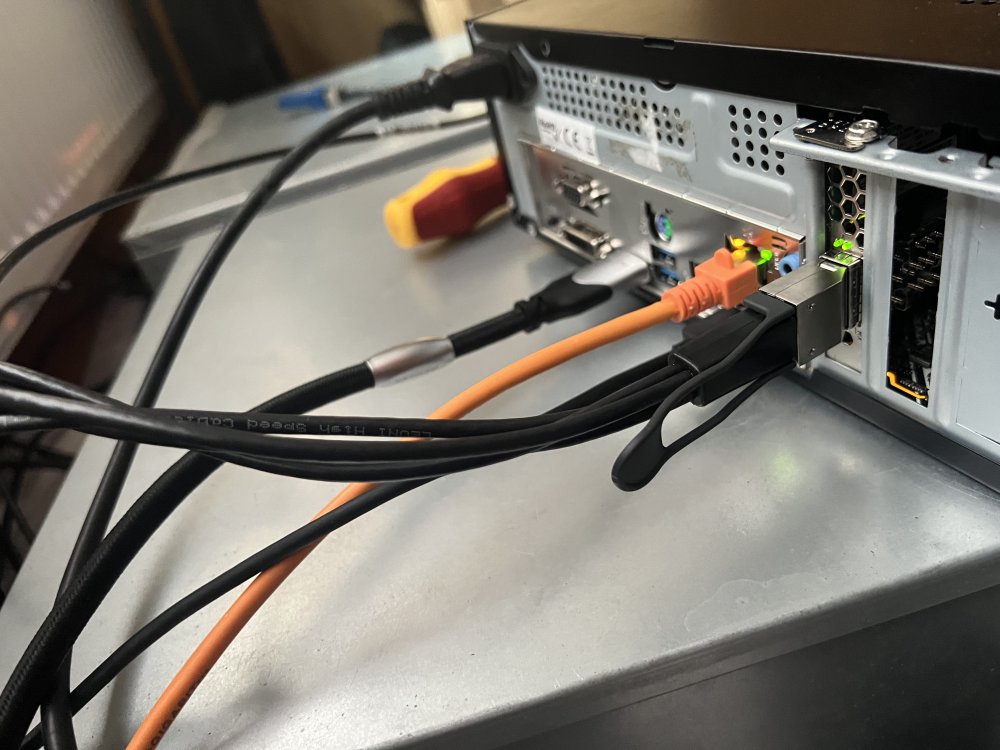
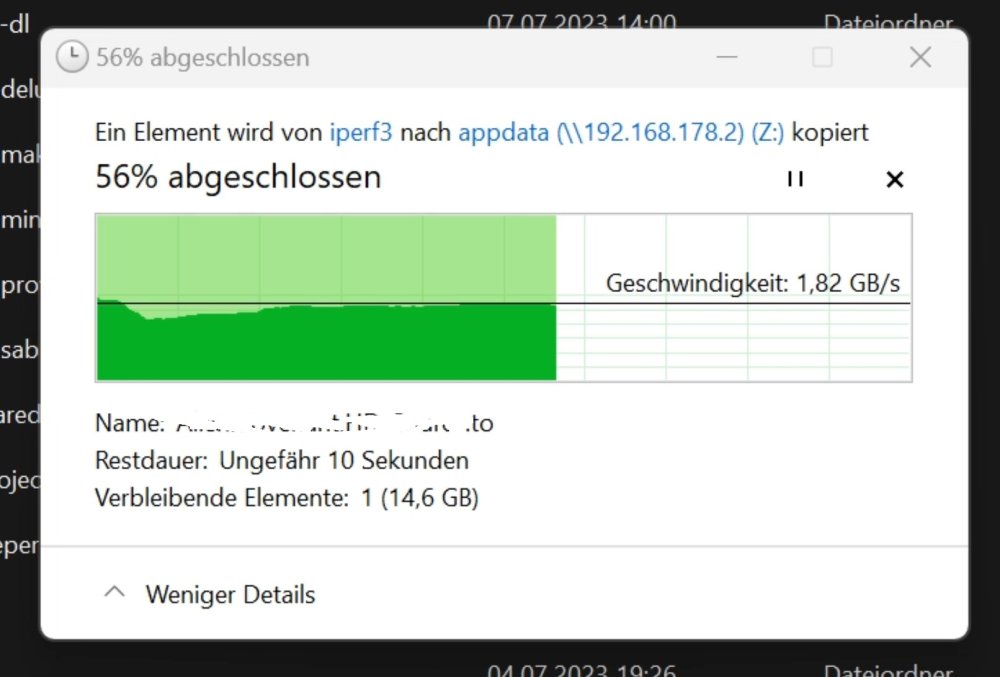
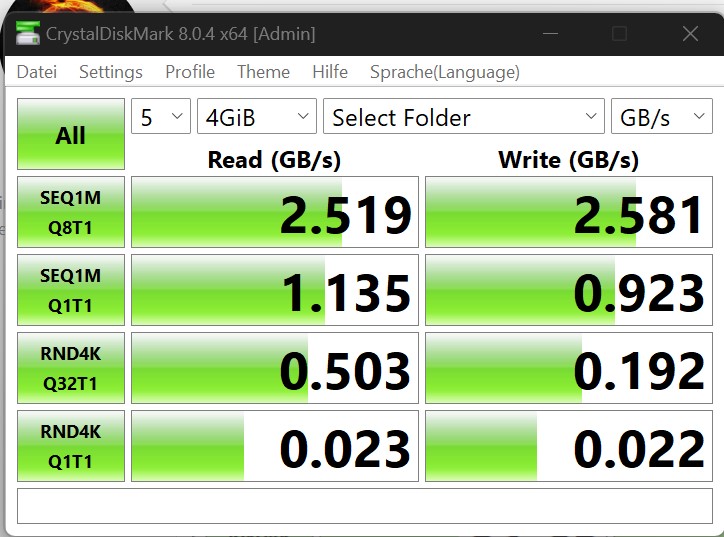
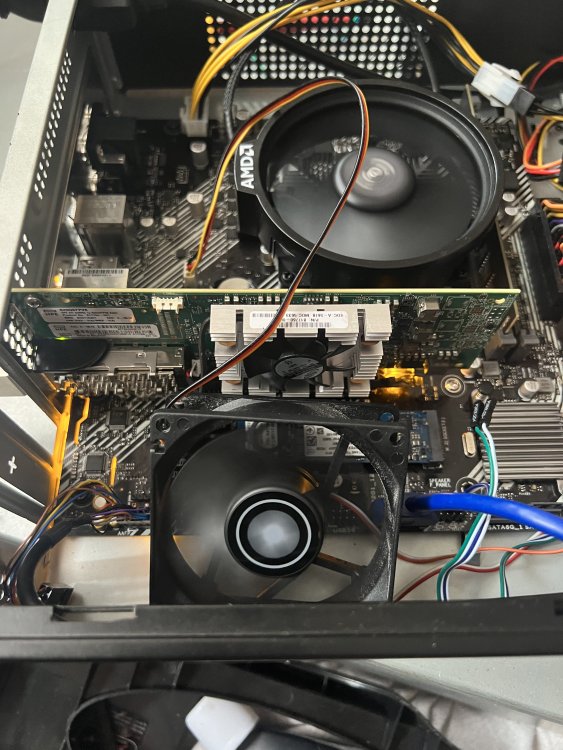
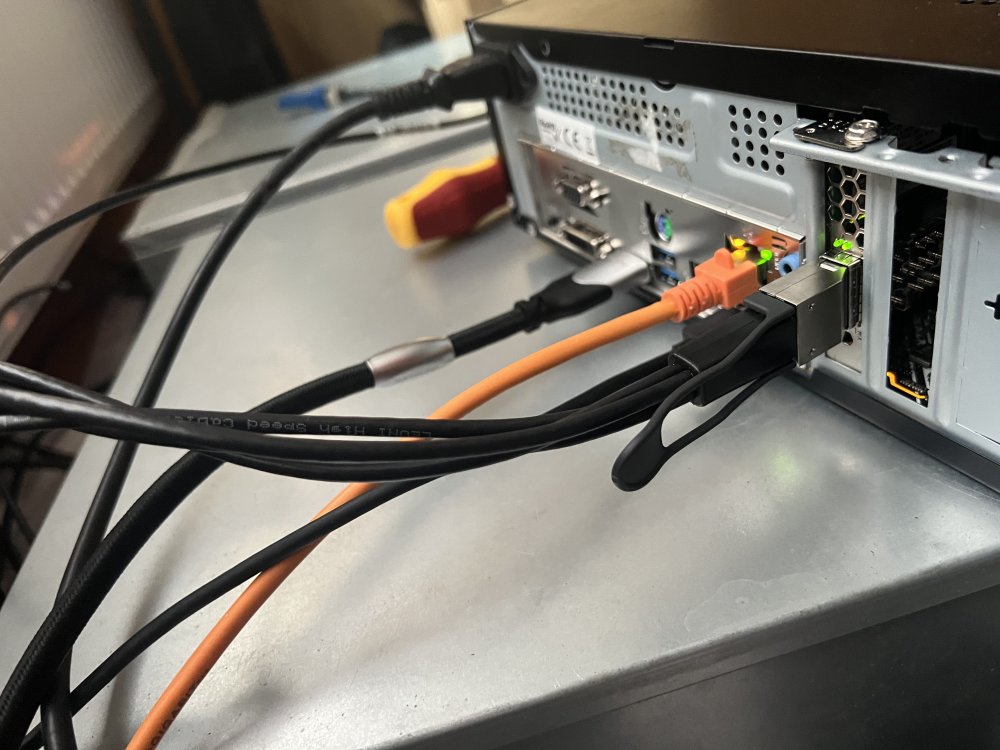
I upgraded from 10GbE to 25GbE that alone is not that big of a deal buuuuuuuut i think the "switch" Card i used fot that is tellworthy i searched the web for any Info on that Card but could only find a few Articles around it and all of them are saying that this Card runs only in HP servers. a few Forum questions later i had a 50/50 chance that this card runs in any PC, i took the gamble. Aaaand it does work in any PC. Which Card iam talking about? This one HP 100GbE 620QSFP28 for 108€ it is a 100GbE singleport NIC which is breakoutable to 4x 25GbE i bought an Generic 100G QSFP28 to 4x25G SFP28 passive Copper DAC 1m or 5ft for 75€ I had some Parts lying around like an Ryzen 4600G and bought an cheap Asus Prime B450M-K II and the cheaest 8GB DDR4 stick i could find. I uses VyOs as my switch OS, the learning curve was not that steep and manageable. I installed in on an 16Gb Optane stick via Rufus and the VyOs image after that activate SSH and an Management Port in the OS. Get it in DHCP client mode and bridge all the Ports together. That would be 1Gbe and 4x25Gbe in a bridge than reboot and viola diy Switch enabeled. I put the 2x Mellanox CX4121A Dual-Port SFP28 PCIe x8 3.0 25GbE Adapter in my Main Rig / Unraid Server Why i choose those? A) two Ports B) SR-IOV C) 99€ Ebay nvme PC to Unraid Server NVME nvme PC to Unraid Server NVME "switch" the Fan on that HP card was not that loud but very whinie so i unplugged it, the NIC runs fine without it. Breakoutkabel from front to back Unraid server than Main Rig Good Day everyone
-
Ich bin von 10Gbe auf 25GbE umgestiegen an sich nichts wirklich postbares aaaaaaber ich denke das über eine Karte die ich benutzt habe nicht genug Daten im Netz zu finden sind und das man sie wunderbar dafür benutzten kann. Es gibt ein zwei Artikel die sagen das die Karte nicht mit Normalen Rechner läuft das entspricht aber nicht der Realität. Ich rede von dieser HP 100GbE 620QSFP28 serverschmiede 108€ 100Gbe Singleport <---- kann man via breakoutkabel auf 4 Ports erweitern 4x25GbE Generisch Kompatibles 100G QSFP28 auf 4x25G SFP28 passives Kupfer Breakout Direct Attach Kabel (DAC), 1m (3ft) 75€ FS Deutschland das alles in einen kleinen Rechner in meinem Fall ein Ryzen 4600G, 8GB DDR4 2400mts (einfach das billigste das im netzt auffindbar war), Asus Prime B450M-K II 50€ Als OS für den "switch" hab ich Vyos genommen das Einrichten war mit einer machbaren Lernkurve gut zu schaffen. Image ziehen, Rufus, Vyos installieren hab's auf einen 16GB Optane drive. Dann SSH einrichten und Management Port festlegen, DHCP Client Mode auswählen, Bridge erstellen 1x 1GbE Uplink 4x 25GbE, rebooten und fertig. RouterOS war meine erste Wahl wegen der GUI aber ich hab es nicht hinbekommen die 4 "Ports" zu finden, die Karte wurde im PCIE im RouterOS erkannt mehr aber auch nicht. Im Haupt PC und Unraid Server hab ich diese zwei hier verbaut Mellanox CX4121A Dual-Port SFP28 PCIe x8 3.0 25GbE Adapter FP hab sie im Unraid Server auf einen zweiten Pcie 8x Slot installiert und im Haupt PC an einen Pcie 4x Slot. so lange ich nicht Trunke sehe ich keine Bandbreitenproblem. A) zwei Ports B) SR-IOV C) 99€ Ebay Von nvme PC zu Unraid server NVME Von nvme PC zu Unraid server NVME "switch" den Lüfter hab ich abgeklemmt, er ist nicht "laut" aber fiept sehr hoch, ein widerlicher Ton. Der NIC geht trotzdem an und legt los. Breakoutkabel von vorne nach hinten Unraid Server und HauptPC euch allen noch nen schönen Tag
-
Ja stimmt bridge geht wenn ich die Ports ändere wo war nur mein Kopf?
-
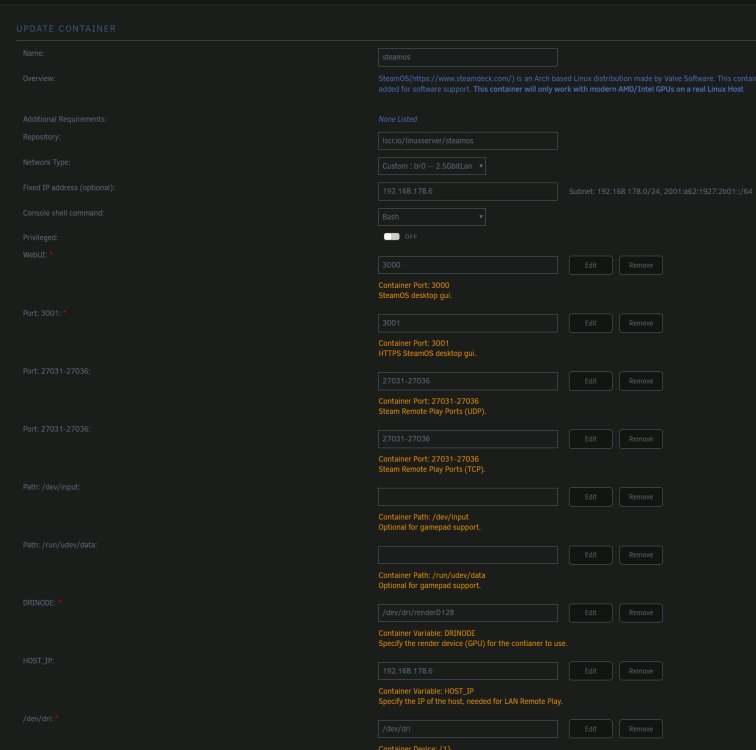
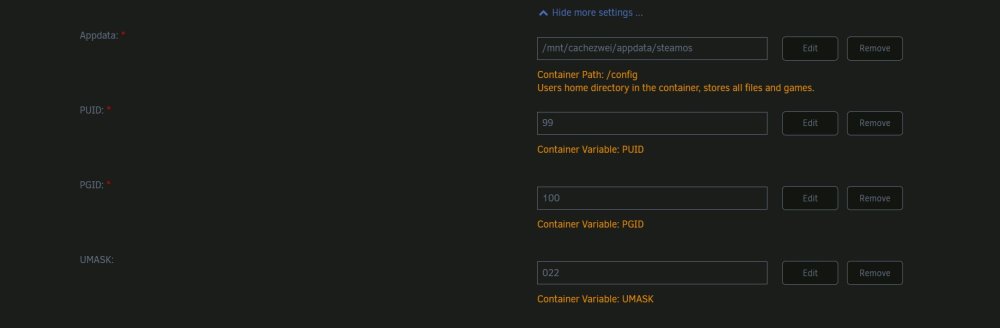
Hallo zusammen, hat schon jemand den neuen SteamOS docker getestet? Er läuft bei mir und komm rein aber ich bekomme keine Internet Verbindung, sprich ich kann kein Steam anmelden oder im internet surfen. läuft das bei euch?
-
so i rearanged everything, both folders and dockers inside the folders, at first it seems to be working quite fine, but now all the folders are gone no not all but one remains. i rearanged another docker and all folders are back they are back and in korrect order so the Plugin does detect changes on changing the Order?





