





Elmojo
Members
-
Joined
-
Last visited
Everything posted by Elmojo
-
So I have a bunch of drives, all SAS. My array spins down fine (using this plugin), as do the drives in my external MD1200 disk shelf. However, my internal ZFS pool, which are Seagate drives (I see issues noted above), are not spinning down at all. I've scanned the last page or so, and didn't see a solution. Is there any way to get them to calm down, or am I stuck with 5x drives running forever? I did discover that I can manually spin down that pool from the Main tab. I never saw that option before. When I do that, the drives show the little green "working" symbol, but they never go gray until I leave the page and come back. That does seem to work, though. Any thoughts?
-
I did start reading the first few pages, but saw that it was just bug reports and squashing, as you noted, so maybe I need to skip ahead a little and read the rest. I don't know when I'll get time for that, but I'll add it to the 'to do' list. Have you run into any issues with backups being very slow on local LAN? Is that addressed somewhere in those 18 pages? lol
-
I could, but even if that works, I don't think the resultant file would be of any use to me, since my goal is to be able to mount the VHD backup in VMWare or some other virtualization environment as an option. In most cases, I would probably just restore the image back to the original VM, but I'd like the option to be able to mount the image in Windows or whatever, if I need to just pull a few keys files.
-
That sounds about right. I'm not sure why mine is running so slow. The rest of my network is plenty fast. In fact, the very first backup I ran seemed to be pretty quick. I wonder if it's because I'm using the "uncompressed" file format? I wouldn't think so, but anything is possible. Hopefully, @binhex (does tagging not work here?) or someone who knows more about how this docker works under the hood can chime in and offer some suggestions.
-
There is no ISO backup. An ISO is a disc image, like of a CD or DVD. This software makes images of hard drives, containing operating systems (it also does file backups, but we're discussing full disk imaging), that can later be mounted as virtual machines. In the context of unraid, we will most likely be essentially backing up a VMD (Virtual Machine Disk) to a VMD, rather than backing up a physical disk to a VMD, like you'd be doing if you were running this software on a regular computer.
-
Not exactly. You get a virtual hard drive image. It's an exact replica of the drive, in file form. You can mount that image back into a VM (which is how it was before the crash), or you can mount it in another software (as a drive letter in Windows, for example), if you only want to extract data from the image, and not actually boot it again.
-
No, I just installed it today. I have no idea what the restore process is. I'm actually more concerned with getting the actual backups to work properly before I worry about restoring them. lol
-
Yeah...something is amiss... lol With my setup, I mean.
-
Has anyone experienced very sloooow image backups? I'm backing up my VMs, and the images are only about 50-60GB in size. The transfers over my local network are running at about 15-20Mbps, which means they take 5-7 hours to run. I'm using the uncompressed (VHD) image type, so that I can (hopefully) mount an image in Windows or VMWare in the case of a VM corruption. Is this a bad idea? I'm brand new to this software, so I'm likely doing things bass-akwards. Suggestions appreciated! I also notice that one of my VMs seems to be running the backups pretty much continuously, even though I have it on the default 7-day schedule. Is that a known issue?
-
I have similar questions, but we're probably better off asking in the support thread for URBackup, so we don't pollute this thread. See you there!
-
Yes, I know, thanks. I'm trying to determine if I can get away with using this docker and self-hosting, or if I need to just through all the hoops required to get the physical UDM playing nice with my pfsense box. So far, I'm not having much success either way. Actually, that doesn't quite seem to be the case. I have only 1 U6 Pro AP adopted, and I now have all the icon categories along the far left available, and under settings, I have WiFi, Networks, and System. However, the wifi isn't really working. My phone says it "can't connect", but the Unifi dashboard is reporting that my phone is indeed connected with a "good (70%) experience", which is really worrying, since the AP is sitting about 8 feet away from my phone. If this is the type of "experience" I can look forward to with Unifi devices, they may not be for me. I realize I'm likely doing something (or many things) wrong, but this all just seems far more difficult than it should be. Running the Unifi controller software behind one of the world's most popular router/firewall software should be a well-documented process. It baffles me that I'm having such a hard time finding clear, step-by-step tutorials for how to make it happen. Sorry for the rant, it's been a rather frustrating couple days... EDIT: Got it (kinda) working. It had prompted me to create a new network, but that wasn't working, so I deleted it and changed the wifi back to use the "default" network, and that seems to be working, sorta. It will drop the connection on my phone randomly, but at least it's connecting now. I'll investigate more later...
-
I don't. My switch is a managed TP-Link POE+. It sounds like I might only have the WiFi tab. Oh well. Better than nothing. Anyone wanna buy a UDM-Pro with 3TB HDD, like new? lol
-
So what's the deal, is this plugin defunct or what? My unraid just flat refuses to install it anymore. I'm on 6.12.8. If I go to the plugins page and click the "Plugin file install errors" tab, it shows vmbackup.plg as status:error, with no explanation. My only option is [delete]. Anyone found a way to get it working? I'd really like to have backups of my VMs....
-
Oh okay, so that's normal to not have the "network" tab? I was thinking that in the video from Lawrence systems, it showed that tab as available. I might need to go back and watch again. Thanks for the help!
-
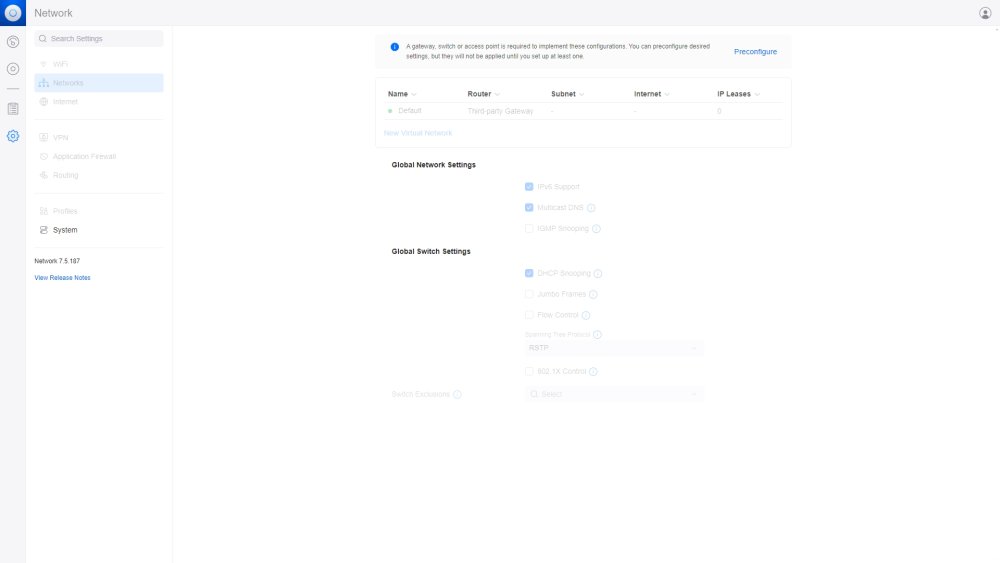
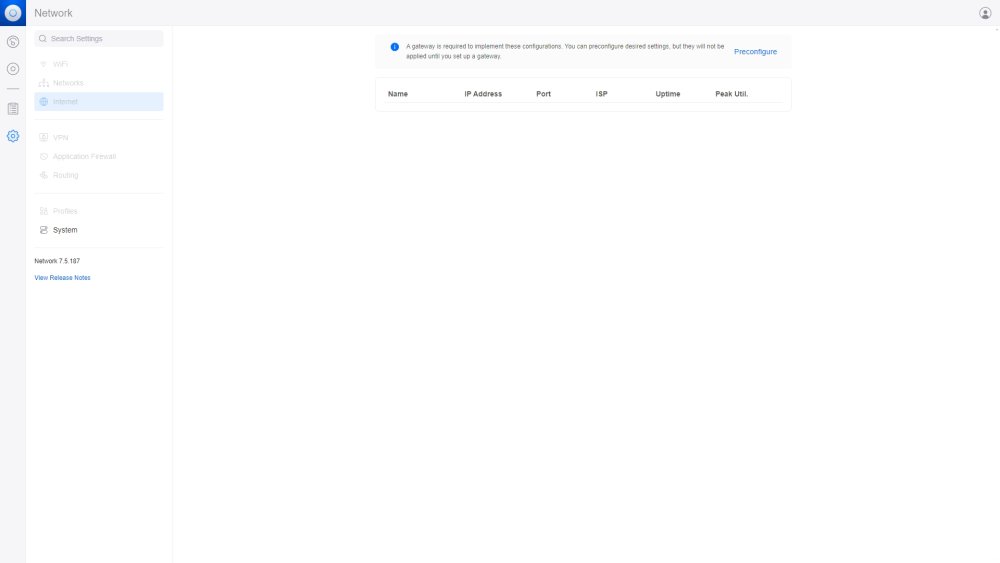
The Unifi Controller webUI. I'm logged in, but it's mostly unavailable. It's telling me that I don't have internet, or access to any of the network or WiFi screens, because nothing is connected. I understand the WiFi part, since I have no APs connected yet. The rest I don't understand. How do I connect this controller (docker) to my network, is basically what I'm asking. See the screenshots.
-
Now he tells me! lol Ok, so it's back up, and I'm in the webUI, but I still have the same screens. Most everything is shaded out and unavailable. It says I need a gateway...
-
Gotcha! Yep, pfsense is handling DHCP duties. I assigned an IP outside the range and applied. Now, when I start the docker and launch the webUI, I get a blank screen with "about:blank#blocked" in the address bar. EDIT: The logs are totally blank, but the console appears to be running.
-
Oh boy, you just leapt right over my skill barrier... lol Okay, let me see if I follow... I changed back the ports to the defaults. I changed the network type to custom: br0. Now, under 'fixed IP address', what would I put? Just make one up, or does it need to be one that already falls within (or outside) my existing subnet? This stuff is a little beyond my comfort zone, but I'm learning. EDIT: I see that it's suggesting my existing subnet, so maybe I need to pick an available IP within that range?
-
Hi all, Okay, so I'm totally lost here... I'm trying to get this up and running from scratch, not restoring from any sort of prior Unifi system. The initial instructions on page 1 all seem to relate to migrating from a previous install. I can install and run the docker, and I can even log into the WebUI, but it tells me I have no access to a gateway, so most everything it grayed-out. I suspect it may be because I have 2 ports that I was forced to change (I know!); ports 8080 and 6789 are used by other dockers on my system, and can't be removed. Is this a dealbreaker? I edited them in the Unifi template, which I know was noted as a very bad idea. Is there any hope for me? lol Assuming that this isn't the cause of all my woes, what's my next step? How do I connect to a "gateway"? I'm using a pfsense box as my router/firewall, and it's an external machine, not hosted in unraid. I'm sure that matters. I watched a video by Lawrence systems about setting up Unifi with pfsense, and that's actually what got me thinking about self-hosting the controller software, as he didn't seem to like the UDM Pro very much. I have one here, but I'll probably just sell it if I can get this working. However, Tom was talking about having to have 2 networks for the UDM Pro to work correctly, is that also the case when using this docker? As you can tell, I'm rather confuzzled...
-
I'm having a similar issue as @icepic0, except that I can't connect at all. I can open the settings for the plugin, but it won't connect, and I see no sensor data. I've changed nothing, except for standard plugin and docker updates.
-
I've seen this mentioned, but haven't figured out how to do it. Can you share the steps, or the tutorial you used?
-
Ummm...no?
-
It has backup? Where?
-
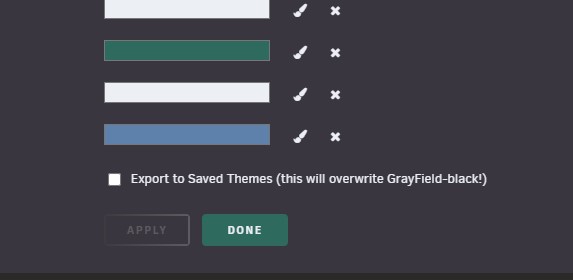
Nope, didn't work for me. I even tried a different browser, and it's still stuck on the weird black theme. Making my eyes go crossed. lol
-
Weird. Okay, so not just me at least. I guess we'll just have to wait for a fix or update then. Thanks for the confirmation.



