





Mainfrezzer
Members
-
Joined
-
Last visited
Everything posted by Mainfrezzer
-
No, the amount of lanes are only important for feeding the GPU/vram with lots and lots of data quickly. Transcoding basically needs nothing in that regard. If you run something like games (although it doesn't matter there in the most cases either) or LLM, that would matter
-
reads are free on flash based storage, writing is wearing it.
-
You need to enable host access in the docker config if you try to access the pi hole from unraid itself. By default it's a security feature of docker to not allow host to container communication on Mac/ipvlanIntentional, for changing ipv4 and ipv6 addresses, it's in the release notes I'm sureOh, you're right. I should add that to the search term. "Ram disk" would have worked 😄It should be in there, it's certainly in the appfeed. Which unraid version and CA version do you have?Should be the MT7927Visit the server via TailscaleIP:5252 and enable the exit node there. That should work. Otherwise cli should work tooAlso depends where you download from and when. Can be a hit or miss sometimes. I recently had to download a 1 GB blob from ghcr.io a few second Operation turned into an adventure with 5 Mbit/s (also good to mention that dockerhub changed their rates recently so who knows what they're doing, I moved most of my stuff away from them anyway)There might be more but this is certainly a case that stands out where the text input has the same colour as the background and makes searching a pitajust change the tag if you want to use the beta version. i.e louislam/uptime-kuma:2.0.0-beta.2i was able to recreate it. Currently limited with time to figure out what exactly is causing it but it seems like cloudflare is the issue. Using cloudflare using the ip Edit: So you can set the panel to access the wing through cloudflare to nginx to the wing and set the wing to access the panel over cloudflare. But if you access the panel through cloudflare, it breaks Okay found the issue, in the panel template this was set to http instead of https after setting it to https, cloudflare works ( i did set cloudflare as trusted proxies)
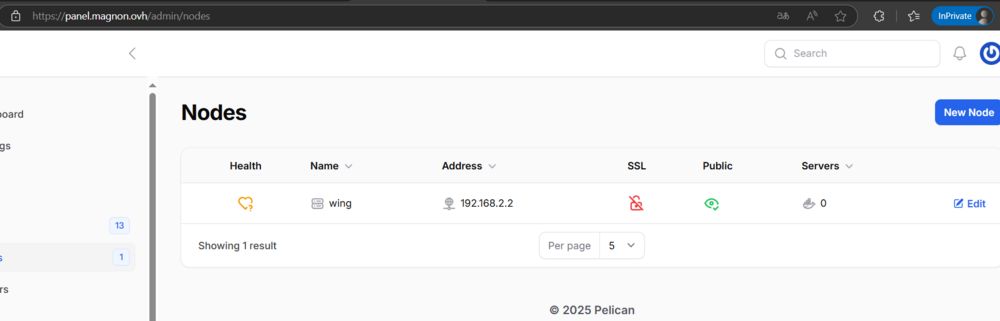
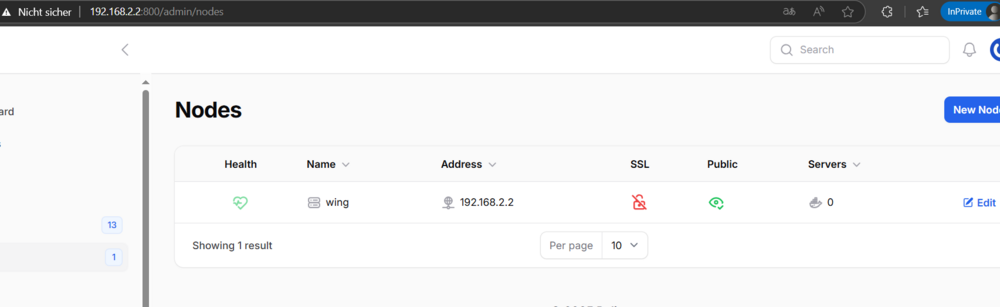
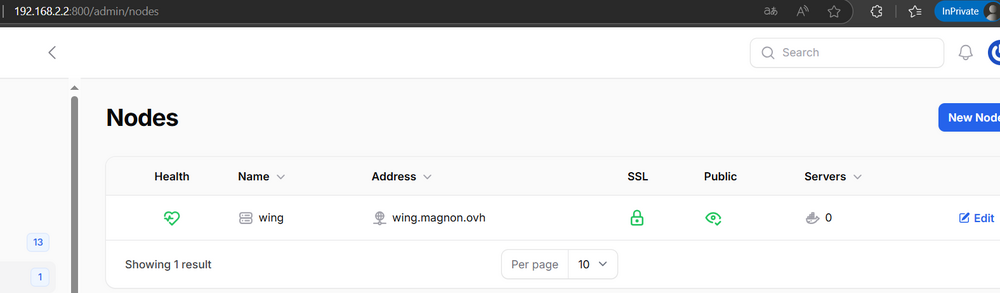
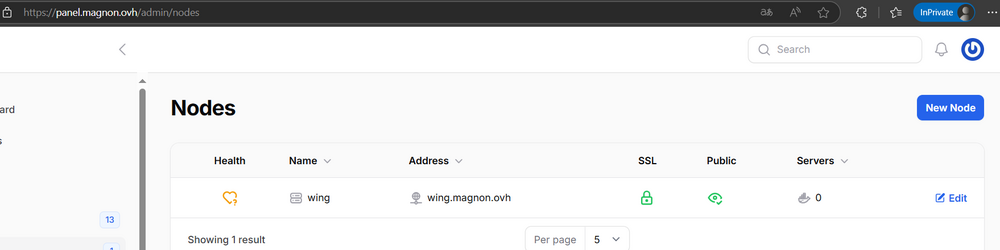
 Its on by default. That your dont have a log at all it strange. It should have something logged if it fails to reach the wing, like a timeout for example. Just to double check, you have your domains proxied (or tunnled?) via cloudflare to your reverse proxy and from there to your unraid server? Im gonna assume the nginx screenshots are just accidentally double uploaded for both domainsGiven that you can access it via browser is already a good sign, although why the panel doesnt reach it, thats a good question. What does the laravel log say? The log files for the panel should be in "/mnt/user/appdata/pelican-panel/pelican-log"


 you can also just send me a DM on here Having a look at the template would certainly help to figure out why you join the wrong serverwell thats at least good news for me, means i didnt break it with the id change. You could test it with the official docker container from the pelican devs to see if works there but i have a high suspicion that the issue occures there too since i didnt touch anything apart from some pathsodd, you can use the "old"-pre-id change panel with "ghcr.io/mainfrezzer/pelican-panel@sha256:e215e2d2a7a8efe502cce052ade1cd781df67ad732749a6118dcdd92d0a552f7" that one apparently also has the missing css tho. If that works ive to do some diging.just out of curiosity, if you update the container to the one i pushed a bit ago, is it still broken?there are logs in "/mnt/cache/appdata/pelican-panel/pelican-log" assuming its the default path, would be good to know the errors laravel is throwing
 its an odd bug, it a 50:50 if it appears or not while building the image, ill pushed an updateFor some reason its not loading/failing to load a css file. ive had that happen to me once too. and it just happened again to me too ill look into it too see whats causing it.
I assume it worked until you updated the panel container with the update that i pushed yesterday? Setting the owner of your pelican-panel folder in appdata to nobody might fix it. I had to change user and group ids. Otherwise i assume the wing itself works fine when you visit the address?Unraid starts upon boot the wlan0 interface despite being set to disabled and subsequently causes an issue with certain scripts. For example, having your array automatically decryped when your server is starting doesnt work anymore because unraid fails to download from the destination, unless you deploy a loop to keep trying. This works in 6.12.x, 7.0.x and on beta2 and beta3 with activated wifi OR beta2 and 3 without having physically a wifi card installed in the system #!/bin/bash if [[ ! -e /root/keyfile ]]; then wget http://192.168.2.2/keyfile mv keyfile /root/ fi That script does no longer work with beta2 or beta3 when you disabled wifi but have a wifi card physically installed. To get it working on beta2 and beta3 with disabled wifi you need to incorporate a loop like this #!/bin/bash if [[ ! -e /root/keyfile ]]; then wget http://192.168.2.2/keyfile while true; do if [ -f keyfile ]; then break else sleep 1 wget http://192.168.2.2/keyfile fi done mv keyfile /root/ fi Then, unraid will automatically start. Log from when you enable wifi and boot Apr 5 08:35:23 Magnon-Box rc.wireless: Starting WiFi network... Apr 5 08:35:23 Magnon-Box rc.wireless: ip link add link wlan0 name shim-wlan0 type ipvtap mode l2 bridge Apr 5 08:35:23 Magnon-Box rc.wireless: ip link set wlan0 up Apr 5 08:35:23 Magnon-Box kernel: iwlwifi 0000:00:14.3: WFPM_UMAC_PD_NOTIFICATION: 0x20 Apr 5 08:35:23 Magnon-Box kernel: iwlwifi 0000:00:14.3: WFPM_LMAC2_PD_NOTIFICATION: 0x1f Apr 5 08:35:23 Magnon-Box kernel: iwlwifi 0000:00:14.3: WFPM_AUTH_KEY_0: 0x90 Apr 5 08:35:23 Magnon-Box kernel: iwlwifi 0000:00:14.3: CNVI_SCU_SEQ_DATA_DW9: 0x0 Apr 5 08:35:23 Magnon-Box kernel: iwlwifi 0000:00:14.3: RFIm is deactivated, reason = 5 Apr 5 08:35:24 Magnon-Box kernel: iwlwifi 0000:00:14.3: Registered PHC clock: iwlwifi-PTP, with index: 1 Apr 5 08:35:24 Magnon-Box rc.wireless: ip link set shim-wlan0 up Apr 5 08:35:24 Magnon-Box rc.wireless: iw reg set DE Apr 5 08:35:24 Magnon-Box rc.wireless: Joining WiFi network... Apr 5 08:35:24 Magnon-Box update_services: remove queued job 1 Apr 5 08:35:24 Magnon-Box update_services: queue new job 2, wait for 20s Apr 5 08:35:24 Magnon-Box rc.wireless: wpa_configuration SAE Apr 5 08:35:24 Magnon-Box rc.wireless: wpa_supplicant -B -i wlan0 -c /etc/wpa_supplicant.conf Apr 5 08:35:27 Magnon-Box kernel: wlan0: authenticate with 2c:91:ab:83:bc:69 (local address=ac:19:8e:9d:a5:fd) Apr 5 08:35:27 Magnon-Box kernel: wlan0: send auth to 2c:91:ab:83:bc:69 (try 1/3) Apr 5 08:35:28 Magnon-Box kernel: wlan0: authenticate with 2c:91:ab:83:bc:69 (local address=ac:19:8e:9d:a5:fd) Apr 5 08:35:28 Magnon-Box kernel: wlan0: send auth to 2c:91:ab:83:bc:69 (try 1/3) Apr 5 08:35:28 Magnon-Box kernel: wlan0: authenticated Apr 5 08:35:28 Magnon-Box kernel: wlan0: associate with 2c:91:ab:83:bc:69 (try 1/3) Apr 5 08:35:28 Magnon-Box kernel: wlan0: RX AssocResp from 2c:91:ab:83:bc:69 (capab=0x1511 status=0 aid=4) Apr 5 08:35:28 Magnon-Box kernel: wlan0: associated Apr 5 08:35:28 Magnon-Box kernel: wlan0: Limiting TX power to 20 (23 - 3) dBm as advertised by 2c:91:ab:83:bc:69 Apr 5 08:35:28 Magnon-Box rc.wireless: WiFi network... Started. Log from when you disable wifi and boot Apr 5 10:50:37 Magnon-Box rc.wireless: Starting WiFi network... Apr 5 10:50:37 Magnon-Box rc.wireless: ip link add link wlan0 name shim-wlan0 type ipvtap mode l2 bridge Apr 5 10:50:37 Magnon-Box rc.wireless: ip link set wlan0 up Apr 5 10:50:38 Magnon-Box kernel: iwlwifi 0000:00:14.3: WFPM_UMAC_PD_NOTIFICATION: 0x20 Apr 5 10:50:38 Magnon-Box kernel: iwlwifi 0000:00:14.3: WFPM_LMAC2_PD_NOTIFICATION: 0x1f Apr 5 10:50:38 Magnon-Box kernel: iwlwifi 0000:00:14.3: WFPM_AUTH_KEY_0: 0x90 Apr 5 10:50:38 Magnon-Box kernel: iwlwifi 0000:00:14.3: CNVI_SCU_SEQ_DATA_DW9: 0x0 Apr 5 10:50:38 Magnon-Box kernel: iwlwifi 0000:00:14.3: RFIm is deactivated, reason = 5 Apr 5 10:50:38 Magnon-Box kernel: iwlwifi 0000:00:14.3: Registered PHC clock: iwlwifi-PTP, with index: 1 Apr 5 10:50:38 Magnon-Box rc.wireless: ip link set shim-wlan0 up Apr 5 10:50:38 Magnon-Box rc.wireless: iw reg set DE Apr 5 10:50:58 Magnon-Box rc.wireless: WiFi network... Failed. magnon-box-diagnostics-20250405-2042.zip I had the opportunity to downgrade back to 7.0.1 with the original 1st script and it just works magnon-box-diagnostics-20250405-2206.zip I do have to mention that originally, on beta1 upon first boot, the array did get unlocked automatically as well. So either something has changed in the behaviour or just the fact that the wireless.cfg was not present at that first upgrade to the beta1yeah what the cloudflare notice is about, i personally have no clue either. Never seen it not work over the default 443. Even cloudflare states
its an odd bug, it a 50:50 if it appears or not while building the image, ill pushed an updateFor some reason its not loading/failing to load a css file. ive had that happen to me once too. and it just happened again to me too ill look into it too see whats causing it.
I assume it worked until you updated the panel container with the update that i pushed yesterday? Setting the owner of your pelican-panel folder in appdata to nobody might fix it. I had to change user and group ids. Otherwise i assume the wing itself works fine when you visit the address?Unraid starts upon boot the wlan0 interface despite being set to disabled and subsequently causes an issue with certain scripts. For example, having your array automatically decryped when your server is starting doesnt work anymore because unraid fails to download from the destination, unless you deploy a loop to keep trying. This works in 6.12.x, 7.0.x and on beta2 and beta3 with activated wifi OR beta2 and 3 without having physically a wifi card installed in the system #!/bin/bash if [[ ! -e /root/keyfile ]]; then wget http://192.168.2.2/keyfile mv keyfile /root/ fi That script does no longer work with beta2 or beta3 when you disabled wifi but have a wifi card physically installed. To get it working on beta2 and beta3 with disabled wifi you need to incorporate a loop like this #!/bin/bash if [[ ! -e /root/keyfile ]]; then wget http://192.168.2.2/keyfile while true; do if [ -f keyfile ]; then break else sleep 1 wget http://192.168.2.2/keyfile fi done mv keyfile /root/ fi Then, unraid will automatically start. Log from when you enable wifi and boot Apr 5 08:35:23 Magnon-Box rc.wireless: Starting WiFi network... Apr 5 08:35:23 Magnon-Box rc.wireless: ip link add link wlan0 name shim-wlan0 type ipvtap mode l2 bridge Apr 5 08:35:23 Magnon-Box rc.wireless: ip link set wlan0 up Apr 5 08:35:23 Magnon-Box kernel: iwlwifi 0000:00:14.3: WFPM_UMAC_PD_NOTIFICATION: 0x20 Apr 5 08:35:23 Magnon-Box kernel: iwlwifi 0000:00:14.3: WFPM_LMAC2_PD_NOTIFICATION: 0x1f Apr 5 08:35:23 Magnon-Box kernel: iwlwifi 0000:00:14.3: WFPM_AUTH_KEY_0: 0x90 Apr 5 08:35:23 Magnon-Box kernel: iwlwifi 0000:00:14.3: CNVI_SCU_SEQ_DATA_DW9: 0x0 Apr 5 08:35:23 Magnon-Box kernel: iwlwifi 0000:00:14.3: RFIm is deactivated, reason = 5 Apr 5 08:35:24 Magnon-Box kernel: iwlwifi 0000:00:14.3: Registered PHC clock: iwlwifi-PTP, with index: 1 Apr 5 08:35:24 Magnon-Box rc.wireless: ip link set shim-wlan0 up Apr 5 08:35:24 Magnon-Box rc.wireless: iw reg set DE Apr 5 08:35:24 Magnon-Box rc.wireless: Joining WiFi network... Apr 5 08:35:24 Magnon-Box update_services: remove queued job 1 Apr 5 08:35:24 Magnon-Box update_services: queue new job 2, wait for 20s Apr 5 08:35:24 Magnon-Box rc.wireless: wpa_configuration SAE Apr 5 08:35:24 Magnon-Box rc.wireless: wpa_supplicant -B -i wlan0 -c /etc/wpa_supplicant.conf Apr 5 08:35:27 Magnon-Box kernel: wlan0: authenticate with 2c:91:ab:83:bc:69 (local address=ac:19:8e:9d:a5:fd) Apr 5 08:35:27 Magnon-Box kernel: wlan0: send auth to 2c:91:ab:83:bc:69 (try 1/3) Apr 5 08:35:28 Magnon-Box kernel: wlan0: authenticate with 2c:91:ab:83:bc:69 (local address=ac:19:8e:9d:a5:fd) Apr 5 08:35:28 Magnon-Box kernel: wlan0: send auth to 2c:91:ab:83:bc:69 (try 1/3) Apr 5 08:35:28 Magnon-Box kernel: wlan0: authenticated Apr 5 08:35:28 Magnon-Box kernel: wlan0: associate with 2c:91:ab:83:bc:69 (try 1/3) Apr 5 08:35:28 Magnon-Box kernel: wlan0: RX AssocResp from 2c:91:ab:83:bc:69 (capab=0x1511 status=0 aid=4) Apr 5 08:35:28 Magnon-Box kernel: wlan0: associated Apr 5 08:35:28 Magnon-Box kernel: wlan0: Limiting TX power to 20 (23 - 3) dBm as advertised by 2c:91:ab:83:bc:69 Apr 5 08:35:28 Magnon-Box rc.wireless: WiFi network... Started. Log from when you disable wifi and boot Apr 5 10:50:37 Magnon-Box rc.wireless: Starting WiFi network... Apr 5 10:50:37 Magnon-Box rc.wireless: ip link add link wlan0 name shim-wlan0 type ipvtap mode l2 bridge Apr 5 10:50:37 Magnon-Box rc.wireless: ip link set wlan0 up Apr 5 10:50:38 Magnon-Box kernel: iwlwifi 0000:00:14.3: WFPM_UMAC_PD_NOTIFICATION: 0x20 Apr 5 10:50:38 Magnon-Box kernel: iwlwifi 0000:00:14.3: WFPM_LMAC2_PD_NOTIFICATION: 0x1f Apr 5 10:50:38 Magnon-Box kernel: iwlwifi 0000:00:14.3: WFPM_AUTH_KEY_0: 0x90 Apr 5 10:50:38 Magnon-Box kernel: iwlwifi 0000:00:14.3: CNVI_SCU_SEQ_DATA_DW9: 0x0 Apr 5 10:50:38 Magnon-Box kernel: iwlwifi 0000:00:14.3: RFIm is deactivated, reason = 5 Apr 5 10:50:38 Magnon-Box kernel: iwlwifi 0000:00:14.3: Registered PHC clock: iwlwifi-PTP, with index: 1 Apr 5 10:50:38 Magnon-Box rc.wireless: ip link set shim-wlan0 up Apr 5 10:50:38 Magnon-Box rc.wireless: iw reg set DE Apr 5 10:50:58 Magnon-Box rc.wireless: WiFi network... Failed. magnon-box-diagnostics-20250405-2042.zip I had the opportunity to downgrade back to 7.0.1 with the original 1st script and it just works magnon-box-diagnostics-20250405-2206.zip I do have to mention that originally, on beta1 upon first boot, the array did get unlocked automatically as well. So either something has changed in the behaviour or just the fact that the wireless.cfg was not present at that first upgrade to the beta1yeah what the cloudflare notice is about, i personally have no clue either. Never seen it not work over the default 443. Even cloudflare states





