





Mainfrezzer
Members
-
Joined
-
Last visited
Everything posted by Mainfrezzer
-
You can work around it/"fix it" with https://hub.docker.com/_/postgres at the bottom of the page.
-
@Kieran E i noticed that the unraid template isnt updated with the recently added settings for the concurrent workers and ipv6 support.
-
Thats normal, apart from that, since you have been sparse with what "stop working correctly" is, i assume its connection broke, im gonna assume thats due to the changed default route. For some reason, docker has a wonky alphabetical-like order system. If you attach the network "bridge" it can cause it to take priority as default route, while something like the wgX interfaces might attach to it without that priority. You would have to fix that issue manually inside the container on starts up each time. For anyone else interested into that, via dockerman you can add "&& docker network connect NETWORKNAME CONTAINERNAME" in post arguments
-
@ich777i tested with a couple of delays, 20, isnt enough 30 seconds is. I think its way easier to do a file check in the startup script and if it doesnt exist, touch it into existence😅
-
The file still is not being created, i checked it on my usual J4125 system.
-
Ive no clue. When you install the container new, completely fresh, without the appdata section prior existing. The file doesnt get created and it just loops and loops and loops.
-
well, there are a couple of ways: [email protected] [email protected] or https://groups.google.com/g/duckdns Edit, since you can actually still use the api token, you can also push a force ip update out like curl -sS --max-time 60 "https://www.duckdns.org/update?domains=YOUR-DOMAIN-NAME&token=YOUR-TOKEN&clear=true" Checked their docs again. If you need to clear ipv6 as well, you can also run or open it like this https://www.duckdns.org/update?domains={YOURVALUE}&token={YOURVALUE}[&ip=0.0.0.0][&ipv6=::][&verbose=true][&clear=true] Edit: Just tested it, the curl one i send first does clear ipv6 as well. Docs were a bit uncertain with their wording
-
I think the issue is actually that it has an issue with a missing file. it crashed because it couldnt find the ConanSandbox.log file in /serverdata/serverfiles/ConanSandbox/Saved/Logs/ @Ashilder create that "ConanSandbox.log" file in your Appdata share, I assume the "default": "/mnt/cache/appdata/conanexiles/ConanSandbox/Saved/Logs" Edit: yeah without that file the container keeps restarting on my systems. With that file in place it, starts on a i3-4130 without an issue
-
Youre probably using IPVLAN as Docker network, that doesnt work with Fritzbox. You need to use either the Macvlan work around OR if youre on 6.12.11 you can just switch to macvlan in docker as the bug should be fixed
-
Totally forgot to check 6.12.11 😅 But as stated, it does indeed run with the 6.12.10 one. Nothing has changed.
-
Mhmm. Alternatively I could see a solution via virtual hard disks. You could create individual virtual hard disks, or just one giant one that lives on that share. You could mount it on a machine you usually work on and encrypt it and then use that virtual encrypted disk to save the disk images on. All you would have left on that share would be a virtual encrypted hard disk or multiple. Otherwise checking the bash history file for events would be an option, trigger the removal after a certain amount of inactivity. Logging events in syslog would work as well I reckon. I just remembered something. Its absolutely not meant for this but, you could use the docker container psitransfer. It's basically meant as file sharing container but it has a feature of automatic file deletion after a certain time. Using it locally to upload the images on that share would work in a way to dispose of the files after a given time.
-
Im surprised as to why the alarm is set on something so low as 60 degrees Well, usually you do maintenance at night cause, the typical human being tends to sleep at that time and thus does not interrupt any playback that happens during the day. Just disable the shedule in plex and youre good, lol
-
Wireshark
-
yes there is a way, but its not persistent accross reboots and you would have to integrate that into a script within the go file. basically what you have to change is the OpenTerminal.php in /usr/local/emhttp/plugins/dynamix/include/ to change the execution code bash to whatever you want the button to do.
-
Gotta check the system/ps file for running programs with variables in the parameter. That issue should be fixed in the future as far as I know.
-
80 for http and 443 for https.
-
@ryans100delete that attachment from your diagnostics and be absolutely careful for the next upload. There are login credentials visible
-
If youre using tailscale, depening on the setup you wanna have a look at https://tailscale.com/kb/1081/magicdns Since i dont use tailscale at all, i dont know how its configured and if it even fetches remote dns server. Also, youre aware that you need to include the port in the domain name? because npm is running on a non standard port, you always have to call "example.home:1880" or "example.home:18443" for https OR if you, as you said, decided to run NPM on br0 in your lan "example.home:8080" or "example.home:4443" for https theres no port forwarding magic without portforwarding. Edit: Added some pictures, works like a charm NPM Setting: DNS-Rewrite: Result:

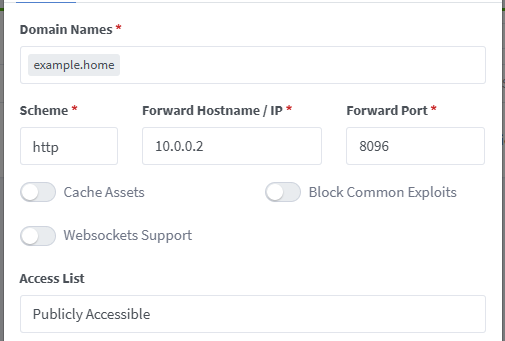

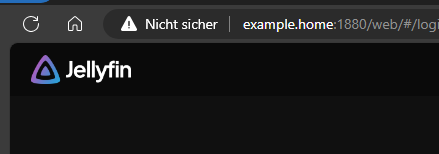
-
The container just start with ipv4 and the fe80:: address. They do not get a GUA or ULA Address. Edit: i upgraded straight back to 7 and this is how it looks: Edit: Found a fix for the issue. Change your LXC config from lxc.net.0.type = veth lxc.net.0.flags = up lxc.net.0.link = br0 lxc.net.0.name = eth0 to lxc.net.0.type = macvlan lxc.net.0.flags = up lxc.net.0.link = br0 lxc.net.0.name = eth0 and its working again under unraid 7. Edit-Edit: drawback of course is that the veth enabled communication between the host and container, that doesnt work with macvlan and requires the host access enabled Edit-Edit-Edit. Will resolve the issue with veth. The default policy for FORWARD changed from ACCEPT to DROP
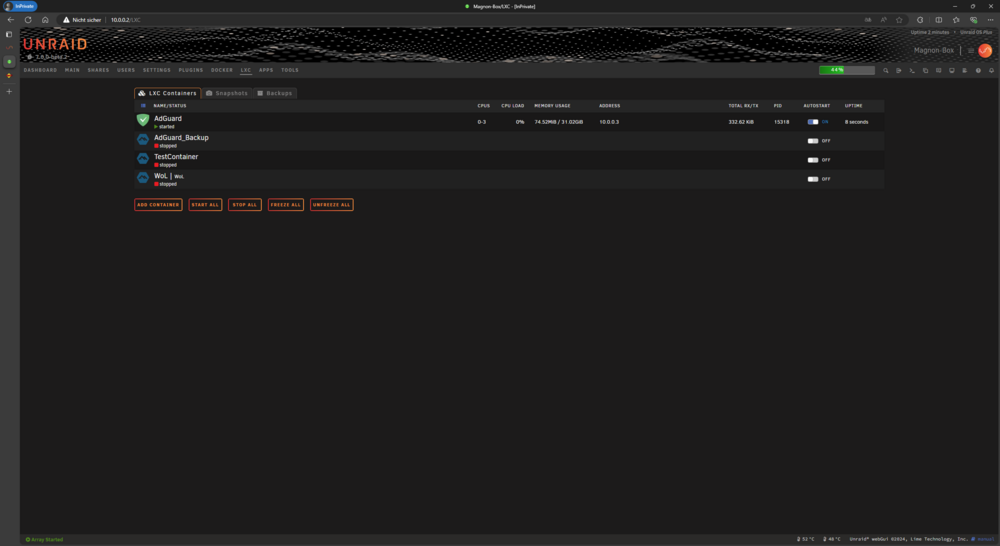
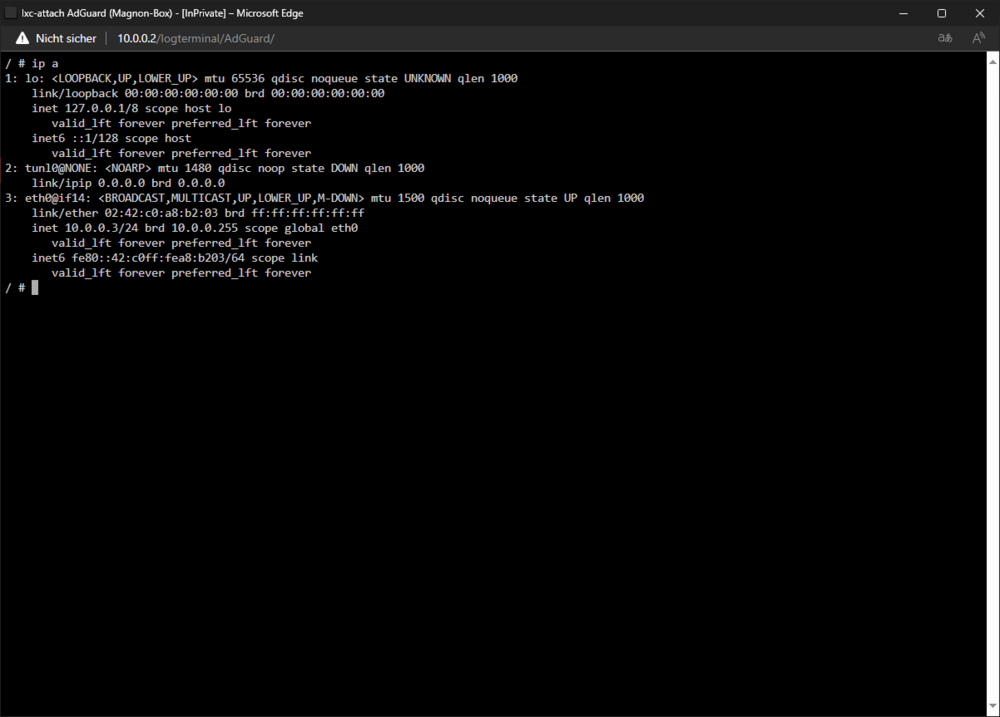
-
I noticed while running on a macvlan bridge. Then i swapped back to ipvlan bridge, dummy-saved the change in lxc and still nothing. Only a downgrade to 6.12.10 brought the ipv6 functionality back. ( i didnt bother checking beta1)
-
Not sure if you noticed but it seems like ipv6 broke with Unraid 7. Absolutely no functionality apart from a local-link which is unusable.
-
Theres a folder on disk7
-
To both, yes. Youre effectively just installing the plugin manually that way.
-
Nothing looks out of the ordinary, could be an issue with the domain, dns OR Since youre booting of a SD card, that could be funky. You can give it a go download the files manually and place them on the SD card. PGL can be downloaded here has to be placed in "/config/plugins" this needs to be placed in "/config/plugins/community.applications/" on the sdcard Certainly needs an update to the plugins 😅
-
Looks like you got a RTL8111GR, you could try the realtek package from the community apps




