





Mainfrezzer
Members
-
Joined
-
Last visited
Everything posted by Mainfrezzer
-
Which Unraid version are you runing? And what "protocol" are you using, IPVlan or Macvtap? The whole Shebang is not needed anymore with 6.12.10 and the macvtap interface, since it sets the vhost0 correctly and it just work out of the box. I havent tested ipvlan since, well, my router cant handle it. But since ipvlan still uses the old method (having 2 tunnel just in case), you have to do it manually. Dont use the VPN Manager to make changes, because they alway overwrite the file. Stop the tunnel, navigate to the flashdrive, edit the file with the "Dynamix File Manager", save it, switch back to the vpn manager and just start the tunnel without saving anything.
-
Gehen die Anfragen vorher durch die Fritzbox oder wird das PiHole via DHCP an die Teilnehmer verteilt? Die Fritzbox funkt da nämlich zwischen
-
most likely not the reason for the problem. The problem is that port 79 is by default "banned" on firefox, chrome etc. You could remove the restriction of the browser by diging in their configs but youre probably way faster with modifying the ident.cfg. as mentioned above
-
Of course its gonna have a different "name"/identifier if you use it though usb controller beforehand. Not all usb-sata controller are transparent and the WD-Element build in control boards are clearly changing the drive identification. you could check "parity is already valid" and then run a parity check afterwards. If it passes it passes, worst case, you have to fix parity. Because im sure you dont wanna put the drive back into the usb enclosure. The take away from this incident is, you can "stresstest" aka preclear, a drive while its in the enclosure to see if its a dud, but if you wanna integrate it, you should shuck it and attach it via sata directly to avoid such hassles in the future
-
Im sure a simple shutdown timer in the go file alongside a timer socket with the "power on on power loss" in the bios will work more reliably than S3 sleep and subsequent recovery.
-
Im confused. The setting is "hide dot files" and no is the default.
-
https://docs.unraid.net/unraid-os/release-notes/6.12.4/#fix-for-macvlan-call-traces
-
Yes, currently the only way for docker container. Indeed, but, I currently have the ipvlan bridge enabled because macvlan bridge would cause crashes. Given that im stuck with a fritzbox too, i picked up the lxc pluging again for any application that needs to be run on a seperate ip. Overall you *could* just ignore the drops. The only reason i noticed them is that i got a lot of complaints about disconnects from other people after upgrading from 6.11.5 and it took me a while until i figured the issue out. So if you didnt notice anything apart from the number itself, youre good.
-
https://docs.unraid.net/unraid-os/release-notes/6.12.4/#fix-for-macvlan-call-traces
-
are you sure about that?
-
The drops are caused by the macvtap interface. I can recreate them on different machines at will. Big issue that you cannot disable the macvtap if you dont need it. The versions where just eth0 is present work without an issue. Desktop 2024.02.17 - 09.34.50.08.mp4 https://forums.unraid.net/bug-reports/stable-releases/6126-macvtap-causes-consistent-package-loss-r2836/ If you wanna contribute to it^^ Edit: For the funsies, here is the result from my main pc, as before, completely different hardware, completely different cables. Vid 20240217 103910.mp4 Heres a comparison with an older Unraid version Vid 20240217 112145.mp4
-
https://forums.unraid.net/bug-reports/stable-releases/6126-macvtap-causes-consistent-package-loss-r2836/ If its not causing any issues like disconnects, you can ignore it for now, if you do, your only solution would be to run a ipvlan bridge
-
Run reiserfsck --check /dev/sdd and let us know what it says Otherwise without fiddling around, what i personally would do is to copy all files from the cache to the array or any other space you would have for that and reformat the whole cache drive to xfs, and then move the files back on it. (Especially considering the 2025 deadline but you would have to take care of your array drives at some point too since theyre reiser too) The drive seems fine, although it does list having 2 UDMA_CRC errors but that could have happend at any point.
-
Well, your cache is read only. (how did you even get reiserfs on your cache drive to work)
-
No you cannot do that since the array is inherently not a exclusive share. Only works for pool devices. You might wanna look into disk shares
-
"Header custom text color" should be the one "Header custom background color" does affect it aswell
-
impossible. your diagnostics clearly show "DOCKER_USER_NETWORKS="remove"" if you had it enabled it would say "DOCKER_USER_NETWORKS="preserve"" Edit: Your VMs complain about a missing interface aswell
-
Glad to see that it wasnt that much money.
-
Unraid has, on the right side, an uptime display, pretty easy to find that particular container with that info Btw, if all your docker container run on that custom defined network, it would be wise to enable "Preserve user defined networks" because by default docker wipes those^^ cant help you with nextcloud, dont use it.

-
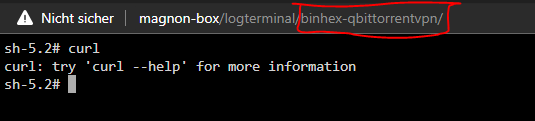
What does ping/traceroute spit out? given that curl already gave you a hint, probably good to figure out what ip youre hitting at that point.
-
Its the container(or maybe multiple) thats running on your custom network with the adress space of 172.18.0.1/16 keeps on dying. otherwise, all the icon things, especially the smartphonelover repo, dont exist anymore. Would need manual fixing to get that resolved, but thats not an issue.
-
I hope with the ~2000 dollar price tag came a good warranty 😂. Nah that thing is fake. Edit: As sort of PSA this is the largest, as of writing this, commercially available flash drive I based my 2k guess on flash chips, quite shocked that the 2TB version is already almost that much.

-
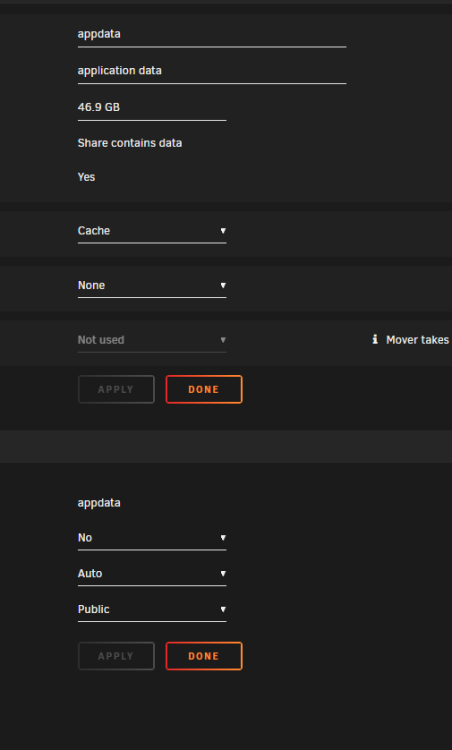
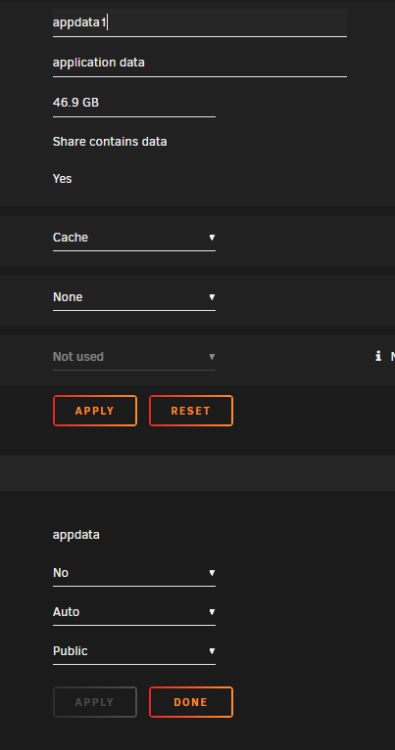
Solange keine Veränderungen stattgefunden haben, gibt's auch nix zum "Anwenden".
-
given that you had successful logings from external ips, its a gamble, could be anything. File Activity plugin can help you to find out which files are being accessed but that should be the least of your worries now.
-
if "secure Shell Server _SSH_" "Web Server _HTTP__TCP_80" and to some extent "Web Server _HTTP__TCP_1880" "Secure Web Server _HTTPS__TCP_1444" "Secure Web Server _HTTPS__TCP_18443" link to your computer thats running unraid, you exposed it to the internet with a fancy invitation letter.






