






JorgeB
Moderators
-
Joined
-
Last visited
Everything posted by JorgeB
-
I've not seen that help with a similar issue, but it won't hurt, so it's worth a try.
-
It's worth trying with a different flash drive using a stock install, no key needed, just to see if it boots.
-
Firmware update should be pretty safe, and you can do it from Unraid:
-
Wrong partition layout, with the array stopped (and assuming disk1 is still sdb), type: sgdisk -o -a 8 -n 1:32K:0 /dev/sdb Reboot the server. Disk1 should then show as "wrong." Go to Tools - New Config - Keep All - Apply. Back on main check that all disks are assigned as before but with a blue icon, check "parity is already valid", start the array and post new diags.
-
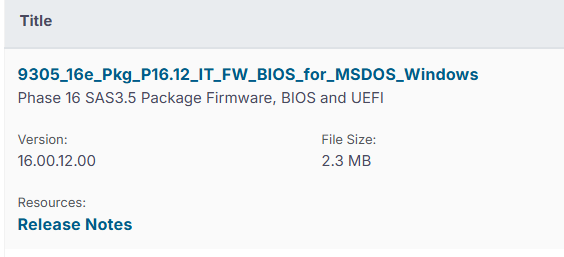
Broadcom's site has 16.00.12.00 https://www.broadcom.com/support/download-search?pg=Storage+Adapters,+Controllers,+and+ICs&pf=Legacy+Host+Bus+Adapters&pn=SAS+9305-16e+Host+Bus+Adapter&pa=&po=&dk=&pl=&l=true
-
Not really sure, @blahblahblahblah can we hide this?
-
If no data was written to the emulated disks, i.e., after they got disabled, you can do a new config, check parity is already valid, and then run a correcting parity check.
-
You can do that, and rebuild both at the same time, but make sure the emulated disks are mounting and the contents look correct before rebuilding on top.
-
Not that I'm aware of, but the diags are after a reboot, if it happens again, post new ones before.
-
It's optional.
-
Correct, you would need to replace the smaller device with one the same size as the other one.
-
The pool should be fine, problem is that other device, which is not part of the pool, probably it was before and was not correctly removed, if you remove or wipe that device, the pool should then mount
-
Both disks dropped offline; it looks more like a power/connection issue. Check/replace cables, especially if both disks share something, like a power splitter.
-
Still same issue, it may be worth trying a different PCI slot, if you haven't yet, or a different HBA
-
Yes, you can do a new config with the remaining devices, then add them back the same as they were.
-
It's the same issue as above; you have something creating this folder before the array is started: Jun 1 07:06:11 denver emhttpd: error: malloc_share_locations, 9121: Operation not supported (95): getxattr: /mnt/user/backups
-
I would start by replacing the miniSAS cablw, since it's the cheaper option.
-
I believe so.
-
Btrfs is detecting data corruption on both devices. I recommend running Memtest first, then resetting the stats and keeping monitoring. If new errors come up, there's still a problem.If it happens again, post the diagnostics.Boot in safe mode to rule out all plugins.You can try some other stuff before, like resetting CMOS, removing all add-on cards, etcIt''s definitely worth a try.Problem with the flash drive layout, 7.3 is more strict. Back up, recreate with the USB tool, and restore the config folder.

