




.jpg.adf8def3431e0aa8e590900f82752d7a.jpg)

wgstarks
Members
-
Joined
-
Last visited
Everything posted by wgstarks
-
You can just follow this link (docker run command) for a description of how to get the command used by Unraid.
-
https://forums.unraid.net/topic/75539-support-binhex-qbittorrentvpn/?do=findComment&comment=695806
-
Updated without issues.
-
Use the temp password in your log.
-
I would suggest that a feature request would be the best way to get this implemented in future versions of Unraid. A bug report is another possibility.
-
Thanks. Guess I’ll need to change 1w to 7d then.
-
So same smb settings as in the video? Just entered into UD settings instead?
-
I was curious about this after the earlier post and went looking for details in this thread regarding the process for setting up a rootshare in UD but only found references to doing it. Maybe someone could post the details and SMB settings?
-
Go to Settings>Fix Common Problems and you’ll see the suggested fix along with links and instructions.
-
USB disconnects are commonly reported but depends on what external drives you are using, what ports on your motherboard, etc. Lits of variables and you would probably need to test on your hardware. Usually USB2 is better than USB3. Not sure about USBC, eSATA and TB. I know some people are using them though. I avoid windows so can’t help you there.
-
You may find that SMB is more reliable. USB disconnects on large transfers can be very frustrating.
-
@binhex One question that I didn’t find any info for. What are the increment options for sleep cycle? Obviously h is hours. Can I also use w for week and maybe m for month.
-
Finally got it working. Didn’t realize I needed to enclose everything on my google drive in a /media folder so that the file structure on the gdrive was the same as RCLONE_MEDIA_SHARES (should have though I think). Not sure what the path would have been to just copy everything from the root of the gdrive but this is working and it’s really just backups of backups so navigating through a few extra directories doesn’t really matter. All automated anyway.😁
-
IIRC the plugin doesn’t come with any scripts added. Just some examples that you can add.
-
So it just boots straight to the GUI window? I would just experiment with this but my server often requires the flash drive to be moved to a different USB port before it will be detected in bios on a reboot and I’m remote right now.
-
Adding supervisord log and current docker run. docker run supervisord.log
-
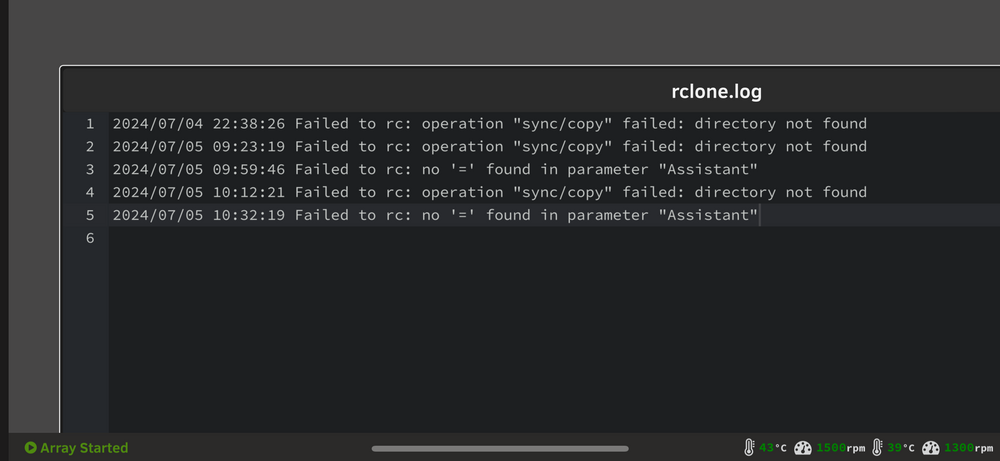
Update I think I’ve made some progress after reading back through early posts here I realized that I needed to manually create folders in my Unraid share with names matching the folders on my google drive. Doing that results in /media path of /mnt/user/googledrive_backup and RCLONE_MEDIA_SHARES is set to Home Assistant Snapshots (no quotes). This appears to function properly in the container log but I get an error in the rclone log and nothing is being synced/copied. I think this is due to the spaces in the folder name but if I escape the spaces with single or double quotes I get a directory not found error in the container log. rclone.log
-
Thanks. The motherboard is correct but how would I launch the GUI web browser over an IPMI KVM window? I often watch reboot progress this way but never past the login prompt. If I login does it actually open the GUI window?
-
Simplest thing to do would be to revert to the previous tag as others have mentioned above.
-
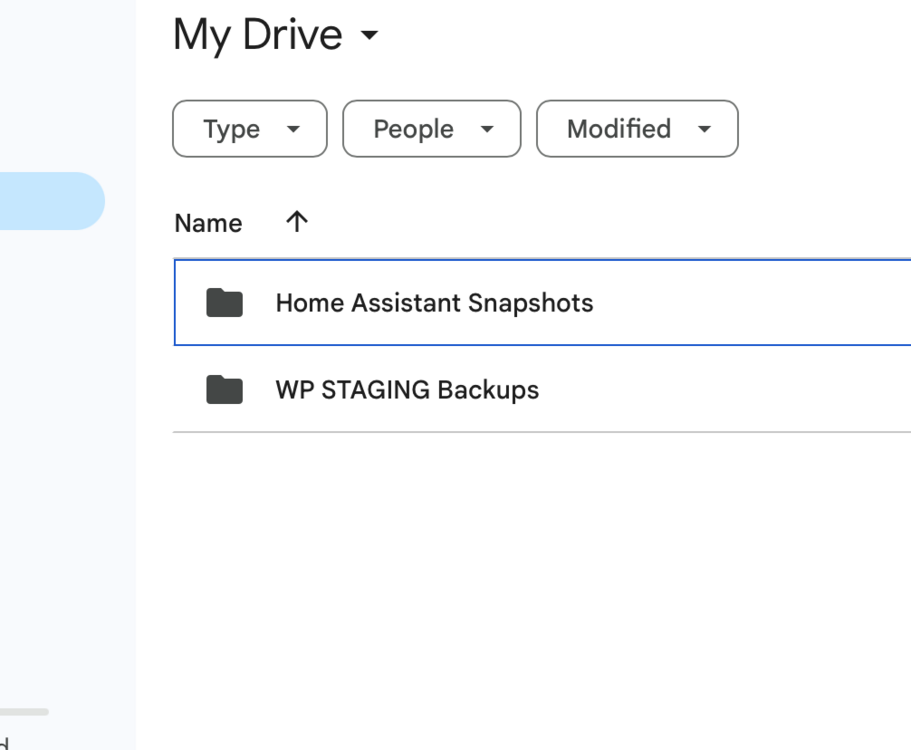
I've tried many different paths but they all seem not to exist. My guess is that I'm misunderstanding something somewhere. Not sure why RCLONE_MEDIA_SHARES is a variable rather than a path? Regardless, I am trying to do a remotetolocal copy of two folders on my GoogleDrive. I want to copy them to /mnt/user/googledrive_backup/. I have /media path set to /mnt/user/googledrive_backup/ which is maybe correct??? I can't figure out what to set for RCLONE_MEDIA_SHARES though? Everything I have tried so far results in a does not exist error. Currently it is "Home Assistant Snapshots","WP STAGING Backups" because I seem to remember a comment about comma separating multiple folders.
-
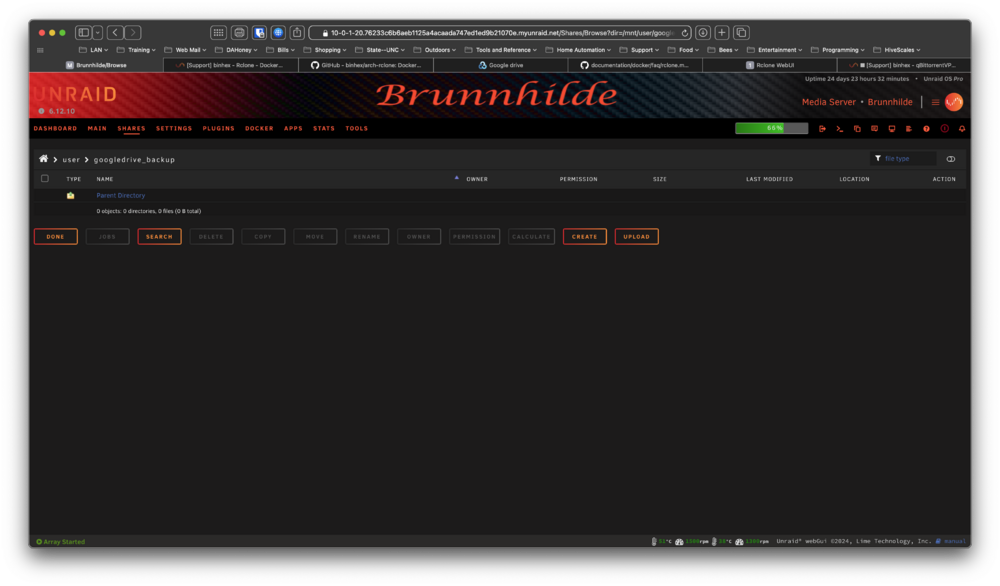
The webui started working after I changed the WEBUI_PASS to rclone. Now I'm getting an error that RCLONE_MEDIA_SHARES path does not exist. The share does exist. I created it manually. New docker run Log Maybe I missed a forward slash somewhere or something but I'm not seeing it???
-
I think I wasn't clear. I was seeing instructions for authenticating with a browser and instructions for authenticating without a browser. I believe you have already linked both of these in the FAQ. I just wasn't sure which to use. Tried the first, it failed, so switched to the second. 😁Thx. Figured out the authentication and got that set but still missing something somewhere. Almost everything is default but I get an error failed to open log file. I also see that the media shares path isn't being created in the shares tab. Also no webui (failed to connect). dockerrun.txtrclonelog.txtIf you want to test “all” you should probably just choose memtest on boot screen. I’m not sure that really tests all since at least a small portion is probably used for memtest but it should come close.





