




.jpg.adf8def3431e0aa8e590900f82752d7a.jpg)

wgstarks
Members
-
Joined
-
Last visited
Everything posted by wgstarks
-
Whole zip file. Just attach it to your next post.
-
You should probably submit this as a feature request.
-
If you have changed the website portion the past you will probably need to be in advanced view mode to see the mapping for the port.
-
Got it. The myunraid.net address worked while the local IP wouldn’t. Not sure why I can’t connect locally though?
-
I have tried adding the server manually. I’m not sure what you mean by long server name? I’ve been just using the IP or QR code.
-
Just got a new iPhone so had to add my server back to the app. The server is discovered without any issue but my credentials won't work. I know they're correct because I can login to the webui with them bust when I enter user root and the password in the ControlR app I just get a spinning wheel. Tried all 3 options for adding servers without any luck.
-
Not sure what script you are trying to run but assuming you copied it from one of the posts in this thread you could tag the author of that post or just reply to that post and the person who posted the script would likely get a notification. You should be aware though that most of the scripts posted in this thread are being supplied by other users and for the most part aren’t being actively supported. If LT makes changes to unRAID that break the script then the author may not post an updated script.
-
The host uses the host path /mnt/user/doenloads/. The app in the container is basically sealed in a bubble. It can only see the container paths that you configure. In this case it is /downloads or /data. In your case qbittorrent is telling Radarr (for example) that it has downloaded a torrent to /data/blah/blah/ and Radarr doesn’t have a path that matches that so it can’t find it. According to your screenshot Radarr, sabnzb and qbittorrent are all using /data. The rest are using /downloads. You’ll need to pick one or the other if you want them to work together.
-
It’s in the template. In the one you posted it’s /mnt/user/downloads/ but you have only posted a screenshot of one template. You’ll need to check all of them and be sure they are all an exact match.
-
And do they also all use /downloads for the container path as well? This would also be required.
-
When I switched to wireguard last night I used the process described in the FAQ- https://github.com/binhex/documentation/blob/master/docker/faq/vpn.md Scroll down to Q21.
-
I’m not sure what question that is but I know I’m not using that parameter on my container and it’s running just fine.
-
Where are you getting this from? I don’t see that in the FAQ at all.
-
FYI This problem seems to be limited to the Safari iPhone app. When I view the same post with the desktop app it is perfectly readable.
-
@binhex Does wireguard support multiple endpoints? I see that the FAQ specifies openvpn but was hoping it might be outdated.
-
You can also just click the log button on the docker tab. I think.
-
If you check supervisord log you’ll see a temp password that the app created. This will allow you to login and change the password to one of your choosing.
-
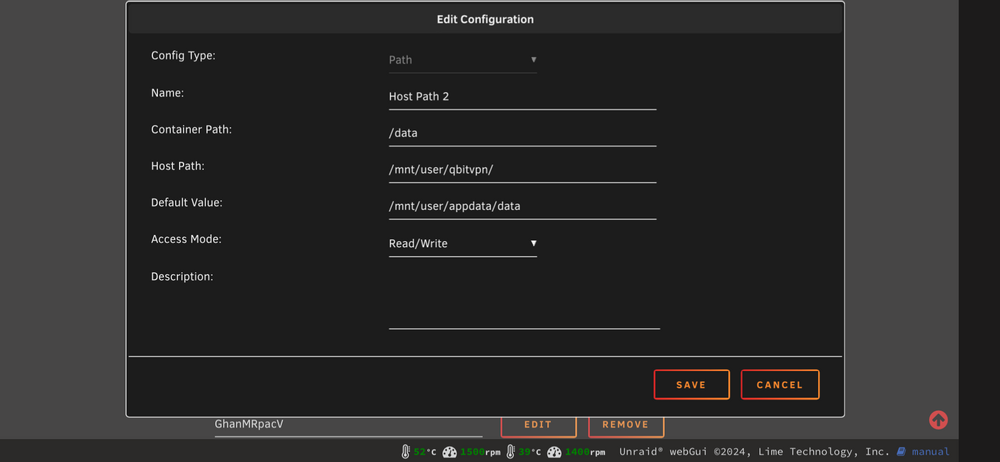
That probably matches the default setup but I choose not to download my torrents into the appdata folder since it is located on the cache drive by default (which is my smallest drive). I prefer to download the torrents to a separate share which is only limited in size by the amount of available space on my array. Here is my configuration for /data- If you want you can configure this share to use cache but IMHO it’s not necessary. Remember, if you change /data here you must also change it in every docker that uses qbit for a download client. Also, your first screenshot is missing OpenVPN or wireguard directories.
-
Using Safari on my iPhone. Dark mode.
-
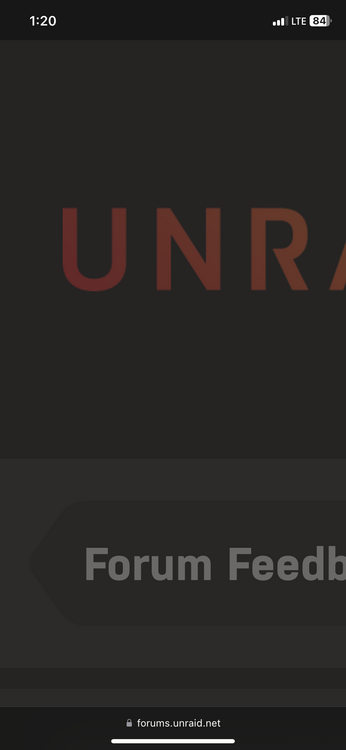
Browser is Safari on iPhone. I get this as soon as I click the linked chain icon.
-
Looks like your appdata folder is missing and your cache drive is full.
-
When adding hyper links to posts I get a blown up page zoomed on the unRAID logo. Refreshing the page and attempting to add the hyperlink a second time usually works (but sometimes I have to refresh several times).
-
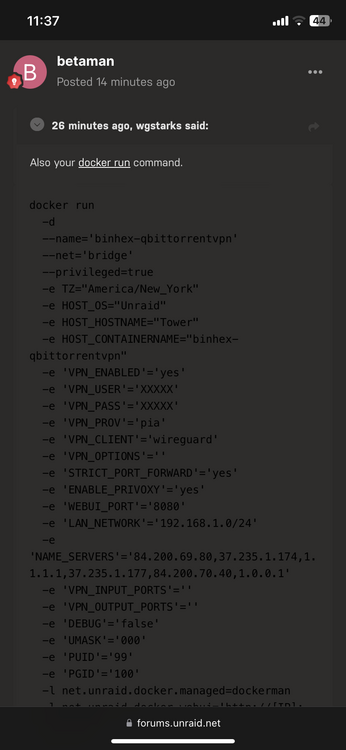
https://forums.unraid.net/topic/75539-support-binhex-qbittorrentvpn/?do=findComment&comment=1412968I’m not sure exactly what is going on in this screenshot. Might be a code post? Very hard to read though.
-
https://github.com/binhex/documentation/blob/master/docker/faq/vpn.md Q29
-
Also your docker run command.




