




.jpg.adf8def3431e0aa8e590900f82752d7a.jpg)

wgstarks
Members
-
Joined
-
Last visited
Everything posted by wgstarks
-
Would probably be easiest if you just post your question in the link I gave you.
-
Perhaps the Dynamix File Manager support thread would be a better place to post regarding issues with the plugin.
-
Not sure what this has to do with your Mac computer or why you posted in a thread for Macs using SMB but I believe you misunderstand how Unraid sets permissions. You set permissions for each share on the shares tab.
-
You can disable the auto connect feature for the WiFi settings on your Mac. This will force the Mac to always connect via Ethernet.
-
Your log just shows a constant repeat of network errors. I had a similar issue a few weeks ago and was able to resolve it by adjusting my DNS servers. In my case everything started working when I removed the DNS Watch servers.
-
Glad it’s working. 👍
-
This is probably your issue- You have strict port forwarding set to “Yes” so you’ll need to choose an endpoint that supports it from the list.
-
One other mistake that is often made is with /data. /data is the location where qbit will store all downloads. The same path must exist (with matching container and host paths) in any other dockers using qbit for a download client (Sonarr, Radarr, etc). If you get errors after downloads complete that the file could not be imported because the location doesn't exist it means that you probably have a mismatch with /data paths.
-
Sorry for my confusion. unRAID doesn't push changes to the docker templates to existing installs so mine does't necessarily match yours.
-
And then Apply.
-
It may be that with recent changes to unraid cache pools that default has been removed from new templates. Try adding it manually by selecting the Add another path link and enter these settings.
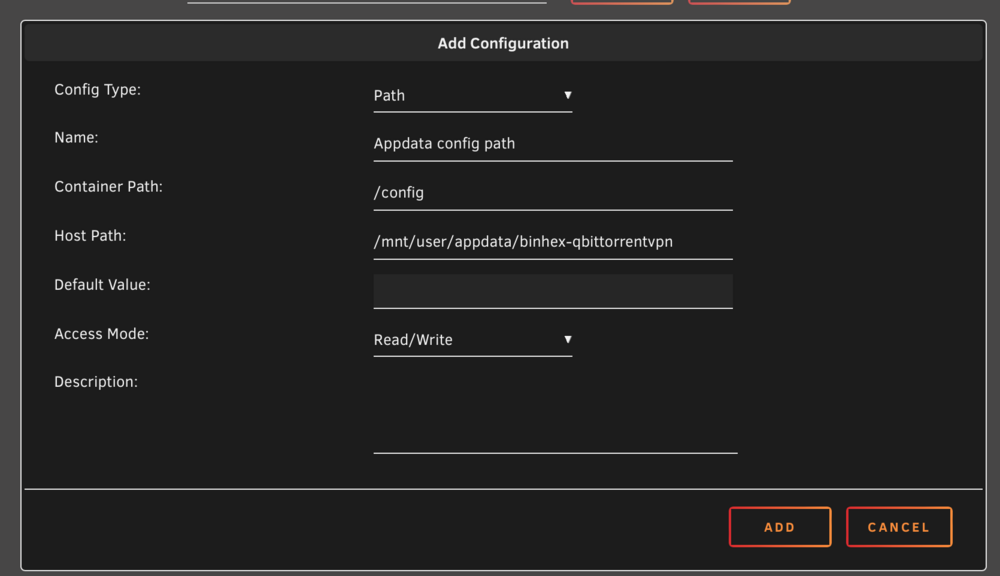
-
Sorry, I wasn't clear. I meant show more setting near the bottom of the docker config page.
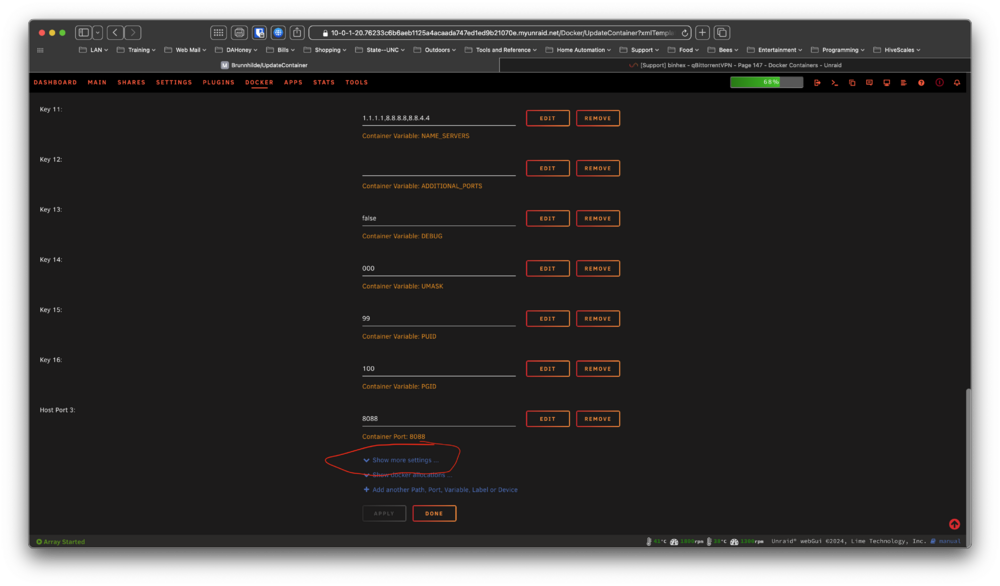
-
Please click the show more settings and then post a screenshot of the bottom section of the page.
-
Do you see the appdata share in your shares tab? If so you can probably just manually add the path to your docker. and restart the container.
-
What do you have configured in Settings>Docker>Default appdata storage location?
-
The default is usually good. It should be pointed to your appdata share.
-
Click “show more” at the bottom of the page to see it.
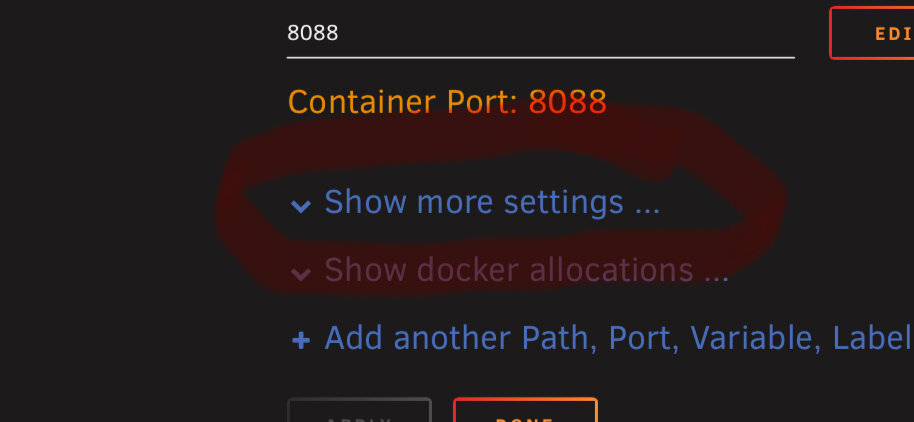
-
Every docker and plugin in CA has its own support thread. Just click the icon and select “Support”.
-
Also, you may do better to post in the support thread for the container you are using. Just click the docker icon in Unraid and select “Support”.
-
The path is doubled because of your port mappings. Inside the container /data=/mnt/user/data/usenet. You set sab to put the files into /data/usenet/complete so the full host path would equal /mnt/user/data/usenet/usenet/complete when you add it all together. Try just using /data/complete in the sab app setting. This will equate to /mnt/user/data/usenet/complete on the host. Also be sure that the /data host path and container path are exactly the same in all the *arrs dockers you are using.
-
Since you are running the webui on a custom port you also need to add a port mapping for it. https://github.com/binhex/documentation/blob/master/docker/faq/qbittorrentvpn.md Scroll down to Q4.
-
There is a topic discussing best SMB settings for macOS. This may help with your TM issue. https://forums.unraid.net/topic/146818-optimal-samba-settings-to-get-better-macos-to-unraid-performance/ I believe you are wanting to create TM backups for multiple machines in the mbentley docker. If that’s correct I had several issues doing that and once I got it figured out I did a short “how-to” write up of the process. https://forums.unraid.net/topic/123985-timemachine-application-support-thread/?do=findComment&comment=1134386 If you do decide to use the mbentley docker that support thread would be a better place to post questions about it.
-
Use Nerd Tools.
-
You can use any brand of switch that support VLAN’s though. Doesn’t have to be Unifi. I know Microtik makes some fairly reasonably priced switches.
-
*/1 8-22 * * * will run the script every minute from 8am to 10pm.




