





showstopper
Members
-
Joined
-
Last visited
Everything posted by showstopper
-
Hi guys, I tried to change the cache disk yesterday but the mover took so long i kind of abandoned it. I restored my appdata and so my dockers are back and working. However no VM's are showing. I can see the vdisk.img files in the correct folders in domains. So I think my disks are there, is there a way to 'attach' them, or get them to show?
-
OK - but can i then copy the files from cache to array? Or do some now exist on the array?
-
Can i stop the mover now though, or do i need to wait for it? If i stop it does it cancel the move?
-
I have seen a few posts about this but no real answer. My cache disk is failing and so i have a replacement. I am running the mover to get everything on the array, however, I started this 6 hours ago and it has done 15.4GB. Is there another way that I can do this, otherwise it could take days!
-
Sorry to necro but.. I have been looking at this for a few hours. I have a segregated network and would like swag (and bitwarden) in a seperate network, that i can allow access to. I now have this working but with one issue. I can not set swag to use 180 or 1443 if it is not on the 'proxynet' network. So it will only use 80 and 443. I can't see a way around this.
-
I've had letsencrypt/swag working for a number of years but it is now failing to renew the certificates. I have uninstalled and tried again but i get the same error. I am using proxynet and my domains are all duckdns, no cloudflare. Can anyone point me in the right direction please? Generating new certificate Requesting a certificate for ***.duckdns.org and 3 more domains Certbot failed to authenticate some domains (authenticator: standalone). The Certificate Authority reported these problems: Domain: ***.duckdns.org Type: connection Detail: Fetching http://***.duckdns.org/.well-known/acme-challenge/GX1N0HDQV9cetf0bUvB7E_68fh5OCaDdf168NYwJzpI: Timeout during connect (likely firewall problem) Hint: The Certificate Authority couldn't exterally verify that the standalone plugin completed the required http-01 challenges. Ensure the plugin is configured correctly and that the changes it makes are accessible from the internet. Saving debug log to /var/log/letsencrypt/letsencrypt.log Some challenges have failed. Ask for help or search for solutions at https://community.letsencrypt.org. See the logfile /var/log/letsencrypt/letsencrypt.log or re-run Certbot with -v for more details. ERROR: Cert does not exist! Please see the validation error above. The issue may be due to incorrect dns or port forwarding settings. Please fix your settings and recreate the container EDIT - So i bounced my server and it now all works?! Anyway glad it's now working.
-
Sure - here: # only office doc server server { listen 443 ssl; listen [::]:443 ssl; server_name external_dns_subdomain.*; include /config/nginx/ssl.conf; client_max_body_size 0; location / { include /config/nginx/proxy.conf; resolver 127.0.0.11 valid=30s; set $upstream_app OnlyOfficeDocumentServer; set $upstream_port 443; set $upstream_proto https; proxy_pass $upstream_proto://$upstream_app:$upstream_port; proxy_max_temp_file_size 2048m; } }
-
In all honesty I don't know what eventually made it work. I deleted the folder from appdata, and then reinstalled it. It then suddenly started working again.
-
I initially thought it was $upstream_docs and $upstream_app that was the issue. After lots of tinkering yesterday it now all works.
-
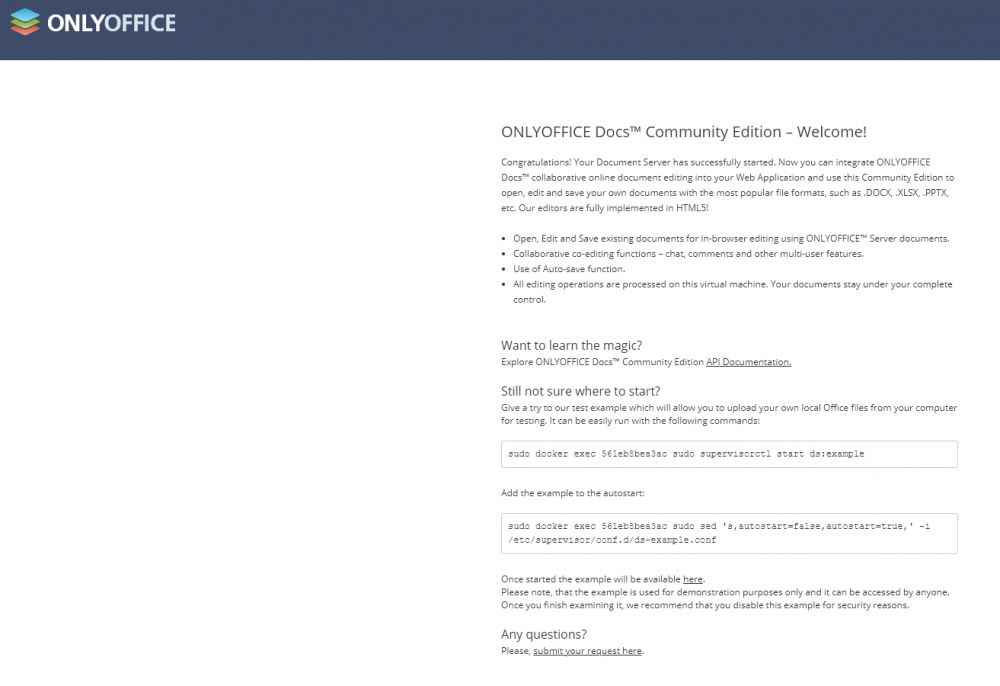
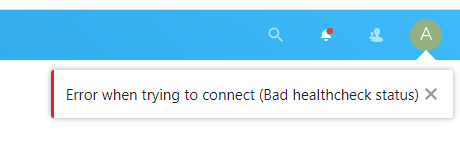
I have just started to look into onlyoffice integration into my nextcloud setup (21.0.0) as well. I was/am following the same guide. I have found that the proxy config file seems to be wrong. This is what is provided: # only office doc server server { listen 443 ssl; server_name external server name.*; include /config/nginx/ssl.conf; client_max_body_size 0; location / { include /config/nginx/proxy.conf; resolver 127.0.0.11 valid=30s; set $upstream_docs OnlyOfficeDocumentServer; proxy_pass https://$upstream_docs:443; proxy_redirect off; proxy_set_header Host $host; proxy_set_header X-Real-IP $remote_addr; proxy_set_header X-Forwarded-For $proxy_add_x_forwarded_for; proxy_set_header X-Forwarded-Host $server_name; proxy_set_header X-Forwarded-Proto $scheme; } } I would then have the same error 400 page, when trying to connect to the external URL. I found if i changed this file to: # only office doc server server { listen 443 ssl; listen [::]:443 ssl; server_name external server name.*; include /config/nginx/ssl.conf; client_max_body_size 0; location / { include /config/nginx/proxy.conf; resolver 127.0.0.11 valid=30s; set $upstream_app OnlyOfficeDocumentServer; set $upstream_port 443; set $upstream_proto https; proxy_pass $upstream_proto://$upstream_app:$upstream_port; proxy_max_temp_file_size 2048m; } } I can then navigate (only using the external URL) to this page: (I tried just changing $upstream_docs to $upstream_app but it still failed). If i try and navigate to the local address i cannot connect. When i try to connect to onlyoffice in nextcloud i get the following: I'm gonna keep trying but looks like a few people have the same issue.
-
I guess you guys didn't get this working? I have just started to look into integrating openoffice into my nextcloud (21.0.0) and I am getting the same error. Any advice?
-
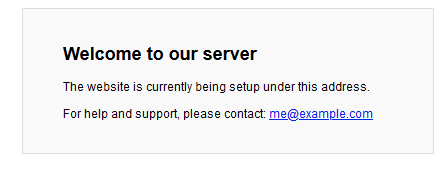
I setup my letsencrypt ages ago and it is in 'bridge' mode so i cannot change bitwarden to proxy mode. I think i will need to recreate my lets encrypt as external browsing to my bitwarden duckdns domain navigates to the default 'Welcome to our server' nginx splashpage. EDIT - right i think i have broken it now! I now get this screen for nextcloud and bitwarden: I have reconfigured my swag (letsencrypt) so that it now uses a proxy network. I have no errors in the logs for swag, nextcloud and bitwarden and the external urls all get the above screen but with their correct URL. So i think i must have my default apache or nginx configured incorrectly. Does anyone know how to factory reset this? EDIT2 - OK ignore me it seems it is caching the URL (even though i am doing a CTRL+F5), and if i try in another browser it now works as intended. EDIT3 - Does anyone know how to disable the email alerts for when someone logs into the vault?
-
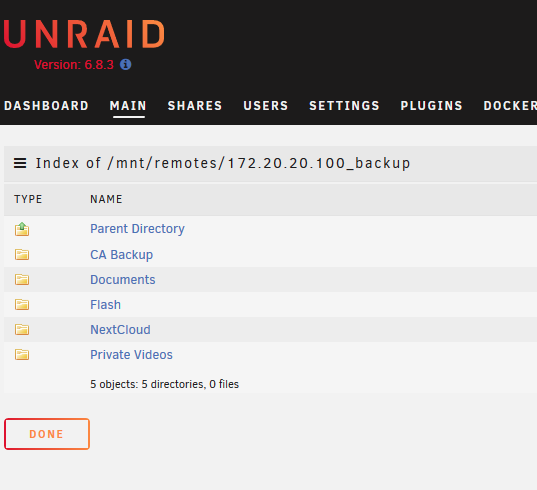
Has something changed in the last update? My local backups run to a Network NAS (it is very old granted) which can no longer be accessed in duplicati. unRAID can see the NAS and it is mounted and can be accessed: It is configured and the docker has not been edited since i created it (a few years ago): However the destination is not accessible any more in duplicati: Any ideas guys? EDIT - Figured it out. It seems the mounted share is now in /remotes and not /disks. I changed the docker setting and it's now working again.
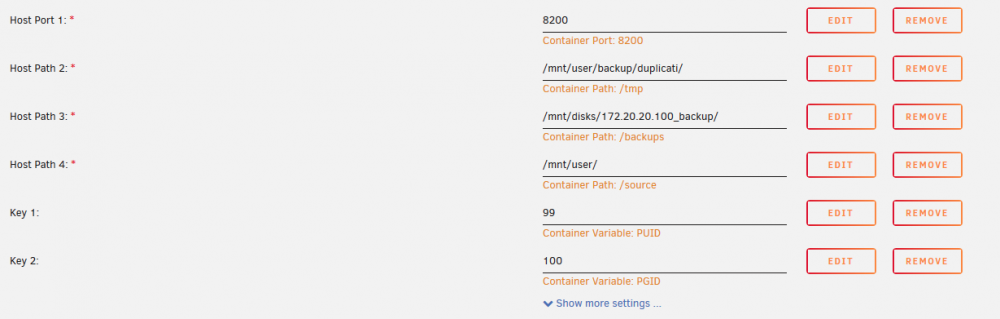
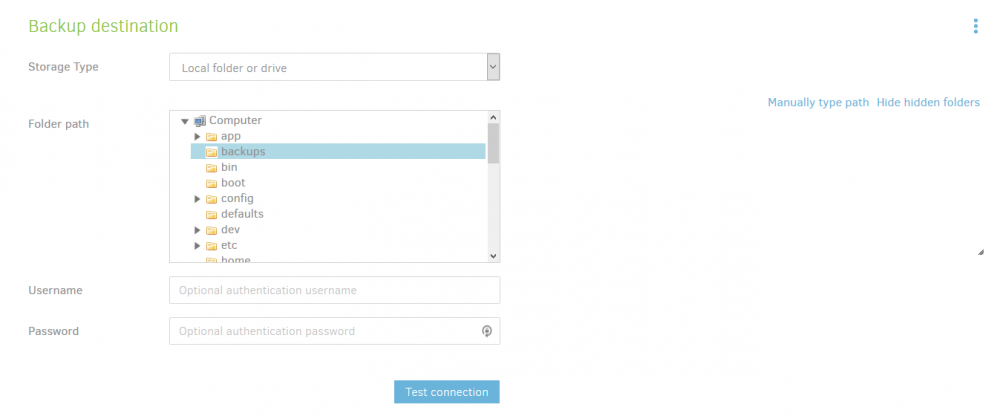
-
Page 1 says no licence is required for this app, but after installing, it looks like a licence is required. Is that right?
-
Sorry what does that mean!
-
Hi all, I updated to 19.0.0 today and i have a warning saying: This instance is missing some recommended PHP modules. For improved performance and better compatibility it is highly recommended to install them. bcmath Does anyone have any ideas how i can do this please? I always get the 'MySQL is used as database but does not support 4-byte characters.' warning when i upgrade, but i have resolved this.
-
Hi guys, I changed my version quite a while ago as Jackett was not connecting to IPTorrents for me. It is now asking me to update but i cant remember what i need to change in the Repository field - is it just latest? EDIT - Fixed it. Just change it to 'binhex/arch-jackett'
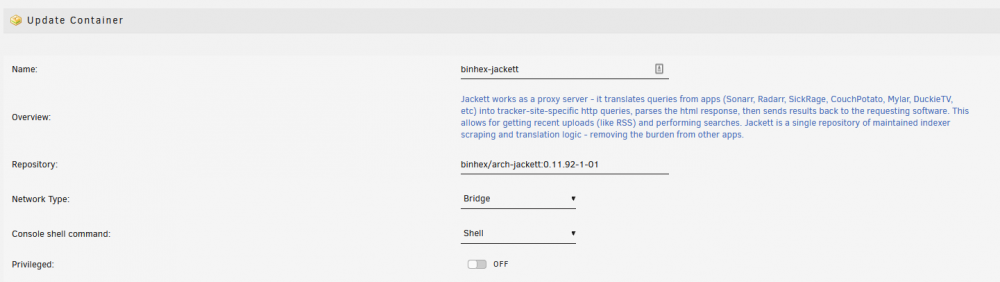
-
@karlpox did you ever resolve this issue. I have the same issue where the docker doesn't seem to automatically start-up but will manually start-up. I have the same 'Misconfigured DNS' error. I have looked back through the thread and people are saying to delete and reinstall the docker, i have also changed the docker hub URL but on restart i still get the error. Looking at the github 127.0.0.11 is required for containers to talk to each other. So i am not sure how to resolve this.
-
This is a hotfix released that 'should' fix the issue for the buffering on Samsung TV's. Any chance this docker could be updated please?
-
Hi guys, I am following CHBMB's guide on performing the update. When i am performing the upgrade i am getting this error: root@28bf2224e09f:/# sudo -u abc php7 /config/www/nextcloud/occ upgrade Nextcloud or one of the apps require upgrade - only a limited number of commands are available You may use your browser or the occ upgrade command to do the upgrade Set log level to debug Turned on maintenance mode Updating database schema Updated database Updating <dav> ... InvalidArgumentException: Migration step 'OCA\DAV\Migration\Version1006Date20180628111625' is unknown Update failed Maintenance mode is kept active Reset log level root@28bf2224e09f:/# Does anyone have any idea how i correct this please? ****************EDIT*********************** OK - i have managed to get around this error now and it has upgraded but i am not sure if i have broken it as when i try and log in i get: Internal Server Error The server was unable to complete your request. If this happens again, please send the technical details below to the server administrator. More details can be found in the server log. Technical details Remote Address: 172.17.0.1 Request ID: kr8onV5827RpHybQYzV3 Now the remote address in the error is 172.17.0.1 but my mapping is 172.17.0.7 - could this be the issue, and how would i fix this? ************EDIT 2***************** Now resolved and working. Ignore the error and continue the incremental upgrades to latest version.
-
Uninstall and re-install hasnt fixed for me either. Happy to submit logs if i can get some instructions. EDIT- Can confirm that it works in Chrome but not in FireFox.
-
I should read first!! Thanks for your help.
-
Thanks for this. To re-install do i need to add the package to the server?
-
I am having the same 'Updating Content' page - how do you uninstall as i cannot select anything on the /apps page.
-
Thanks for this. Is there a way that i can install an older docker version to get it working again do you know?




