mbc0
Members
-
Joined
-
Last visited
Everything posted by mbc0
-
Hi, Can anyone tell me where I can find my superuser credentials to login please? I only have root and my normal users, none of which work? Cheers
-
So hopefully a different build of unRAID DVB might fix it? I have a DVBSky S952 V3.0 any one got one of these cards working for both tuners?
-
It's working (ish) I need to get the DVB Plugin working as only 1 of my 2 DVB-S2 tuners work (DVBSky) with TVHeadend and I cannot get TVHProxy Docker to even start so I have a lot of work ahead! :-D
-
Well that was embarrassing! Thank you :-)
-
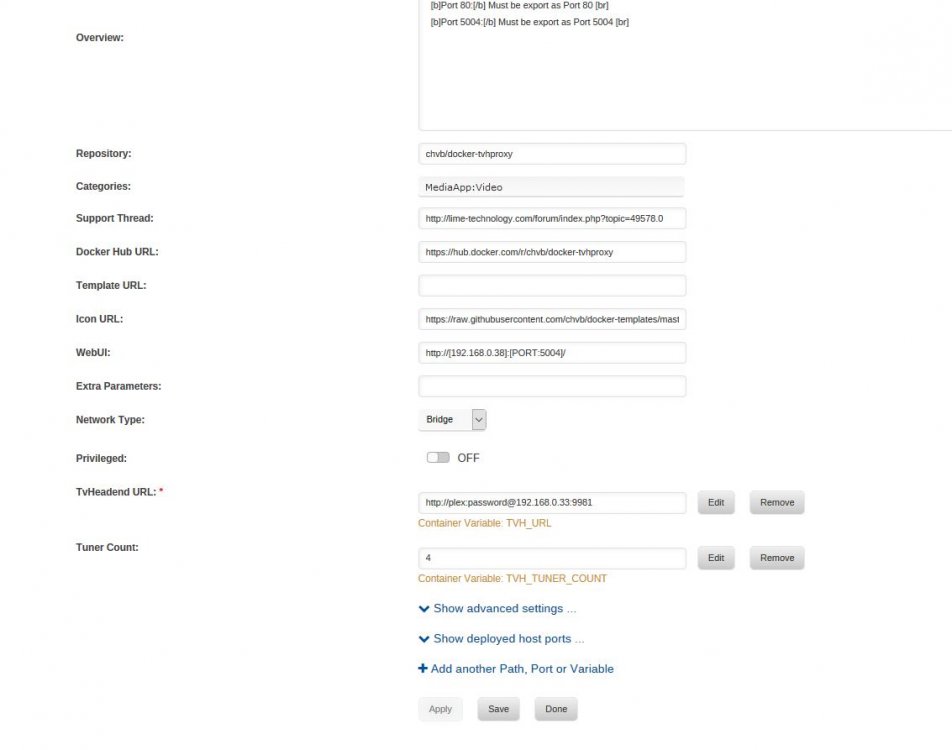
Hi, Can anyone see anything wrong with this setup please as I cannot get tvhproxy to start? Traceback (most recent call last): File "/opt/tvhproxy/tvhProxy.py", line 81, in <module> http.serve_forever() File "/usr/lib/python2.7/site-packages/gevent/baseserver.py", line 360, in serve_forever self.start() File "/usr/lib/python2.7/site-packages/gevent/baseserver.py", line 304, in start self.init_socket() File "/usr/lib/python2.7/site-packages/gevent/pywsgi.py", line 1451, in init_socket StreamServer.init_socket(self) File "/usr/lib/python2.7/site-packages/gevent/server.py", line 127, in init_socket self.socket = self.get_listener(self.address, self.backlog, self.family) File "/usr/lib/python2.7/site-packages/gevent/server.py", line 138, in get_listener return _tcp_listener(address, backlog=backlog, reuse_addr=cls.reuse_addr, family=family) File "/usr/lib/python2.7/site-packages/gevent/server.py", line 224, in _tcp_listener sock = socket(family=family) File "/usr/lib/python2.7/site-packages/gevent/_socket2.py", line 107, in __init__ self._sock = _realsocket(family, type, proto) socket.error: [Errno 97] Address family not supported by protocol
-
ok, I thought I would try this plugin over the docker as you say it is the best however, I cannot connect to it? I have tried http://192.168.0.33:9981 http://unraidserver:9981 unraidserver:9981 nothing? the plugin is installed but I cannot see the gui?
-
ah my mistake! I downloaded the docker from CA and presumed this was the forum for it... sorry! Is there good reason that I should use the plugin instead of the docker? Cheers!
-
Hi, I have just installed and setup this docker and all appears to be well apart from connecting to a server to decode some channels. I have a cline but my question is do I need to install anything else or can I just input the information into TVHeadend? do I need to download the oscam docker? Thanks in advance!
-
I think it is more likely finger trouble from me! :-D
-
Things are so close!! I have now mapped the channels, I tried just a couple but nothing shows in emby so I tried mapping all channels but still nothing in emby? I have restarted both tvheadend and emby several times and keep clicking guide refresh but no channels show up? any ideas? Reply Report Edit
-
I have made some progress in such that I can now connect to the headend server! The problem I have is that when I click a tv channel in emby I get nothing but a spinning circle and tvheadend/Emby does not throw any errors? I have added my m3u file and muxed, do I need to do anything else?
-
Hi thanks for that, I had already got that far and installed the headend client plugin on Emby but I see you have specified a password, what I cannot understand is where to put that password in this headend docker, also did you just scan for "other" tuners in Emby to add headend? Cheers
-
Hi all, Complete noob to all of this! I have searched and searched but how do I add the headend tuner to emby? I scan for other but nothing is found.. I have tried the localhost and true IP, added a user into headend (cannot find anywhere to add a password?) any pointers/guides? Cheers
-
I can confirm this as well with a 7.5TB backup but although my docker has updated to pro and all my files have been scanned, it shows 7.5TB complete but cannot backup any more as it says subscription expired? I upgraded to small business and can log in to code42 and all seems well? I restarted the docker but still the same any ideas?

-
Anyone considered using Backblaze unlimited from a Windows VM?
-
Cloudberry can only connect to B2 so I guess that is out of the window then!
-
Ah! I see!! Thanks for the heads up! in Cloudberry I can only choose Backblaze B2 so I need to do some more investigation here
-
Have I misunderstood something?
-
As I had 14TB backed up to Crashplan and no way of migrating the files I was going to have to start again from scratch so it was a no-brainer for me and installed cloudberry with Backblaze B2 all backing up in under 5 minutes! I would however like to thank you for Crashplan which has been great over the years but it is cloudberry for me now! Thanks again & good luck!
-
I have 14TB which has taken a year to upload! so migration is out of the question for me
-
Syncovery
-
Syncovery is a great bit of software to constantly monitor selected folders to backup to unRAID, it basically makes your unRAID server like a OneDrive or Dropbox
-
Thanks for that, I really appreciate your time! I am looking into changing my Windows connection to nobody as I think that is the easiest solution, I can chmod/chown for the existing files but all new files obviously will not be affected. Thanks again!
-
I just created a folder from my Windows machine in the same folder and I can see the difference in privilages just not sure where the problem lies..

-
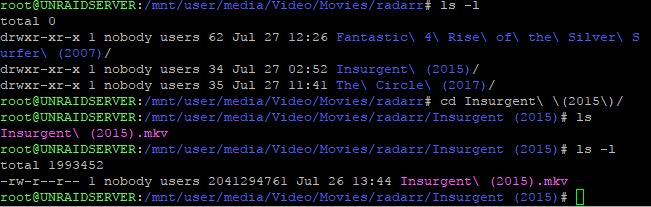
Here is a screenshot of the files & folders created by Syncthing, does this help?