





mbc0
Members
-
Joined
-
Last visited
Everything posted by mbc0
-
Hi, Many thanks for your reply! I have not changed the PUID or PGID within Syncthing and I have Syncthing copy files from my seedbox to my unRAID server into the media share. my user on unraid is what I use to connect to the shares from my Windows 10 PC which has read/write access to all my shares which I can delete/rename whatever to any files except those written by Syncthing?
-
Hi, I am using this docker with great success thanks! but I just have one question.... Everything syncthing copies I do not have write access from my desktop pc? (access denied) I cannot find anywhere to change Syncthings permissions to allow this? any pointers please? Cheers! Bumpity bump :-)
-
Hi, I am using this docker with great success thanks! but I just have one question.... Everything syncthing copies I do not have write access from my desktop pc? (access denied) I cannot find anywhere to change Syncthings permissions to allow this? any pointers please? Cheers!
-
Can anyone help with this please?
-
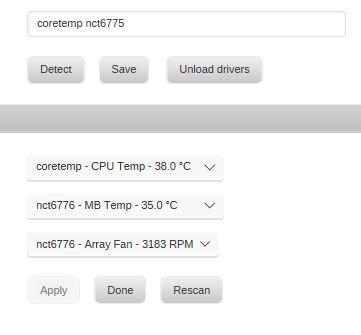
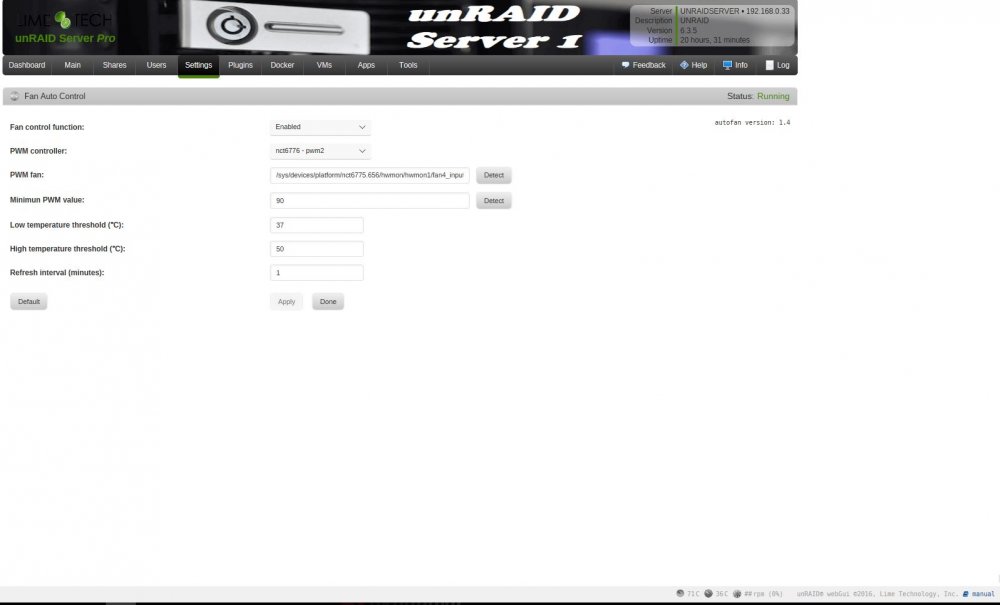
I have tried using CPU Fan Headers 1 & 2 with the same results, when detecting, the CPU fan goes to max RPM then min (stops) and just does not respond to the cpu temp increasing? I have attached some screenshots
-
Hi, I am having some problems with System Autofan not reacting to my CPU Temp. It all used to work perfectly but I changed motherboards for a totally different reason, it never worked out so I have gone back to my original Motherboard (ASRock - H77 Pro4/MVP) all sensors are detected and when clicking Detect the CPU fan drops to it's lowest speed and then back up again as it always did but when my CPU starts being thrashed the fan speed stays at 25%. If I disable fan speed at this point then the fan jumps to 100% Where can I go from here? what logs/info can I provide? Many Thanks in Advance...
-
All working (ish) again now thanks, god knows how the ip address for the lan changed??? I am just back to having the original problem of the port closed at the bottom of the webgui again :-0
-
Thanks jonathanm, sorry but I didn't find that a very obvious place to turn other peoples sigs on and off! done now and can see them thanks!!
-
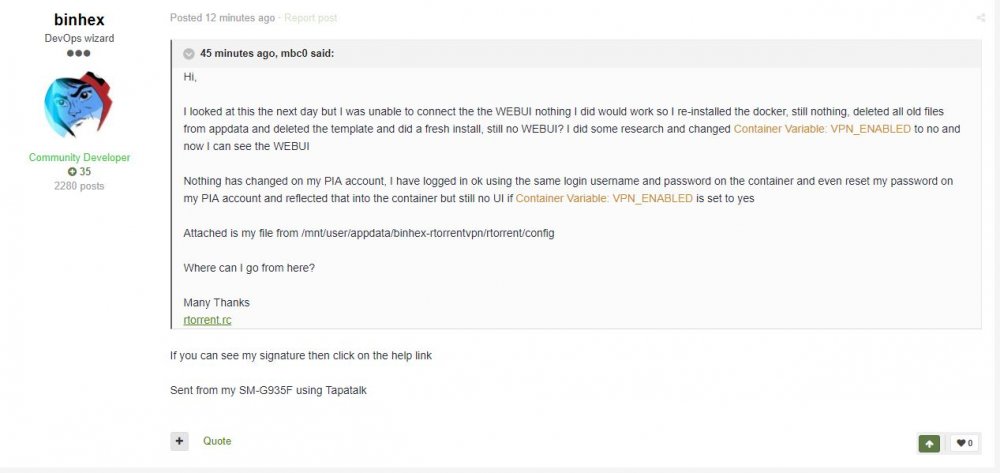
I think I have either misunderstood or this has gone off track? as I am looking for a way to get RTorrent working and he replied "If you can see my signature then click on the help link" that is what I am trying to find...
-
Do you have a link to the help please? Thanks
-
I have looked and looked but cannot see a signature, I hope I am not being stupid...
-
Hi, I looked at this the next day but I was unable to connect the the WEBUI nothing I did would work so I re-installed the docker, still nothing, deleted all old files from appdata and deleted the template and did a fresh install, still no WEBUI? I did some research and changed Container Variable: VPN_ENABLED to no and now I can see the WEBUI Nothing has changed on my PIA account, I have logged in ok using the same login username and password on the container and even reset my password on my PIA account and reflected that into the container but still no UI if Container Variable: VPN_ENABLED is set to yes Attached is my file from /mnt/user/appdata/binhex-rtorrentvpn/rtorrent/config Where can I go from here? Many Thanks rtorrent.rc
-
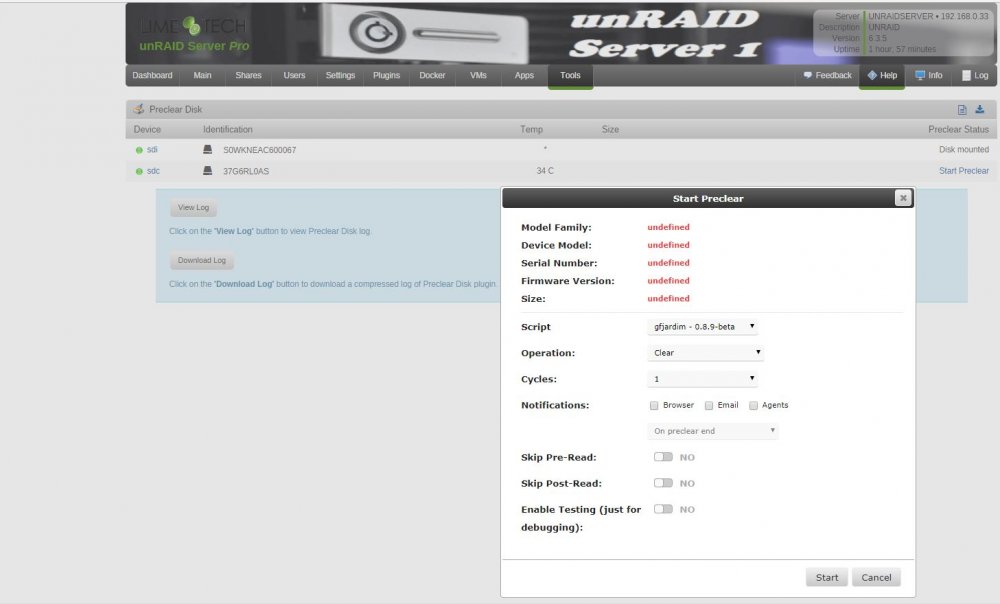
I am also having this issue, I started a new thread not realizing this existed, mods here it is if you want to delete it
-
Hey, thanks for the quick reply! I am on PIA and the server I am connecting to is nl.privateinternetaccess.com I have confirmed this with a torrent checker. Apologies, I have now read the FAQ on the settings.. that is now resolved. should this line be in the rtorrent.tc file as #dht_port = 45566 Cheers!
-
Hi, I am having the same problem as mentioned above with the port 49160 closed? I have removed the VPN_INCOMING_PORT from the docker & restarted. Also I notice that all the settings I change are lost on restarting the docker every time? download location changes from /data/ to /data/incoming/ and DHT gets re-enabled if I disable it etc, is something borked on my install? Cheers
-
fingers crossed you will be able to do something with it :-) Thanks for chiming in
-
Yes, would love the docker to work but that is due to my pixilation issues on heavy CPU usage, I do run just a vm with 4GB assigned purely to run DVBLink & Crashplan so I use the auto login, it can stay running forever without any issues until I start a video encode it pixelates DVBLink (even after the encode has finished) the only way to clear it again is to reboot :-S The docker would probably be the answer but like you I cannot get the WEBUI!
-
Ah yes, I remember that now! I too have changed the service to run as a user but if you set your VM to login automatically (run netplwiz) everything will be automatic!
-
what do you have to make sure you are logged in to?
-
No activity on this thread since June, Docker last updated in June and your question is unanswered, looking like this is dead project :-( Just thought I would have a go with this as I am suffering a pixelation issue when cpu is stressed but cannot get the WEBUI either
-
Please Don't remove them! It would be a deal breaker for me!
-
Just in case anyone is interested, although I would prefer to use a docker, due to so many problems with Black Screens & random failures I now run Crashplan on my Windows 7 VM and it works perfectly backing up all my shares. Please note this is not meant to be derogatory in any way but just to let people know of an alternative that works well.
-
Hi, I have reinstalled due to getting black screen issues again but now the login is asking me for a PROE address? (never has done before) I have googled & tried 192.168.0.3:4242 / 4243 / 4280 / 4239 / 4200 without any success?
-
You my friend are a star! Black screen no more! Thank You!
-
That's great news to hear he is back to work soon! I have tried everything others have done after trawling through this thread to get rid of the black screen issue and have completely started again (full re-install of unRAID) also on 6.2.2 hope he can fix it as I have not backed up for weeks! Cheers


