





jbuszkie
Members
-
Joined
-
Last visited
Everything posted by jbuszkie
-
I've manually changed the Influxdb to 1.8 That fixed my auth issues. But a could days ago or so I have a notice that there is an update to influxdb. If I set the version for 1.8, why is it still saying there is an update available?
-
The only correlation I have figured out might have something to do with using the web browser terminals. I've tried to avoid using them and I haven't had an instance in a while now. I've also made sure they were all closed down right after I used them. Before I was using them and possibly leaving them open on different machines. Not sure if that's it, but that's the only thing I can think of that might slightly correlate.
-
Ha.. I had to refresh my browser to see there was an OS update! When I wrote the first message the update OS thing only showed 6.8.3 I still prefer to wait to a while before upgrading. So I guess I don't update this plugin until I switch. Oh Well... Thanks for the great plugin though! Jim
-
is 6.9 released or is it still beta? I can't update because it was restricted to 6.9? I try not to upgrade until the next unraid version is stable for a while... I guess supporting something in the beta version breaks the current released version? Jim
-
I'm on 6.8.3 ... Which I thought was the latest stable?? Are you saying we should try the latest beta?
-
Mine just happened again today... @limetech, any thoughts on this? It seems like there are several of us that have this issue?
-
Thanks for the info. so it was really just as easy as purging the log! I wanted to make sure. Thanks! I'll have to look into the log rotate if I want to do that.
-
I was logging the default which was everything, I believe.. I've recently changed it to just errors and warnings. But I can't figure out how to purge it.. Or, potentially, how to use log rotate to keep it manageable. How do other folks handle the mqtt logging? Do they log everything but put it in appdata area? What are best practices? Jim
-
Another question.. My MQTT log file is > 4GB! how do I get rid of it?
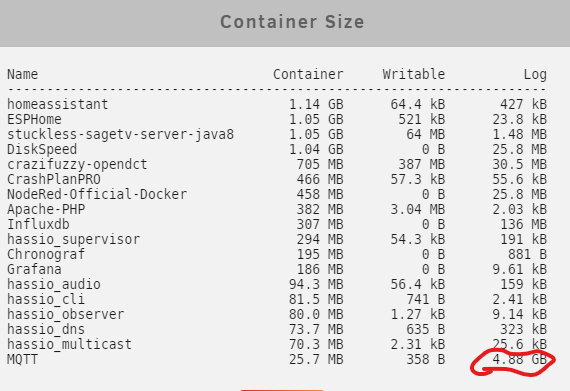 My MQTT log file is huge and growing.. What (and how) do you guys have your log stuff set to? I never messed with this so it's probably set to the default. This is what is in the conf file. log_dest stderr log_type all connection_messages true log_timestamp trueFor all you guys running Home assistant and such... I see some are running in a docker and some in a VM and some in a VM on a separate machine. HA in a docker seems fine except no supervisor. I'm no expert in HA (yet) but it seems I would like the supervisor ability. I tried @digiblur's video and I got it to install and such.. but it seems kinda pieced together and it didn't seem too robust. I thank him for his effort here to give us that option though... So I guess my question is.. what are the benefits of running in a docker vs a VM or just running it all (HA, ESPHome, MQTT, NodeRed) on a Rpi4? I like the idea of a Rpi4 because if it breaks, it's pretty easy to replace the hardware fast. I'm planning on this setup controlling my whole HVAC system. So if something breaks, I need to be able to get it up and running quickly again. Does the Rpi4 just not have enough HP to run all this? I suppose if I run in a VM on unraid I could always take the image and run it on another machine while I get unraid back up and running is something were to break? (assuming I could get to the image...) What are most of you guys doing? Thanks, Jimhuh.. either I dismissed that warning.. or I never got it! :-)Ok.. that was it.. It must have changed from when I first installed it. I changed the repo and now it looks ok... Thanks for the help.
 wait.. It's a little different..
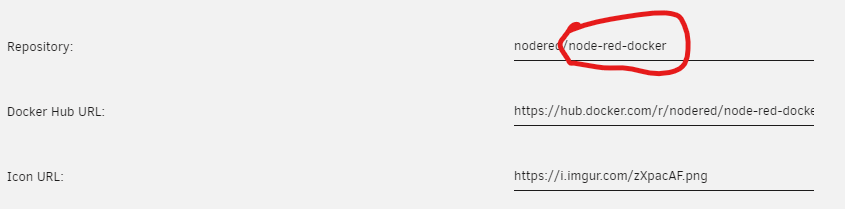 No... It's set to that..
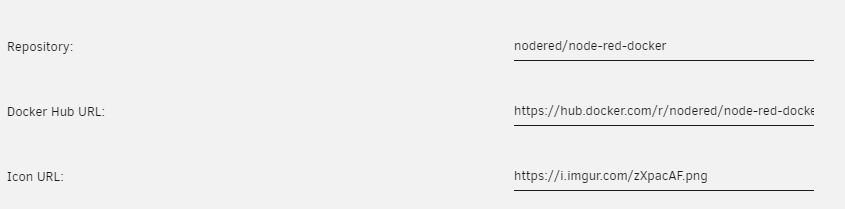 I have not changed it ever as far as I know.. I'll check..I get this now when I check for updates on my node red docker.. Is there a new docker for this or something? Jim
 Ok.. That fixed that one... But now I have this! LOL...
 Does anyone else see this issue?
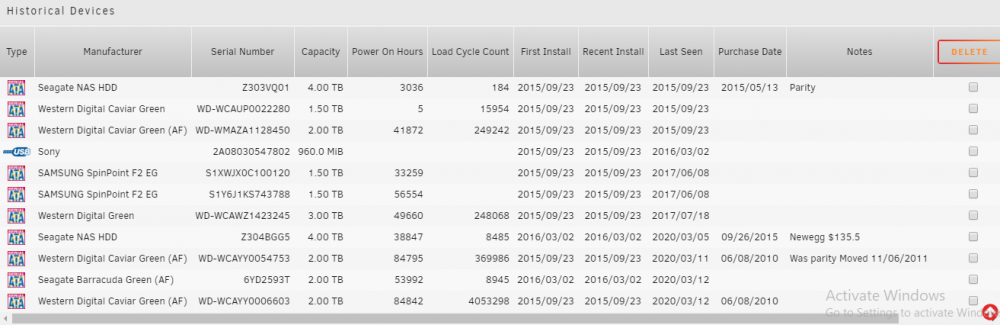
 I'm moving over from the server layout plugin. First of all thanks for this plugin! Second.. Is there a way to manually add a disk to the database? I really like the other plugin's "Historical Drives" section. It kinda give me a history of what was installed and when it was removed.
 I guess when I first started using dockers I might not have understood completely how they worked. I also may not have had an SSD cache drive back then? It make sense to move it to the SSD.. I'll have to go back and see.. My guess is some of my shares can go directly to the array.. My DVR stuff and code/work stuff will stay on the cache/array method though... I can probably change the mover to once a day... The SSD reliability is good enough that I don't have to be paranoid anymore. I do plan on upgrading to two 500GB NVME cards so I can have them in duplicate mode....Does this plugin normally do more than one rsync at a time? My move seems to be nearly stalled.... This is moving to a SMR drive so I expect it to be slower.. but it seems to be crawling! root@Tower:~# ps auxx | grep rsync root 7754 0.0 0.0 3904 2152 pts/0 S+ 08:33 0:00 grep rsync root 31102 8.4 0.0 13412 3120 ? S 07:55 3:08 /usr/bin/rsync -avPR -X T/DVD/MainMovie/FILE1 /mnt/disk8/ root 31103 0.0 0.0 13156 2308 ? S 07:55 0:00 /usr/bin/rsync -avPR -X T/DVD/MainMovie/FILE1 /mnt/disk8/ root 31104 9.7 0.0 13240 2076 ? D 07:55 3:38 /usr/bin/rsync -avPR -X T/DVD/MainMovie/FILE1 /mnt/disk8/ root@Tower:~# It did this yesterday too... Thanks, Jim Edit: The sysylog doesn't show any obvious errors...I'm not sure.. It's what I did a while ago.. Maybe because I want it protected? Maybe because my Cache is only 250GB? It looks like every 4 hours.. Most of the time it doesn't run long. Crash plan runs at idle time (overnight).. And it seems to take a while to scan everything..I don't see anything in the syslog.. Granted I have a pre-clear running now.. But I was getting these numbers yesterday without the pre-clear.. Edit: Pre-clear Pre-read @178MB/s right now... tower-diagnostics-20200326-1619.zip



