






SimonF
Community Developer
-
Joined
-
Last visited
Everything posted by SimonF
-
No as the changes will be lost.
-
Yes run in terminal. 1. cp /usr/local/emhttp/plugins/gpustat/lib/Intel.php /usr/local/emhttp/plugins/gpustat/lib/Intel.old 2. copy the file attached to a share you have, i have isos shared and use to upload stuff for VMs. 3. cp /mnt/user/sharename/Intel.php /usr/local/emhttp/plugins/gpustat/lib/Intel.php so for isos would be cp /mnt/user/isos/Intel.php /usr/local/emhttp/plugins/gpustat/lib/Intel.php
-
There is a missing } from the output. Make a copy of the existing file. cp /usr/local/emhttp/plugins/gpustat/lib/Intel.php /usr/local/emhttp/plugins/gpustat/lib/Intel.old Then place the one attached into the lib directory. @Itsaulgoodman@GovernorBlaze Intel.php
-
I know there where issue disk loc in betas but not sure if it was updated. Do you mean GPU stats rather than the driver plugin. APCUPSD is part of core not sure if that has been checked
-
I think there is an issue with the output from A380s works fine on my A770 will look to see if I can put a work around in place. Issue it likely to be support from intel_gpu_top as I am dependant on the json output from it.
-
Do you get a square bracket to start? This is for my A770. timeout -k .7 1.3 intel_gpu_top -J -s 250top -J -s 250 [ { "period": { "duration": 4.843036, "unit": "ms" }, "frequency": { "requested": 0.000000, "actual": 0.000000, "unit": "MHz" }, "interrupts": { "count": 0.000000, "unit": "irq/s"
-
Try increasing values to .9 1.7
-
Looks like .7 1.3 should work, will see if I can reproduce.
-
Is 15702 the current pid showing in nvidia-smi.
-
What plugins do you have installed that have dashboard content?
-
Yes it is just support within the gui not to use the wrong PCI address. Plugin is required for the updated driver etc.
-
Is logging enabled in the mover schedule.
-
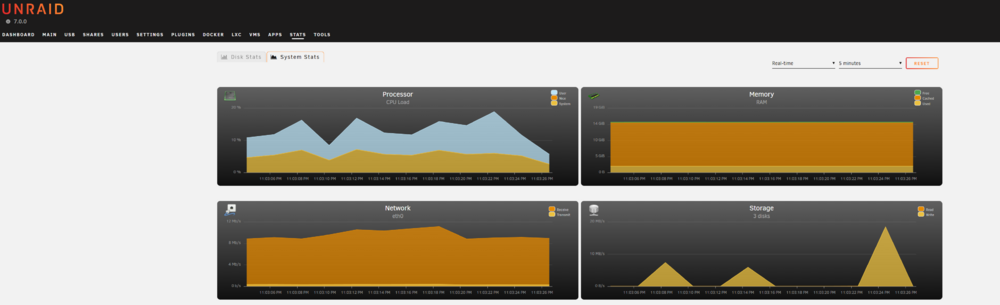
Stats is a plugin and not part of core Unraid post in the plugin support page. But it is working for me on 7
-
Try removing the boot order on the PCI device, other thing to try is pressing F1/DEL to see if you can get into the bios when you start and see if you can select from the boot menu
-
Looks lspci and gui looks ok. Do you get the ovmf boot screen if you start?
-
Can be done via the Web management. But disable fan control.
-
Post lspci also or full diagnostics
-
So it is a x9 sm motherboard in the server. I don't believe that fan control is support for x9 but need to check my system which is an x9
-
Can you do the following nano /tmp/gpuapp copy this into the editor. #!/usr/bin/php <?php $pid = $argv[1]; $file = sprintf('/proc/%0d/cmdline', $pid); if (file_exists($file)) { $pidcommand = trim(@file_get_contents($file), "\0"); } $command = ''; $pid_command = 'ps -o ppid= '.$pid; $ppid = (int)trim(shell_exec($pid_command)); if ($ppid > 0) { $file = sprintf('/proc/%0d/cmdline', $ppid); if (file_exists($file)) { $ppidcommand = trim(@file_get_contents($file), "\0"); } } echo "PID: $pidcommand \nPPID: $ppidcommand"; ?> Save and then chmod +x /tmp/gpuapp then run /tmp/gpuapp PID PID would be 15702 from the example above from nvidia-smi Then provide the output. root@computenode:~# /tmp/gpuapp 15858 PID: /usr/libexec/Xorg-novtswitch-allowMouseOpenFail-quiet-xinerama-v-s0-dpms-fp/usr/share/fonts/TTFvt07-auth/var/run/slim.auth PPID: /usr/bin/slimroot@computenode:~#
-
Welcome Craig.
-
-
Thanks will have a play with your xml.
-
Can you run root@computenode:~# virt-xml-validate /etc/libvirt/qemu/Arch.xml /etc/libvirt/qemu/Arch.xml:12: namespace warning : xmlns: URI unraid is not absolute <vmtemplate xmlns="unraid" name="Arch" icon="arch.png" os="arch" storage="vm ^ /etc/libvirt/qemu/Arch.xml validates replace Arch with your vm Gui calls libvirt functions which do more validation than the xml part.
-
You running 7rc?
-
I don't think it is possible, but let me check the code.


