






SimonF
Community Developer
-
Joined
-
Last visited
Everything posted by SimonF
-
Remove the settings from the VM template and add mappings within the plugin, if they have the same serial number you will need to do a port mapping. When the VM starts it will connect the device if you enabled in the mappings.
-
Have a look at the USB Manager in CA.
-
Have you manually change the syslinux configs? If there are differences between them if can create this banner.
-
The kernels used in both 6 and 7 wont support the newer motherboards/CPUs as they ideally needs 6.12. Or may be a bios fix may be required for the new hardware.
-
Sorry I am out of ideas, does sound like a hardware conflict somewhere, Was it just a OS upgrade or Hardware also. Maybe start a separate thread
-
I think if the file is large to breaks it up into sections.
-
Likely the kernel level is not high enough at present to support this for newer hardware.
-
The correct setting is on the KVM. You need to replace bus:Dev with the values from lsusb where the KVM is connected. It does seem that some of the connections have multiple interfaces from the tree.
-
6.8 is eol. Not sure on time frames for 6.12
-
Was the keyboard and mouse selected to be on server? Does lsusb -t show any additional data You can run lsusb to get bus/dev id then lsusb -vvs bus:Dev for the device on 1-7
-
How much memory does your card have? If more that 16G you may need to add to the VM following xml, you can do from the gui in 7. <qemu:commandline> <qemu:arg value='-fw_cfg'/> <qemu:arg value='opt/ovmf/X-PciMmio64Mb,string=65536'/> </qemu:commandline> Also have you tried without the rom?
-
You may need to do a power off and then power on for the card to reset properly.
-
The GPU is not able to complete a hardware reset. You could try disabling FLR but may result in higher power usage. vfio-pci.disable_idle_d3=1 vfio-pci.disable_vga=1
-
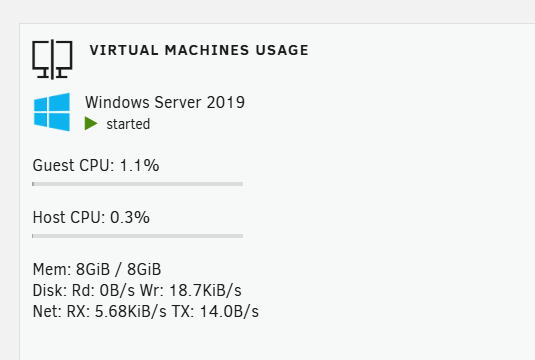
Thanks for reporting, I have changed the units so will report the correct sizes. Also the typo. Should be in the next release.


-
Is this a specific plugin?
-
Any errors in the VM log?
-
So is it working as expected now?
-
Do you need any of the devices on 12 are you passing thru audio? As GPU will have audio also. You may want to set the USBs to connect at VM start also.
-
Are you trying to pass thru the whole controller? Within the plugin you can setup for each USB device so you dont need to passthru the controller. Then set the device or port to connect at device plugin which it would look like when you change the KVM. IOMMU is not stand alone hence the error messages in the log.

-
There is an option for this in 7.
-
Does seem to look like the mouse is resetting itself.
-
Use my usb manager plugin and setup mappings for kB and mouse. Plugin supports hot plugin automatically.
-
When you have an issue run this cat /var/log/syslog | grep usb_manager
-
sorry should be lsscsi
-
Driver is virtiofs needs to be from latest iso as had some memory leaks in older versions. Ideally needs to have rust back end which is in 7.





