





MowMdown
Members
-
Joined
-
Last visited
-
Sounds like your ISP is throttling NNTP connections. Make sure you are using your providers 443 port as this will disguise the NNTP traffic as HTTPS Without posting diagnostics though there’s no telling. If it was a DNS issue the service likely wouldn’t resolve at all and you’d have connection failure instantly.
-
Either the disk speed negotiated dropped to a lower speed or you have other stuff reading/writing to an array disk
-
I mean there's nothing wrong with doing it that way, you just didnt get to take advantage of letting unraid distribute data for you. Especially with just two data disks, I wouldn't worry. I personally fill up each disk in sequential order and dont worry about splitting data evenly between disks. Micromanaging disk fill % ratios is a headache. But yes if you feel inclined to have your data re-arranged use Unbalanced
-
Containers get orphaned when a container template variable is no longer valid. You will need to investigate the templates and make sure everything is entered correctly and when you hit save the docker run output says success and not failed.
-
In case anyone searches this topic with this same issue: you all somehow missed the boat on this one https://docs.immich.app/install/upgrading
-
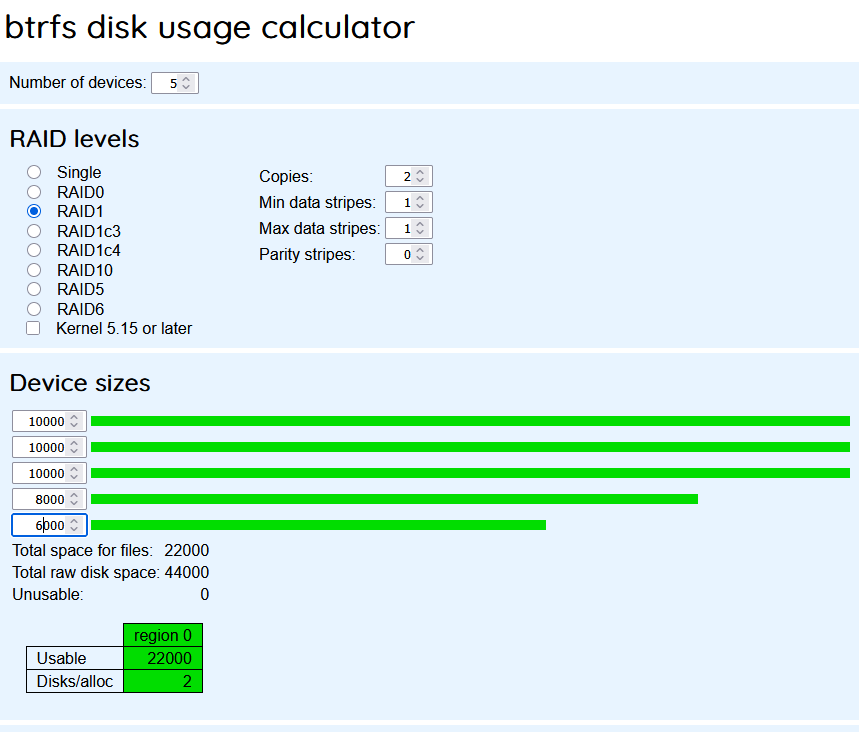
If this was setup as btrfs RAID1 then that is correct total free space (well it would be 22TB) but you wont see that until the drives are near capacity due to how unraid shows free space left on btrfs raid1 with mixed disk sizes.
-
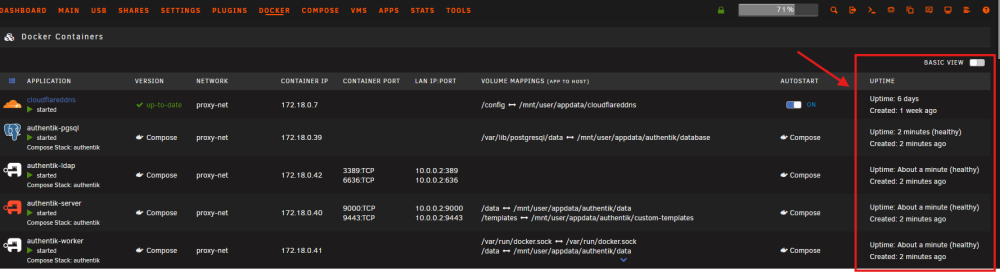
Check here on the docker page:
-
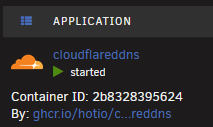
for example
-
This is what I currently have deployed and it works with my Intel gpu. immich-machine-learning: container_name: immich_machine_learning image: ghcr.io/immich-app/immich-machine-learning:${IMMICH_VERSION:-release}-openvino device_cgroup_rules: - 'c 189:* rmw' devices: - /dev/dri:/dev/dri networks: - proxy-net environment: - PUID=99 - PGID=100 - TZ=${TZ} volumes: - ${ML_CACHE_LOCATION}:/cache env_file: - .env restart: always healthcheck: disable: false
-
Longshot here but... How sure are you that you are not somehow shorting the board via the case/standoffs? Triple check the standoffs are installed in the correct spots and remove any (if possible) that do not align with the motherboards mounting holes.
-
Always post diagnostics and always refer to the unraid documentation, there are plenty of "How to do X" guides for specific issues such as disk replacement and upgrades. Anytime you rebuild a disk from parity, the contents of that disk will be overwritten including the filesystem to match what was recorded into parity. This means if a disk was previously reiserFS, parity will re-create that disk 1:1 resierFS and all. Follow JorgeB's advice and skip claude.
-
Your VPN stopped working. You should go to the binhex FAQ page by clicking on the container icon and clicking on support if you need further assistance.
-
Unless the cost savings is significant, I would not use SODIMM form factor on a desktop platform. Performance-wise it's objectively going to perform slower than standard DIMMs but for a media server it wont really matter. The PCIe bandwidth for the GPU and the GPU VRAM matters most for running a local LLM. 16GB of VRAM is going to be your biggest bottleneck
-
It's almost likely a plugin you have installed. One known plugin that causes this is the "Disk Activity" plugin.
-
In addition to the diagnostics the container's docker run output will also help.


