




(Small).png.20e01e54adf9a0993af949e43e312763.png)
CorneliousJD
Members
-
Joined
-
Last visited
Everything posted by CorneliousJD
-
Have you checked the tables in your database to be sure they're actually being generated and created properly? It sounds like it's not connected to the DB correctly with the lack of any error.
-
I rolled back to linuxserver/transmission:3.00-r0-ls71 and restored a backup config.json file from 3 days ago that I knew was working correctly before this update. All is good again for now - will check back here to see when things are fixed later hopefully.
-
This is NOT working for me, stopping container, medifying file, and starting again just turns auth back to false and clears out my RPC-username
-
Coming here to report the latest verison will not let me save rpc-authentication = true, nor my username/password combo, seems to be an issue with latest update pushed out just 2 days ago.
-
Looks like you got it fixed, I'm going to put a link to your discussion in the first post https://github.com/vabene1111/recipes/discussions/341 Here it is if someone else needs it too Nice job everyone involved.
-
Sounds like a container Issue, not something specific to unRAID, so you'll probably have better luck on authors GitHub page. Sorry!
-
May need to check the docs for reverse proxy setup, I have it running via Nginx Proxy Manager with no extra config and it's working great. SWAG might need some extra parameters passed though.
-
You can go down that road if you want to, but I personally chose not to in order to keep this container "simple" (the reason it uses SQLite by default too, so it's all in one container). See here: https://vabene1111.github.io/recipes/install/docker/#nginx-vs-gunicorn Also the admin page that gives you the warning should have a link about more info as well. If you get it working correctly feel free to post back here and let users know how you did it, and I can update the first post and give you credit for that part as well incase others want to do the same. Thanks and good luck!
-
If you're running a static IP on br0 you'll need to manually go to the web UI at http://192.168.128.20:8080 then. If you run in regular bridge or host mode, then you would just use the built in webUI launcher, but make sure nothing else is already using port 8080 of course.
-
Glad you're finding a good use for them! I have, unfortuantely NOT found a good way to migrate from OpenEats to this without doing it manually, but perhaps someone else has a better solution. It doesn't let you do the website import either, it just doesn't end up recognizing anything. I also personally set this up with PostgreSQL, as I have DBBackup containers setup to backup my PGSQL and MySQL (MariaDB) containers nightly, so I feel like it's a bit of a safety net. Also SQLite can have performance issues so I generally prefer to setup real databases for stuff anyways to avoid potential performance issues in the future.
-
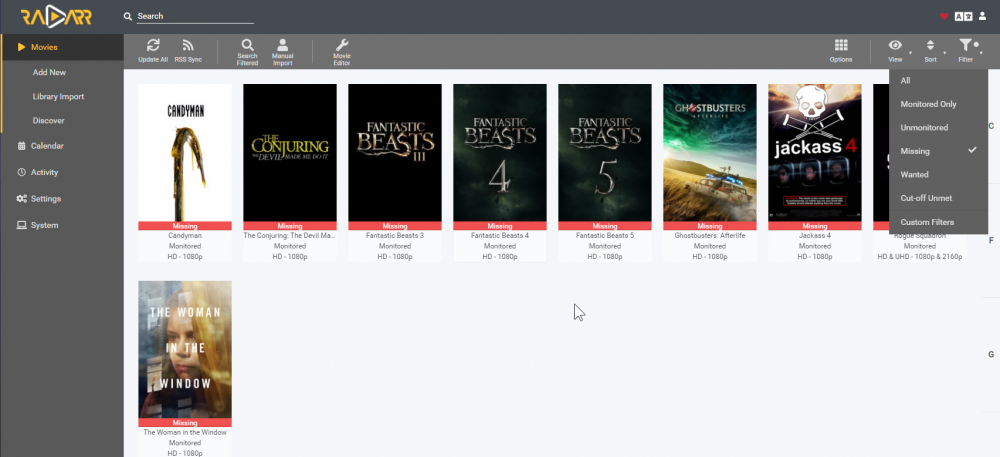
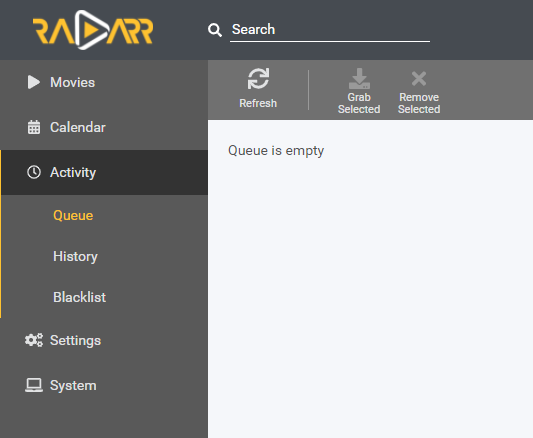
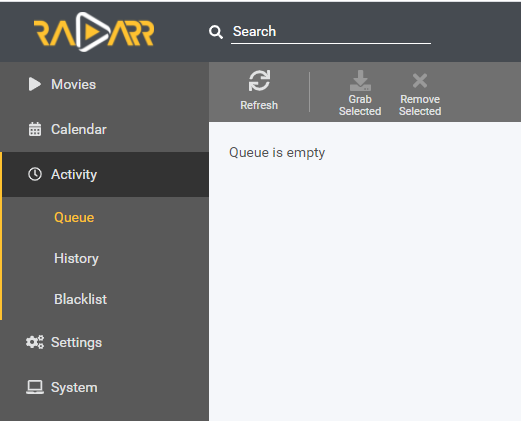
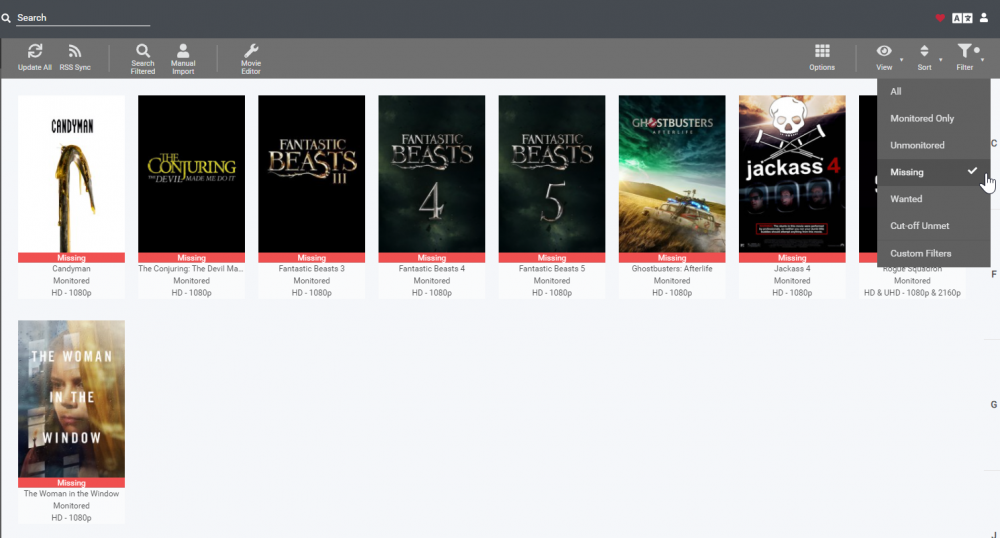
copy/paste of my update in rdarr thread. So this did end up being a Radarr issue after all Adding info here incase it helps someone later. The API command I ran and dumped to a text file helped me find it. curl -X GET "https://localhost:7878/api/v3/movie" -H "accept: application/json" (also added API key for auth that I removed here) I then looked for "hasFile": false to find what movies were missing, and found one that wasn't in the GUI under missing and just removed it from Radarr entirely for now to prevent the issue. Queue issue was an "unkonwn movie" which you can show in UI via options toggle in top right corner. Somehow missed that. Used a separate API command to find that an unkown movie was in queue but this part was findable/fixable via UI in the long run.
-
So this did end up being a Radarr issue after all Adding info here incase it helps someone later. The API command I ran and dumped to a text file helped me find it. curl -X GET "https://localhost:7878/api/v3/movie" -H "accept: application/json" (also added API key for auth that I removed here) I then looked for "hasFile": false to find what movies were missing, and found one that wasn't in the GUI under missing and just removed it from Radarr entirely for now to prevent the issue. Queue issue was an "unkonwn movie" which you can show in UI via options toggle in top right corner. Somehow missed that. Used a separate API command to find that an unkown movie was in queue but this part was findable/fixable via UI in the long run.
-
I was able to run an API command to find the one stuck in queue (it was an "unknown movie") But I'm not able to find the right command to show me my "missing" movies so I can cross reference that list with what I show in the UI to find a culprit.
-
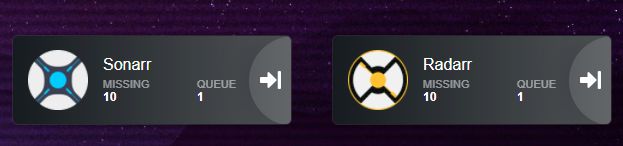
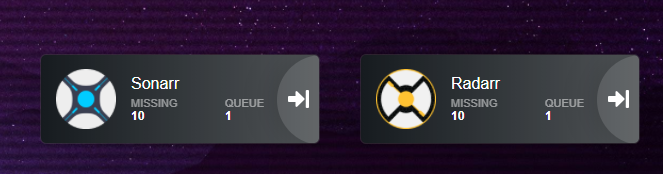
I did ask them and they told me it was an issue w/ my Radarr. I even deleted all my wanted/missing movies, and it still showed 1 missing 1 in queue with nothing actually in the UI as missing/wanted. I actually just confirmed it's Radarr as well by adding a 2nd instance of Radarr to Heimdall (I have a 4K isntance) The 4K one shows correct missing and queue numbers.
-
Just want to drop in again to see if anyone else had any advice here, I'm still seeing same issue and I cannot for the life of me figure out what is wrong here. I'm nearly tempted to blow away my Radarr entirely and re-import from scratch to see if that fixes it
-
Still having this same issue and I cannot, for the life of me track down what's wrong. Anyone have any advice before I blow away the Radarr container and re-import my library from scratch?
-
Doesn't look like you can - yet. -- https://github.com/jonaswinkler/paperless-ng/issues/116
-
That's what it's supposed to look like at /admin/ /dashboard should have a different view though?
-
I just have it get the default sources, I'm routing my logic via NodeRED to change inputs on a Android TV (built in ATV) - I'm not personally using any Fire TVs. See here though: https://www.home-assistant.io/integrations/androidtv/#apps get_sources boolean (optional, default: true) Whether or not to retrieve the running apps as the list of sources. apps map (optional, default: {}) A dictionary where the keys are app IDs and the values are app names that will be displayed in the UI; see example below. If a name is not provided, the app will never be shown in the sources list. (These app names are configured in the backend package and do not need to be included in your configuration.) exclude_unnamed_apps boolean (optional, default: false) If this is true, then only the apps you specify in the apps configuration parameter and those specified in the backend library will be shown in the sources list. exclude_unnamed_apps: true apps: com.amazon.tv.launcher: "Fire TV" some.background.app: # this will never show up in the sources list another.background.app: "" # this will also never show up in the sources list You will want to name apps in your app dictionary list for them to show up too. Also because the docker conatiner is working that's really as far as I can take it, if you need more support than this I'd suggest the HA forums or discord channel or something, this is really just support for the container running properly on unraid which you've now got. hope this helps though!
-
So unraid server IP itself is 192.168.1.129 is that correct? And the fire TV itself is 192.168.1.222 yes? If so then things look okay but ports are wrong somewhre for sure. Is there a reason you are not using the default ADB port of 5555? either way something is wrong somewhere, in the ADB container you say port 8009 for ADB, and in HA config you are saying port 5009, so there's a mismatch on ports right off the bat. Unlessy you've actually changed ADB ports on the FireTV I'd leave them as default of 5555 in both palces otherwise it likely will not work. If you have changed the port then you still have a mismatch somewhere.
-
IMO maybe marked as depreciated. It still works though. Ubiquiti just doesn't let you remotely access via THEIR cloud services anymore, and it's not longer updated or supported. But again it still works. The little yellow exclamation mark with depreciated tag would be appropriate here in my opinion.
-
Cool, I was going to say I think you're confusing the add-ons in supervisor with other containers with core. You should just need HA Core and this docker. There's no other add-on needed but I have mine setup so it can turn on and off my Android tv and change source, etc like you're after. Could you post a screenshot of this docker along with your HA configuration.yaml (the relevant part) along with what your unRAID IP and ATV/FTV box IP addresses are? I'll take a peek.
-
So what you would need to do is install this container, and put your devices you're connecting to via IP in the list, like 192.168.1.111:5555,192.168.1.222:5555 on the template (it should have some in there as an example already) You are ideally not using the supervisor, instead you're using HA Core and then you run this as a separate docker container, and you would just use this https://www.home-assistant.io/integrations/androidtv/ When it asks for ADB server, you pulg in your unraid server IP. # Use an ADB server for sending ADB commands - platform: androidtv name: Office TV host: 192.168.1.222 adb_server_ip: 192.168.1.10 Where 192.168.1.10 is the unraid server IP running this ADB container. Then where 192.168.1.222 is the android TV that you've got the ADB container connected to. HA will send the commands to the ADB server container and it will pass them along to the destination. The ADB server will keep the connections alive in perpituity as long as the IP address doesn't change.
-
No problem at all! I ran into the same problem this morning when the container updated overnight, looks like we both got the same bad update. Good news is, at my next scheduled update it would have fixed itself, but why wait
-
Where is your guide at? I was going off the install guidance in the first post of this thread, but if you have something more detailed I'd like to take a look, thanks in advance!
(Small).thumb.png.b884b0484e848c502a315fc27b995f59.png)


