





deadmeatgames
Members
-
Joined
-
Last visited
-
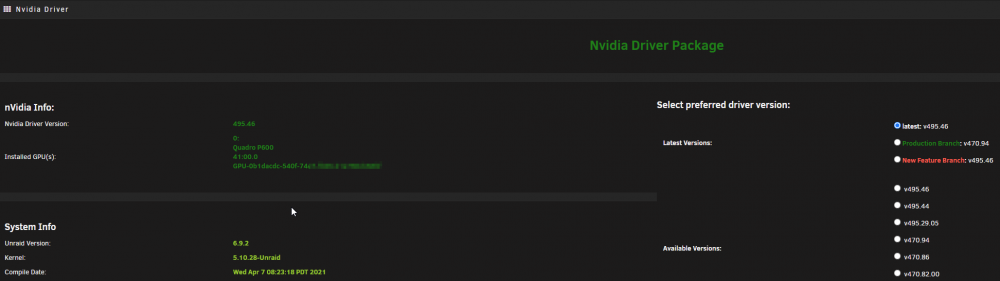
495.46
-
Could you give me more info? What does it fail on? Baiscly loops around "80-configure_nvidia_driver.sh" Could be the driver is just not advaliable [ /scripts/40-setup_locale.sh: executing... ] **** Locales already set correctly to en_US.UTF-8 UTF-8 **** DONE [ /scripts/50-configure_audio.sh: executing... ] **** Configure pulseaudio socket **** DONE [ /scripts/80-configure_nvidia_driver.sh: executing... ] **** Found NVIDIA device 'Quadro P600' **** Downloading driver [ /scripts/10-setup_user.sh: executing... ] **** Configure default user **** Setting run user uid=100(default) gid=99(default) usermod: no changes Setting umask to 000 Adding default home directory template Setting root password Setting user password DONE edit: so i manualy downloaded the driver thats the corect version that i have running on the host and placed it in the .cache/nvidia folder where the scipt expect it to be but it still just loops
-
well i can say the install nvidia driver step dosnt like quadro p600 that i have
-
@cybrnook 64gb of ecc ram is odd. also ive been running 1.70 for a while in a attempt to fix it.also i have the 1.32 bmc firmware but that bugs out and fails to come back after flashing
-
Any one had issues with it locking up and crashing? Ive got mine running the 1.37 to see if it would fix the issue. but it still hard crashes the unraid to the point of spewing junk data to my net work and killng that untill i unplug it. Ive also had issue with the bmc logging that the video out crashed and so the on board graphic dont wanna work. This was working for a year just fine till now
-
Problem is my unraid already says its up to date

-
[91m[2021-02-11T07:24:56.320] [ERROR] Tdarr_Node - [39mNode: 192.168.1.2:8267 - Server version is 2.00.03 but Node version is 2.00.04. Just updated. using haveagitgat/tdarr and haveagitgat/tdarr_node
-
it would be good if it could pull the UPS data from a NUT instance as well
-
Yep that did the trick. Thanks
-
Did you get the ipmi for fan control working?
-
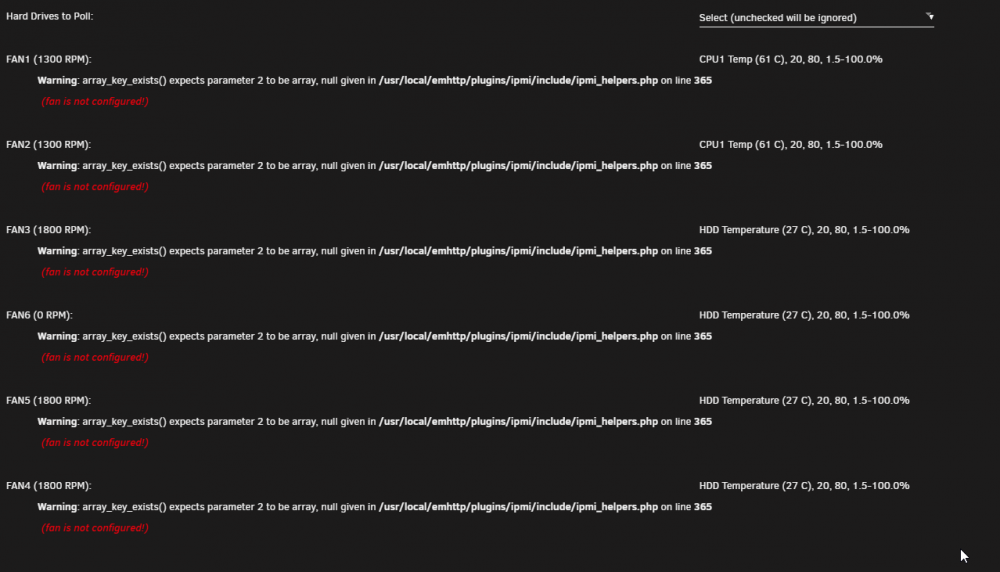
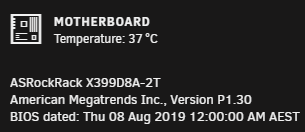
i just swapped motherboards and now the IPMI tool says this on the fan controls Warning: array_key_exists() expects parameter 2 to be array, null given in /usr/local/emhttp/plugins/ipmi/include/ipmi_helpers.php on line 365
-
Has any one got that nut ups script still? netdata cant find upsc so it cant find my ups when its in the docker container
-
I have had the back up fail to back up while i have rclone cache on. it only adds the folder for the AppData. It works perfectly when its just rclone to my gdrive but with the gdrive cache on it creastes the folder for the new day and starts to create the tar but then it seems to get deleted just after the back up is complete so it does not get uploaded. Any ideas?
-
@jbrodriguez it seems i had to set the ssl from auto to yes to make the app work. when i set it to no the same issue still happens
-
I cant seem to see the logs in the app. they used to work before i upgraded to 6.5.0. i have done a clean reinstall of the plugin and app but it hasnt helped.



