chris_netsmart
Members
-
Joined
-
Last visited
Everything posted by chris_netsmart
-
no there is no reason why I choose sleep over shutdown, as I was looking at different ideals, and at the moment I am not sure if my motherboard can do schedule power up's. this is something I have to look at. can you also inform me, that with the powering down and back up each day - have you experience any issues with unraid ?
-
I am looking for your views on this, as I am thinking about setting up a schedule so that my unraid server will go to sleep at night and then wake around noon the next day, the reason for this, is to reduce my eletric bill as at the moment it is shotting up like a rocket and I am looking for ways to reduce my bills. the way I will wake the unraid up is via a Home Assistant to which I will create a rule to trigger the command from. I am looking at the following docuemnation which I will use to base my sleep and wake up commands from. https://wiki.unraid.net/Setup_Sleep_(S3)_and_Wake_on_Lan_(WOL)
-
I don't know if this is a new thing but a Docker or plugin update, but for some reason my unraid server has being hanging. I discovered that first happed yesterday morning and I was trying to watch Plex, all was fine for about 10 mins and then plex stopped. at first I through lost network connection, as my server was still running and I had network traffic " lights on the Nic" were still flashing. but when tired to log onto unraid I was informed that the logon page was not unavailable. even when I tried to access my other docker webpages I got the same issue, resulting in me rebooting the server. this also happened today when I was doing some house keeping, by moving some data between HD's and deleing some unwanted backups. I have looked at my log files but can't see when that indicates why my system hanged. so I have place a copy of them here in the hope that something can have a look and see if they can find anything. tower-diagnostics-20220221-0828.zip
-
I have been playing around with making a new Vm for windows 7, but when I tried to access one of my other VM's I am getting Failed to connect to server. I am able to ping it will no issues, and I am also able to URL to the website that is hosted on the VM but I can't access it via the VNC Remote. any ideals ?
-
does anyone know of a very light print server, which I can install onto my Unraid server. I am happy for it to be a docker or a VM.
-
yes and the SMART test came back OK, but I do have I/O errors. I had to reinstall all my dockers and relink my VM's. and I have also just order a new Hard Disc.
-
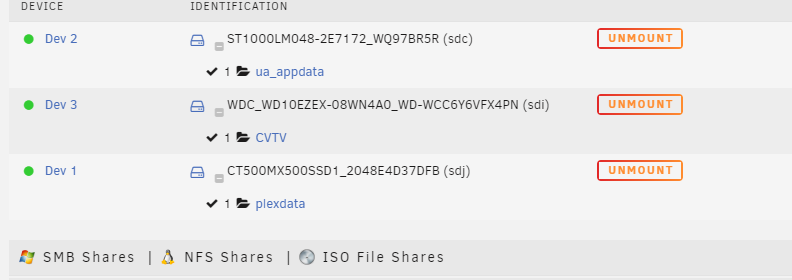
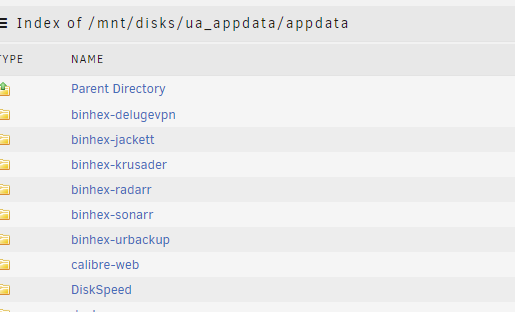
no I am able to access the drive with no issues, I also through at the beginning that I had a drive issue, but as I am able to access it and browse through the file structure I ruled this out. I have attached a screenshot of my drivers
-
Sorry I forgot to add the file. I had a quick look in the log file for Dockers and it looks empty tower-diagnostics-20211014-0905.zip
-
I hope someone can help me. I just powered down my server and moved it a few feet, and powered it back up, but when I when in to have a look at the conduction of all the dockers and VM, I discovered that I have no longer have any dockers or VMs running. I have checked my Appdata folder and I still have full access to it, via SMB and via the unraid website, I have this on a un-assigned drive, but I have full access to this. I have checked the logs and I can't see anything in there that says disk error or no reachable I have also ran Fix Common Problems, and this shows no issues. I also checked the main page and I can see all my HD's running with no issues. any ideals on why I can not able to see my dockers ?
-
I have just finished watching doing a test conversion after watching Spareinvaders video but I have a question which I can't find within the app. when I use Handbrake I have the following settings for TV Shows = 480 NTSC H265 p30 - duel sound. Films = HQ 1090 Full HD H265 p30 = surround sound but when I look in Tdarr I can't find the option to choose which profile I want to use, as my last test only convert the formatted from 254 to 265 and nothing else. is there a way to do this ?
-
ok after some more reading, and googling I found this. that help Here to get to it, you will need to stop the array, then go to the settings, change it and then restart and then you will see the Br0
-
being doing some reading and tried the following but so far no joy. I have also tried this Restart the Unraid, dont initialize the array just yet.... go to SETTINGS, Network Settings, change the desired MTU: to 1500( you have to put in 1500, what shows in the box is just a place-holder and not the actual number 1500) Click on APPLY. you will lose network connectivity, so go to the server and restart it there.
-
ok now I am confused. I only have one NIC on the server and that is build to the motherboard when I go and have a look at Network settings within the VM, I am not offer the option to changed to a br0 so are you saying that I will need a second card in the server to allow me to create a br0 ? and if no how to do go about creating one, as at the moment I have no VM's within my environment.
-
Sorry I am trying to get a VM Guest to run on my Unraid server UPDATE: I have been able to get a Linux guest to up and running, but now I have a second question, my default IP address is 192.168.1.* but when I do a ifconfig I am getting a 192.168.122.* IP address I am able to ping out from my Linux VM Guest but as the IP address is different from my main IP range I am not able to ping the VM Guest. how do I resolve this ?
-
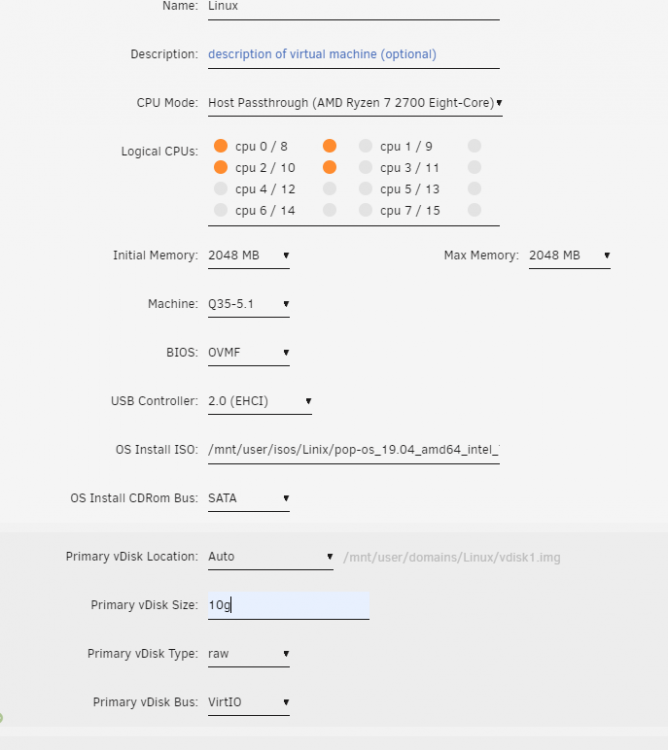
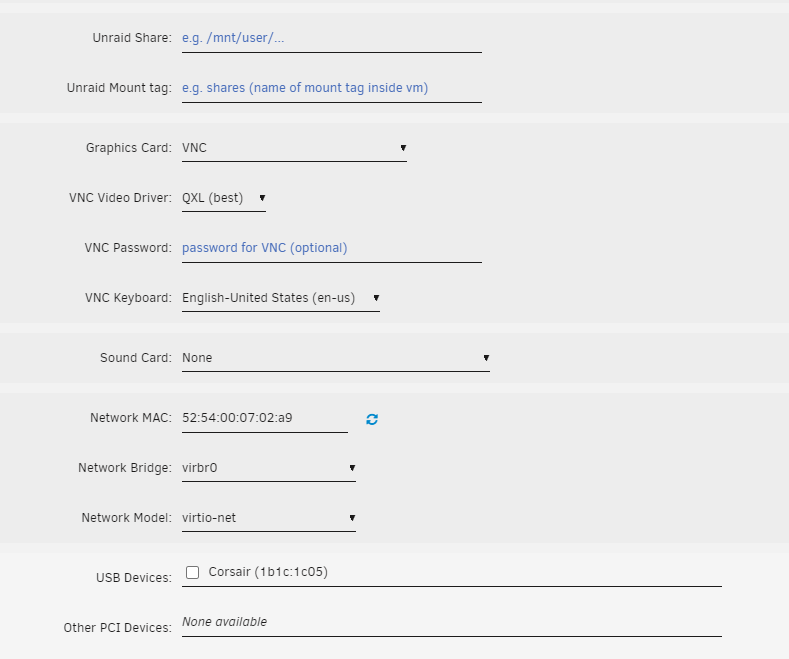
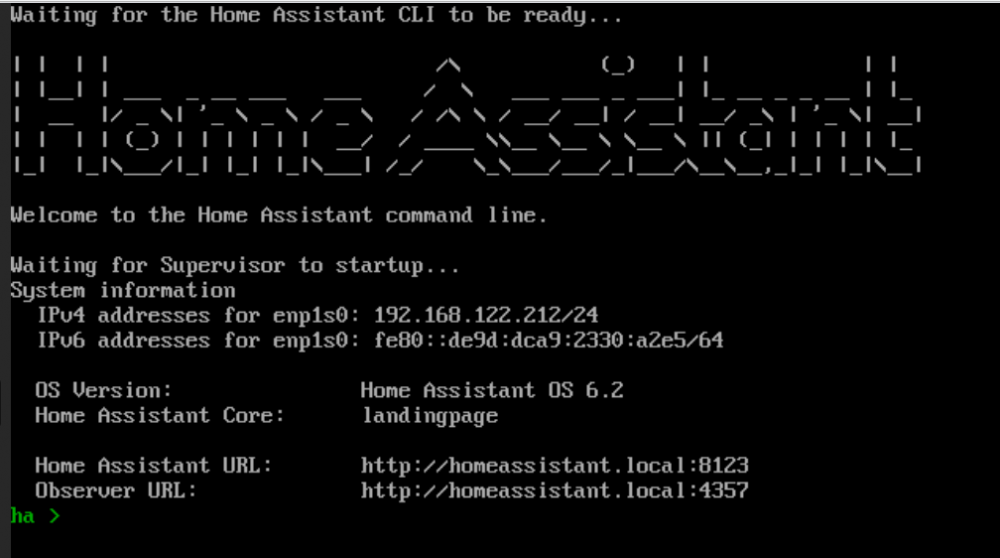
I am trying to build a VM machine within unraid and I am running into muiti issues and I can't see why. for starts when I create a VM for Windows or Linux and it get's to the formatting and installing the OS, but for some reason it informs me that it can't see the HD. I also see that when I create the VM template I am not able to choose BR01 for my Nic ? is there a reason why. I have attach a few screen shots of my Linux build template in the hope that you are can help me resolve this issue. I have also downloaded and tried a pre imaged machine " Home Assistant " this finfs the Hard drive and loads but at the end, when I try and connect to it, I discover that I have no network. Note: my IP range is 192.168.1.* and not 182.168.122.* can someone please help
-
bit confused as this used to work. for the past year I have mounted a remote share to a local folder on my QNAP and then ran a rsync command to sync my data from my unraid to my QNAP with no issues, but for some reason it has stopped and now I am getting the following I have checked the permissions on unraid and at the moment I have set them to public I also check the username and password to which I will be using and they look fine. the commands I am using are: and this used to sync my Unraid Person folder to Qnap. any ideals on why this has started to play up ?
-
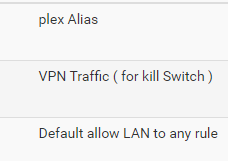
OK I see the problem I was getting my VPN IP Address and not my ISP external IP address. I found the course - it was my kill switch within PFSENSE that was the problem, I had it before my plex Alias all ways the little things
-
I just upgraded my plex docker to the latest version, and I discovered the following. that remote access is no longer working that when I go in to have a look it has the right external IP address, but the word internet is greyed out and I have a red cross. I have rechecked all my settings and all looks right. Update: I have just rolled back and I am still getting the same issue: linuxserver/plex:version-1.22.0.4163-d8c4875dd it looks like it connect's and then loss the connection. I have attach my log files in the hope someone can help me. Plex Media Server Logs.zip

-
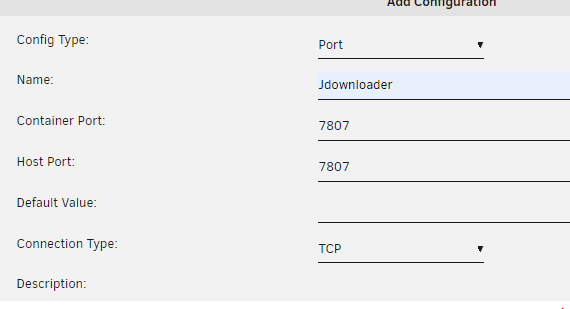
I have gotten to start again, but uninstalling it and reinstalling it but I am still now able to webGUI onto it deluge settings jdownloader settings logs



-
no the " IP leakage under certain circumstances " which @binhex has modify delugevpn
-
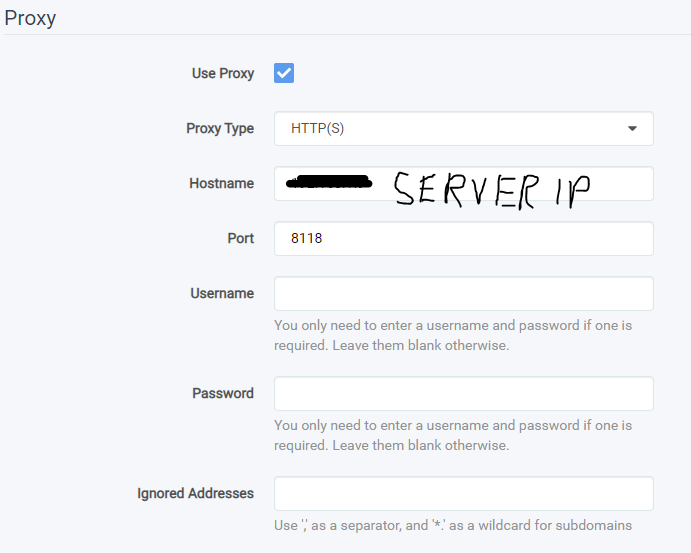
a little bit of topic: I have my Sonarr, Jacket, and Radarr all going through delugevpn with no issues, using the new method. but I have been trying to get my JDownloader to go through the delugeVPN, but to no joy as I am using the same procedure I used for the other dockers. by placing the ports within deluge and adding the Extra Parameters but when I fire up the docker I am getting the ' New page can be found '
-
Hi @binhex I didn't want to employ it was your fault, but or your dockers - as I feel that you are doing a fantastic job, as I mentioned I looked around and I was not able to find anything and yes I will be changing my VPN France to something else and re-testing. and also ' I didn't realise ' that the docker is complete independent from unraid so I will no long post my unraid version. UPDATE: I just tried England and Israel and both are doing the same thing. I will leave it for a few days to see if it sorts itself out.
-
I just tryied to access my delugeVPN and I am getting ' This site can’t be reached ' I am still on very 6.9.1 for Unraid but deluge is update on version. I haven't done anything to it, but this morning when I log on. I discovered that I was not able to WebGui onit it, but when go into the console I see that I am getting the right VPN IP address I have tried agin running the following command to see if this is the issue which it is not, I also turn off the VPN within deluge and then I was able to access the WEBGUI but once I turn it back on, it fails I have check my username and password and this are all OK. as I have a VPN on my pfsense I also turned this off - and this made no differant. I have posted my log file to see if anything can see the issue, as this is becoming very frustrating as it looks like that after a few weeks deluge fails over and then I have to re-troubleshoot it I look forward to your reply.
-
thanks again, this resolved the issue again.
-
hi @Roudy as I stated the reason for the two VPN's is that at the moment I can't rely on my pfsense VPN, as I have two connections to the outside world. I have one VPN for my deluge and the dockers which point to one location and I have another VPN for my country so that I can surf the internet in my language. and yes I have to agree the deulgevpn is a great docker which has a build in kill switch which provents any unwanted downloading without the VPN. yes I do have a proxy settings for Radarr but I would also like to point out that my Sonarr also have the same settings as radarr.