





chris_netsmart
Members
-
Joined
-
Last visited
Everything posted by chris_netsmart
-
thanks @axipher for your help, I am now able to populate my dashboard with data 🙂 I am not looking at getting a basic Plex dashboard installed and looking around it looks like I need to install Varken, so I went to the App Store and installed it, but at the moment it is a stop statics and I can't get it to start. so I have look around and I have a funny feeling that it is like telegraf that I need to set up a config file, but I can't find any useful information on how to do this. so is there a usful website that walks you through the steps ?
-
at last I have got my dockers link up, but now I am getting no data. is there a way to test the influxDB to see if there is any data being collected. ?
-
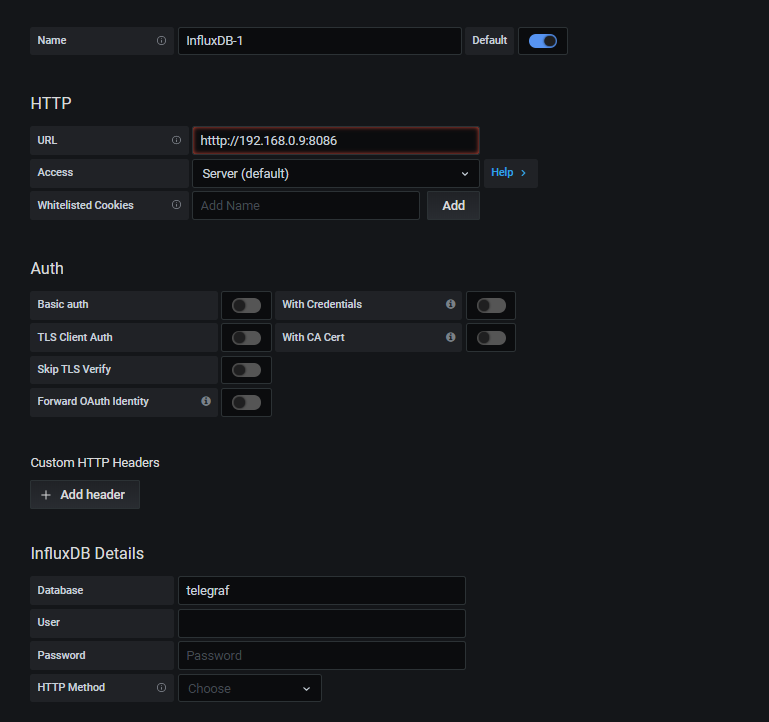
this has been posted in the General Support fourm by mistake. Grafana Raw Data question I am having a bit of a problem is getting raw data into my Grafana. I have followed the attached URL to install and set up my Config File I then want and tried to add a data source but I am informed the following Network Error: Bad Gateway and I can't see were I have gone wrong. I have attached a copy of my Config file and also a screenshot of my Data Set in the hope that someone can see my mistake Update: my problem was a typo in he URL telegraf.conf
-
I found this site to add your plex monitoring. https://github.com/barrycarey/Plex-Data-Collector-For-InfluxDB
-
I have just go through the fourm chat and I found the above steps, and it looks like it resolve the SQL DB Issue.
-
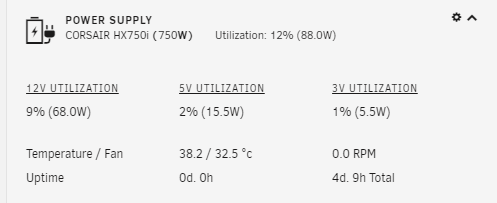
thanks for the great plugin, works straight of the bat. time to play around with it and get it into a nice graph.
-
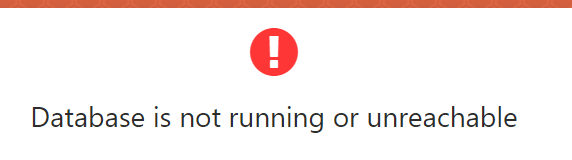
thanks for the information @goinsnoopin but sadly I still get the same error message
-
I got the same problem, and trying to understand the instructors is confusing. so I did a install of the docker application, and now when I try and find the " /home/Shinobi" within the docker or within Unraid I am inform that it can't be found I also try some of the offer commands and get the same issues no like sh: source: can't open 'sql/framework.sq': No such file or directory. so can someone please write a dummy step by step so that we can get this docker up and running.
-
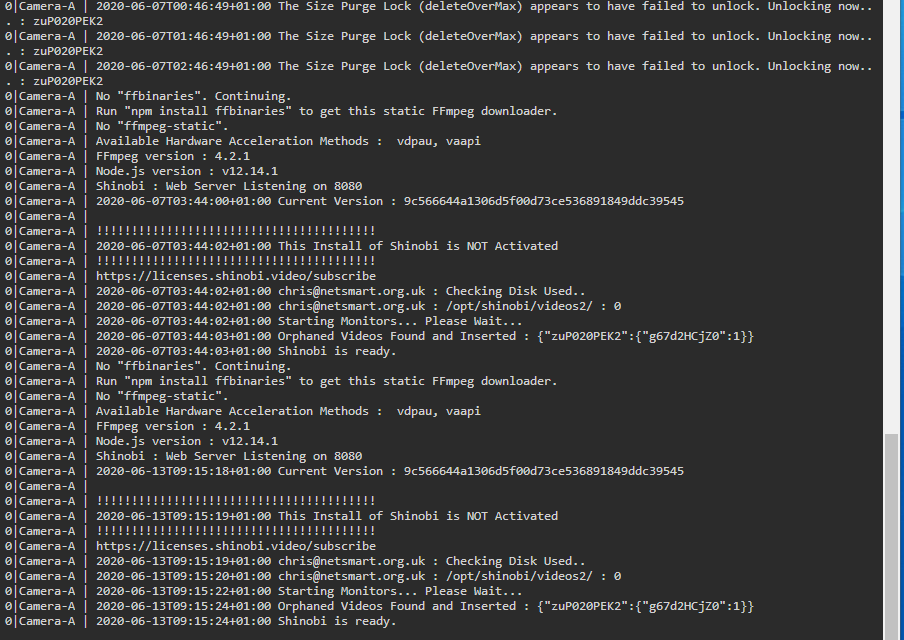
not sure if this is helpfully
-
@SpaceInvaderOne first I would like to say that I love your videos and they are informative and clear to follow. I have recently moved over to Shinobi Pro from Monitioneye as found this services resource hungry. so now I have a happy running unraid and shinobi, but I have see a small issues which I can't work out. I have set the default retention to 5 days, but it looks like it is only saving 24 hours of video surveillance. I am saving the footage to a unassigned 1TB hard drive with have over 900GB of free space. and I don't know why. can someone please help.

-
can you still get this docker as I would like to add my Brother printer to my Unraid.
-
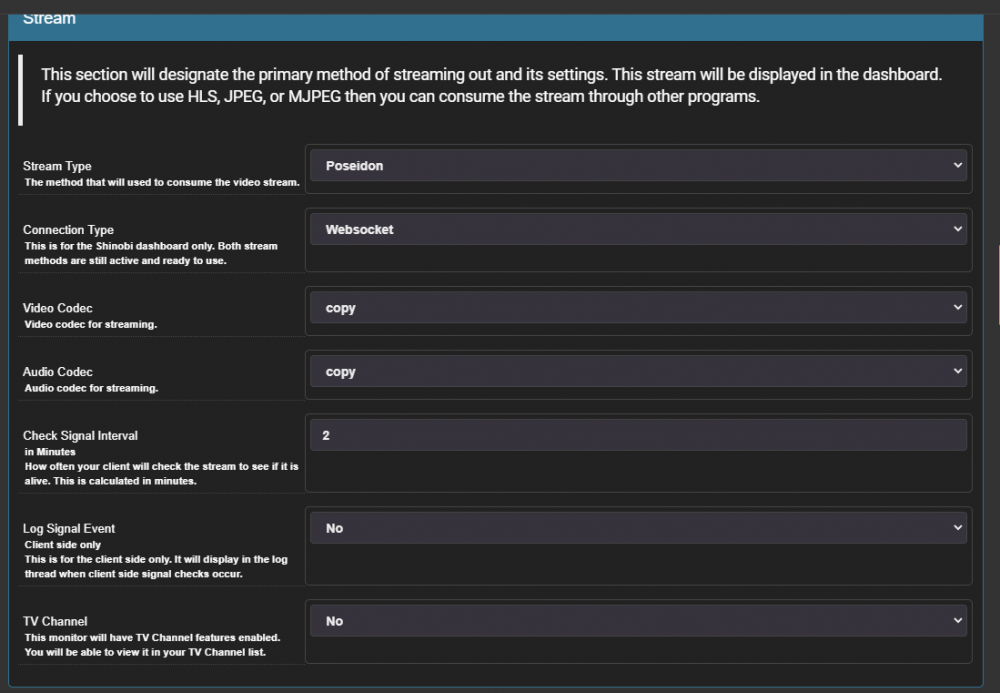
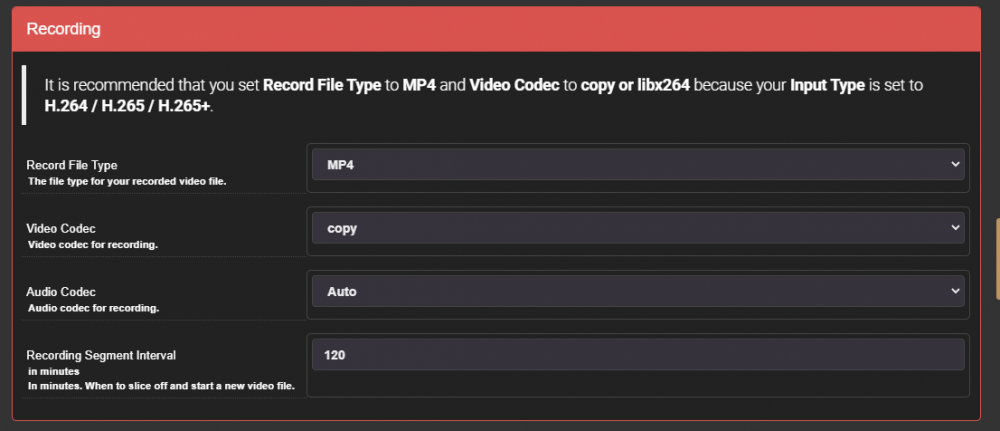
I hope someone can help. I just moved over from using Monitioneye to Shinobi and I have ran into a few issues, which I hope are easy fix's First. is there a way to get the time and data, displayed on the feed and then record. as I have my recording 24/7 with 120 mins segments, but I can't find were to set the time and data 'Watermark' also I seen that my saved files re jumping all over the place from 2gb to 5.5gbs and I don't know why. when my settings are as follows.
-
I had the same proble. Do you have the dvla turned on. If so turn it off and retry.
-
hope this is a quick question, I just discovered my Plex - with a error message message saying that there no no public external connection, so I have rebooted it and now it is giving me a message of Fully accessible outside you network. great. but I have question at the moment it is showing my private IP address as my internal IP Address and my Public IP address as my external IP address. so is there a way to push this via my delugeVPN connection ? as I don't want the world to see what type of traffic I have.
-
I have installed this docker but I am having issues logging into it, what is the default username and password ? OK I was being dumb as I didn't see the information within the template. ok I am now able to log into the super admin page, but when I try and create a user account, all it is doing is flashing, but not saving the account details. is there any prefix to the password ? or user account name ?
-
just update with no issue with the OS, the only problem I got is with my new Cache Drive and an Unassigned Drive, that for some reasson it didn't like to resolve this I unplug the SATA cables from my motherboard - rebooted with the two unplug and once Unraid was up and running again, I pluged them back in.
-
thanks
-
quick question about PlexPass. if I purchase a PlexPass and added to my server under, then would my guest users "friends to whom I am sharing my plex with and access it via the WebApp" will get all the benefits of the pass or will they have to go out and purchase they own copy ?
-
Just upgrade to the new version. And it when on with no issues. Keep up the great work.
-
I would wait until the preclear is finished Nd then upgrade. As.i just finishes precleari g a 10tb and it take 4 days to run.
-
I have just discovered this function, and I am doing a lot of reading. I feel the same as @marshalleq that I also like to have a area that I can place my important data, but I don't like the ideal of relaying on a plugin to do the work, as I feel that this should be a core element. To to ZFS users can you please tell me how you have found the ZFS environment and setting up. and also did you find any good reference "Step by step Guide"
-
Thanks. I will give it a try tonight.
-
I hope someone can help me. I would lile to redirect all my traffic through a VPN.' DelugeVPN '. But i can't see how i can do this. Can someone please point me to the right documention so that i can read up on it and set mine up.
-
is it just me or is this docker asking to update on a daily / hourly bases ?
-
as before I also like the ideal of mutli Arrays but for me it is Disk usage and not size, in my example I would like to put MotionEye onto the my raid storage but I have discovered that in doing so, it will keep the Parity and one of the disks active 24/7 which is not a good use of the array. so I have resulted using a Unassigned drive to store my motioneye data, which is not a ideal way to keep it safe.




