





Nexius2
Members
-
Joined
-
Last visited
Everything posted by Nexius2
-
found the problem... network wasn't set correctly in nordvpn container...

-
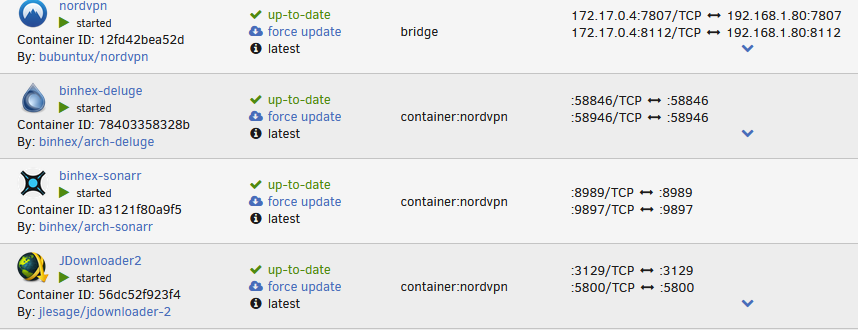
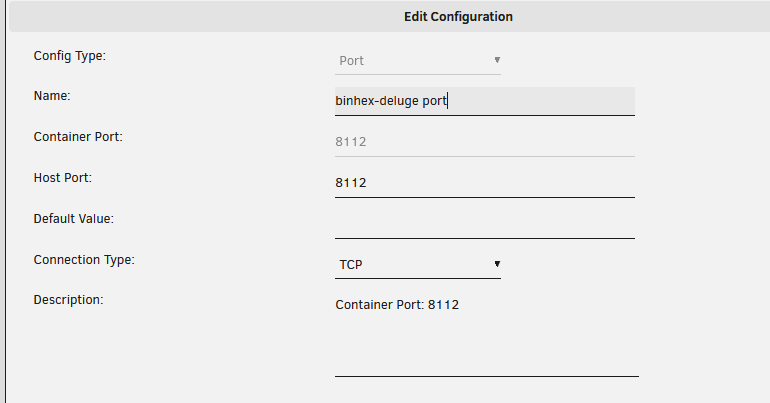
Hello, I have the same issue but my ports are on TCP. trying to access jdownloader2, sonarr and deluge GUI through nordvpn but no luck. ports seem good in nordvpn container, networks are OK .... any ideas? jdownloader kinda works, but never loads completely (works perfect without the vpn)

-
didn't see the option, great thanks !
-
Hello, it would be nice to be able keep old backups. I must restore an app but my backup is 3 days old, I wich I had last months backup. maybe in future version could we keep 1 or 2 old backups. thanks
-
Hello, I have for the second time a problem with nginx proxy manager. I can't log in.... message "No relevant user found" nothing has been done since last connection. last time it happened, I couldn't do anything so I unintalled and redo everything. since then no issues and actually it is working fine. I juste can't log in is the problem knowned? thanks
-
file could open fine in notepad++. I tried deleting it and it created it again. everything is ok. I just don't have old history but it should be ok thanks
-
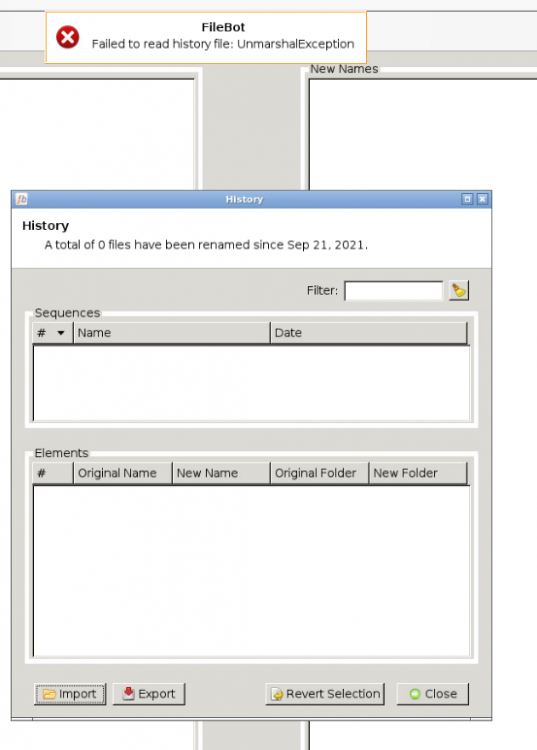
Hello, the file is there and dates from today, but when I try to load it, I get the message.
-
Hello, My container works fine to rename my files, but I have no history. is there a way to have it? it's sometimes usefull. thanks
-
Hello, trying to install photoprism but I don't realy understand where I put the dbname in this . 'DBUSER:DBPASSWORD@tcp(DBIP:DBPORT)/photoprism?parseTime=true' I have no webui and I guess that's why 🙂 thanks
-
Hello, is there a way we could help to keep this plugin updated? I was looking at the github to see if I could update Exiftool but can't see anything usefull.
-
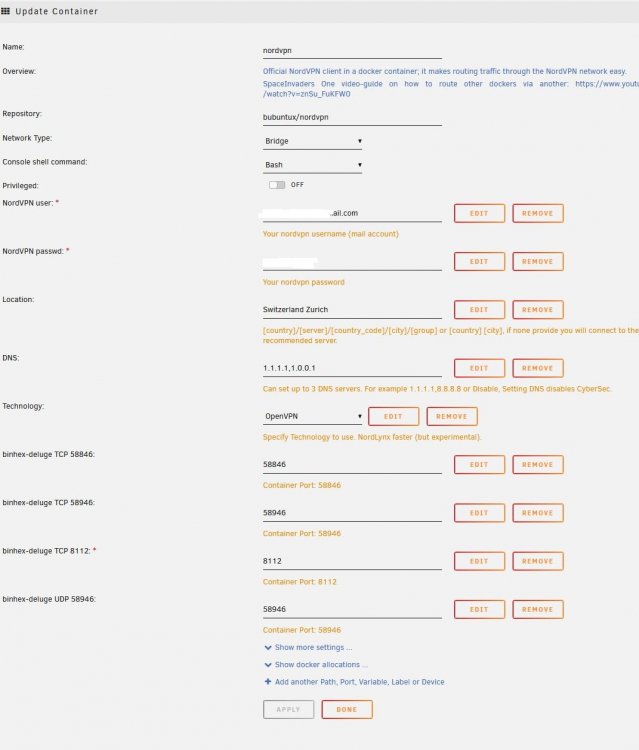
I've been looking again and again, comparing with what you have. can't find where I'm wrong also.

-
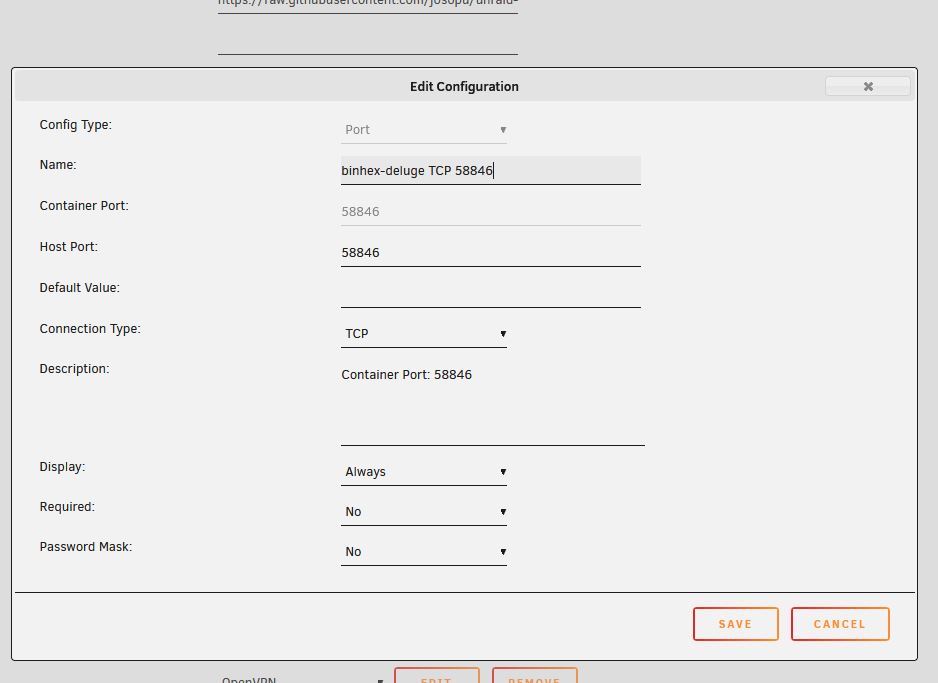
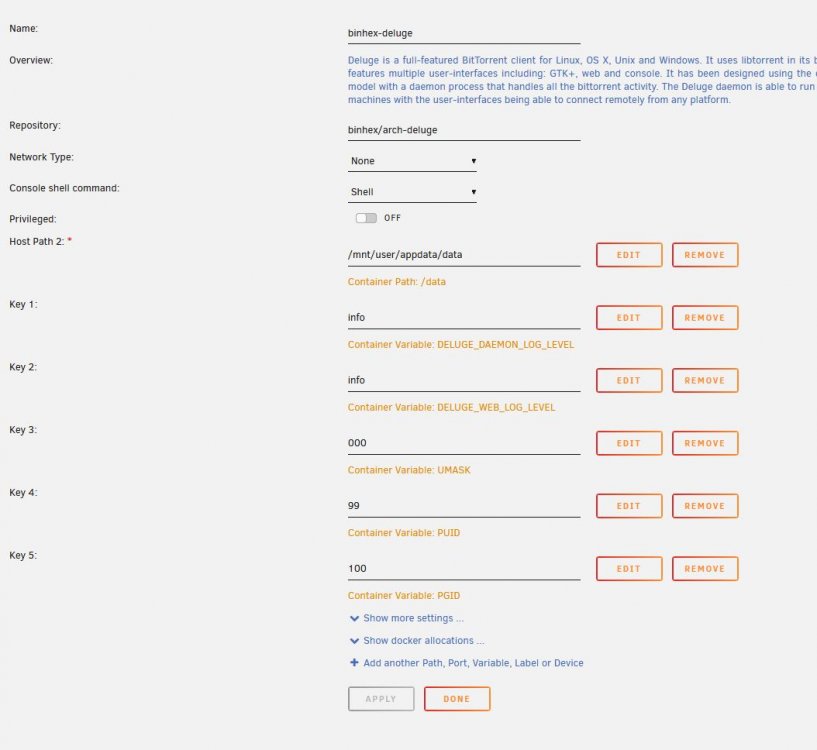
I have the same problem, can't acces GUI. ip is good on both sides, port have been moved to NordVPN (and deleted in other container) I even tried the required field in ports menu, but no luck.
-
My ISP box doesn't do loopback. that means that if I have a mydomain.com host localy, at my house, I can reach it from internet when I type in the adress, but locally, the signal doesn't go to internet and back to my server. to avoid this, I have an internal DNS so I can redirect a url to an IP. probleme is, I have a couple web site and a reverse proxy to direct incoming request to the good web server. this make me have pultiple ports and internal DNS do not support port forwarding. since wordpress doesn't support other connections then wordpress.mydomain.com, I can't localy go to wordpress.mydomain.com:8080 anyways, if I do that, I'm forwarded to my unraid admin page.... I'll try to find something alse then wordpress or make my one web site
-
so I can't update or add new articles from my house.... thats sucks 😕
-
New question 🙂 in my LAN, my wordpress adress is 192.168.1.80:8082 (yes, I just changed it for some try outs) since I configured wordpress via internet, it saved the siteurl & home as http://wordpress.domaine.com great, with this adress, over internet, no problem to access it. but since it doesn't match the local adress, how can I access it locally? or maybe you build a new docker network to have different IPs?
-
I found my problem. it's from my dns provider, something is wrong. if I point dev.domain.com to my wordpress, it works through internet. thanks for the help
-
internal DNS to point wordpress.domain.com to 192.168.1.80 it allows me to always use the full web adress and not the IP. I do this for all my apps. if I delete both folder, localy, I can reach WP (after creation a new db) via 192.168.1.80:8080 but if I use a computer on internet, I can't reach anything from wordpress.domain.com... blank page if I try from wordpress.domain.com:8080 from my local computer, it works. NPM conf is ok since I can access Guacamole and Tautulli without issue on other sudomains. something is wrong on WP part, but I can't understand what
-
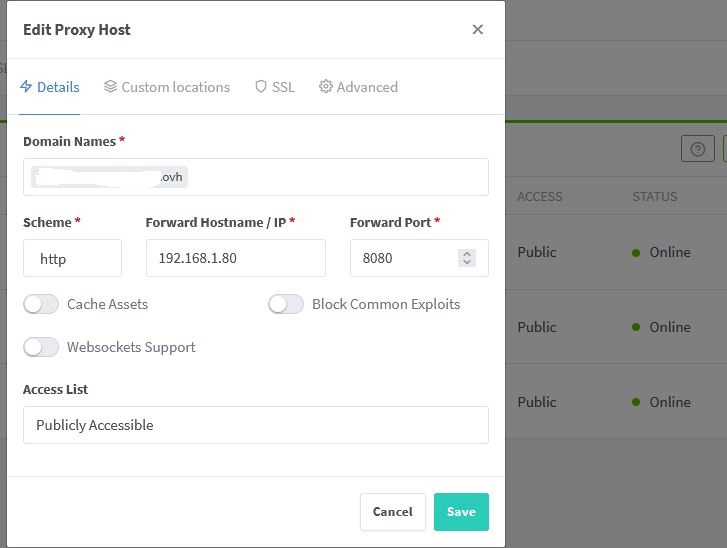
redirection to internal IP. it works for another apps so it should be the good methode. on my lan, if I type wordpress.mydomain.com:8080 I go to my wordpress if I try wordpress.domain.com via internet(other computer, other network, other building) I get a blank page
-
Hello, swag is nginx, but no prob, I just tried with NPM. domain works, connections from outside to my apps work (subdomains and domain) wordpress works with wordpress.mydomain.com in local (not via internet) deleted Mariadb and wordpress to redo install using wordpress.mydomain.com (local because not reachable via internet) I don't understand where is the problem. looks like I'm missing something special in nginx when I try wordpress.domain.com I have a blank page saying nothing found but when I look at the adress it displays https://wordpress.domain.com:8080 so it looks like nginx is working but wordpress not displaying the page....
-
a tout hazard, t'aurais pas la suite pour passer via swag ou nginx etle rendre dispo sur le web? ... j'avous je galere un peu 🙂
-
Hello, I need some help. I would like to have wordpress through internet. to do that, I'd like to use swag because I already have it working with guacamole for some access. my wordpress works without probleme localy. I've made the proxy-conf file and the DNS redirection. I guess the redirection works because when I type my subdomain adress I see https://mysudomain.domain.com:8080 but nothing is accessible. it doesn't reach wordpress. wordpress conf seems ok and here is my proxy-conf file: server { listen 443 ssl; listen [::]:443 ssl; server_name plexhelp.*; include /config/nginx/ssl.conf; client_max_body_size 0; # enable for ldap auth, fill in ldap details in ldap.conf #include /config/nginx/ldap.conf; # enable for Authelia #include /config/nginx/authelia-server.conf; location / { # enable the next two lines for http auth #auth_basic "Restricted"; #auth_basic_user_file /config/nginx/.htpasswd; # enable the next two lines for ldap auth #auth_request /auth; #error_page 401 =200 /ldaplogin; # enable for Authelia #include /config/nginx/authelia-location.conf; include /config/nginx/proxy.conf; include /config/nginx/resolver.conf; set $upstream_app WordPress; set $upstream_port 8080; set $upstream_proto http; proxy_pass $upstream_proto://$upstream_app:$upstream_port; proxy_buffering off; } }

-
Hello, I have set secure connection to 1 but when done, can't connect through guacamole. is it because of it's passing over SSL? I want to add a password also, but without the secure connection, it doesn't help much. how do you guys deal with security?
-
if ever, I had a similar issue, it was the case backplane dropping the HDD. removed it and plugged the disks directly to HBA and no more errors.
-
I have some suggestions for System AutoFan upgrade. - If I understand well, it's only for HDD temperature. I would like to be able select other sensor as I have some fans for motherboard temp or CPU temp. - if multiple sensor selection exist, having a option to run the fan if any of the sensors temp threshold is reached - rename the pwm1-2-3 or add a description to the selection. I have to open my case every time to check wich one it is 🙂 - I can exclude drives.... include could be easier in some case... both would be perfect thanks
-
same issue for me. manual spin down ok, but not in automatic


