






HHUBS
Members
-
Joined
Everything posted by HHUBS
-
Hey @JorgeB I think I found the culprit. I think its rclone. See my comment here
-
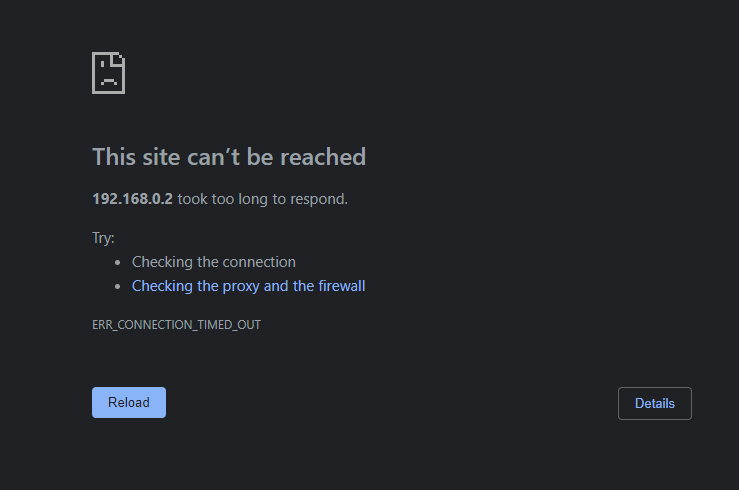
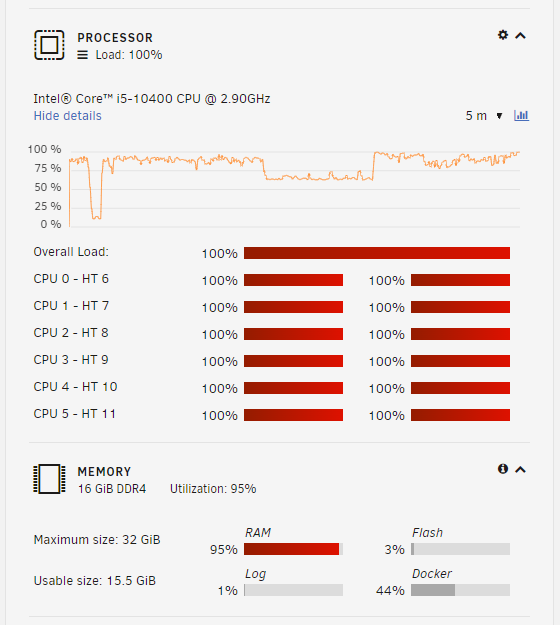
I use rclone with Google Drive to sync my files but I transferred to OneDrive for Business (my account for work). It's the same config and settings but when it start to sync (on schedule), my CPU usage is 100% and RAM is about 94-96%. I've been monitoring this for the past days and I turned the sync schedule off and the server is stable for 4 straight days. Why is it eating my RAM and CPU? The sync script. It run's every 01:00. #!/bin/bash #Google Drive #rclone sync /mnt/user/Media/Videos /mnt/disks/"Google Drive"/Videos --exclude *.ini #rclone sync /mnt/user/Pictures/Album /mnt/disks/"Google Drive"/Pictures --exclude *.ini #rclone sync /mnt/user/Backup /mnt/disks/"Google Drive"/Backup --exclude *.ini #rclone sync /mnt/user/Documents /mnt/disks/"Google Drive"/Documents --exclude *.ini #OneDrive rclone sync /mnt/user/Media/Videos /mnt/disks/OneDrive/Backup/Videos --exclude *.ini rclone sync /mnt/user/Pictures/Album /mnt/disks/OneDrive/Backup/Pictures --exclude *.ini rclone sync /mnt/user/Backup /mnt/disks/OneDrive/Backup/Backup --exclude *.ini rclone sync /mnt/user/Documents /mnt/disks/OneDrive/Backup/Documents --exclude *.ini I will turn on the sync again today and update you if my CPU and RAM will get 100% later at 01:00 UPDATE: @1:30 Now I can't access the dashboard anymore. How can I prevent this?
-
When I reboot normally, the server is working fine. I think it's running at 10-20% CPU usage. But after sometime, it goes to 100% and RAM usage 95% usage. There is no definite time on when it will be 100%. Sometimes, it goes to 100% after I reboot 10 hours later, some after 2 days, sometime after 5 days.
-
I don't know but as per Google, it is a Python Web Server Gateway Interface HTTP server. The user is my wife but can you check what services it is using? She has home assistant, nextcloud, floccus bookmarks, vaultwarden, jellyfin, jellyseer, authentik
-
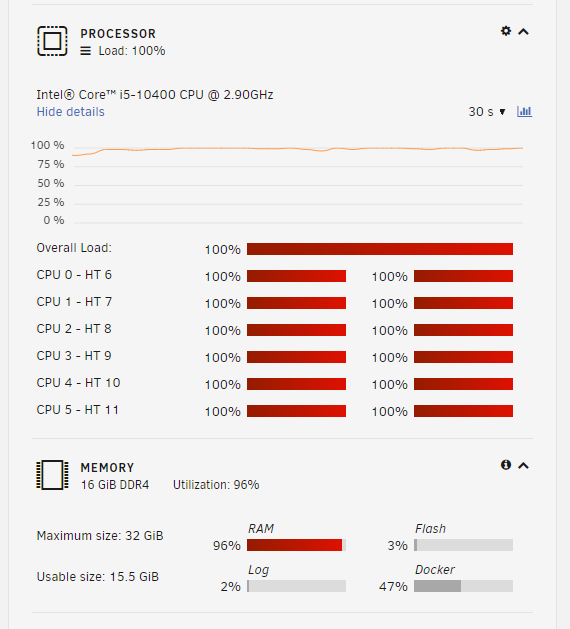
Hello, can you help me to find the culprit on why it is 100% cpu usage and high memory usage please? I've attached the diagnostics for your checking. rapnas-diagnostics-20230307-0907.zip
-
Tried this but it's not working in the Nextcloud memories app (video transcoding).
-
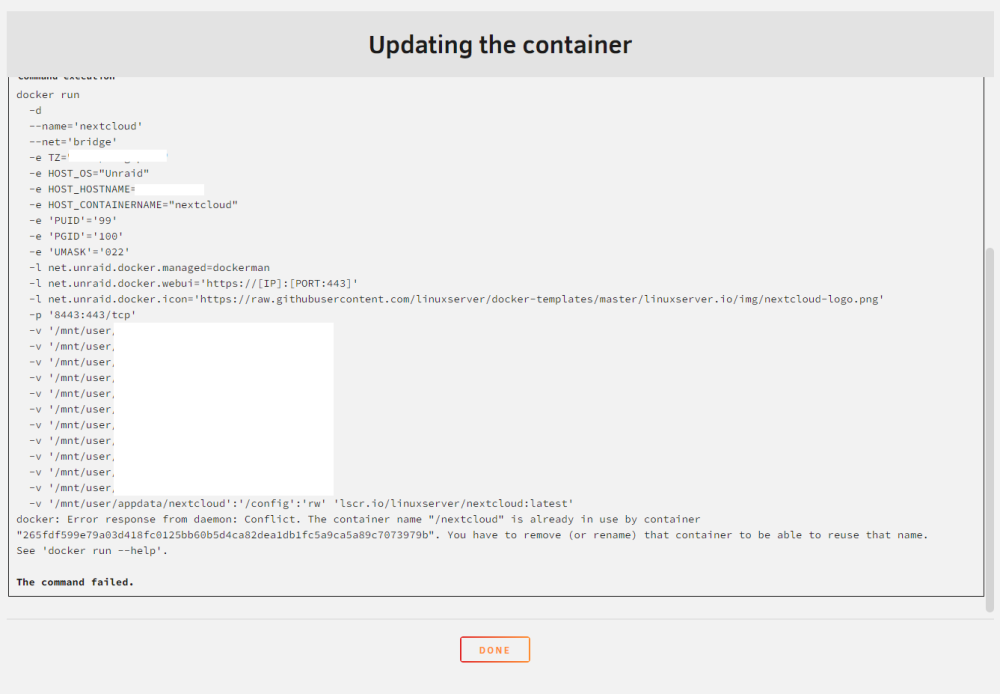
I updated to 25.0.3 via occ and it's been running smoothly for ~1 week. Then I got this: I can't stop nor restart the container. So I tried to "force upgrade" just to see what it output and I got this: Tried "docker ps" but the docker ID is only 12 characters, not that long like in the picture. Then I tried to downgrade to 25.0.2 and it works fine again. But after an hour, the container is unreachable and I get the execution error again. What to do?

-
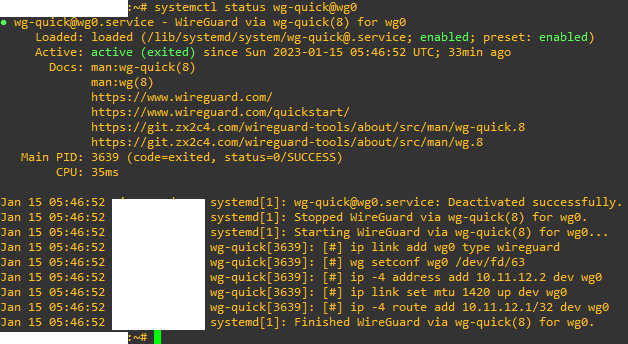
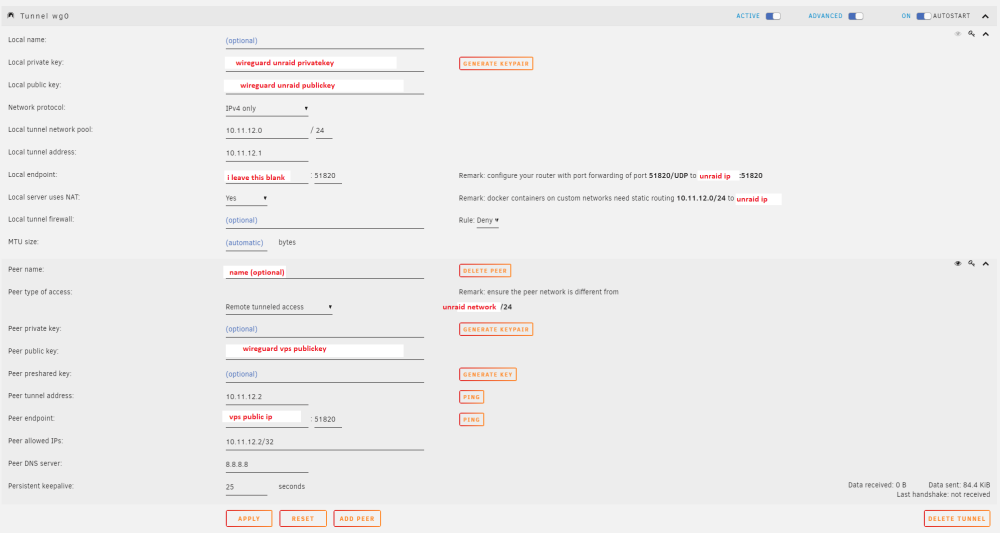
Hello there, I can't figure this out. I'm behind ISP CGNAT and I can't port forward. I can access my unraid server using cloudflared argo tunnel and tailscale but I want more control and go self host with tunneling. So I want to access unraid and the docker containers using wireguard and a vps. I followed this https://github.com/mochman/Bypass_CGNAT/wiki/Digital-Ocean-(Manual-Installation) and this one https://www.youtube.com/watch?v=9tDeh9mutmI and this guide https://stanislas.blog/2019/01/how-to-setup-vpn-server-wireguard-nat-ipv6/ but I can't even ping the local tunnel address. Below is my setup: Wireguard on VPS Provider: Digital Ocean Plan: Lowest plan $4/month (just trying it out) Server: Ubuntu 22.10 x64 Contents of /etc/wireguard/wg0.conf [Interface] PrivateKey = Wireguard on VPS PrivateKey ListenPort = 51820 Address = 10.11.12.2 [Peer] PublicKey = Wireguard on unraid PublicKey AllowedIPs = 10.11.12.1/32 Contents of /etc/sysctl.conf ... net.ipv4.ip_forward=1 ... systemctl status wg-quick@wg0 Wireguard on Unraid Version: 6.11.5 What did I miss?
-
Thanks. It's now working again. I wonder what's wrong with the latest tag.
-
Glances now not working and I don't know what causes it. I just notice it today. My unraid version is 6.11.1. I already tried to re-install it but no avail. Logs: Traceback (most recent call last): File "/usr/lib/python3.10/site-packages/docker/api/client.py", line 268, in _raise_for_status response.raise_for_status() File "/usr/lib/python3.10/site-packages/requests/models.py", line 1021, in raise_for_status raise HTTPError(http_error_msg, response=self) requests.exceptions.HTTPError: 404 Client Error: Not Found for url: http+docker://localhost/v1.41/images/3fd7bf47c2dfaa2ab5204fdc731d0186007be0807590fe91efb267bd19212f1c/json The above exception was the direct cause of the following exception: Traceback (most recent call last): File "/usr/lib/python3.10/runpy.py", line 196, in _run_module_as_main return _run_code(code, main_globals, None, File "/usr/lib/python3.10/runpy.py", line 86, in _run_code exec(code, run_globals) File "/usr/lib/python3.10/site-packages/glances/__main__.py", line 19, in <module> glances.main() File "/usr/lib/python3.10/site-packages/glances/__init__.py", line 179, in main start(config=core.get_config(), args=core.get_args()) File "/usr/lib/python3.10/site-packages/glances/__init__.py", line 108, in start mode = GlancesMode(config=config, args=args) File "/usr/lib/python3.10/site-packages/glances/webserver.py", line 31, in __init__ self.stats.update() File "/usr/lib/python3.10/site-packages/glances/stats.py", line 216, in update self._plugins[p].update() File "/usr/lib/python3.10/site-packages/glances/plugins/glances_plugin.py", line 1114, in wrapper ret = fct(self, *args, **kw) File "/usr/lib/python3.10/site-packages/glances/plugins/glances_plugin.py", line 1131, in wrapper ret = fct(*args, **kw) File "/usr/lib/python3.10/site-packages/glances/plugins/glances_docker.py", line 255, in update container_stats['Image'] = container.image.tags File "/usr/lib/python3.10/site-packages/docker/models/containers.py", line 40, in image return self.client.images.get(image_id.split(':')[1]) File "/usr/lib/python3.10/site-packages/docker/models/images.py", line 335, in get return self.prepare_model(self.client.api.inspect_image(name)) File "/usr/lib/python3.10/site-packages/docker/utils/decorators.py", line 19, in wrapped return f(self, resource_id, *args, **kwargs) File "/usr/lib/python3.10/site-packages/docker/api/image.py", line 251, in inspect_image return self._result( File "/usr/lib/python3.10/site-packages/docker/api/client.py", line 274, in _result self._raise_for_status(response) File "/usr/lib/python3.10/site-packages/docker/api/client.py", line 270, in _raise_for_status raise create_api_error_from_http_exception(e) from e File "/usr/lib/python3.10/site-packages/docker/errors.py", line 39, in create_api_error_from_http_exception raise cls(e, response=response, explanation=explanation) from e docker.errors.ImageNotFound: 404 Client Error for http+docker://localhost/v1.41/images/3fd7bf47c2dfaa2ab5204fdc731d0186007be0807590fe91efb267bd19212f1c/json: Not Found ("no such image: 3fd7bf47c2dfaa2ab5204fdc731d0186007be0807590fe91efb267bd19212f1c: No such image: sha256:3fd7bf47c2dfaa2ab5204fdc731d0186007be0807590fe91efb267bd19212f1c")
-
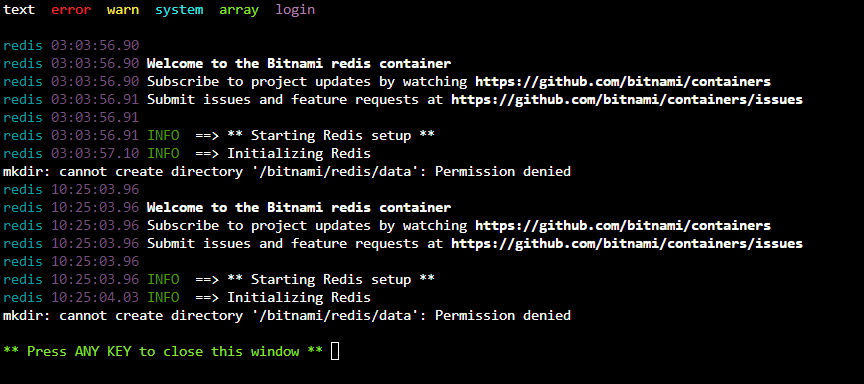
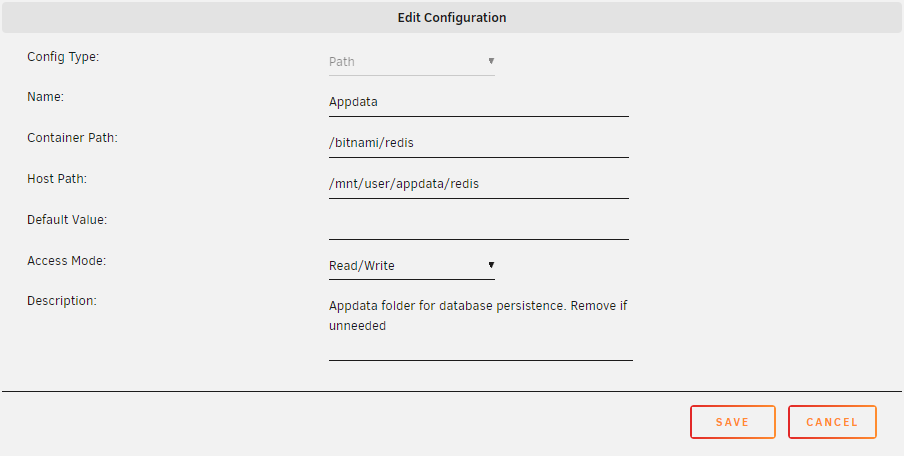
Got an error today with redis. The permission is read/write.
-
I'm really struggling with this. So I have a working home assistant OS setup using VM and it allows me to define and add virtual interface so that it can connect to other vlan. But I'm planning to transfer HA OS to a docker to minimize hardware resources. My setup: HA docker - 192.168.0.x:8123 Frigate docker - 192.168.7.x:5000 Problem: I can't interconnect frigate because this is on a different network than HA docker and I can't add another virtual interface on HA docker to talk to frigate. How should I setup this correctly? Hope you can help me. Thank you.
-
@ich777 Just want to ask why the extensions are gone after every restart of container? Is there a way to not remove it? Thanks.
-
Thanks. That's the trick. 😃
-
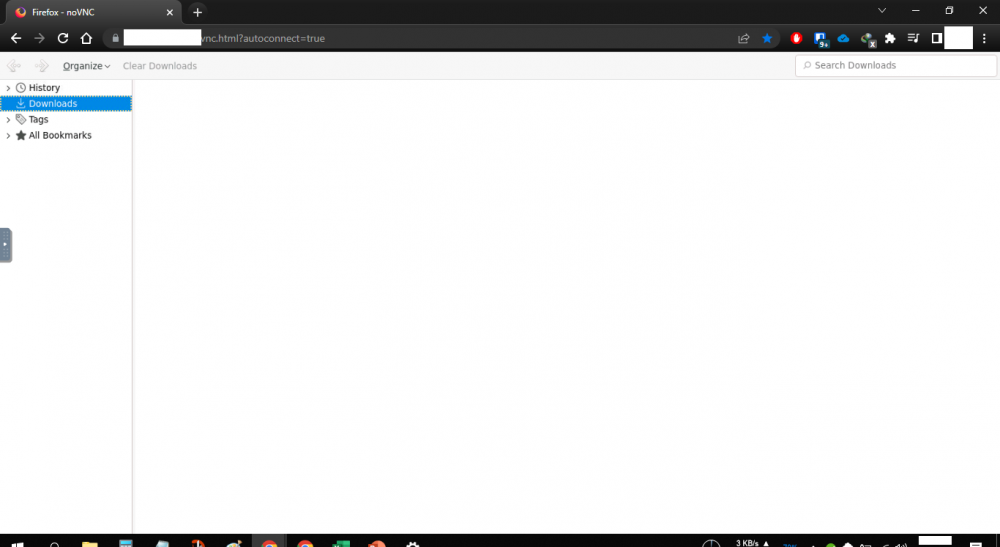
I tried all of that but there's no sign of close or x button. BTW, below is the remote resize. Can you show me your window in Downloads folder? Maybe it's just my laptop's resolution?
-
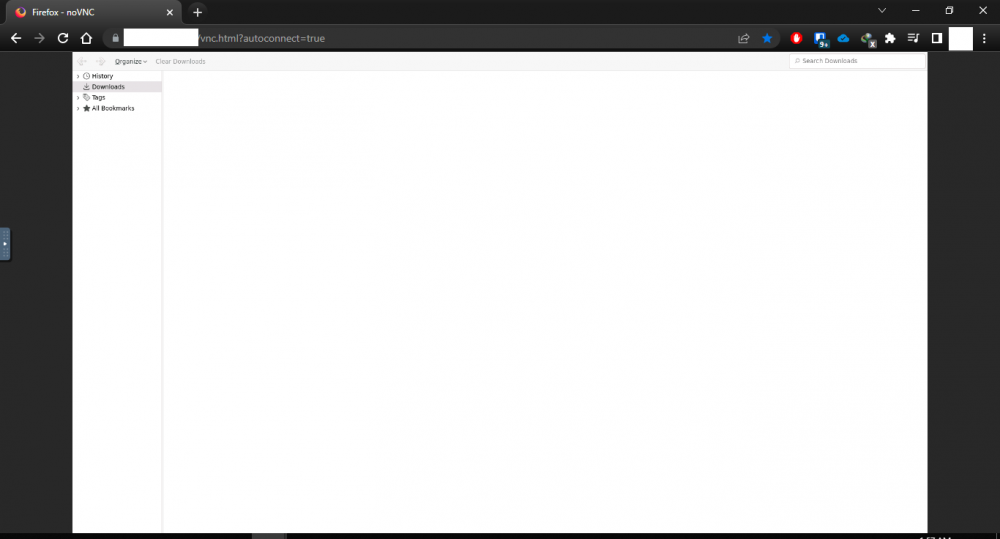
Hi @ich777 can you me on firefox? Everytime I go to downloads or bookmarks manager or similar I can't get out of the window. There's no close button or "x". I always restart the container to get out which is not practical. See image below. I tried resizing and different resolution but no avail.
-
Thanks for this. I have 3 questions for this. 1. Can this be use PostgreSQL instead of MariaDB? I hear that PostgreSQL can improve performance. Is that true? 2. How can I access mariaDB using admirer? 3. I can't login on the desktop client but web is working. It says 403 forbidden. I have 2FA and OAuth2 enabled. Can you help? Thanks.
-
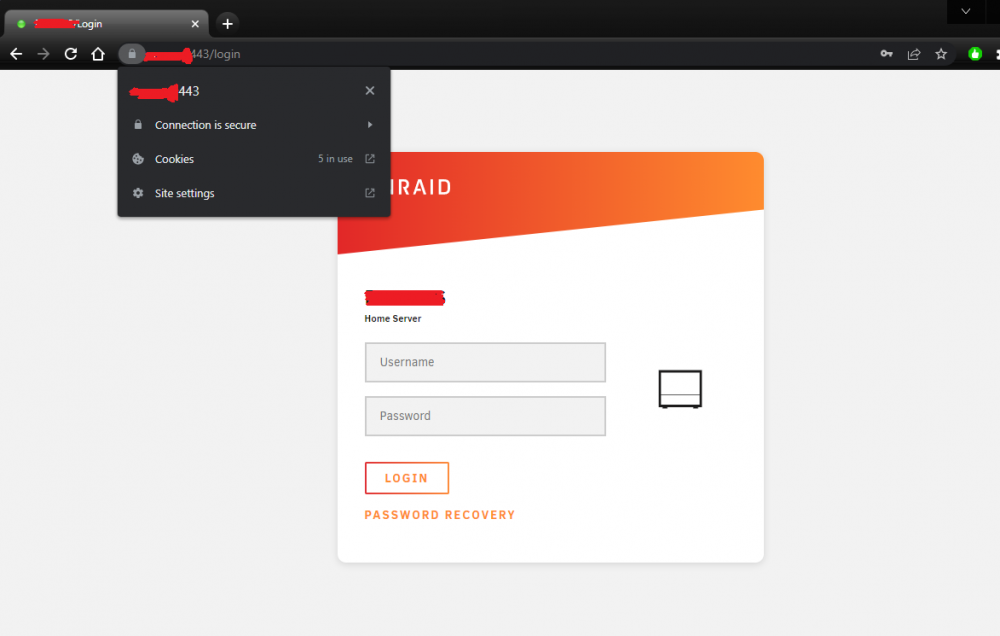
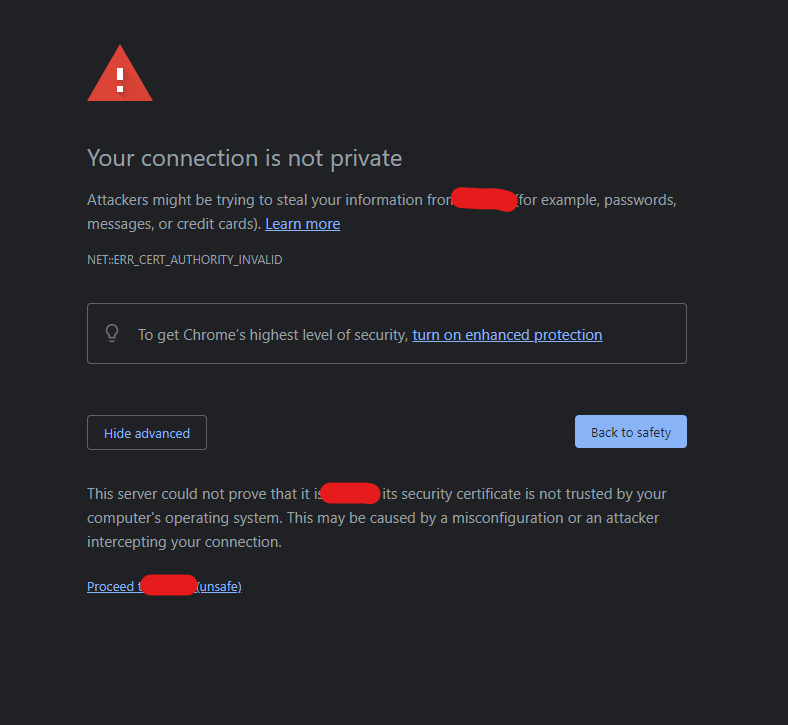
Thanks but no need. I just follow this https://betterprogramming.pub/how-to-create-trusted-ssl-certificates-for-your-local-development-13fd5aad29c6 and I finally got my lock key in local domain. No more invalid certificate warning.
-
I got this error after I clicked "Provision" [edit: removed image saying "Your router or DNS server has DNS rebinding protection enabled, preventing hash.unraid.net from resolving to 192.168.0.2. See help for more details and workarounds]
-
It's 6.9.2 unraid-diagnostics-20220416-0151.zip
-
Yes it is set to "Yes"
-
Hello @Squid thank you but the Provision button is greyed out. How do I click this?

-
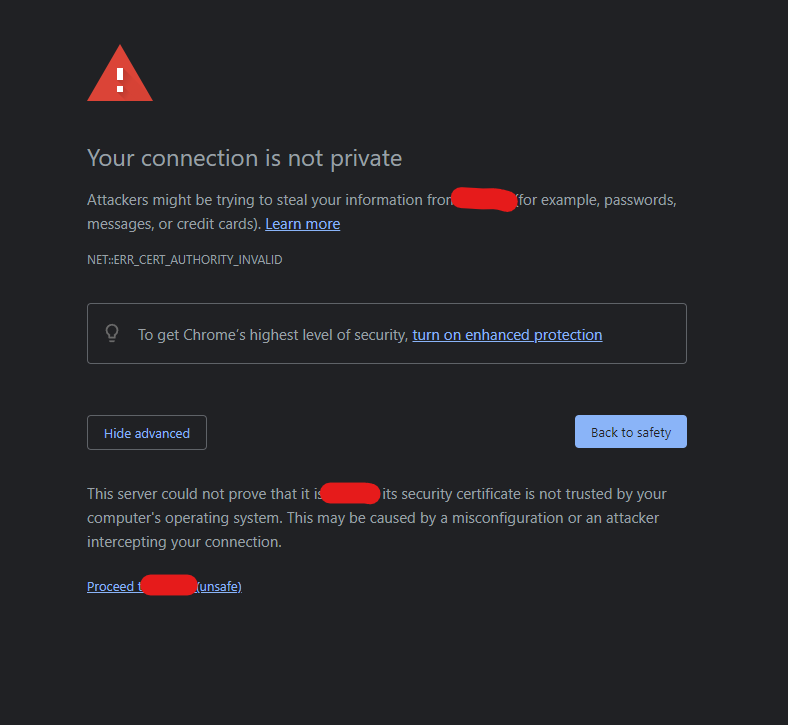
Hello, how can I install my own certificate to remove this (see pic below) when I access it on my local network? Thanks everyone.
-
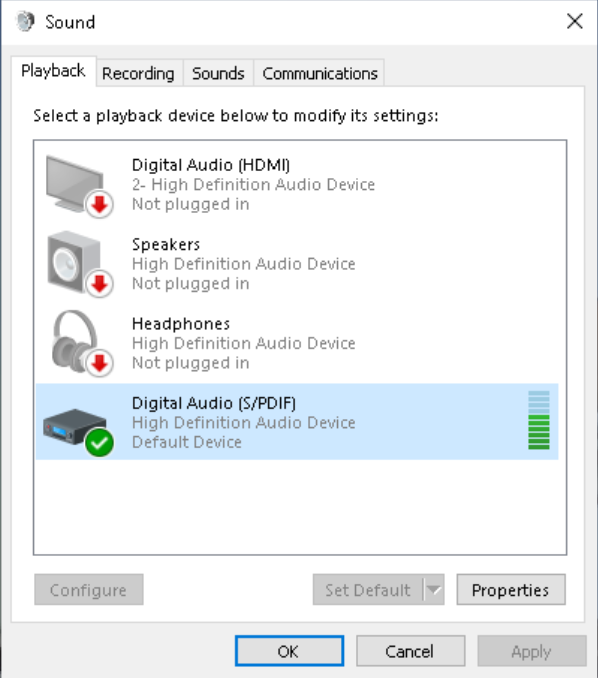
Anyone can help me please? I follow the instructions. When I play the video, it has the sound like in the image below BUT I can't hear anything? What's wrong?
-
Hello, I have pgsql install before. I have removed it and start new. I also cleaned up the appdata of it. But I get this error(below pic) for the new installation and I can't start the app. I go to directory /var/lib/ but there is no postgresql directory on it. Where can I find it? How to fix this?





