HHUBS
Members
-
Joined
Everything posted by HHUBS
-
Wow. Thanks. That's the trick. 👍
-
Hey @PSYCHOPATHiO I tried this but still cannot move or delete a file.

-
Hello, is it possible to reinstall or restart everything from scratch and install unraid? I have Basic OS license, can I use it again? How about the flashdrive I'm using right now? Do I need to replace it?
-
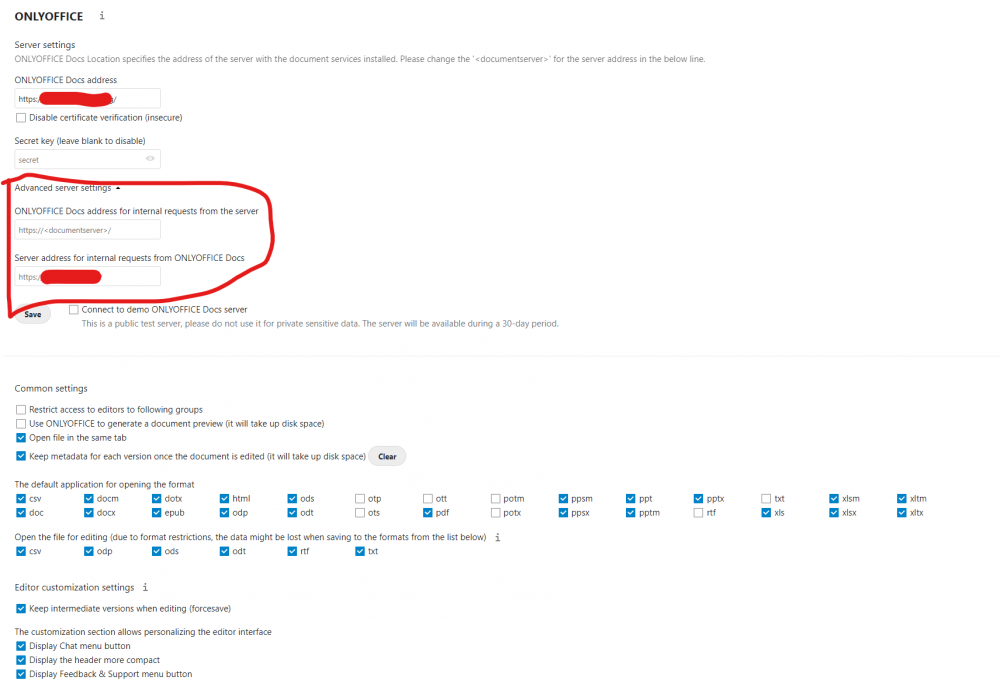
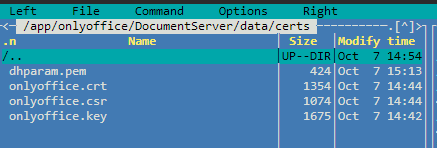
Thanks. I follow the guide and I successfully integrated ONLYOFFICE with my Nextcloud. However, I can only access ONLYOFFICE in http locally. How can I access it in https locally? Because I want to use it on internal request: This is the files that I followed on the guide. Did I miss something?
-
Where should I get these? I'm just using free cloudflare free ssl and when I check on it, I only have the .pem file, not the .cert file. Sorry I'm not as technical as you are. 😔
-
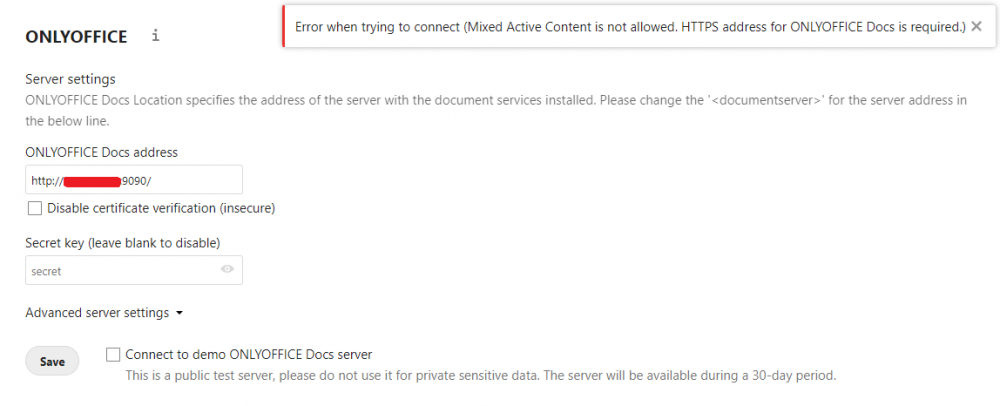
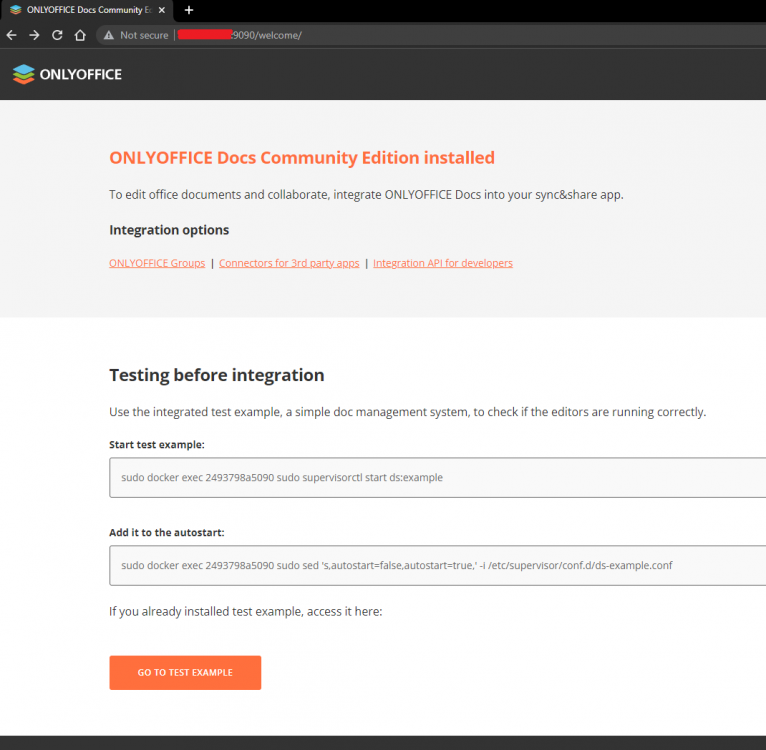
I installed the ONLYOFFICE Document Server. I can access it with http on local but I can't access it using https on port 4430. I want to add this on nextcloud and it doesn't let me add using http on the nextcloud settings. Also tried to check "Disable certificate verification" but no avail.
-
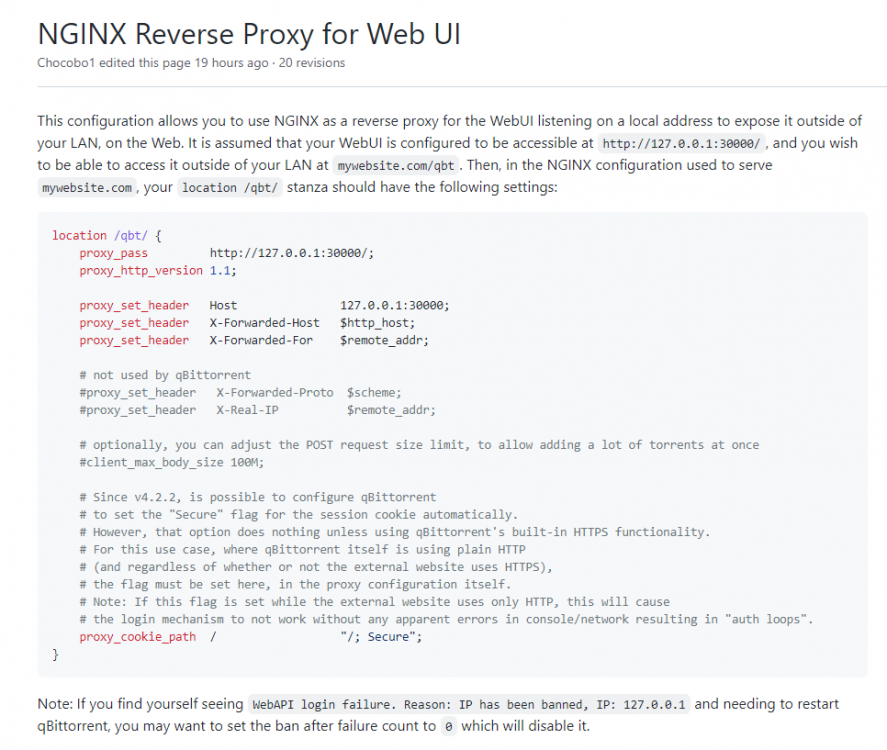
Hello everyone, I'm using NGINX and cloudflared running argo tunnel. It says, to use to on reverse proxy you need to implement the below code My question is, how can I use this if my domain for this is torrent.mywebsite.com? I'm not export on this code stuff though.
-
Hi @ich777, thanks. It worked! 👍
-
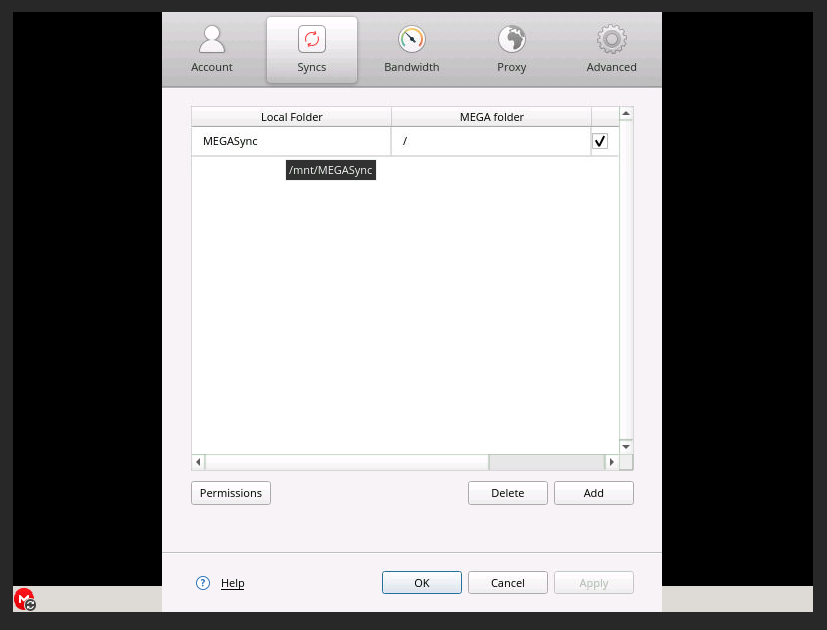
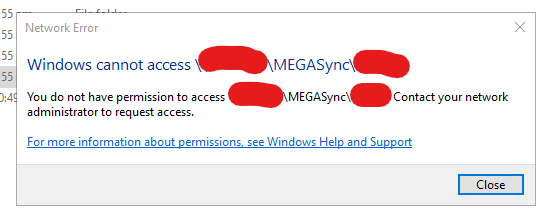
Followed your guide but still can't access the share. (I have right permission on the unraid share). Here's the volume mapping: Here's the MEGA settings: Here's the unraid share: What could be wrong? Did I missed something?

-
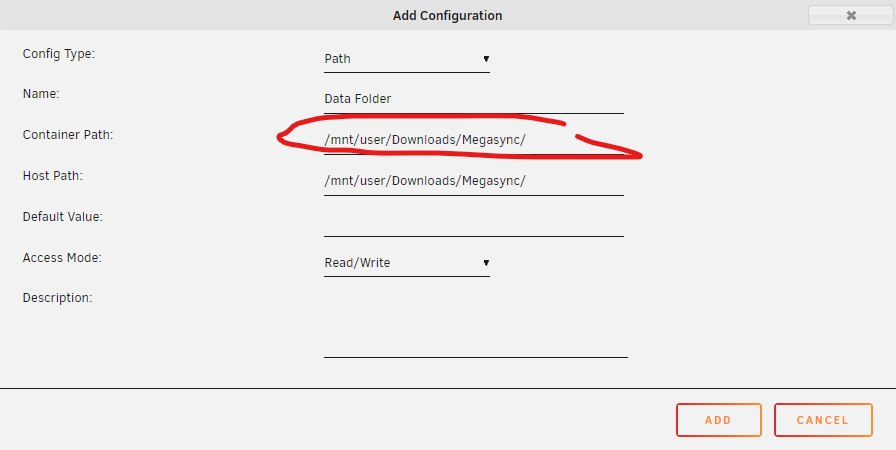
Hi @ich777, Thanks for the MEGA container. Can you help me with the configuration? The note says I need to create another entry if I want to sync from and to MEGA. How can I do this? This is my entry I entered it that way because if I didn't do that, I can't locate the local folder on the sync settings on MEGA. However, I cannot access it on my unraid share. It says I don't have access. I tried to set permissions on MEGA but no avail.
-
Hello, this may sound stupid but I want to sync 2 folder on unraid. Are there any dockers/apps/plugins that can do this? I tried luckyBackup of ich777 but there is no actual 2 way sync settings. Only cron jobs.
-
I tried rclone + google drive but I don't know how to backup my shares. I will try Duplicacy but there are reports that it is slow. Is that true?
-
Already did that earlier and got a refuse connection error that's why I changed to "br0". Now I tried again and this time it's working. Hehe. Thank you @ich777
-
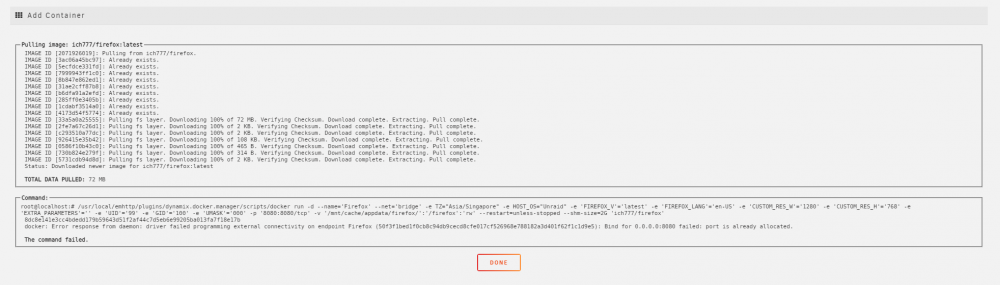
Hi @ich777 I tried to install Firefox but is says "The command failed" port 8080 is allocated. I have krusader currently installed which uses port 8080. Tried to change the "Network type" to "Custome: br0" and I can already see the firefox browser on a different IP. Is it possible to make it the same IP as my other docker containers? Also, how can I change the Downloads folder to one of my SMB share? Thank you so much.
-
I have successfully setup rclone with google drive. It syncs when I "copy" a file from my pc to google drive local mount and vice versa. However, if I edit a file, for example a text file within the google drive local mount, I cannot edit it. After you save the changes of a text file, it will return to the original file and your changes will not reflect. If possible, how can I edit a file within the google drive mount? Thank you.
-
It's true that I'm wrong referring to this docker vs plugin. You must understand that not everyone is techy as you right now. I'm a newbie on unraid and still learning. The screenshot I posted is what I'm referring to. So if I called it today a "plugin", I will call it tomorrow a "docker". Whether I call it a plugin or docker, it's on me and not on you. Glad I install @ich777 Krusader 🥰
-
Thanks @ich777 I got it working. Hello @binhex I don't think I'm on the wrong support thread. It's true that I'm setting up rclone and following up the steps of @SpaceInvaderOne but as I said, he mention this app/plugin/docker and if you watch the tutorial video, the image I attached earlier is different from the YT video so I asked here. If I'm on the wrong support thread, should I ask on the rclone thread when my concern is on this app/plugin/docker? 😀
-
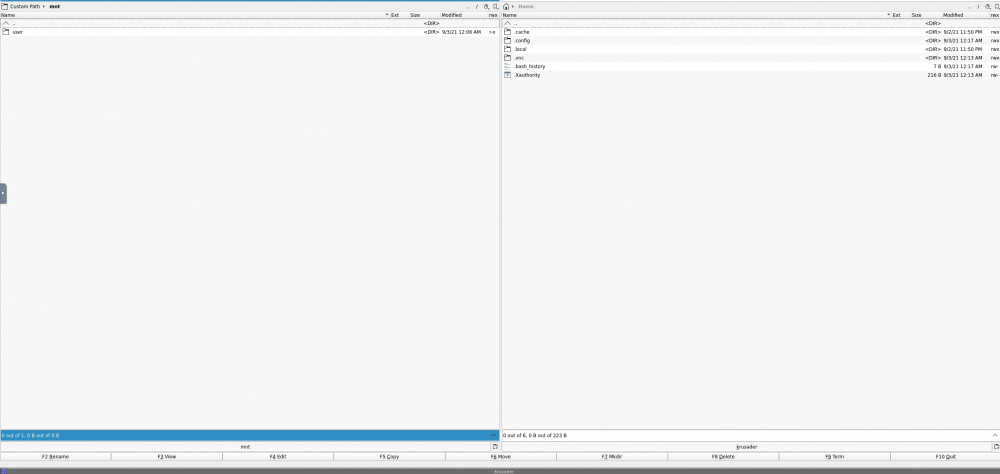
Hello, Watched spaceinvader rclone video and mention this plugin. Why I don't see the other folders in /mnt/ ? Thank you.
-
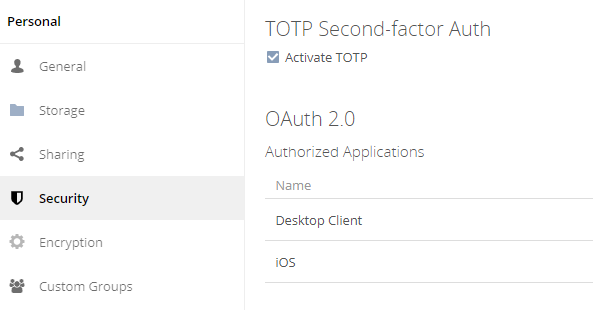
I'm trying to setup 2FA on owncloud. I already install the app on the market but when I activate the 2FA, it does not do anything. No QR code is showing. Any idea? Thank you.
-
I tried Nextcloud. The sync is ok but not realtime. For example, I copy an image from my pc to my nextcloud client app. When I check on the server, it does not "auto upload". I need to hit the refresh button on the browser to show what I uploaded. I checked the "Background jobs" on the settings and it was set to CRON jobs which I saw that it will run every 5 mins. Would it be possible when I uploaded something, it will instantly( or not to hit the refresh button) upload on the server? It goes well with the mobile app. I'm using iPhone and the settings are all ok. It needs to open the app every time I uploaded something.
-
Try my solution below: This is my error before: error "2021-08-28T15:42:54Z ERR error="Unable to reach the origin service. The service may be down or it may not be responding to traffic from cloudflared: x509: certificate is not valid for any names, but wanted to match <domain>" cfRay=<cfray>-SIN originService=https://<internal ip>:18443" Then this is what I did. 1. Delete/revoke tunnel 2. Delete cloudflared 3. Delete all folders related to cloudflared 4. Delete all host & ssl certificate on NPM 5. Delete API tokens on cloudflare account (I found 2 tokens for Argo tunnel, I think that's why it was confuse on how or what the certificate to use. I think this is the trick) 6. Also delete SSL Origin Server and created a new one. Upload custom SSL to NPM. 7. Then I just follow along all the steps on the video/blog post and it worked. 🤘
-
Is there a way to map a user data folder so that I will not install the sync app on my PC?
-
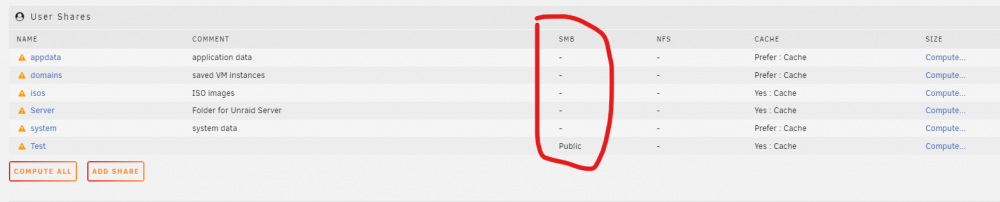
So I don't know why my folder share are not working. Previously it was working. I follow the guide here But none of them are working. Even if the folder is public, it will not show. If I create a new share, it will show up. For example this one, I created a public shared folder "Test". Then I check and it has "Public" status on the "SMB" column. The others, doesn't have any. How to fix this?
-
I tried this but it doesn't work on me. Even my share is public, it doesn't show.
-
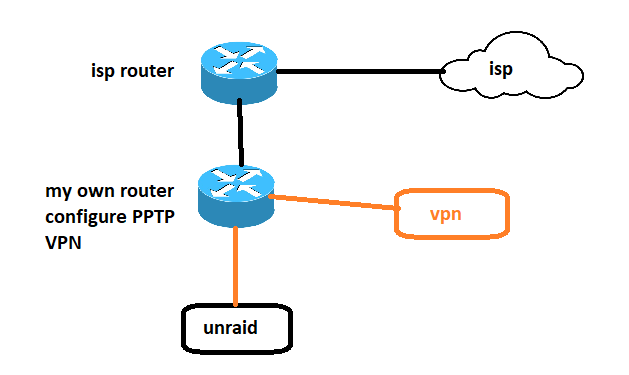
Hello, I managed to access my unraid and owncloud remotely using a VPN(with static & portforwarding feature). So here is my setup: I port forward my server and owncloud into the router with VPN then it connects to the internet using VPN. I can connect to my server and owncloud by https://<vpn static ip>:<forwarded port> I do this because my ISP does not allow me to forward ports and doesn't give me static IP. If you want static IP from the ISP then you need to pay per month where if I use a VPN, I will pay less than that of the ISP and as well enjoy the features of a secure access. I don't want https://<my isp static ip>:<forwarded port> I'm not good at security so my question is, is my setup secure? I'm also planning to use SSL and connect a domain name as well as connect to cloudflare if this setup is ok. Please advise. Thank you.