





foo_fighter
Members
-
Joined
-
Last visited
Everything posted by foo_fighter
-
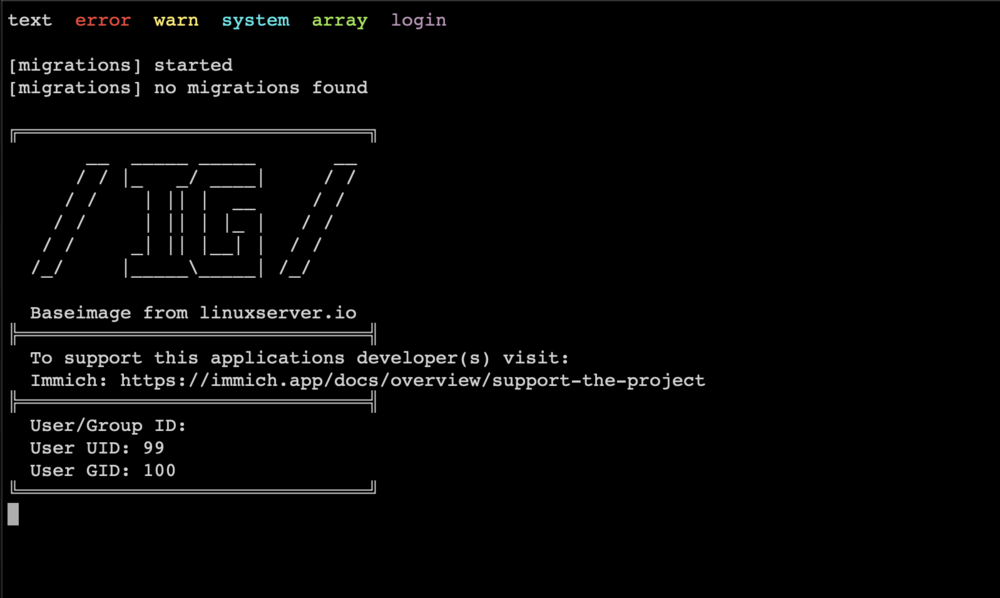
I'm having an issue where if I use :latest the docker seems to get stuck. 1.06.4 was the last version that worked: I have to switch to :noml to get it to work, but then I lose the smart search options. I've also tried openvino and it also gets stuck. I'm on an intel system. Any ideas?
-
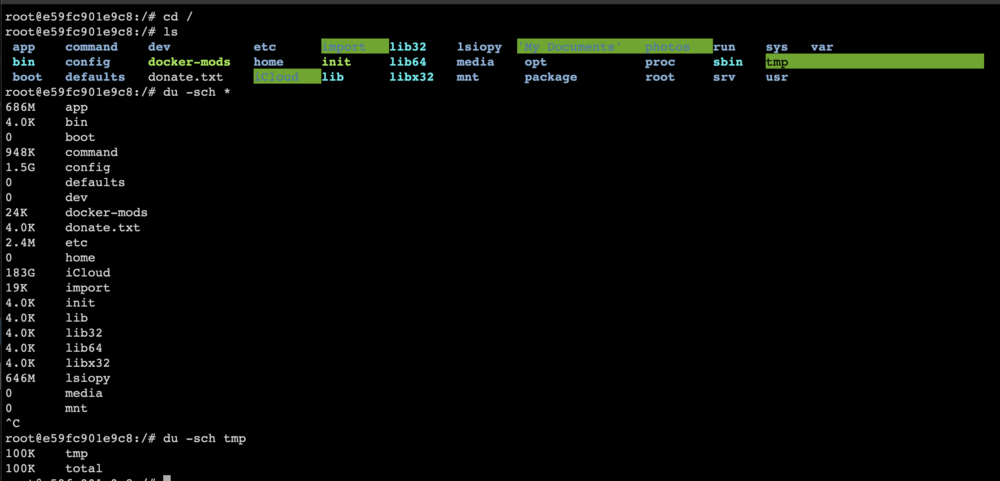
Sorry, that might be normal for /proc. I get that too....I just ctrl-C'd out of it because it was taking too long since I mapped a huge DIR into the docker. Here's the full readout for comparison. (You can ignore my mapped Dirs). I actually don't see anything egregious in your listing. root@e59fc901e9c8:/# du -sch * 686M app 4.0K bin 0 boot 948K command 1.5G config 0 defaults 0 dev 24K docker-mods 4.0K donate.txt 2.4M etc 0 home 183G iCloud 19K import 4.0K init 4.0K lib 4.0K lib32 4.0K lib64 4.0K libx32 646M lsiopy 0 media 0 mnt 1.8T My Documents 0 opt 6.0M package 198G photos du: cannot read directory 'proc/204/task/204/fdinfo': Permission denied ...[Omitted for brevity] du: cannot access 'proc/599/fdinfo/4': No such file or directory 0 proc 20K root 472K run 4.0K sbin 0 srv 0 sys 100K tmp 1.5G usr 14M var 2.2T total
-
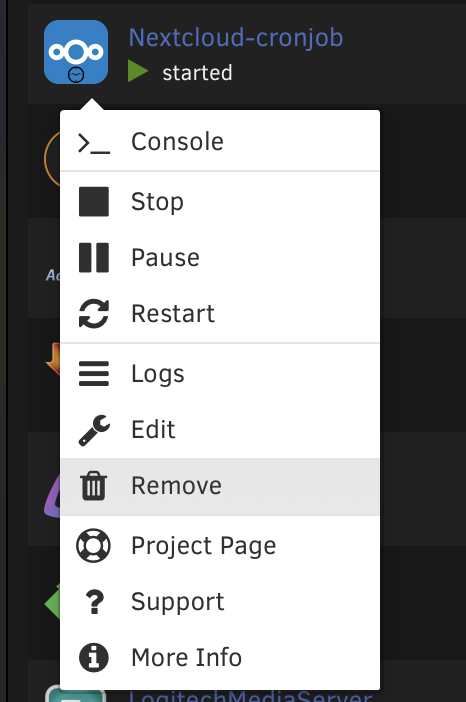
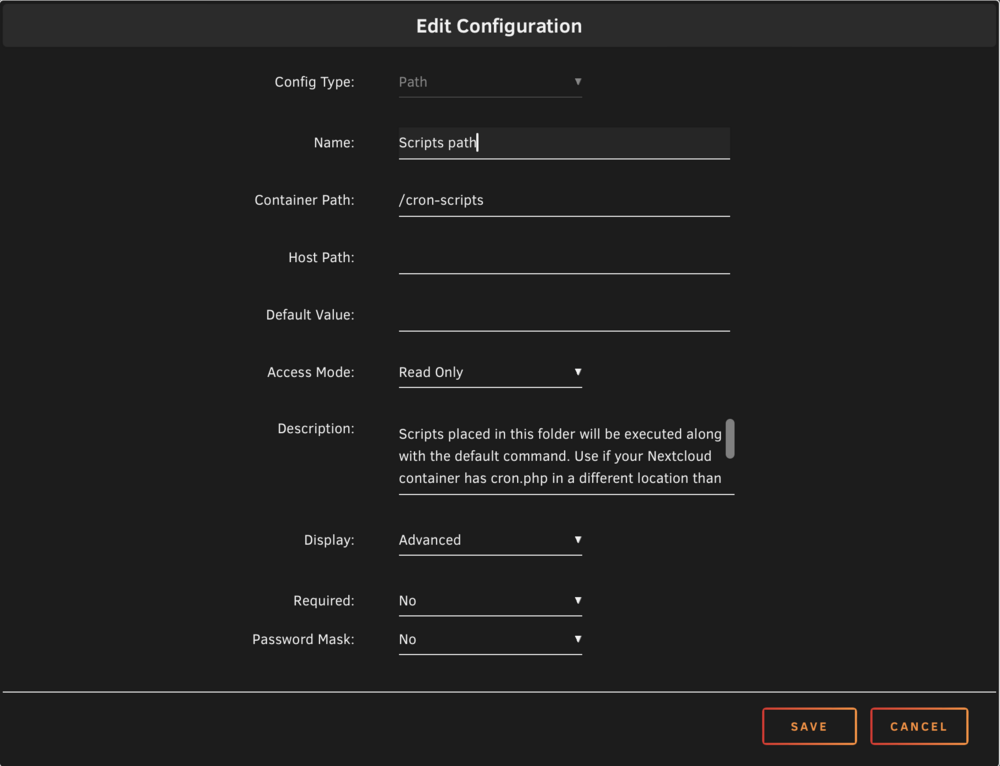
You could delete and recreate the whole Nextcloud-cronjob docker(remove): Or you can try to fix the scripts path variable. It looks like you have an empty Container path and /cron-scripts in the Host Path: You can always save a backup of your docker template just in case: root@NAS:/boot/config/plugins/dockerMan/templates-user# ls my-Nextcloud-cronjob.xml my-Nextcloud-cronjob.xml
-
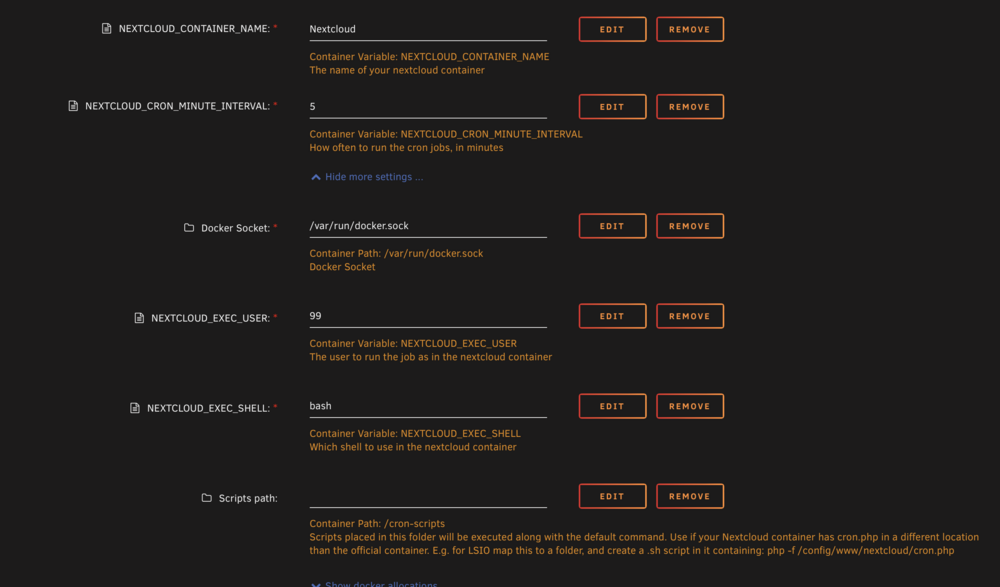
Your variables seem messed up(especially for the scripts path), you can try to delete it and re-create it. Here is my setup:
-
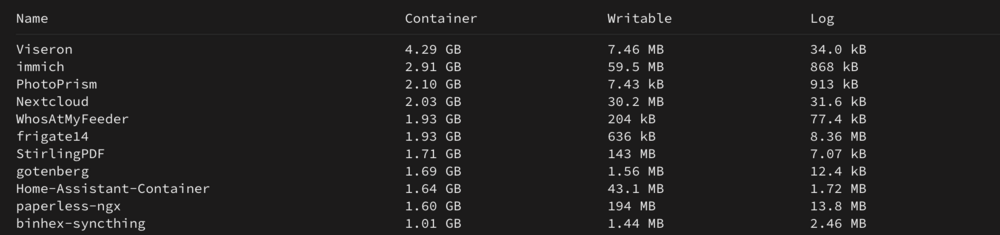
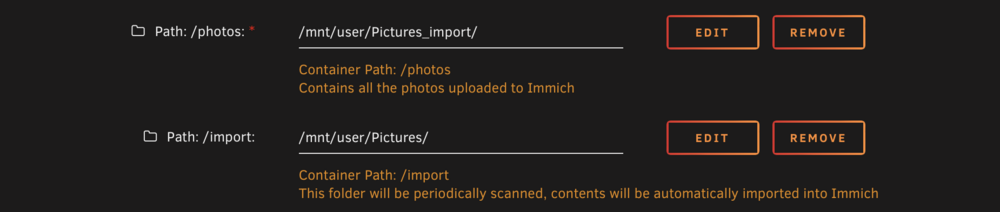
For Reference these are my sizes: I've got these paths mapped. The first one is pretty big.: One thing you can do is going into your console(docker) and find out which directories are large/growing and not mapped:
-
Just wondering if it could also be used for another indicator...Like make it RED/Flashing if something bad happens(CPU overheating, Array or disk offline, any number of things).
-
@ich777: By any chance, Is the power Button's LED controllable?
-
Mover Tuning doesn't appear to work with UnRaid V7. I had to uninstall the plugin to get mover to work again.
-
I don't have any other packages that use it, I also checked for any more recent slackware packages for mbuffer but couldn't find any. I fixed it in a very crude way until this plugin can be updated: I uninstalled the plugin and rebooted. Then I copied the default mbuffer bin to save it. I then reinstalled the plugin, which overwrote mbuffer with the incompatible one. Then I copied the saved version back over to get everything working again.
-
@steini84: Looks like mbuffer needs to be updated for UnRaid V7: root@NAS:/boot/config/plugins# find . -name '*mbuffer*' ./unRAID6-Sanoid/packages/mbuffer-20240107-x86_64-1_SBo.tgz ./unRAID6-Sanoid/packages/mbuffer-20240107-x86_64-1_SBo.tgz.md5 root@NAS:/boot/config/plugins# mbuffer -v mbuffer: error while loading shared libraries: libcrypto.so.1.1: cannot open shared object file: No such file or directory The stock version of mbuffer that comes with v7 seems to work: root@NAS:~# mbuffer --version mbuffer version R20240107 Copyright 2001-2023 - T. Maier-Komor License: GPLv3 - see file LICENSE This program comes with ABSOLUTELY NO WARRANTY!!! Donations via PayPal to [email protected] are welcome and support this work!
-
@ich777: Thank you! and thanks to the testers. I finally got this installed this evening and everything just worked.
-
Looks like they are all OCR files(I have some large failed PDFs and it seem they don't get cleaned up automatically): root@NAS:/mnt/cache/appdata/paperless-ngx# ls consume/ data/ export/ media/ tmp/ root@NAS:/mnt/cache/appdata/paperless-ngx# du -sch tmp/ 17G tmp/ 17G total root@NAS:/mnt/cache/appdata/paperless-ngx# ls tmp ocrmypdf.io.0mn2z57f/ ocrmypdf.io.u9o_dd7p/ ocrmypdf.io.zr_nbhp6/ pymp-xzebn3yo/ tmpiajjt4r5/ tmpxvp1v0hq/ ocrmypdf.io.ncd31_t8/ ocrmypdf.io.uil7jtdj/ paperless/ tmp58r7tmpw/ tmpouumc1gz/ root@NAS:/mnt/cache/appdata/paperless-ngx# du -sch tmp/* 4.3G tmp/ocrmypdf.io.0mn2z57f 6.5G tmp/ocrmypdf.io.ncd31_t8 275K tmp/ocrmypdf.io.u9o_dd7p 275K tmp/ocrmypdf.io.uil7jtdj 5.7G tmp/ocrmypdf.io.zr_nbhp6 58M tmp/paperless 1.0K tmp/pymp-xzebn3yo 1.0K tmp/tmp58r7tmpw 1.0K tmp/tmpiajjt4r5 2.0K tmp/tmpouumc1gz 1.0K tmp/tmpxvp1v0hq 17G total I don't have too much RAM so I'll probably not use /tmp. For cleanup I plan on using a user.script: #!/bin/bash /usr/bin/find /mnt/cache/appdata/paperless-ngx/tmp -type f -atime +1 -exec rm -f {} \;
-
They are also logged to /var/log/syslog...
-
Oh, you're booting from power off. Usually, I just resume from sleep so once the network is connected the array is available. You could have a file in a remote share and run curl/wget/scp etc in a loop until you can retrieve it locally. Once you can retrieve it, you know the remote share is mounted and its array is on. I also use syncthing for syncing/backups and it auto handles these types of things.
-
Sorry, one other question. Is this referring to the Kernel Mod extension specifically? Would the command line tool work in previous versions as long as the i2c module is loaded?
-
Is there a dependency that requires the beta version of Unraid or can the plugin be installed from a custom path with 6.12.10 for example?
-
A loop with sleep and ping might work.
-
Nice! I didn't realize how far along you were. I also have a 4800+ running 6.12.10
-
I would like to request a plugin for UGreen NAS Models. There is some work already done in GitHub: https://github.com/miskcoo/ugreen_dx4600_leds_controller and https://gist.github.com/Kerryliu/c380bb6b3b69be5671105fc23e19b7e8 Some Nice features would be: Programmable color for LAN Led: different colors for 100/1000/10000 connections and flashing for activity Programmable color for HDD Leds: Color of LEDs could be temperature dependent. Solid or Off for HDDS in sleep, Flashing Green for Normal, Orange for hot and Red for overheating.
-
When I rebooted the AutoFan wasn't enabled by default. I'm not sure if it was because I disabled pwm2(CPU) and only enabled pwm3(HDD Fan). I added this to my go script but won't be able to see if it works until I reboot: /usr/local/emhttp/plugins/dynamix.system.autofan/scripts/rc.autofan 'start' Also, I think there are still some bugs with AutoFan and the NVME drives that were mentioned in the dynamix thread. For now, I've set a minimum fan Speed of 92 so it doesn't turn off when all of my HDDs are in sleep. I created a thread for the LED control:
-
@Joseph Same problem. Probably /tmp in the docker is filling up. Try mapping it to a directory outside of docker.img: That will at least stop the docker.img from growing. You might need a cron job to clean it up regularly.

-
You can set a minimum fan speed so the fans don't turn off completely.
-
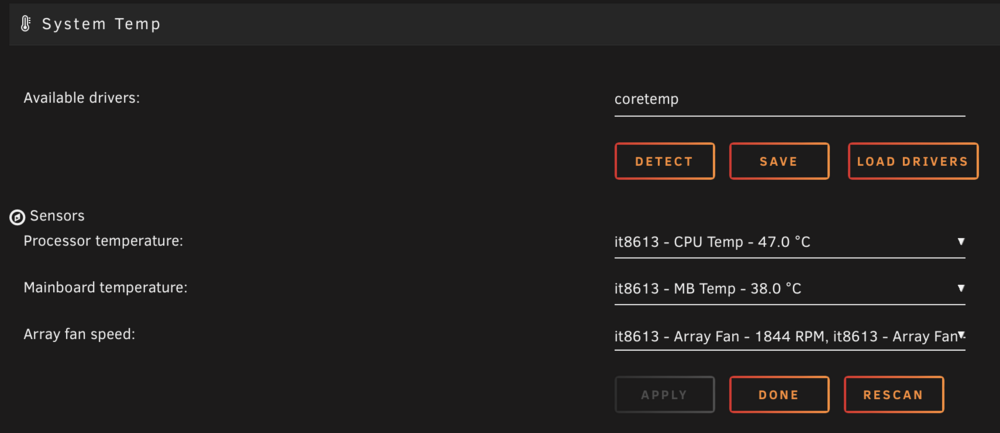
Also Fan pwm2 is the CPU fan and pwm3 is the HDD Fan. I hope someone can develop an LED plugin as well. That would be really nice.
-
Thanks, this is exactly what I did. I created a frigate14 instance and frigate14 dirs by copying from the previous dirs. Looking forward to when this becomes stable. One other quick Q: In V13, there was a diagnostic view that displayed XGB/Hr from each camera. I don't see this in V14, will it return eventually? It was useful to dial in some settings when some Cams were 2GB/hr and some 1GB/hr.
-
Is there a dev alias for beta releases or is the only way to point to the 14.X branch with a specific release like? ghcr.io/blakeblackshear/frigate:0.14.0-beta2 Currently, I'm using ghcr.io/blakeblackshear/frigate:stable Would maybe like to try the new UI.






