





Vetteman
Members
-
Joined
-
Last visited
Everything posted by Vetteman
-
Thanks kindly but what was recommended did not work. When I run the following command on my Unraid terminal ls /dev/serial/by-id I get no such file or directory
-
I could not find a Docker thread on our Unraid forum.
-
When I run the following command on my Unraid terminal ls /dev/serial/by-id I get no such file or directory Also ls dev gives me a list of folders by there is NO folder named serial. I too would like to be able to access my dvd writer from WindowsinDocker I also have a vm of Windows 11 and it can access the same dvd writer fine, But on my Unraid server Unraid 6.12.9 Xeon E1240 and 32 gb of memory, WindowsinDocker runs better then my VM and is also a much more enjoyable experience. I have allocated 4 cores to both. And do not run them simultaneously. Only one at a time. I originally posted to this thread and I got a reply to check this thread that I am now posting in.
-
I added the device separately For config type I choose Device Value as - /dev/bus/usb When I apply I get an failure message stating - /dev/bus/usb is not a path And WindowsinDocker becomes an orphan which I remove and re-install.
-
Once I remove the entries, WindowsinDocker starts. How do I enter multiple lines for the Value using the Advanced View?
-
Thanks for the reply. However when I added the value as "-usb -device usb-host,vendorid=0e8d,productid=1806" devices: - /dev/bus/usb It will only allow me to enter it on a single line and not as three lines as you show above as there is no way to enter multiple lines for Value, only one single line, Thus the WidowsinDocker now will not start.
-
After watching a few youtube videos on pfsense and opnsense (ServetheHome, HackerHaven, DavesGarage, etc) I was also wondering the same thing. Not sure why someone has not had the decency to answer your question for over a month. This is something that really annoys me with Unraid, I see many posts with questions which are not replied to. Cheers and I hope you get a reply.
-
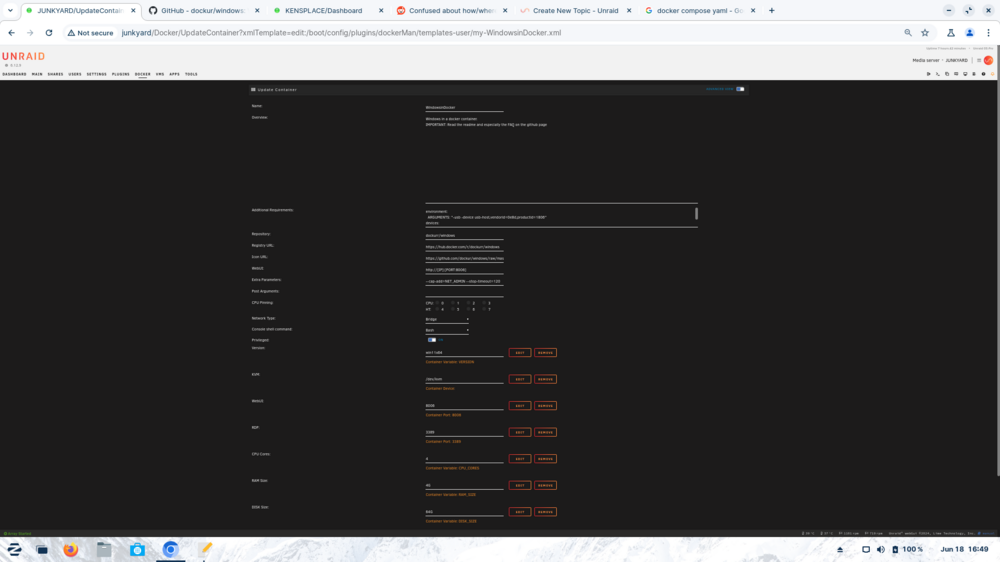
Sorry if I posted this to the wrong forum but I want to add support for my USB DVD writer to WindowsinDocker. According to the docs at their github I need find out the vendor and product id for my writer using the lsusb command. When I ran lsusb it returned the data I needed... Bus 003 Device 002: ID 0e8d:1806 MediaTek Inc. Samsung SE-208 Slim Portable DVD Writer So my vendor id is 0e8d and product is 1806 According to heir gitub I need to add the following to the docker-compose.yml file environment: ARGUMENTS: "-usb -device usb-host,vendorid=0e8d,productid=1806" devices: - /dev/bus/usb However Uraid does not use the standard compose file but rather it's own unique config file. And when I edit the config for the WindowsinDocker via Unraid's Docker->Edit option, I see no place where I can place this command? I am using the advanced view? Any ideas? Cheers from Nova Scotia Ken ala Vetteman
-
PS: I was hoping there maybe a power supply available dedicated to powering hard drives and fans only with no mobo requirement. Again thanks...
-
Interesting and many thanks for the reply. I was under the impression it is a prerequisite to use shield e-sata cables when running outside of the case. Many thanks for the reply, much appreciated.
-
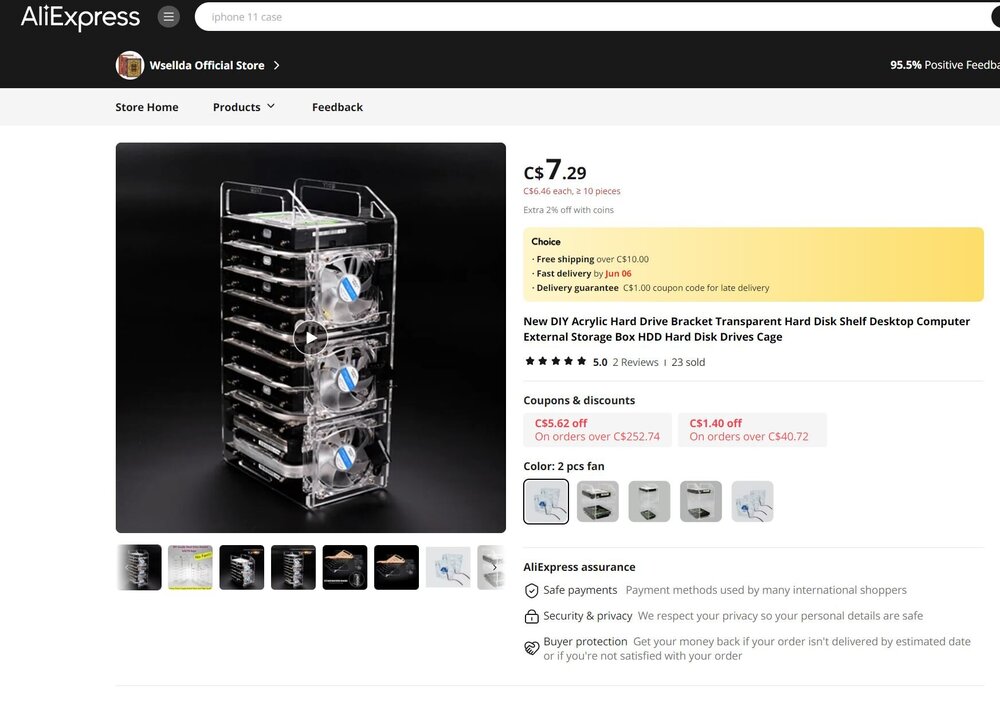
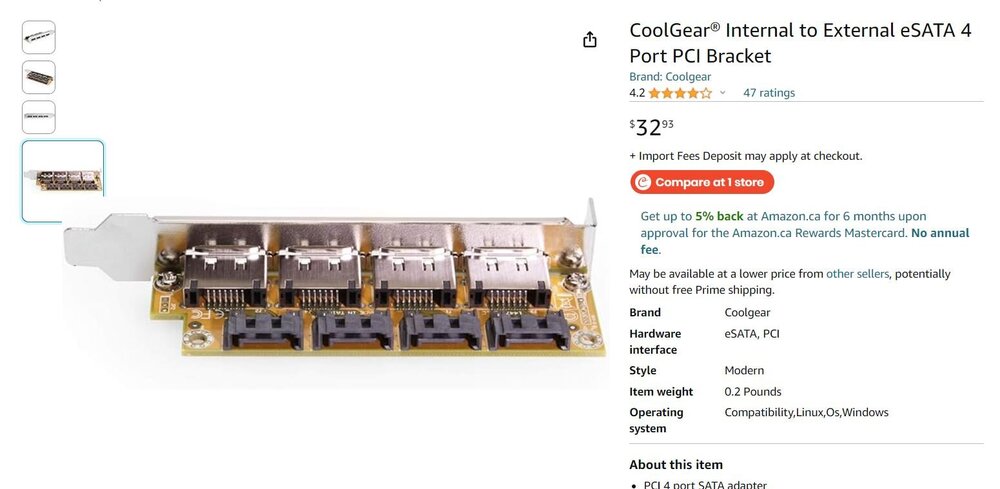
Has anyone used one these DIY acrylic hard drive bracket shelves? Price seems tempting. Mounting external from the computer's case, I suspect one would use an HBA card, connecting the HBA to an external sata port bracket via SFF 8087 to sata cables. And then from the external sata bracket to the external hard drives e-sata cables. Other than using a regular power supply and connecting the green and black power cables (going from memory as I did this over 15 years ago) to use the power supply externally without a mobo, is there a power supply available that is light power and can drive multiple hard drives? Or some other solution to provide power to the hard drives on the shelf? Thanks kindy.... PS: I originally mis-posted this into an existing thread which was mistake on my part.
-
Wow, after near an year and the poster has not replied. How strange to make a recommendation and not reply to a simple question.
-
Thanks kindly for the reply. I know once a Linux computer I had would reboot and found out it was the power cord not fully seated into the UPS and another time on another computer it was a faulty UPS. Since it has only happened twice in 30 days, I will wait and see if it happens again. A few times I've been using the Handbrake docker to encode a batch of 10 or more video files and left this Unraid server run over night and there were no issues. Again many thanks.
-
PS: In case anyone asks, I did change my Docker from macvlan to ipvlan as per an OS upgrade a couple of months ago.
-
In the past 30-40 days I have had my primary Unraid server reboot on it's own. I checked the syslogs but could not find any issues. Could someone kindly give a look to my attached diagnostic file and syslog as this morning upon power up, the server shutdown and restarted on it's own. just trying to be a bit proactive. Other then these two incidents the server has been quite stable. Due to high electricity costs in Nova Scotia (Canada), I shutdown my two Unraid servers each night and power on in the morning. I did try the Dynamix S3 Sleep plugin on my 2nd Unraid box but had issues it which I posted about on this forum. So I removed the S3 plugin a couple of weeks ago. I am running Unraid 6.12.9 and my plugins and dockers were updated last night. Cheers & many thanks... VETTEMAN kensplace-diagnostics-20240504-1152.zip syslog-10.2.250.180.log
-
I installed DD-WRT onto a Netgear home router that is no longer supported with Netgear's upgrades.
-
I wonder if people would want NAS capabilities available to their firewall?
-
I started this thread as I thought it was an issue with a corrupt flash drive. It was due to boot/config/plugins/disklocation.plg and dislklocation folder The moderator suggested I remove both from the flash drive. I was rebooting my Unraid server after updating the Disklocation plugin last night. I have two Unraid servers and upgraded on both, but did not reboot my other Unraid server. It appears a few other's were reporting the same issue with the disklocation.plg and folder on their flash drives as well Here is another user having the same issue as me.
-
Thanks very much. That worked. is there an issue with Disk Location plugin? I ask as I am concerned about re-installing it. Again many thanks....
-
I checked the flash drive. I do have the folder "disklocation" and also folder "disklocation-master" but no disklocation.plg BUT do have disklocation-master.plg. Do I also delete the disklocation-master folder and file disklocation-masker.plg? Cheers
-
I was able to boot in safe mode. But will delete the file and folder. Thanks....
-
I am also getting this error as well. And just started a new thread. I did upgrade the Disk Location this morning on both of my Unraid servers. But only rebooted the Unraid server which is giving me this issue. I will not be rebooting my active server anytime soon.
-
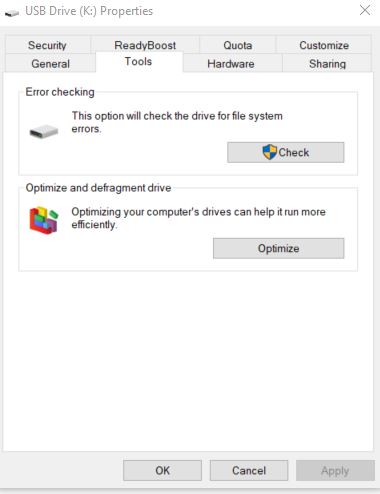
This morning when I started my Unraid server I got the message I got message "FAT-fs (sda1): Volume was not properly unmounted. Some data may be corrupt. Please run fsck." And it booted up fine. I then decided to shut the server down via the web gui. Removed the flash drive and placed it into my Windows 10 computer and ran a Windows check disk from the Windows Tools menu. Errors were found and corrected. Now when I boot up I get the message - Could not open file /boot/config/plugins/disklocation.conf : No such file or directory /tmp/disklocation-install: line 215: [: ==: unary operator expected Do I need to restore my file drive from backup? I did backup my flashdrive this morning just before rebooting. AND if I need to restore my flashdrive, how do I a restore from my Windows 10 computer? Or can I use my 2nd Unraid server which is working fine? I believe I did not setup to Unraid Connect as there appears to be a way to restore using Unraid Connect. Thanks kindly
-
Sorry for re-activating a 9 year old post, but has this feature been activated? I ask as this morning I got message "FAT-fs (sda1): Volume was not properly unmounted. Some data may be corrupt. Please run fsck." And I am assuming if this feature was indeed enabled, I would not have gotten the above message. Again sorry for re-activating this post. Cheers from Nova Scotia...
-
Thanks for the clarification. Since I am the only user of my Unraid servers, I can assure you there was no file activity. The primary use of Unraid is to store my digital photos I've taken (both RAW and processed JPGs & PSDs), 3d models and digital illustrations I've created. I also store backups of my movie & tv DVD shows. and music CDs. I am a retired system admin who administered Novell Netware, Windows, Novell SUSE and Citrix Winframe servers. Whenever a Novell volume was not cleanly dismounted it seems it resulted in file corruption. At least as far as I can recall. Now 70 and have been retired for 5 years, so some stuff is a little foggy. 🙂 Most of my computer time now is learning 3D modeling in Blender & 3D Coat and digital illustration techniques with Photoshop, Vue Creator, DAZ Studio, Corel Painter, Rebelle 7, etc. I truly appreciate your reply.



