





squirrellydw
Members
-
Joined
-
Last visited
Everything posted by squirrellydw
-
thanks, I did read the first part about installing it but it has 62 pages in that thread and I was not going to read all of that. I didn't see it mentioned anywhere. But from what you are saying is, I would update Unraid through the plugin but need to wait till that is updated and the docker would just update as usual correct?
-
Quick question about the Nvidia driver thing. Once I install the plugin and update the PLEX docker that all that needs done correct? All future unraid and PLEX docker updates work like normal right, I don’t have to keep manually updating it.
-
does anyone know when this will be released http://www.istarusa.com/en/istarusa/products.php?model=M-4160HD-ATX edit. Just heard back from them, they are still working on the back plane. How much a difference would I see between 6Gb and 12Gb backplane
-
Thanks, I wasn't going to buy another Norco I was going to get a new case. I was also thinking of getting a Supermicro or the Storinator from 45 drives IF they sell just the case and its not crazy expensive. I just didn't know if there were different backplane versions/speeds.
-
I have an older Norco 4220 case that is about 10 years old, any benefit to upgrading it? Wasn't sure if I would get a speed increase with new backplanes. I don't even know what version mine is anymore.
-
thanks, got it working
-
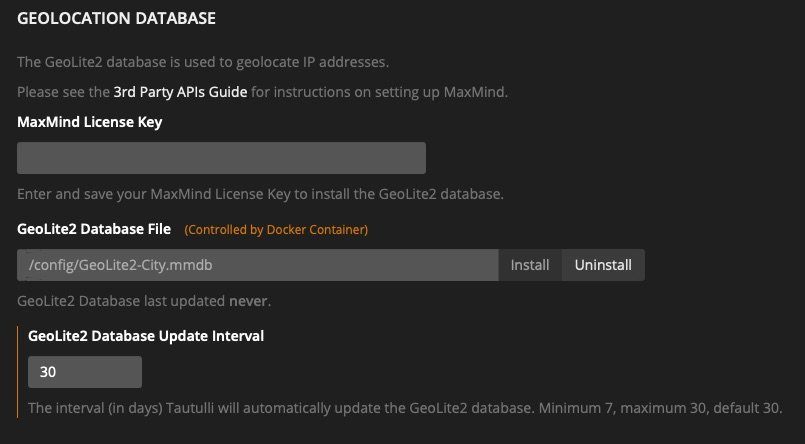
Why isn't Geolite2 working anymore?
-
No issues. One thing I will mention, if you are running Pi Hole manually which is how I have it setup and always forget that. Without it started the docker page was not loading, once I started it everything worked perfectly. Thanks again
-
is this the version that will enable remote login?
-
upgrade went smooth, thanks for the great work. Any idea when secure remote connections will happen? Would love to log into my server when away.
-
here's mine, I think it looks great. Love the orange

-
upgraded to the devil and no issues. I knew he was afraid to mess with me
-
thanks, found it under advance settings also
-
Oh one more question, anyway to tell when it has been restarted?
-
thank you I will try it out. Container name is just Plex I think. Running Linuxserver.IO Plex and if I click on edit next to name it says Plex. Thanks
-
So all I need to do is Click add a New Script and name it "docker restart Plex"
-
Is there away to have a docker restart automatically every few days? I would like to have my Plex docker restart once a week, just seems to run better when I do that.
-
thanks, I have it installed now to figure out how to do everything. Any good videos out there? If not I will just figure it out
-
So why is a reverse proxy recommend? I never used one and have no idea how to set it up. I currently use NZBGet, Sonarr and Radarr. Is it safe to run it without one? I don't have any issues with my current setup but I understand you can put all your indexers in it and point sonarr and radarr to it.
-
I want to edit a plex profile but I can find where it is. Its supposedly under Resources->Profiles but I can't find that on my server, any idea? I want to edit this out <!-- Allow Direct Play of HLS content --> <!-- <VideoProfile protocol="hls" container="mpegts" codec="h264" audioCodec="aac" /> -->
-
I like it, my favorite so far. I like the brighter green on the Un. Nice job
-
I like the Lime slice and the info below but not the main logo. Combine the Lime slice and information with the one above this by S mason16 and it would be my favorite
-
best logo yet, simple and clean
-
can anyone tell me what I need to do to get Floor Plan setup and working with Home Assistant? I tired before but couldn't get it to work. https://github.com/pkozul/ha-floorplan
-
@almarma So when this is setup how quick does it load from the Mac? iTunes takes awhile for me when I access my library remotely from my server. Also so I can only use Airplay from an app and not through the docker? I haven't installed this yet so I thought I could do it from the web interface.


