dopeytree
Members
-
Joined
-
Last visited
Everything posted by dopeytree
-
Little confused as to what unraid supports as someone else said whatever is on the motherboard will be supported but people say wifi isn't supported so.. I thought most of these are built into the linux kernal. Are any of these supported? - USB 3.2 2x2 (USB C Port built into motherboard) - Thunderbolt 3 or 4 (USB C Port with adapter card into motherboard) - Wifi 6 (Built into motherboard) - Bluetooth 5 Thanks
-
Have you tried the additional drivers available: - ITE IT87 Driver App - Nuvoton NCT6687 Driver App
-
Been working for me for a week or longer... maybe try reinitializing the backup? There's also been 2 or 3 updates to the server app recently so make sure those are installed. Go to plugins and it should check for updates.
-
Update - fixed this slow copy issue by installing the Auto Turbo Write Plugin!!! Everything is now insanely fast.
-
Thanks team. The error went away but does present itself every 4th / 5th bootup which is more often at the moment while I setup the system. Managed to pickup 2x small usb2 drives so will in the future get them copied over - I've already swapped once so will have to email support for a swap. At some point it will become hard to obtain usb2 drives - wonder what the future plan is? Perhaps a tiny sata SSD 50GB or so (like in pfSense systems) but connected via USB?
-
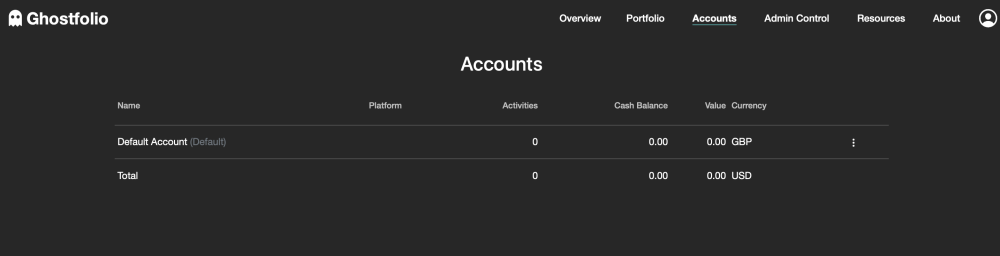
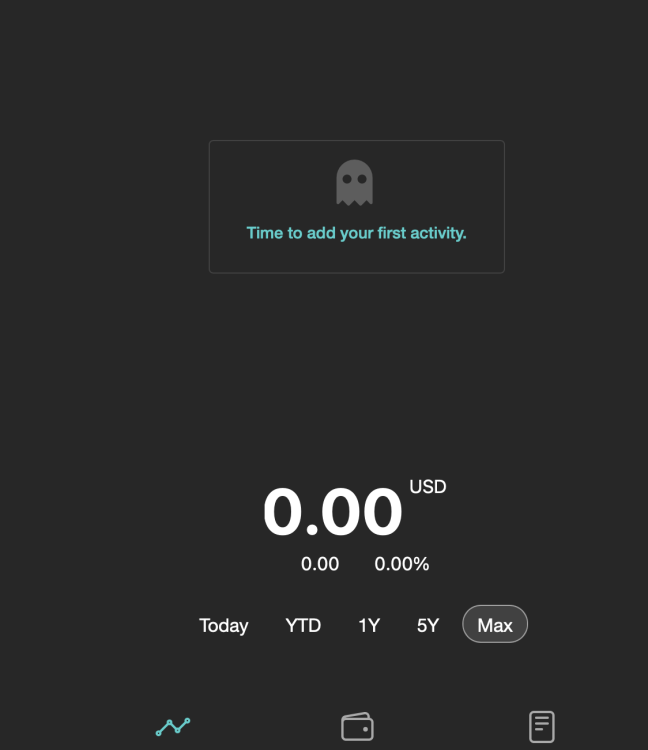
Great app - small thing input GBP but it keeps showing me USD
-
Panic over after 3 reboots it finally came back...
-
Help.. what the hell happened? I was moving some files around as sonarr hadn't moved all the files and then when finished it said no shares were available. So I though must be some bug. restarted and now the array wont start because its saying the parity drive & disk 1 are missing. They don't show up in the disk list & are not under other drives. The Cache drives appear to be fine... 6.11. moulin-rouge-diagnostics-20220927-2023.zip
-
The latest driver idles at 12watts whereas the previous one idles at 7watts.
-
🤓 On unraid - 6.11 - please can we get the option to roll back to the driver - 515.65.01 - August 2, 2022 The monitor is a samsung 75" tv and has been connected in the same way for months with the previous driver. It isn't always turned on but it also isn't expected to output an image (apart from bios and early unraid start) so shouldn't be an issue. The cable is a mini displayport to HDMI cable (because the rtx a2000 only has mini display ports.. 4 of them 😱). Many Thanks
-
hi this is what it says no error code is given. There was an error processing the data. Error Data: I'm just checking pfsense to make sure its not my firewall blocking it, but don't see why it would be blocked.. Time for logs is 02:13 (London time) on 27th sept 22. Am using an m1 mac on safari (sometimes shows up as mozilla in logs)
-
Thanks yeah I removed that last night but have kept the nvidia eco persist as otherwise it defaults to 24watts rather than 12watts on idle. (it was idling on 7 watts before the latest driver update) although this may be the issue. once gpu has been used to transcode or game it then doesn't default to its eco state and some bug is happening. There is a display connected via normal display port cable. Will try legacy instead of UEFI tomorrow.
-
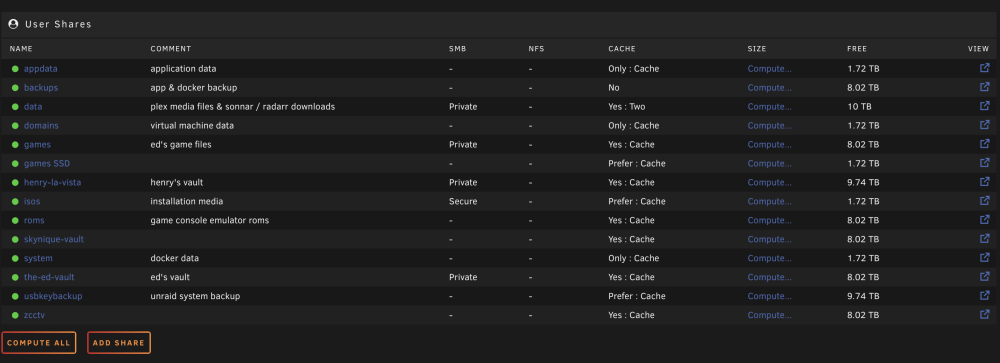
Really enjoying this app. My one request could we move the 'view' icon to show up next to the name of shares & disks? If its a problem to put it in the middle of unraid's native table then maybe in-front of the share name? so columns would be view, share name, etc Thanks
-
Noticed this new log message after upgrade to 6.11. I run 2x nvme drives in a pool (btrfs raid1 mirrored) Sep 25 19:35:57 Moulin-Rouge kernel: block nvme0n1: No UUID available providing old NGUID Sep 25 19:35:59 Moulin-Rouge kernel: nvme0: Admin Cmd(0x7f), I/O Error (sct 0x0 / sc 0x1) DNR Sep 25 19:35:59 Moulin-Rouge kernel: nvme0: Admin Cmd(0x7f), I/O Error (sct 0x0 / sc 0x1) DNR Sep 25 19:35:59 Moulin-Rouge kernel: nvme0: Admin Cmd(0x7f), I/O Error (sct 0x0 / sc 0x1) DNR Sep 25 19:35:59 Moulin-Rouge kernel: nvme0: Admin Cmd(0x7f), I/O Error (sct 0x0 / sc 0x1) DNR Sep 25 19:35:59 Moulin-Rouge kernel: nvme0: Admin Cmd(0x7f), I/O Error (sct 0x0 / sc 0x1) DNR Sep 25 19:35:59 Moulin-Rouge kernel: nvme0: Admin Cmd(0x7f), I/O Error (sct 0x0 / sc 0x1) DNR Sep 25 19:35:59 Moulin-Rouge kernel: nvme0: Admin Cmd(0x7f), I/O Error (sct 0x0 / sc 0x1) DNR Sep 25 19:35:59 Moulin-Rouge kernel: nvme0: Admin Cmd(0x7f), I/O Error (sct 0x0 / sc 0x1) DNR Sep 25 19:35:59 Moulin-Rouge kernel: nvme0: Admin Cmd(0x7f), I/O Error (sct 0x0 / sc 0x1) DNR Sep 25 19:35:59 Moulin-Rouge kernel: nvme0: Admin Cmd(0x7f), I/O Error (sct 0x0 / sc 0x1) DNR moulin-rouge-diagnostics-20220926-0253.zip
-
Transcoding works fine - seems to be an energy saving issue that appears after a while, steam-headless may be causing a driver bug as its not working at the moment so have to manual shutdown and thats seems to be the point as which is stops showing any info in the GPU statistics on the dashboard? Anyway over to the pro's. Thanks moulin-rouge-diagnostics-20220925-2155.zip
-
Can I just double check how these settings function: Do they mean that this is the threshold of used data or free data space available on disk? I ask because the default it 0% & 5% - where as would expect them to be say 80% & 90% Thanks Only move at this threshold of used cache space: 0% Move All from Cache-yes shares pool percentage: 5%
-
Anyone getting this in the logs? Sep 24 14:14:59 Moulin-Rouge kernel: nvidia-modeset: WARNING: GPU:0: Unable to read EDID for display device DP-0 Sep 24 14:14:59 Moulin-Rouge kernel: nvidia-modeset: WARNING: GPU:0: Unable to read EDID for display device DP-0 Sep 24 14:15:02 Moulin-Rouge kernel: nvidia-modeset: WARNING: GPU:0: Lost display notification (0:0x00000000); continuing. Sep 24 14:15:13 Moulin-Rouge emhttpd: read SMART /dev/sde Sep 24 14:15:13 Moulin-Rouge emhttpd: read SMART /dev/sdb Sep 24 14:16:00 Moulin-Rouge kernel: NVRM: GPU at PCI:0000:02:00: GPU-cebda6e6-708f-e91a-2d79-10b788f6cad1 Sep 24 14:16:00 Moulin-Rouge kernel: NVRM: GPU Board Serial Number: 1324421051329 Sep 24 14:16:00 Moulin-Rouge kernel: NVRM: Xid (PCI:0000:02:00): 16, pid='<unknown>', name=<unknown>, Head 00000000 Count 00000006 Sep 24 14:16:07 Moulin-Rouge kernel: nvidia-modeset: WARNING: GPU:0: Unable to read EDID for display device DP-0 Sep 24 14:17:23 Moulin-Rouge kernel: nvidia-modeset: WARNING: GPU:0: Unable to read EDID for display device DP-0 Sep 24 14:17:33 Moulin-Rouge kernel: NVRM: Xid (PCI:0000:02:00): 16, pid='<unknown>', name=<unknown>, Head 00000000 Count 00000007 Sep 24 14:23:45 Moulin-Rouge kernel: nvidia-modeset: ERROR: GPU:0: Idling display engine timed out: 0x0000c67d:0:0:1119 Sep 24 14:23:53 Moulin-Rouge kernel: nvidia-modeset: ERROR: GPU:0: Idling display engine timed out: 0x0000c67e:0:0:1128 Sep 24 14:24:01 Moulin-Rouge kernel: nvidia-modeset: ERROR: GPU:0: Idling display engine timed out: 0x0000c67e:1:0:1128 Sep 24 14:24:33 Moulin-Rouge kernel: nvidia-modeset: ERROR: GPU:0: Idling display engine timed out: 0x0000c67d:0:0:1119 Sep 24 14:24:41 Moulin-Rouge kernel: nvidia-modeset: ERROR: GPU:0: Idling display engine timed out: 0x0000c67e:0:0:1128 Sep 24 14:24:49 Moulin-Rouge kernel: nvidia-modeset: ERROR: GPU:0: Idling display engine timed out: 0x0000c67e:1:0:1128 Sep 24 14:25:21 Moulin-Rouge kernel: nvidia-modeset: ERROR: GPU:0: Idling display engine timed out: 0x0000c67d:0:0:1119 Sep 24 14:25:29 Moulin-Rouge kernel: nvidia-modeset: ERROR: GPU:0: Idling display engine timed out: 0x0000c67e:0:0:1128 Sep 24 14:25:37 Moulin-Rouge kernel: nvidia-modeset: ERROR: GPU:0: Idling display engine timed out: 0x0000c67e:1:0:1128 Sep 24 14:26:09 Moulin-Rouge kernel: nvidia-modeset: ERROR: GPU:0: Idling display engine timed out: 0x0000c67d:0:0:1119 Sep 24 14:26:17 Moulin-Rouge kernel: nvidia-modeset: ERROR: GPU:0: Idling display engine timed out: 0x0000c67e:0:0:1128 Sep 24 14:26:25 Moulin-Rouge kernel: nvidia-modeset: ERROR: GPU:0: Idling display engine timed out: 0x0000c67e:1:0:1128
-
2022-09-24 16:58:35,420 INFO exited: pulseaudio (exit status 1; not expected) 2022-09-24 16:58:38,009 INFO spawned: 'pulseaudio' with pid 615 2022-09-24 16:58:38,024 INFO exited: pulseaudio (exit status 1; not expected) 2022-09-24 16:58:41,059 INFO spawned: 'pulseaudio' with pid 616 2022-09-24 16:58:41,075 INFO exited: pulseaudio (exit status 1; not expected) 2022-09-24 16:58:41,104 INFO gave up: pulseaudio entered FATAL state, too many start retries too quickly 2022-09-24 16:58:43,171 INFO reaped unknown pid 619 (exit status 0) 2022-09-24 16:58:43,438 INFO exited: desktop (exit status 1; not expected) 2022-09-24 16:58:44,441 INFO spawned: 'desktop' with pid 674 2022-09-24 16:58:44,470 INFO reaped unknown pid 679 (exit status 0) 2022-09-24 16:58:44,569 INFO exited: desktop (exit status 1; not expected) 2022-09-24 16:58:45,572 INFO spawned: 'desktop' with pid 702 2022-09-24 16:58:45,603 INFO reaped unknown pid 707 (exit status 0) 2022-09-24 16:58:45,698 INFO exited: desktop (exit status 1; not expected) 2022-09-24 16:58:47,702 INFO spawned: 'desktop' with pid 730 2022-09-24 16:58:47,732 INFO reaped unknown pid 735 (exit status 0) 2022-09-24 16:58:47,825 INFO exited: desktop (exit status 1; not expected) 2022-09-24 16:58:50,830 INFO spawned: 'desktop' with pid 758 2022-09-24 16:58:50,860 INFO reaped unknown pid 763 (exit status 0) 2022-09-24 16:58:50,954 INFO exited: desktop (exit status 1; not expected) 2022-09-24 16:58:51,956 INFO gave up: desktop entered FATAL state, too many start retries too quickly Getting these errors on launch.. Upgraded to 6.11 so maybe that's it?
-
Thanks for the speedy fix
-
I have no problems running benchmarks on PCIe sata card - ASM1166 Serial ATA Controller - ZyDAS Technology Corp. (ASMedia Technology Inc.) - SATA controller . But do get this error when accessing the motherboard's chip: Device 43d2 - Micro-Star International Co., Ltd. [MSI] (Intel Corporation) - SATA controller Device 43d2 Micro-Star International Co., Ltd. [MSI] (Intel Corporation) SATA controller Type: Onboard Controller Lucee 5.3.7.47 Error (expression) Message key [SPEED] doesn't exist Stacktrace The Error Occurred in /var/www/DispController.cfm: line 36 34: <CFOUTPUT> 35: <CFSET CK=0> 36: <CFIF HW[Key].Config.LnkSta.Speed EQ HW[Key].Config.LnkCap.Speed AND HW[Key].Config.LnkSta.Speed NEQ "" AND HW[Key].Config.LnkCap.Speed NEQ ""> 37: <CFSET CK=1> 38: <span class="Bold">Current & Maximum Link Speed:</span> #HW[Key].Config.LnkSta.Speed# width #HW[Key].Config.LnkSta.Width# (#HW[Key].Config.LnkCap.Throughput# max throughput)<br> Java Stacktrace lucee.runtime.exp.ExpressionException: key [SPEED] doesn't exist at lucee.runtime.type.util.StructSupport.invalidKey(StructSupport.java:67) at lucee.runtime.type.StructImpl.get(StructImpl.java:149) at lucee.runtime.util.VariableUtilImpl.get(VariableUtilImpl.java:278) at lucee.runtime.PageContextImpl.get(PageContextImpl.java:1502) at dispcontroller_cfm$cf.call(/DispController.cfm:36) at lucee.runtime.PageContextImpl._doInclude(PageContextImpl.java:945) at lucee.runtime.PageContextImpl._doInclude(PageContextImpl.java:837) at lucee.runtime.listener.ClassicAppListener._onRequest(ClassicAppListener.java:64) at lucee.runtime.listener.MixedAppListener.onRequest(MixedAppListener.java:43) at lucee.runtime.PageContextImpl.execute(PageContextImpl.java:2416) at lucee.runtime.PageContextImpl._execute(PageContextImpl.java:2406) at lucee.runtime.PageContextImpl.executeCFML(PageContextImpl.java:2381) at lucee.runtime.engine.Request.exe(Request.java:43) at lucee.runtime.engine.CFMLEngineImpl._service(CFMLEngineImpl.java:1170) at lucee.runtime.engine.CFMLEngineImpl.serviceCFML(CFMLEngineImpl.java:1116) at lucee.loader.engine.CFMLEngineWrapper.serviceCFML(CFMLEngineWrapper.java:97) at lucee.loader.servlet.CFMLServlet.service(CFMLServlet.java:51) at javax.servlet.http.HttpServlet.service(HttpServlet.java:733) at org.apache.catalina.core.ApplicationFilterChain.internalDoFilter(ApplicationFilterChain.java:231) at org.apache.catalina.core.ApplicationFilterChain.doFilter(ApplicationFilterChain.java:166) at org.apache.tomcat.websocket.server.WsFilter.doFilter(WsFilter.java:53) at org.apache.catalina.core.ApplicationFilterChain.internalDoFilter(ApplicationFilterChain.java:193) at org.apache.catalina.core.ApplicationFilterChain.doFilter(ApplicationFilterChain.java:166) at org.apache.catalina.core.StandardWrapperValve.invoke(StandardWrapperValve.java:202) at org.apache.catalina.core.StandardContextValve.invoke(StandardContextValve.java:97) at org.apache.catalina.authenticator.AuthenticatorBase.invoke(AuthenticatorBase.java:542) at org.apache.catalina.core.StandardHostValve.invoke(StandardHostValve.java:143) at org.apache.catalina.valves.ErrorReportValve.invoke(ErrorReportValve.java:92) at org.apache.catalina.valves.AbstractAccessLogValve.invoke(AbstractAccessLogValve.java:690) at org.apache.catalina.valves.RemoteIpValve.invoke(RemoteIpValve.java:747) at org.apache.catalina.core.StandardEngineValve.invoke(StandardEngineValve.java:78) at org.apache.catalina.connector.CoyoteAdapter.service(CoyoteAdapter.java:343) at org.apache.coyote.http11.Http11Processor.service(Http11Processor.java:374) at org.apache.coyote.AbstractProcessorLight.process(AbstractProcessorLight.java:65) at org.apache.coyote.AbstractProtocol$ConnectionHandler.process(AbstractProtocol.java:868) at org.apache.tomcat.util.net.NioEndpoint$SocketProcessor.doRun(NioEndpoint.java:1590) at org.apache.tomcat.util.net.SocketProcessorBase.run(SocketProcessorBase.java:49) at java.base/java.util.concurrent.ThreadPoolExecutor.runWorker(ThreadPoolExecutor.java:1128) at java.base/java.util.concurrent.ThreadPoolExecutor$Worker.run(ThreadPoolExecutor.java:628) at org.apache.tomcat.util.threads.TaskThread$WrappingRunnable.run(TaskThread.java:61) at java.base/java.lang.Thread.run(Thread.java:834) Timestamp 9/23/22 12:07:36 PM PDT
-
Many thanks for this docker.. can I just check is this displaying read speed or is this capable of write testing? Would be good to have it say 'read' speed or similar. It displays an error when trying to share upload data for the database. Is there a problem with the database's end?
-
Most online benchmarks put usb3 real throughput at around 400MB/s. Have noticed USBc port doesn't work out the box with unraid. USB3.2 gen1 works tho. Anyway even internally avoiding USB & Sata seem to get slow copy's even just NVMe to NVMe.. any ideas I should explore?
-
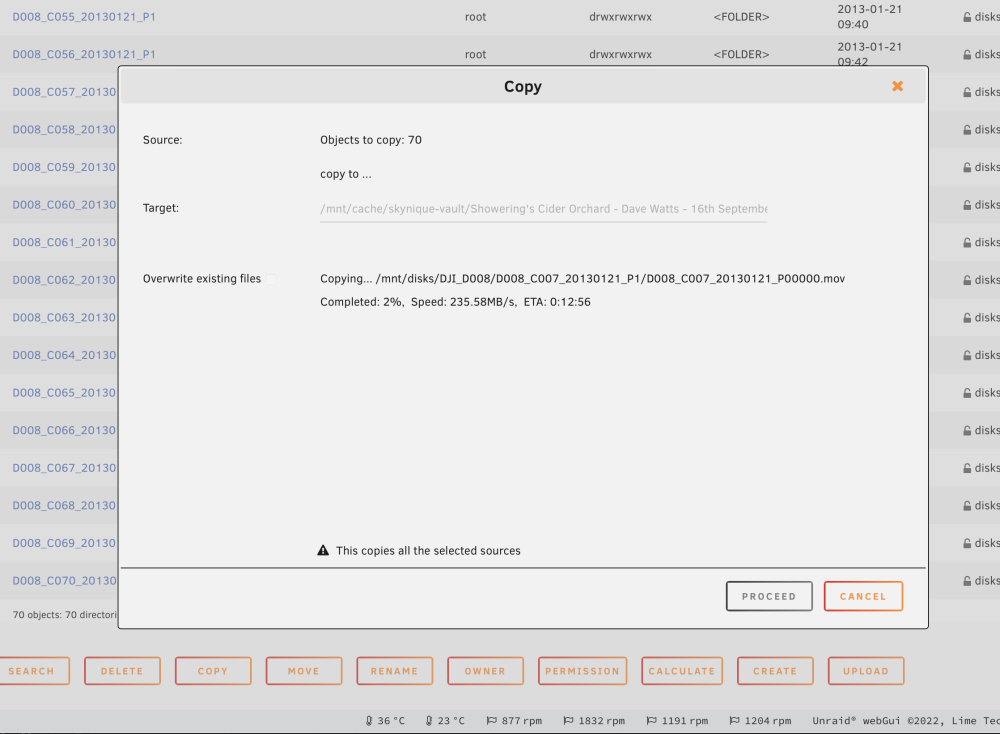
Copying from usb3 external NVMe ssd to cache drive NVMe so why is it so slow? Is there a problem with speed if you use a cache pool mirror? I have 1x gen4 NVMe & 1x gen3 NVMe on the motherboard as a cache pool - so the gen4 is mirrored to the gen3. When I use diskspeed test docker both SSD drives are around 2300MB/s. It shouldn't be touching the array disks. The share is set to use Cache. But anyway I am copying direct to cache rather than the user share. The array drives test around 240MB/s down to 108MB/s. My understanding is USB 3 provides up to 500MB/s read & write. ( Dependent upon encoding overhead ) And USB 3.1 up to 1200 MB/s read & write. ( Dependent upon encoding overhead )
-
Thanks - what ever it is it is inconsitent. Sometimes the pause is at bios sometimes halfway through unraid's loading... Would you mind sharing which stick you personally use? and is it USB2 rather than USB3?
-
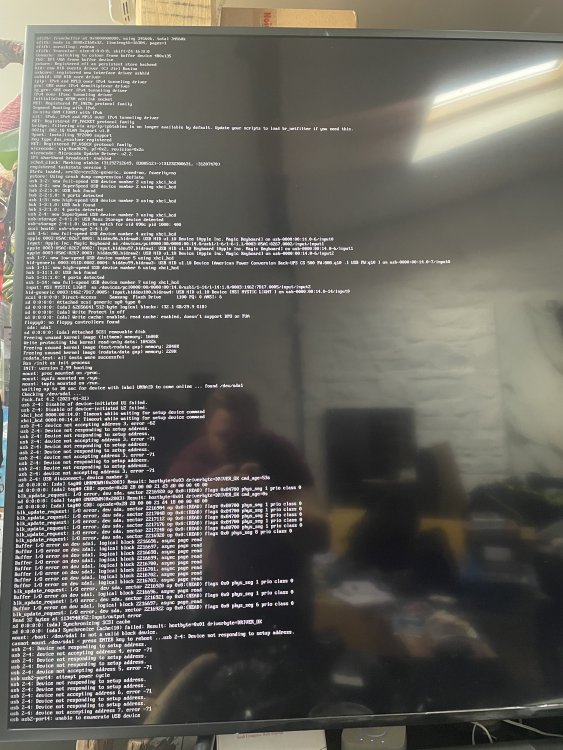
I had some USB stick issues with my innitial build but then swapped to a new samsung USB stick and was all ok until a few days ago. On system reboot I'm sometimes getting similar behaviour of where sometimes the usb stick is unrecognised by either the bios or will sometimes partial boot unraid but then hang at "Unable to enumerate USB device" Not sure if those are the same issue or 2 separate issues? It's like it doesn't always recognise the USB stick. I have to remove the drive boot up with no usb stick power down then boot up again. Usually 2 or 3 times... I'm using a a geuine "Samsung BAR Plus 32 GB Type-A 200 MB/s USB 3.1 Flash Drive Champagne Silver (MUF-32BE3)" https://www.amazon.co.uk/gp/product/B07CV9KCPN/ref=ppx_yo_dt_b_asin_title_o06_s00?ie=UTF8&psc=1 Which is reccomended by spaceinvader. Also happen to be on 2nd motherboard as wanted better PCIe layout. Only thing I can think of is maybe there's some odd USB power setting? Does unraid have a list of officially tested sticks? Or is it perhaps a problem related to the UPS's usb plug? Not sure why that would cause the system to hang but there it is... Once I get it to boot will post up some diagnostics. Thanks I'm on unraid 6.10.3 Motherboard: MSI MAG B560M MORTAR WIFI Gaming Motherboard, M-ATX CPU: Intel i9-11900T (11th gen) RAM: 32GB (4x 8GB) GPU: Nvidia RTX A2000 6GB PCIe: Expansion Card for ASMedia ASM1166 Master, PCI‑E to 6‑Port SATA3.0 Hard Disk, 6G ASM1166 Master GEN3 1 x Interface Array: 12TB parity + 12TB disk 1 (XFS) Cache: 2TB NVMe SSD x2 (BTRFS) Cache2: 2TB Sata SSD x2 (BTRFS) Case: Inovision NAS 8 bay case PSU: Inovision 600w Fans: Noctua fans CPU Cooler: Noctua NH-L12S low profile UPS: APC BK500ei 300w (UK version) with USB to RJ50 Data Cable