





bonienl
Community Developer
-
Joined
-
Last visited
Everything posted by bonienl
-
You need to check your router configuration, it has issues with IPv6. Jul 10 22:15:50 xxxx dhcpcd[1697]: br0: expired address fda2:612d:c297:4585:265e:beff:fe43:dc4d/64 Jul 10 22:15:50 xxxx dhcpcd[1697]: br0: part of a Router Advertisement expired Alternatively set "IPv4 only".
-
I have seen this happening when the network.cfg file contains incorrect/corrupted information. As suggested above delete the file "network.cfg" and redo your network settings.
-
Keep in mind that Unraid completely runs from RAM, which is a different situation as Truenas.
-
What is not working?
-
There are some unexplainable events in your log which prevents nfs to start. You should remove the packages from the folder /extra and restart the server without them installed and test again running in safe mode. In particular "llfuse-1.4.2-x86_64-1_SBo_nerdtools.txz" is suspicious (this one is no longer developed). Why is this installed?
-
The interface rules are only created when more than one ethernet interface are present in your system. Not a bug.
-
Please remove this line from your 'go' file sysctl -w net.ipv6.conf.all.disable_ipv6=1 This conflicts with the Unraid IPv6 assignments, you should let Unraid do the IPv6 selection instead.
-
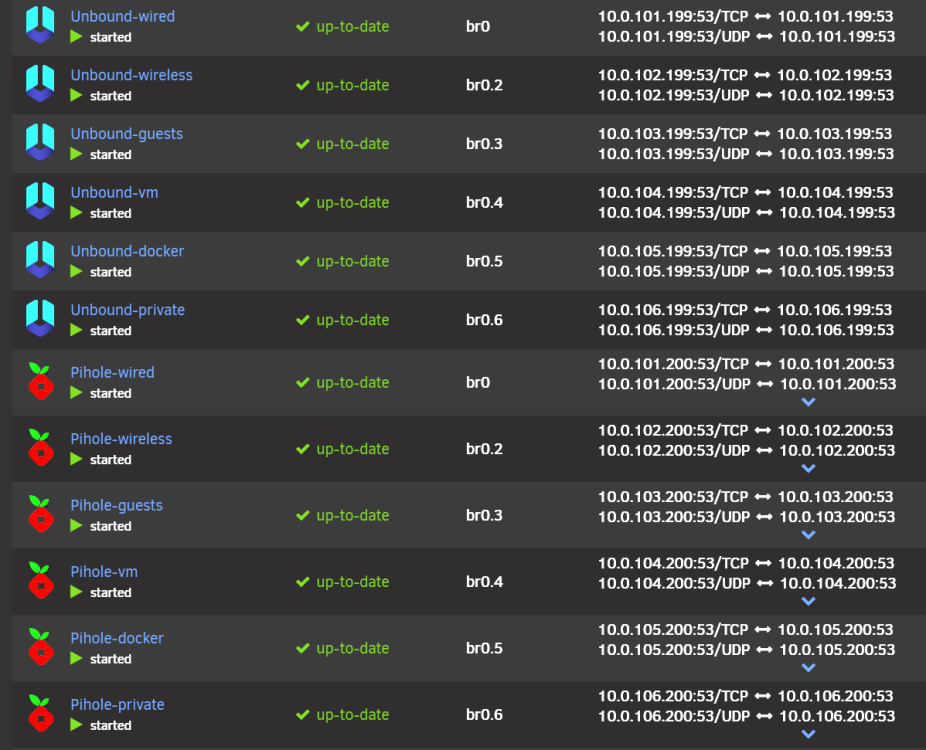
It is possible to run Unbound containers too. This is what I actually do.
-
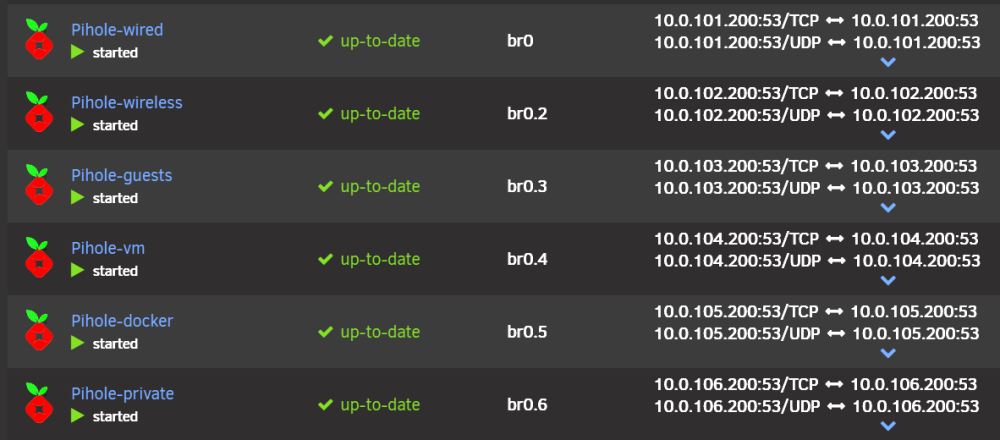
I have 6 DNS servers (PIHOLE) running as docker containers. An other DNS server alternative is ADGUARD. See the apps store.
-
Port 443 is used by the GUI, your container can not use the same port.
-
Like to see diagnostics
-
SSH works fine for me using Wireguard. There are no specific rules for wireguard tunnels to stop SSH.
-
In the past I have seen VMs and containers using the same bridge interface may cause problems. Best to use the interface as a dedicated interface for docker only.
-
It is not advised to do manual changes, any configuration update thru the GUI will undo them.
-
That indicates something is wrongly configured in your network settings. Need diagnostics to see this.
-
These are instructions when using docker containers, the plugin version of tailscale is started before the array comes online and doesn’t need the script.
-
Please also read the release notes of Unraid 6.12.0 which have more information about remote access.
-
See I encourage everyone to read the release notes of Unraid 6.12.0.
-
macvlan call traces impact the complete system. Your situation is a bit weird. I studied your first diagnostics and everything looks alright. There is nothing in the logs which explains a loss of communication.
-
If using macvlan in docker settings, change it to ipvlan
-
Yours is a different issue, please open a topic in support and include diagnostics
-
In your latest log there is a macvlan call trace, change docker settings to use ipvlan instead.
-
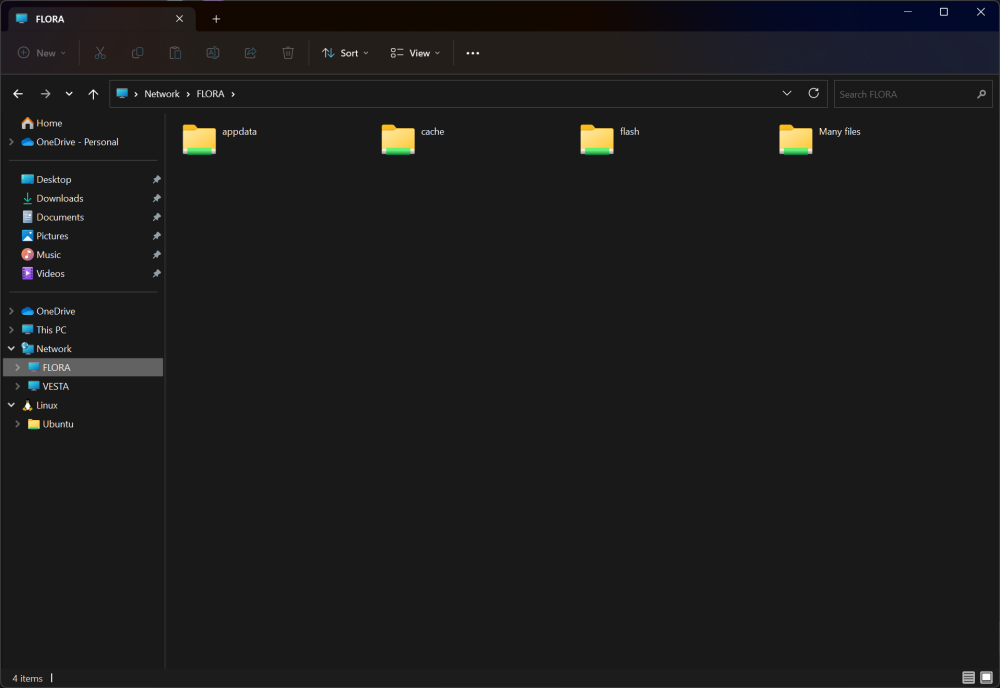
Sometimes Windows gets confused. Did you try to reboot your Windows system? In all my tests SMB is working fine in 6.12.2
-
ip rule add sport 22 table This is not a standard rule and not included, how is this added to the configuration?
-
There is a change in 6.12.2, due to new functionality, it requires a reset. Open the Tile Manager and reset the dashboard, after that all should work properly.





