casperse
Members
-
Joined
-
Last visited
Everything posted by casperse
-
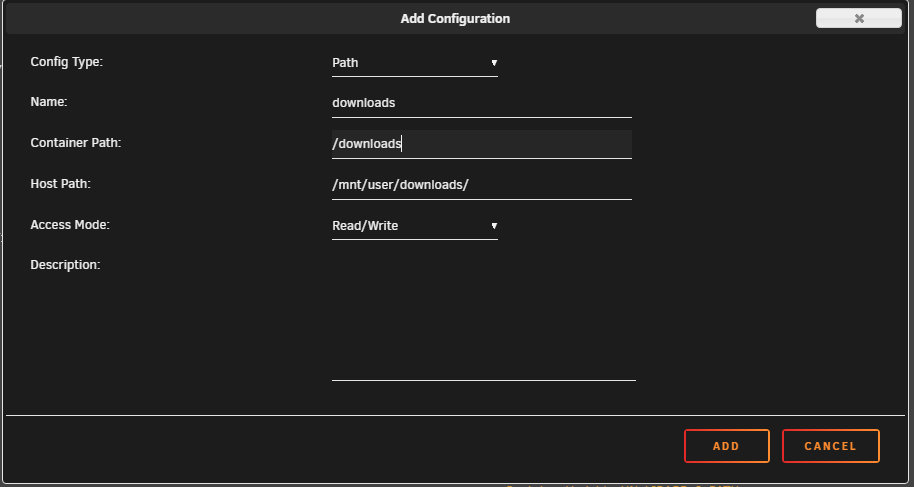
Sorry I think I am getting to used to having all needed fields provided to me in the Docker Unraid UI 🙂 I thinking was that filling out all available fields would be enough So you are saying that I need to mount the drives and that the Sonarr/Radarr path with the API does not provide this kind of access right? This would then solve it? And then change the path in the docker to: /downloads/tv/ /downloads/movies/ /downloads/music/
-
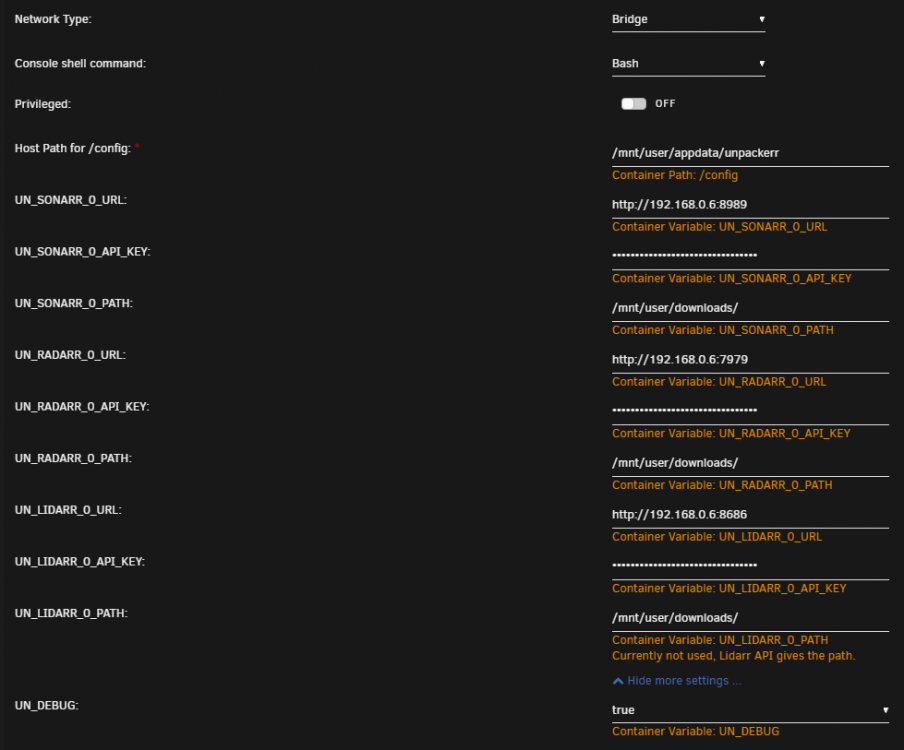
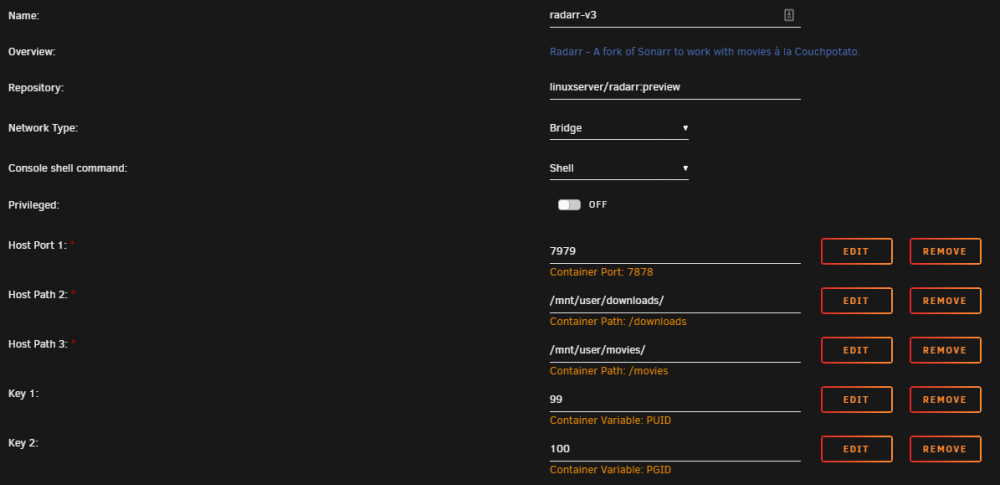
Thanks! For some reason it doesn't unpack folders... I am running a synch folder with files TDB (status: Waiting, pre-Queue, elapsed: 14h14m0s) 2020/02/20 10:20:08.648757 helpers.go:65: [Unpackerr] Queue: [210 waiting] [0 queued] [0 extracting] [0 extracted] [0 imported] [0 failed] [0 deleted], Totals: [0 restarts] [0 finished] The only thing I can think off is the download path? Which points to my Unraid Unassigned drive - top level download folder same as And my Radarr settings: I have also tried writing the full path but still dosent work... /mnt/user/downloads/tv/ /mnt/user/downloads/movies/ /mnt/user/downloads/music/ Is it scanning the folders even if Radarr & Sonarr haven't registered a download? Would be nice if some RSS feed also was unpacked 🙂
-
Maybee a stupid question I just installed it and I got a OK And its been running for some days and nothing was unpacked so I turned on debug and went to the appdata dir and its empty? Where is the installation files and debug log kept?

-
This is much larger error, just found that it randomly doesn't move all subtitles anymore? Can someone tell me if I can rollback to a old version of Radarr? (This worked before) I have Appdata backup back to 2019 but when I restore them I still get the latest Radarr version?
-
Update: I tried so many things and honest don't know what caused this? But my VM's are running (The few that didnt was caused by some network DHCP problem and I mistakenly thought that was related to all my VM's not working) Short version I have my VM back but I can only connect to them by Firefox (Like other reports above) - Chrome in VNC seem to be broken (New update?) also listing the VM page seem to take much longer time than on Firefox? Docker is still working fast and show all dockers quickly so only on VM page
-
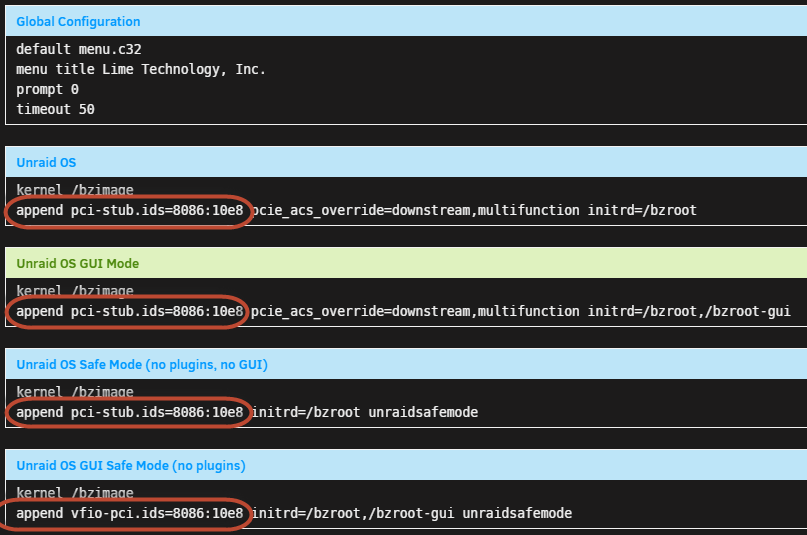
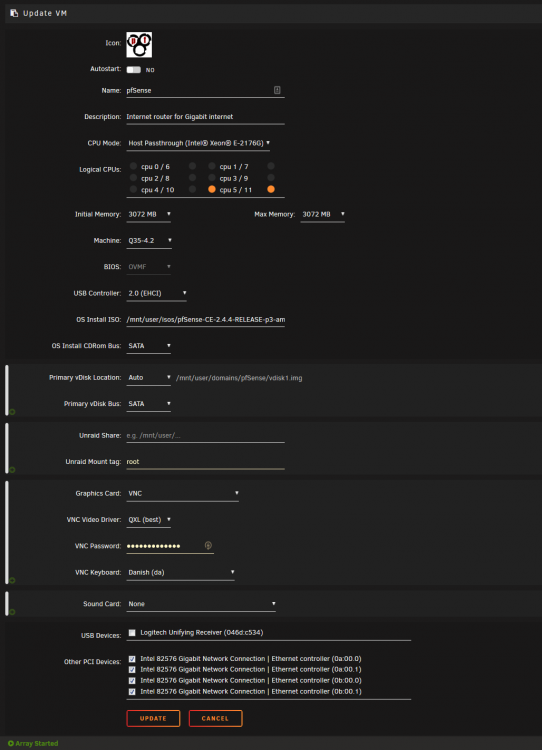
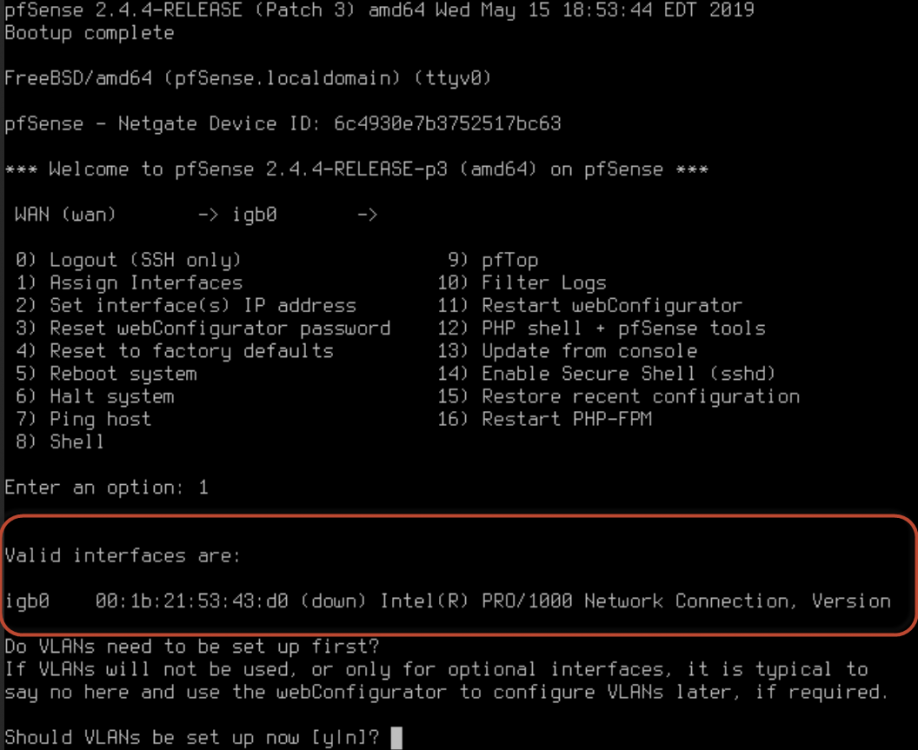
I Finally got the stub working and I can select the 4 NIC intel card in the VM - But for some reason I only see one interface during the install - I wanted to setup pfsense before I get my new fiber connection but I just get this one interface? And no other for LAN the 4 Nics are visible and selected in the VM? what am I missing? But I can't see the 4 NIC's during install only one and always link down I have tried to do this with both seabios and OVMF Also stubbed them tried both with vfio-pci.ids and pci-stub.ids? Can't think of anything new to try? Ok went through every setting again and by chance changed the Machine type to Q35 but not any version went back to the old Q35-2.11 and not the Q35-4.2 And got this... :-)



-
Is there any "security" difference between the Binhex Deluge and the Binhex rTorrent? (Only one I can think of is the Space invader IP Block list in Deluge that isn't available in the rTorrent) But beside that its the same right
-
To help others you can rename the plugin to match the 3.8 python and it will then show up in the deluge UI BUT IT WILL NOT WORK... so I guess we have to wait for a new version to come out here: https://bitbucket.org/bendikro/deluge-yarss-plugin/downloads/ I can see that others are using the other docker just to get the RSS feed :-)
-
The python version of the last deluge is: sh-5.0# python --version Python 3.8.1 sh-5.0# So Far all the plugin I have found doesn't support this new version? I need a RSS plugin does anyone have one working? As always your support and knowledge sharing is highly appreciated Thanks!
-
Does anyone else experience this after updating Radarr? https://github.com/Radarr/Radarr/issues/4067 Might only be related to this naming convention?
-
Both will work - Space invaders video was for the Emby docker not the linuxserver one and he used the Nvidia stuff Anyway I will experiment and see how things work out
-
Server IP:5900 Thanks for all your help, I will try to do a roollback tomorrow (I can not reboot the server before then...) And remove any changes I did the last couple of days... (didn't really do big things) Getting late here need some sleep - Again BIG thanks for your time I really appreciate it !!!
-
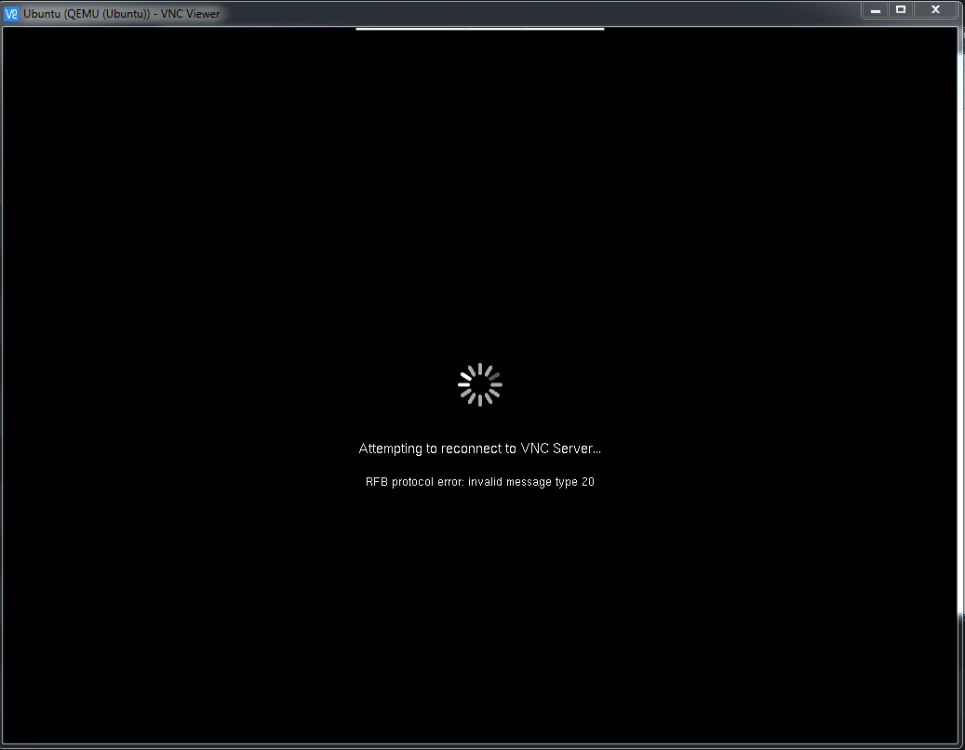
Sorry no same problem - Also some of the VM's like hassio start their own webpage gui and that is not working either Real VNC
-
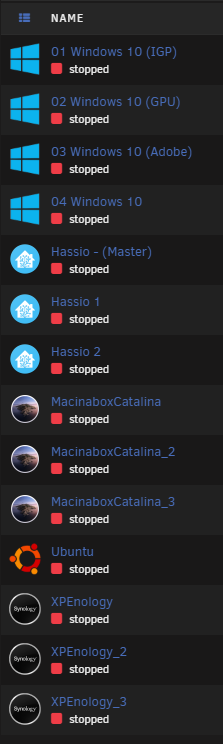
Sorry yes they all start - just tried 4:
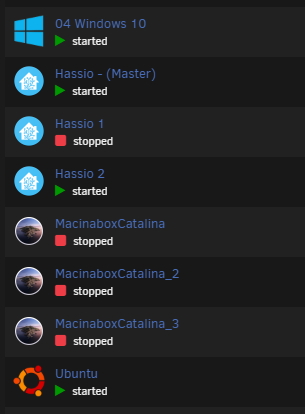
-
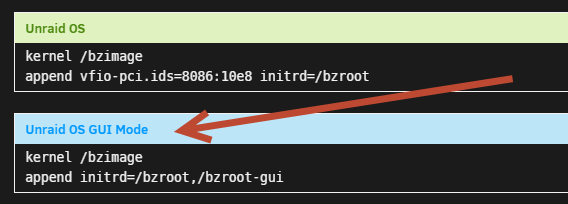
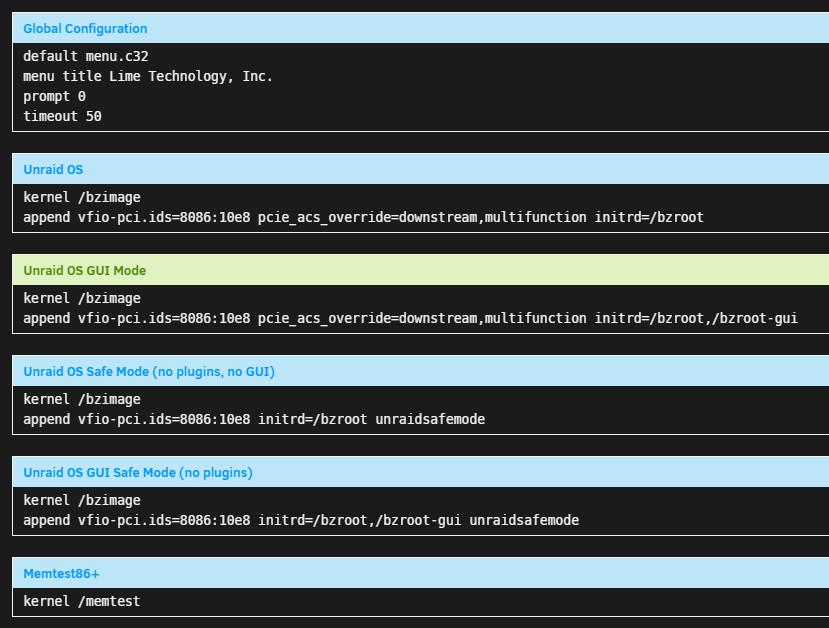
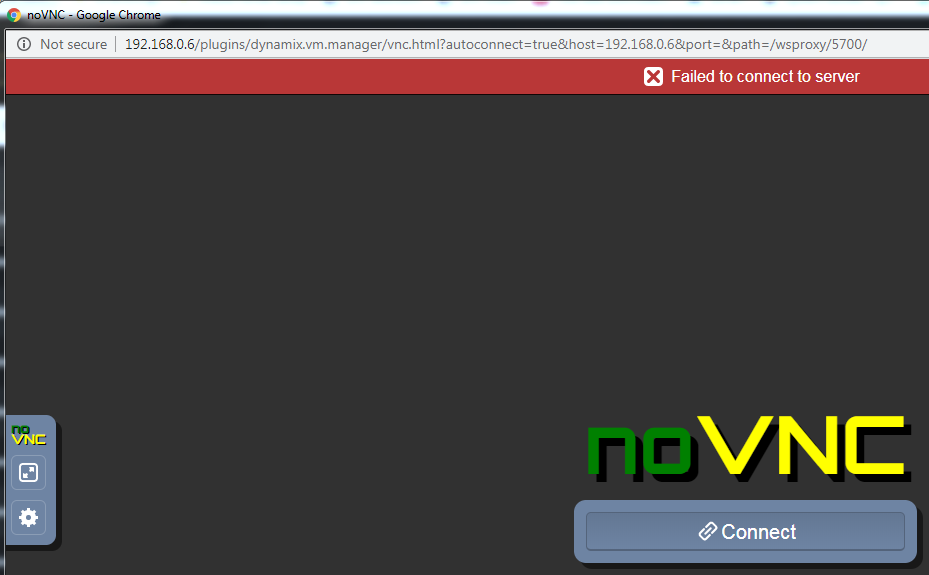
The picture in my first post like this BTW I just remembered I followed the guide and added my 4 NIC's to be used in the future for Pfsense but have not selected any of them in any of my VM's Could this be what is breaking all the other VM's - seem like a missing network connection? I was told to add the line for any boot option I use (GUI and without) (Docker works and I have internet just not VM) I cant remember if it worked before this changed might as well try to remove it again and see if it change anything? (I have tried anything else)

-
-
Hi @jonp didn't expect any reply before monday :-) No actually none of the VM's work? dosent run amd I cannot connect to them? I really have no idea why? (I have stated what I changed, to do the data migration without writing to the array, while copying data) The v. 6.8.1 have worked without issues before (Would downgrading and upgrading overwrite VM functionality? Been trouble shooting on this the whole weekend and really don't know what to do? Docker works perfect....
-
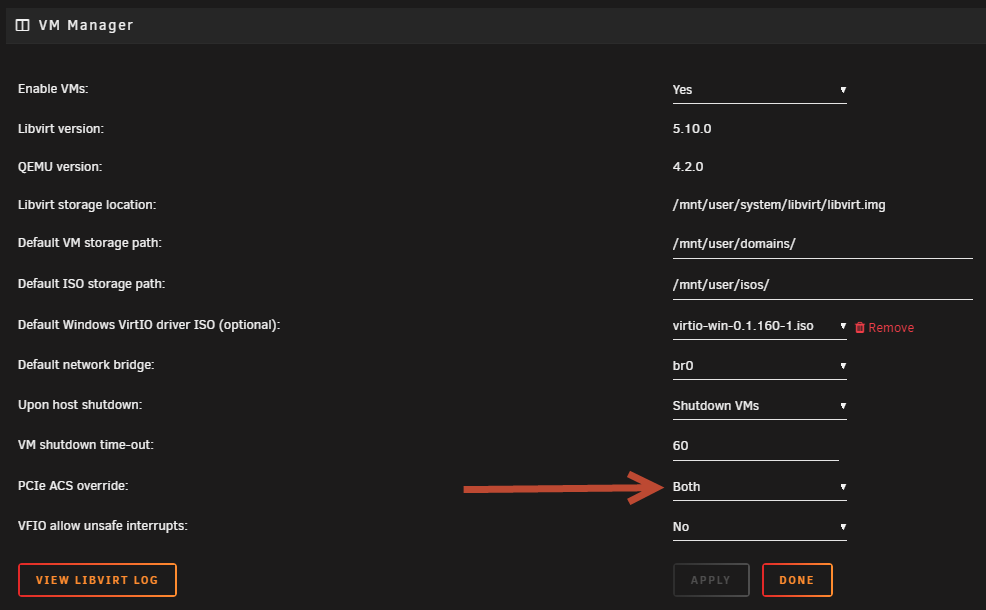
I enabled the ACS mode again: No change? I am running 6.8.1... Diagnostic file attached - I never thought VM would be so sensitive to changes (Dont know what broke it?) These all worked fine before: diagnostics-20200202-1740.zip
-
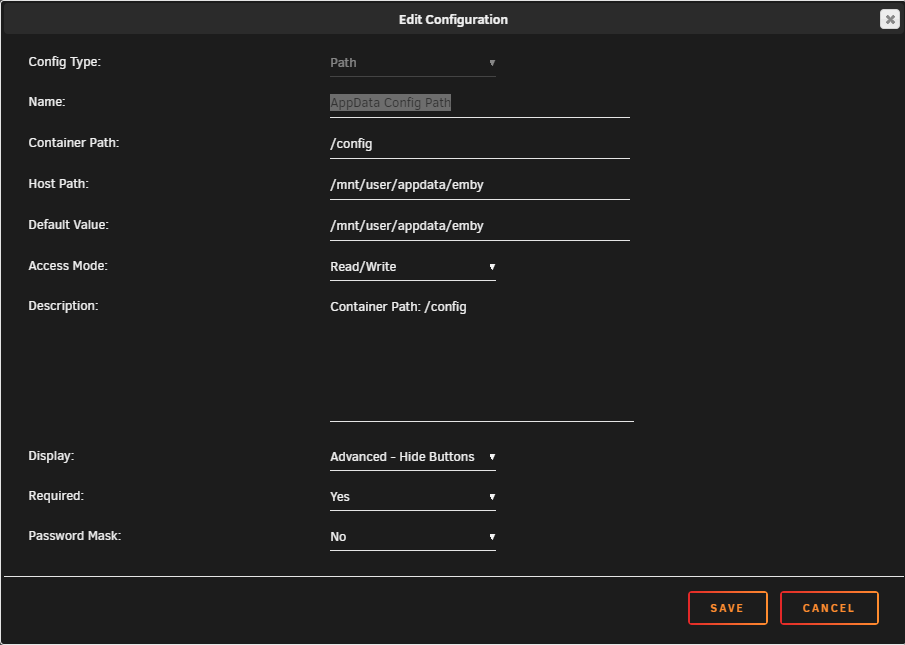
How to split media content to a unassigned drive in the Docker config? I can see that this Docker image uses: So would I keep this and just create a new path for: metadata? On the Emby Docker created by Emby I just pointed everything to the Unassigned drive in the:

-
I used the Space invader guide to install and setup the docker long time ago, but now I keep getting And I have to setup things from scratch again..... every time I add the --runtime=nvidia I get this (Worked 100% before so maybee a update?) I have my media for meta data on a unassigned drive maybee this is now a problem? So I was wondering is more people on Unraid using the Linuxserver docker for Emby? Is it more stable?

-
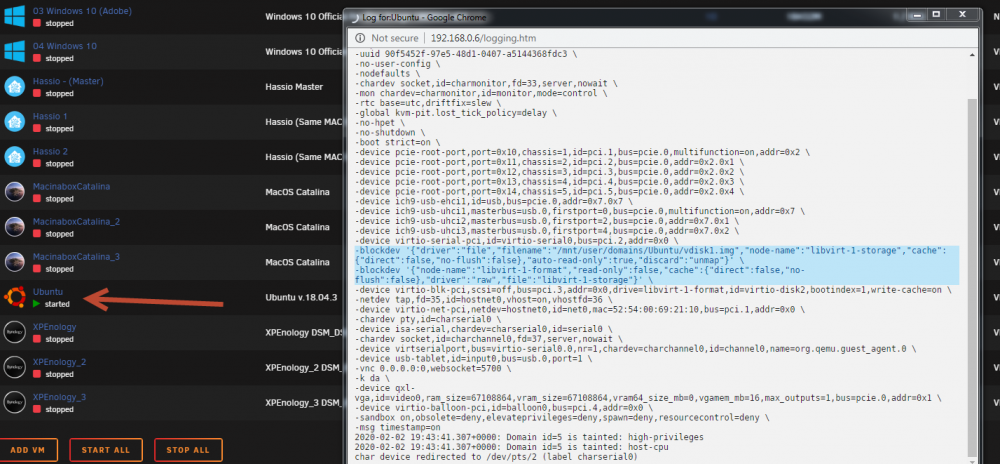
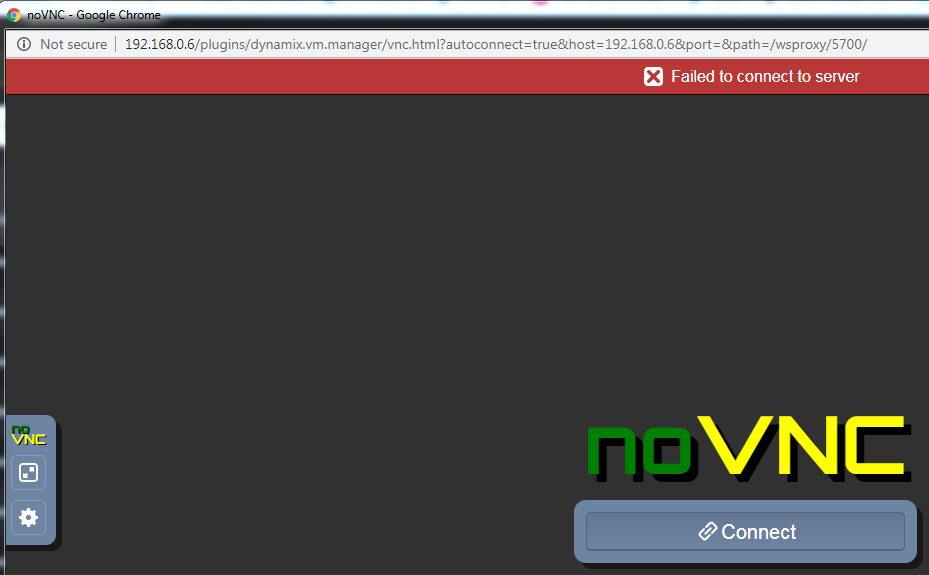
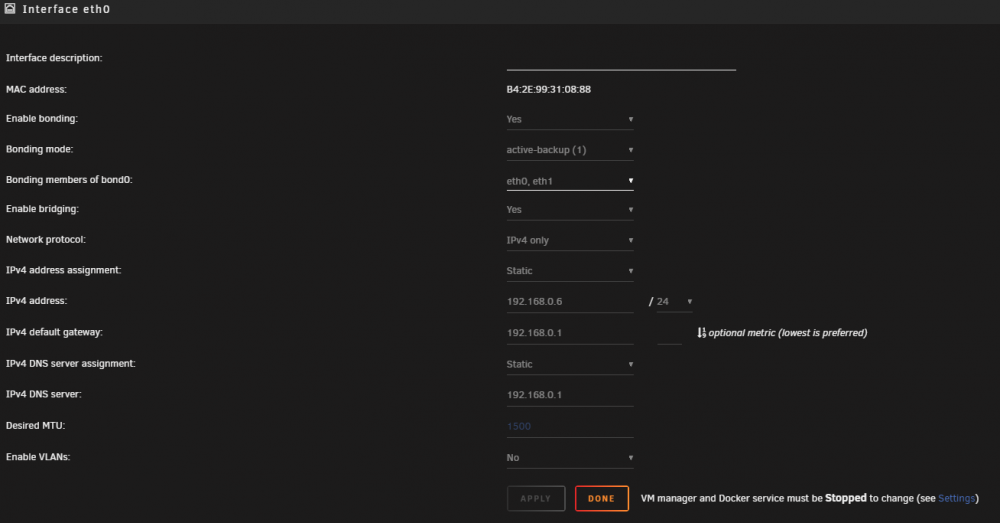
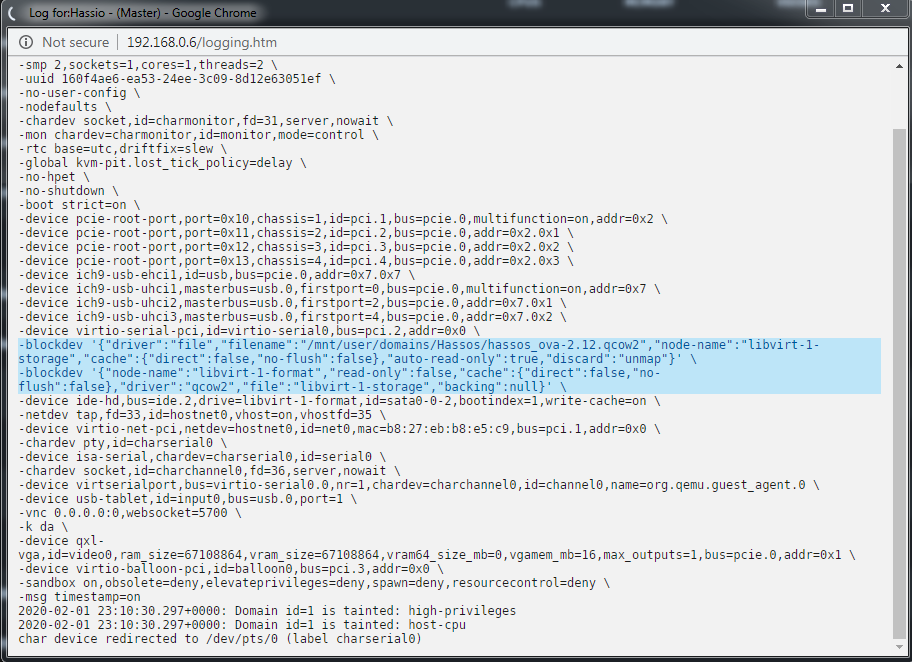
Hi All I have been moving a lot of data around and had to disable VM/Docker and anything that could write to the Array while moving files Now after starting VM service again (Several reboots) I cant connect to any of my VM's VNC gives I have enabled turbo write and I disabled PCIe ACS override (Only used it for my Nvidia card and I don't use the passthrough anymore The network is back to "Default" I removed the 4 NIC card for a Pfsense project But the network looks ok, and works for my Dockers... If I look at the logs for one of the VM's I see I can't understand why its not working anymore (Might just be a stupid newbie error) Any help is much appreciated - last migration from Synology UPDATE: Any repair mode - If something got broken? (Its everyone of my before working VM's that just stopped working?) Is ACS forever if you first enable it then it has to stay? I am sure this isn't a misconfiguration of the XML because all of the worked before

-
What are the benefit of setting up proxy when using openvpn with PIA?
-
Thanks! dumping it in the plugin folder worked for me! I found this other version especially made for this docker its listed: https://github.com/omaralvarez/deluge-autoremoveplus/pull/54 its listed as version AutoRemovePlus-0.6.6-py3.8 and the above link after instal is listed as Version: 0.6.1 in Deluge? no matter I will experiement and see what works the other one seem to have integration to Sonarr and Radarr?
-
Strange I cannot install this in Deluge nothing happens... Update - Could it be this: Plugin eggs have the Python version encoded in the filename and will only load in Deluge if the Python versions match.
-
Could it be because I boot in GUI mode? - Do I need to add this here?