





SpencerJ
Administrators
-
Joined
Everything posted by SpencerJ
-
hello - did you receive an automated response? Please contact support again and we will refund you. Apologies on the miscommunication
-
Thank you! I’ll be sure to pass this along in our internal discord. 😃
-
Ok- thanks for letting me know. The State field error should be all fixed. Sorry again! We made a recent back end upgrade that caused the issue.
-
Hello @Emphyrio, @mchong, @oechiih, and @oldrobot - sorry for the inconvenience. We've deployed a fix and you should be good to go now.
-
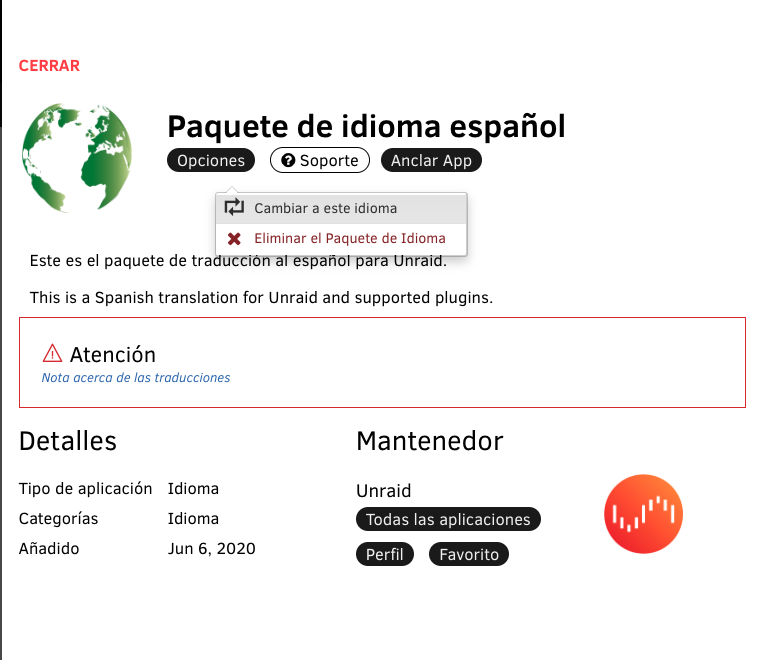
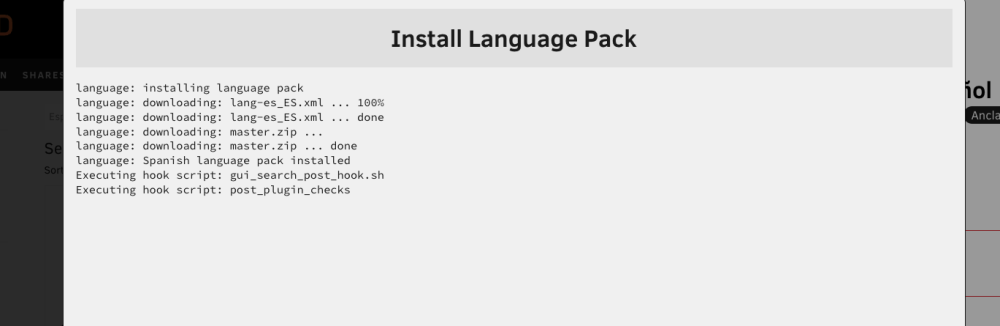
Bueno. No he oído que pihole interfiera con los paquetes de idiomas, pero estaré atento a otros informes al respecto. ¡gracias!
-
Hola @Garikoitz- ¿estás seguro que el servidor tiene conexión a Internet? ¿Qué versión del sistema operativo estás ejecutando? Otra solución manual es Herramientas-> Idioma y cambia al modo "Developer" y descarga y luego carga el paquete de idioma en el sistema operativo desde aquí https://github.com/unraid/lang-es_ES
-
Correct for cache pools. 28+2 is for the parity protected array.
-
The Fix common problems plugin.
-
close. Next week would be my guess 👀 *rc
-
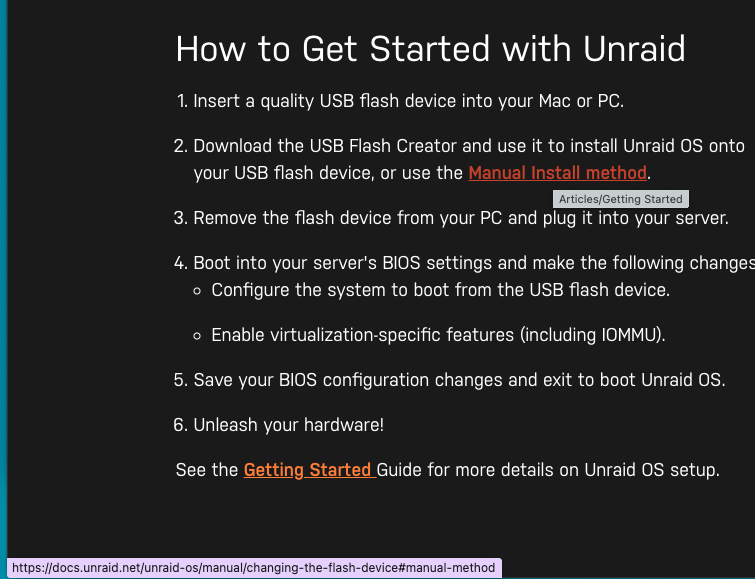
Hello- "Manual Install Method" takes me to https://docs.unraid.net/unraid-os/manual/changing-the-flash-device/#manual-method, which resolves fine. Am I missing where you are talking about? Edit: Never mind- in the docs I will submit a PR fixing the links.
-
Thank you! Not sure how the redirect broke but these should be fixed now.
-
Favorite
-
🤔 If unsure, Tools-> Registration page will tell you.
-
In case you didn’t know, Plugin developers are largely volunteering their time and effort here. Why people feel the need to get snarky in light of this is beyond me.
-
Interesting. Thanks for following up and thanks for purchasing 🙂
-
It appears you already purchased and that is where you put the activation code listed on your invoice. The coupon code goes during checkout, not after the fact. please contact support with your invoice for further assistance
-
Code works for Basic OR Upgrades. Not Plus this time.
-
Thanks Eli. For those wondering, IPS = Invision community. Have a great weekend all
-
What is still messed up? cc @elibosley
-
tech debt getting paid 💸
-
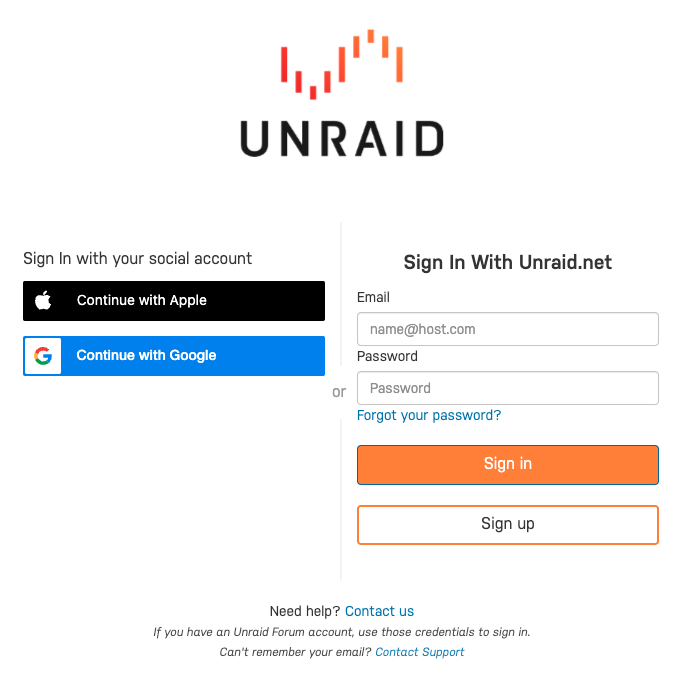
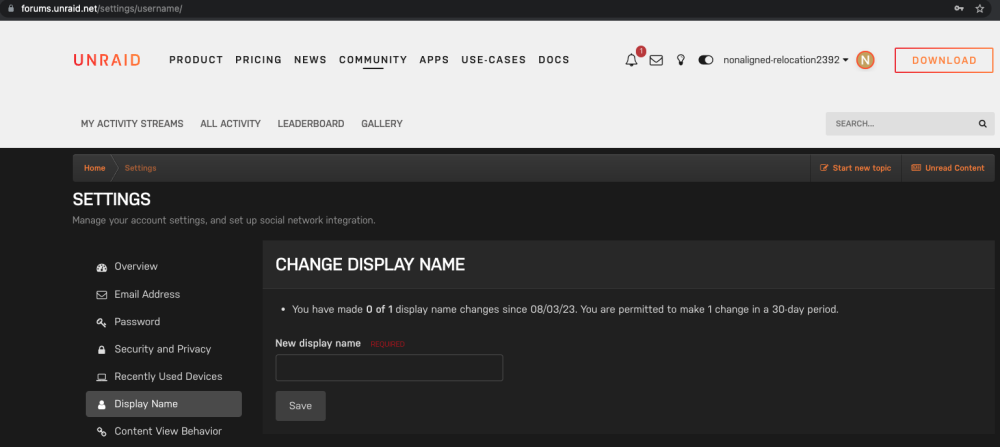
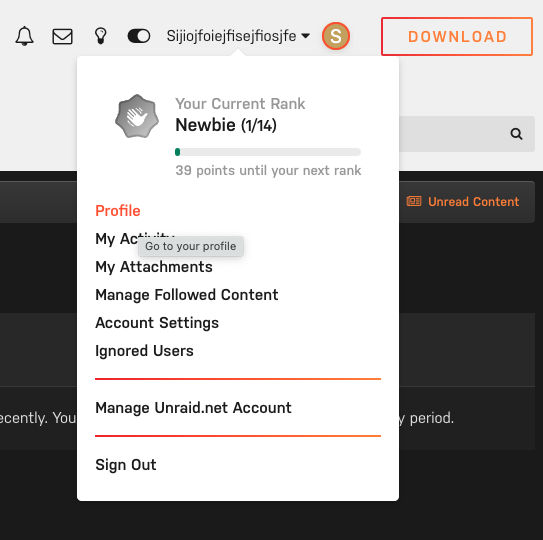
Greetings, We've enabled Single Sign-On for unraid.net accounts so now when you sign-in or sign up, you can do so quickly with Apple or Google: If you are signing up using SSO, you will be assigned a random user name such as "Snarky-Snail49499". After you make your first forum post and it is manually approved by a mod/admin, ANYONE can now change their forum names via: "Profile" -> Account Settings -> Display Name. https://forums.unraid.net/settings/username/ Note: Display Names can be changed once per 30 days. No profane/obscene names please.
-
Please contact support with what you’d like and we’ll switch it.
-
Hot off the editing bay! https://uncast.buzzsprout.com/ Thanks for listening
-
"To ZFS or not to ZFS, that is the question." - @SpaceInvaderOne This guest blog by Ed Rawlings walks you through 3 potential Unraid storage setups to help you determine the optimal location for your media files on Unraid. There are also two step-by-step guide videos that walk you through upgrading your Unraid cache pool to either a larger drive or just reformatting the one you have to a ZFS file system - all without losing a single byte of data!
-
Nothing changed with the license tiers. Paired with the qualifying sentence prior, I don’t think the language is wrong but will adjust for clarity’s sake.






