





SpencerJ
Administrators
-
Joined
Everything posted by SpencerJ
-
Hey @Robot, I'm going to tag @jonp and @bonienl in here to see if they have any recommendations for you.
-
Hey Mike, I just sent the receipt directly to you. Please reply to your ticket if you have any issues. Welcome aboard!
-
One of the main reasons why the Unraid community is so great is due to our many Community Rockstars who go above and beyond to help others out. 🤘 In this blog series, we want to put a spotlight on key community members to get to know them a little better and recognize them for all that they've done for the Unraid community over the years. For this inaugural blog, we begin with two outstanding forum Moderators, @trurl and @JonathanM, who have helped out countless new Unraid users over the years: https://unraid.net/blog/rockstars-trurl-jonathanm If either have helped you out over the years here, please consider buying them a beer or lunch! trurl JonathanM

-
Thanks @AndrewZ
-
Ok, let me rummage around in the back end and see if I can find any settings around this. Thanks Jorge!
-
Sorry- what is the other setting it doesn't respect? The ball is your friend now
-
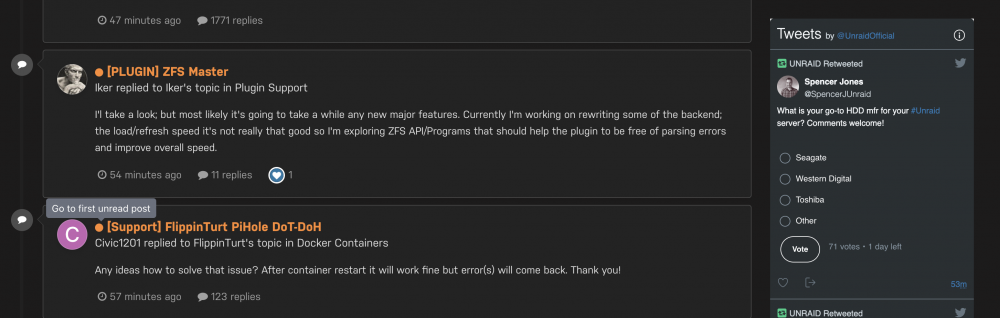
Comments welcome!
-
Thanks a lot for your support @DarthKegRaider and welcome to the community.
-
Quick update here: Thank you all for your patience. An FAQ will accompany the 6.10 stable release. Also, after taking in feedback from a variety of users, we have decided to make Signing-In to the UPC optional going forward. You will be able to do everything you can now without signing-in but, signing-in will greatly streamline certain processes such as license management. More details to come...
-
Hey @DarthKegRaider, Thanks for trying us out! I personally have never seen any GUID issues with Samsung USBs. Yes, you can do this. Easily upgrading to new hardware is a key feature that we strive to maintain. No. The same functionality exists across each tier other than HD limits. Your trial license acts exactly like a Pro license save for the internet connection requirement which goes away with a license purchase. Have a nice day!
-
Update to OP to include AmazonDE links. Thanks @ich777
-
user share disk share Thanks @itimpi
-
Welcome to the community @buetzel. I’m glad to see your question was answered. FYI- outside of English, the Unraid German forum is by far the most active, if need be. 😃 https://forums.unraid.net/forum/76-german-deutsch/
-
I’ll make a reminder to add these first thing Monday. Thanks
-
你好, 您不能直接从网站使用支付宝购买激活码。 但是,您可以使用支付宝作为付款方式从免费试用版中购买许可证。 如果您还有其他问题,请告诉我。
-
Hello, Could you please reach out to us via https://unraid.net/contact and copy/paste your old/new USB GUIDs in your ticket? TIA
-
你好, 支付宝仍然可用。 我们最近发生了一次短暂的服务器中断,现已修复。 如果您仍有问题,请告诉我。
-
-
https://unraid.net/download
-
Back up now. Apologies.
-
Great- have a nice day!
-
Yes- cache drives do count towards the license limit.
-
Sorry- under the GUID column it should say "This server has ___ attached storage devices."
-
Hey there! Thanks for your purchase. On your Tools-> Registration page under Flash GUID, how many devices are listed?
-
The problem is, you are going to need to have internet access for your server to apply the license (either buying an activation code via unraid.net/pricing or via the software itself in Tools-> Registration). Thereafter, you won't need internet once the license is successfully applied. Am I correct in assuming that your server has zero internet access?





