





SpencerJ
Administrators
-
Joined
Everything posted by SpencerJ
-
On episode 3 of the Uncast pod, join @jonp, Paulus Schoutsen (Founder, Home Assistant), and Doug Roberson (CTO, Allterco Robotics US) for an in-depth discussion on Home Automation. In this episode, you'll learn more about the movement to automate tedious tasks and how to monitor and be alerted to key events in your home. Let us know in the comments how you utilize Home Automation with Unraid!
-
-
You probably have some extra system resources on your Unraid NAS that you don't even know about. Why not use those extra resources to host some dedicated game servers for yourself and your friends or family? Learn all about it in the latest blog! https://unraid.net/blog/game-servers Copy of GameServers.mp4
-
This is great! Keep em coming 🙂
-
This guide was made using macOS High Sierra. Unfortunately, something changed in the ensuing Apple releases and I have been unable to track down what changed. I will reach out to Spaceinvader One to see if he has found a workaround as well. In the meantime, here is a workaround using an un assigned disk via Unassigned Devices:
-
https://unraid.net/blog/unraid-6-9-capture-encoding-and-streaming-server Should be fixed.
-
Sorry, need to redirect after a website change. Here you go: https://unraid.net/blog/unraid-server-to-server-backups-with-rsync-and-wireguard
-
In episode 2 of the Uncast, Jon does a deep dive on VMs and passing through GPU devices. Get a complete history of how this feature got implemented, the other technologies that were considered, and some tips and tricks to getting the best gear and configuration for your VM and GPU passthrough needs. We hope you follow/subscribe to stay tuned on new episodes of the Uncast.
-
Salut! Si vous aimez Discord, consultez le serveur de @superboki! https://discord.superboki.fr Peut-être que vous pouvez voir un peu de mon mauvais français? 😉
-
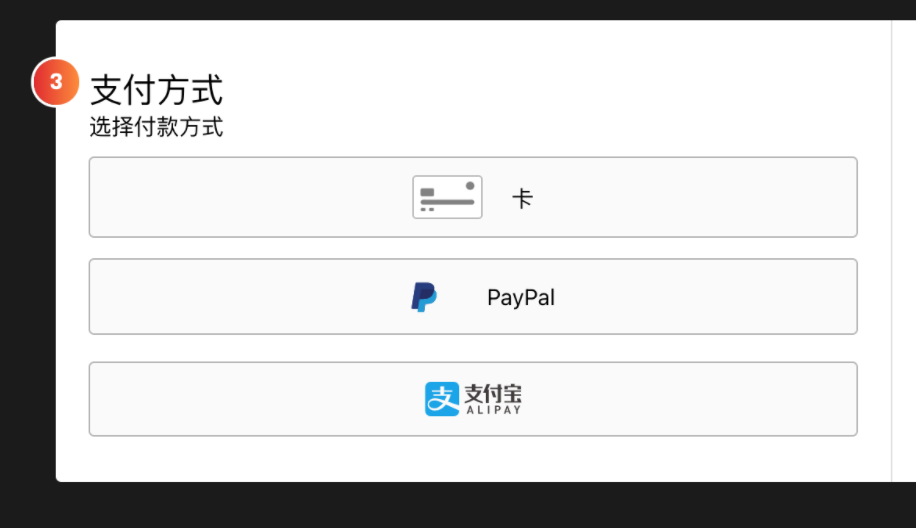
大家好! 我们很高兴地宣布,现在我们支持使用支付宝作为付款选项来购买 Unraid OS 了!在结账过程中,当您进入“付款方式”界面时,您将看到使用借记卡/信用卡、Paypal 和新增的支付宝付款选项。 除了对支付宝的支持,近日我们还将 Unraid 网站翻译为了中文,创建了中文在线社区,并实现了整个 Unraid OS 的中文化! 我们希望您能更轻松地购买和使用 Unraid 。如果您有任何问题或建议,欢迎随时在论坛上发表评论! 支付宝接入公告
-
Those would definitely be next based on demand!
-
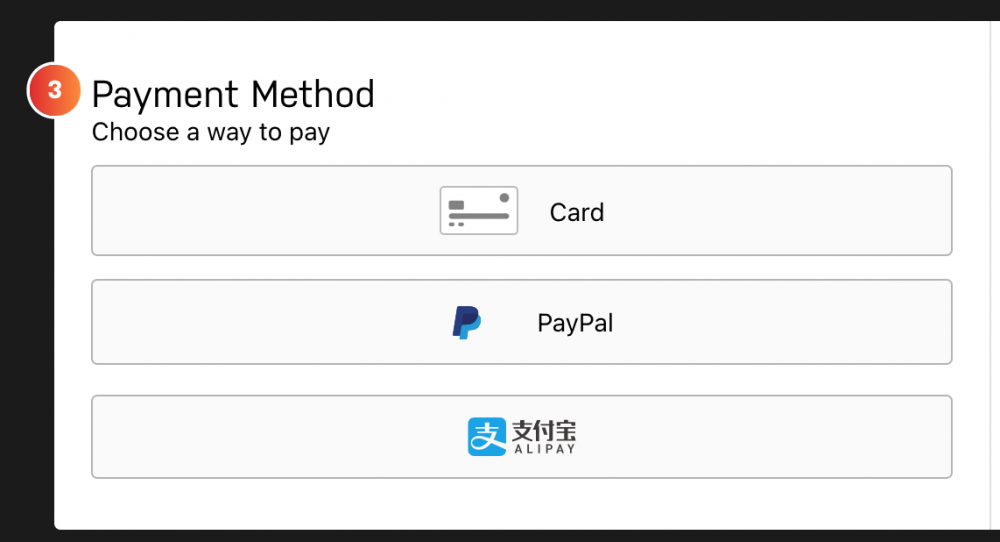
Due to popular demand, all of us at Lime Tech are pleased to announce that we now offer Alipay as a payment option for purchasing Unraid OS. During the checkout process via the Unraid webgui, when you get to the payment method screen, you will see an option to pay with a debit/credit card, Paypal, and now Alipay. If you have any questions or suggestions on additional payment options, please feel free to comment below!
-
Today's blog takes a look at how the Student Research Center (Schülerforschungszentrum) of Südwürttemberg in southern Germany uses Unraid for VM's, file management for 3D printers, CNC milling machines, application servers and much more! https://unraid.net/blog/unraid-in-a-german-educational-institute If you are an educator and would like to teach with Unraid in the classroom, please reach out to me directly (DM) as we would love to support this at your place of instruction!
-
Wir freuen uns, Unraid-Lizenzen für Bildungseinrichtungen bereitzustellen 🙂 https://unraid.net/de/blog/unraid-an-bildungseinrichtungen
-
Hi, If you submit a PR here: https://github.com/unraid/lang-de_DE/blob/master/main.txt @ich777 will take a look and we will update it if agreed! Thanks in advance for your contribution. Please let me know if you have any questions.
-
Hey there, I just replied to your email. Please reply via email as I'm not finding any completed orders with the info you provided. Thank you in advance!
-
It will be available on Apple/Overcast soon. Currently available on Spotify/Stitcher/Amazon.
-
Good Q for @jonp 😛
-
Owning an Unraid server gives you peace of mind and reduces your dependence on The Cloud. Join Unraid CSO, Jon Panozzo, as he shares how to get the most out of owning your own server, discusses relevant news and topics with members of the Unraid community, and shows you how owning your own server has benefits that extend far beyond keeping your data safe. For the first episode of the Uncast, host @jonp covers the top 3 reasons you should own your own server. Personal data responsibility, reducing cloud dependence and discovering what's possible with modern hardware all lead to getting a box that you own and control to house all of your most important data. We hope you follow/subscribe to stay tuned on new episodes of the Uncast from your favorite podcast app! We'd also love to hear your feedback on the episode here and also vote/comment here on future content you'd be interested in!
-
We will be making a bigger announcement soon, but for now 🔊
-
Indeed! Stay tuned 🙂
-
Unraid 6.9.x ist draußen! Ich wünsche allen eine schöne Woche. Viel Spaß
-
Hey, please be nice or please go elsewhere. Thanks
-
Hallo, I deleted @Hoddl's upload. Please anonymize sensitive info and reupload 🙂 Danke @i-B4se
-
Unraid OS 6.9 adds multiple pool support to your server's repertoire. Today's blog explains why and how to use this new feature! https://unraid.net/blog/unraid-6-9s-multiple-pools-support Along with this blog, be sure to check out @SpaceInvaderOne's video all about Multiple Pools and how to best use multi pools on your server for the best performance.




