





ghost82
Members
-
Joined
-
Last visited
Everything posted by ghost82
-
if I remember well, I used this cmd command on windows as admin: mklink /D C:\Games \\192.168.2.1\6TB\Games where C:\Games is the folder symlink, 192.168.2.1 is my smb server and 6TB\Games is the path on the network drive where stuff goes into. As Jonathan said it may work or not.
-
Another workaround could be create a folder simlink on C:\ physical drive pointing to a folder on the network drive. It worked for me with installers requiring a physical disk, I pointed them on C:\foldersimlink and the content was written on the network drive.
-
Follow SimonF advices. Most probably your attempt is failing because you have 2 "append" lines. It must be only one with all arguments on one line.
-
Did you install the virtio network drivers?Otherwise change the model type of your nics, for example: <model type='e1000-82545em'/>
-
Hi all, after some months of searching I think I found the root cause of my random hangings on shutdown/reboot of my windows 11 virtual machine. It seems that if message signaling interrupts (msi) are enabled on my audio/video gpu (which is needed, otherwise digital audio and video irqs are shared), sometimes windows is not shutting down or rebooting completely. I hate when these things happen randomly... With irqs, line-based interrupts, it seems the vm is shutting down/rebooting ok. When this happens, randomly, windows tries to shutdown, monitors go black, but the vm is reported as still running and I need a forced shutdown. Does anyone have msi enabled on a win11 vm on the gpu?Is it shutting down/rebooting normally?
-
Hi, this may sound a stupid question...I don't know much about bench tests, but did you consider that "the native test" runs on 12 threads and yours runs on 8? Or is it a single thread comparison? However, even considering this the gap seems too much..i440fx vs q35 machine type should make near no difference...did you run a latencymon test to see if you have irq conflicts?
-
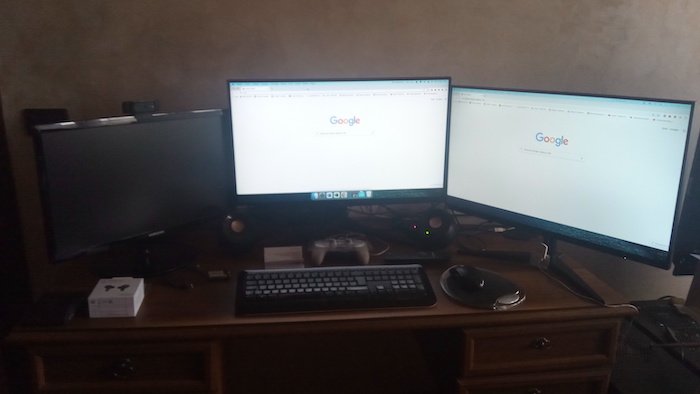
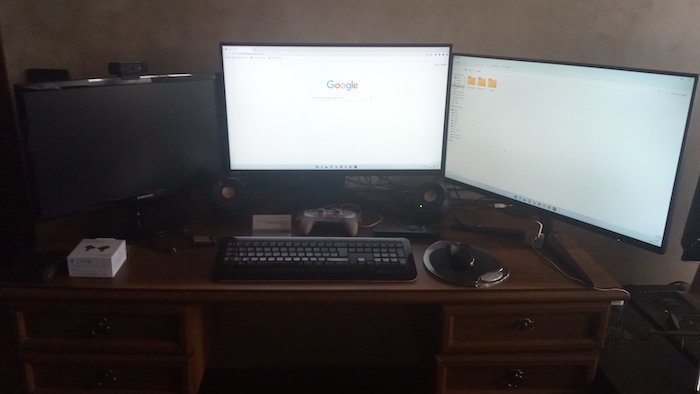
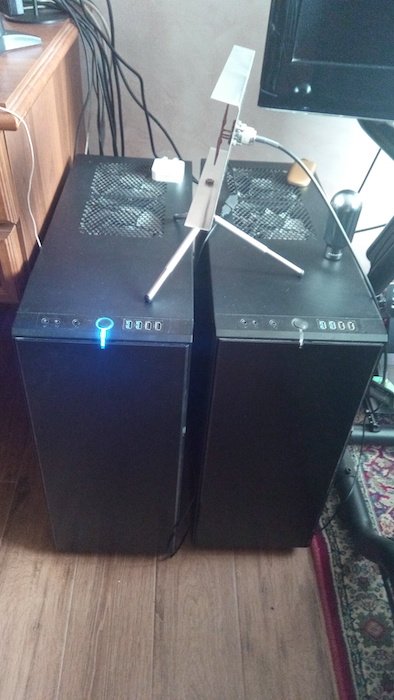
Hi all! I'm presenting my setup, it's not a long time I'm using Unraid, I started about 5-6 years ago. I'm a chemical engineer with a passion for technologies in general, especially related to pc. My work requires using a windows os due to some softwares for cfd simulations, 3d design of mechanical pieces; however I don't like windows very much (..and I don't know why), from 2008 I'm using mac os for my everyday things, browsing internet, filling documents, etc.; I'm also using linux because of programming and testing security. I like also gaming, so windows is used for work and gaming too. I approached Unraid because my main goal at that time was to have a high performance mac os virtual machine (my macbook pro 2008 was quite old and unsupported for newer mac os versions); searching in google I read about advanced virtual machines, esxi, qemu, libvirt, hardware passthrough and all the things related to virtual machines. I started with esxi but I had some issues with virtualization and I met Unraid. The first impressions were very good, especially for me that at that time I knew near nothing about virtualization; it tooks really nothing to create my first vm, just pressing few buttons; I liked the fact that all was through a gui and configuration was step by step. I also found here in the vm forum section some cool and more experienced guys that guided me in this new world of mac os virtualization. After some months I knew more and more things about virtualization, bootloaders and operating systems in general. My first configuration was a virtual machine with mac os, with another ssd disk with windows 10 installed; so, for my everyday use I started unraid and the mac os vm, for simulations and 3d design I simply booted directly the windows ssd. My hardware is quite old but still powerful (at least in my opinion) and last year I decided to virtualize also my windows os. This had the advantage of being able to run the latest windows 11 without a physical tpm and on an unsupported cpu without issues. Now, some specifications: for my work I have 2 twin workstations with the following hardware --> Workstation 1 (main workstation): MB: Asus Z9PE-D8 WS (with 2 intel ethernet controllers, 2 sata controllers (marvell and intel), firewire, 2 intel usb 2.0 controllers, 1 asmedia usb 3.0 controller) CPU: 2x Xeon e5-2687w RAM: 64 Gb ECC 1333 MHz GPU: 1x AMD Sapphire nitro+ SE 6900XT, 1x Nvidia Geforce 8400 GS Disks: 3 ssd (2x256 Gb, 1x512 Gb), 2 HDD (1x2 TB, 1x6 TB) Connectivity: mellanox infiniband, ethernet to wifi bridge (tp link), additional usb wifi pendrive Additional cards: Fresco FL1100 usb 3.0 Workstation 2: MB: Asus Z9PE-D8 WS (with 2 intel ethernet controllers, 2 sata controllers (marvell and intel), firewire, 2 intel usb 2.0 controllers, 1 asmedia usb 3.0 controller) CPU: 2x Xeon e5-2687w (Engineering samples (quality samples)) RAM: 32 Gb ECC 1333 MHz GPU: 1x Nvidia Titan Black, 1x Nvidia Quadro 600 Disks: 2 ssd (2x256 Gb) Connectivity: mellanox infiniband, ethernet to wifi bridge (vonets) So now I have 2 workstations running unraid. In the first workstation unraid connects to internet with the ethernet/wifi bridge; it connects to an access point that connects to the main router. Virtual machines: 1x Windows 11, 1x mac os Monterey, 1x Kali linux Windows 11 vm: Hardware passthrough: 2x intel usb 2.0 controllers, 1x Fresco logic FL1100 usb 3.0 controller, marvell sata controller (with attached 1 ssd with windows 11, 1 ssd with mac os, 1 blu ray/dvd drive), onboard audio, AMD 6900xt, firewire controller, mellanox infiniband Cpus: passed through, 14 cores x2 (hyperthreading enabled, 28 cores total) Additional hardware: logitech c920 webcam, attached to the passed through usb controller RAM: 56 Gb Mac os Monterey vm: Hardware passthrough: 1x Fresco logic FL1100 usb 3.0 controller, marvell sata controller (with attached 1 ssd with windows 11, 1 ssd with mac os, 1 blu ray/dvd drive), onboard audio, AMD 6900xt Cpus: passed through, 14 cores x2 (hyperthreading enabled, 28 cores total) Additional hardware: logitech c920 webcam, attached to a virtual usb controller RAM: 32 Gb Kali linux vm: Hardware passthrough: 2x intel usb 2.0 controllers, 1x Fresco logic FL1100 usb 3.0 controller, onboard audio, AMD 6900xt Cpus: passed through, 14 cores x2 (hyperthreading enabled, 28 cores total) Additional hardware: logitech c920 webcam, attached to the passed through usb controller RAM: 32 Gb This vm runs on a vdisk on the 6 TB HDD All the virtual machines have the following connectivity: br0: bridge on the ethernet/wifi bridge, internet connectivity (192.168.1.x) br1: bridge on the second ethernet controller, local connectivity only (192.168.2.x) Only the windows virtual machine has the additional infiniband (192.168.3.x) to connect to the windows 11 vm in workstation 2. In the second workstation unraid connects to internet with another ethernet/wifi bridge; it connects to the same access point as before that connects to the main router. Virtual machines: 1x Windows 11 Windows 11 vm (2): Hardware passthrough: 2x intel usb 2.0 controllers, marvell sata controller (with attached 1 ssd with windows 11), onboard audio, Nvidia Titan Black, firewire controller, mellanox infiniband Cpus: passed through, 14 cores x2 (hyperthreading enabled, 28 cores total) RAM: 24 Gb ------- I also have a physical kvm switch to be able to: 1. switch monitor output for unraid (workstation 1 / workstation 2) 2. switch mouse/keyboard from unraid to vms (on workstation 1) The windows 11 vm on workstation 2 is controlled with remote desktop only. I have 3 monitors and 1 43" led TV: 2 of the 3 monitors and the 43" TV are attached to the AMD 6900xt on workstation 1: these are reserved to vms, the 3rd monitor is attached to the kvm switch, that receives the input from the nvidia Geforce 8400 GS (Workstation 1) and from the Nvidia Quadro 600 (workstation 2) (for the Unraid oses video outputs) So far, everything is quite perfect, and I'm very satisfied. Very recently I attached to my windows 11 vm on workstation 1 a car simulator, so I'm also enjoying GT3/rally racing! Virtualization has literally changed my life and I can do near all I want with near native performances! This wants also to be a brief description for new users approaching virtualization, to let them know that you can do what you want, with the advantage of optimizing your work flow, imagination will be your only limit. Thank you Unraid team for the os and mostly for the available documentation about virtualization that introduced me in this world as smooth as possible. Thanks to the amazing community too. Some pictures: Complete setup: Windows 11 vm: Mac os vm: Kali linux vm: Kvm switch: The 2 workstations: Car simulator:
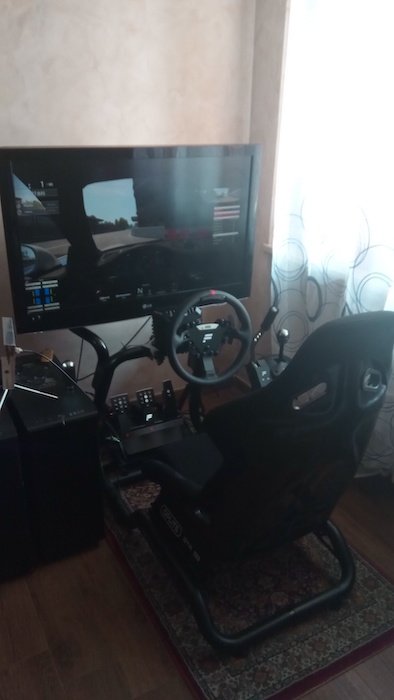
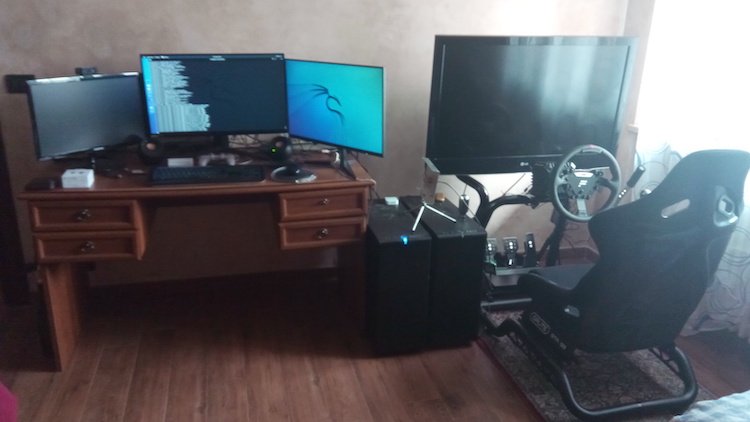
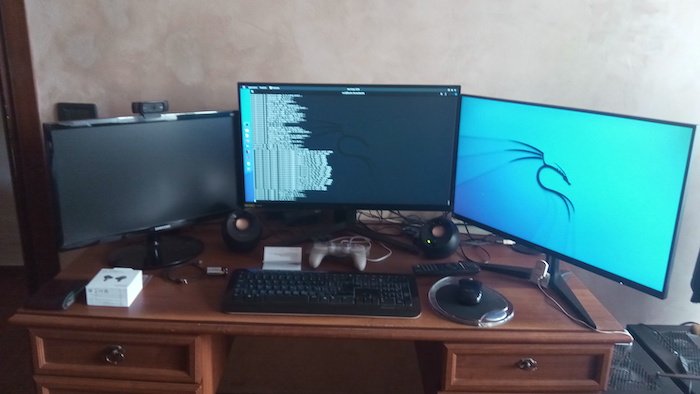
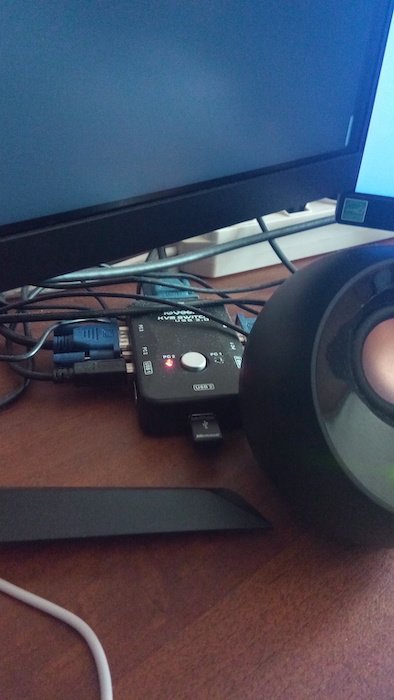
-
Hi, I can't see any error in the logs, the only thing I would suggest is to change in your windows 10 vm the gpu layout to multifunction, change from: <hostdev mode='subsystem' type='pci' managed='yes'> <driver name='vfio'/> <source> <address domain='0x0000' bus='0x0b' slot='0x00' function='0x0'/> </source> <address type='pci' domain='0x0000' bus='0x00' slot='0x05' function='0x0'/> </hostdev> <hostdev mode='subsystem' type='pci' managed='yes'> <driver name='vfio'/> <source> <address domain='0x0000' bus='0x0b' slot='0x00' function='0x1'/> </source> <address type='pci' domain='0x0000' bus='0x00' slot='0x06' function='0x0'/> </hostdev> <hostdev mode='subsystem' type='pci' managed='yes'> <driver name='vfio'/> <source> <address domain='0x0000' bus='0x0b' slot='0x00' function='0x2'/> </source> <address type='pci' domain='0x0000' bus='0x00' slot='0x08' function='0x0'/> </hostdev> <hostdev mode='subsystem' type='pci' managed='yes'> <driver name='vfio'/> <source> <address domain='0x0000' bus='0x0b' slot='0x00' function='0x3'/> </source> <address type='pci' domain='0x0000' bus='0x00' slot='0x09' function='0x0'/> </hostdev> To: <hostdev mode='subsystem' type='pci' managed='yes'> <driver name='vfio'/> <source> <address domain='0x0000' bus='0x0b' slot='0x00' function='0x0'/> </source> <address type='pci' domain='0x0000' bus='0x00' slot='0x05' function='0x0' multifunction='on'/> </hostdev> <hostdev mode='subsystem' type='pci' managed='yes'> <driver name='vfio'/> <source> <address domain='0x0000' bus='0x0b' slot='0x00' function='0x1'/> </source> <address type='pci' domain='0x0000' bus='0x00' slot='0x05' function='0x1'/> </hostdev> <hostdev mode='subsystem' type='pci' managed='yes'> <driver name='vfio'/> <source> <address domain='0x0000' bus='0x0b' slot='0x00' function='0x2'/> </source> <address type='pci' domain='0x0000' bus='0x00' slot='0x05' function='0x2'/> </hostdev> <hostdev mode='subsystem' type='pci' managed='yes'> <driver name='vfio'/> <source> <address domain='0x0000' bus='0x0b' slot='0x00' function='0x3'/> </source> <address type='pci' domain='0x0000' bus='0x00' slot='0x05' function='0x3'/> </hostdev> If it still doesn't work, remove the gpu passthrough and enable again vnc. Boot the vm with vnc, enable remote desktop inside the vm. Remove vnc from xml and add again the gpu passthrough, FIX the gpu multifunction as per above. Run the vm and connect directly to the vm with remote desktop from a second device. Look at the system devices in windows and see if the gpu is detected and what errors has. In this state try also to reinstall the nvidia drivers inside the vm. PS: if you need to attach again diagnostics, also in the future, do not attach single files, but the zip including all.
-
Change from this: <driver name='qemu' type='raw' cache='writeback'/> To this: <driver name='qemu' type='qcow2' cache='writeback'/>
-
Please read this: https://wiki.unraid.net/Manual/Troubleshooting#System_Diagnostics
-
Sure, it's for latest opencore master with some parts redacted and some custom addresses for my hardware. config.txt
-
It seems that you don't have any map on the disk, and this is not a good thing.. Check if the .img has any partition on it with this command and report the output: fdisk -l /mnt/user/domains/ws_2019_1/vdisk1.img In the same terminal windows, also check that the img is raw and not qcow2, report the output of this command: qemu-img info /mnt/user/domains/ws_2019_1/vdisk1.img
-
Hi! Not sure I understand well, so first a question: the issue is that when multiple gpu ports are connected, the "bios" output goes to a monitor instead of another? If this is the case, it's not an issue related to virtual machines. Gpus have "layouts" where a predefined port is defined for bios (uefi/ovmf) output. On windows, somebody seems to have luck by defining the primary display (that you want for uefi/ovmf video output) within the nvidia control panel software, it should be located in "Set Up Multiple Displays'' --> right-click on the monitor you want to make primary and make it primary. However....if I understood well, you have only a single monitor with capabilities to take multiple outputs? Never seen one of these, but if it is detected in the nvidia control panel as a single monitor this can be an issue.. If I understood well, one of the display ports should be the primary port, but you get no video output, unless you use a dp/hdmi adapter; without the hdmi adapter, try to check the monitor preferences (in the monitor) and see if it changes if you change display port version (disable hdr if it's there and try all display port versions, especially v. 1.2). Please fix also the gpu multifunction, change from: <hostdev mode='subsystem' type='pci' managed='yes'> <driver name='vfio'/> <source> <address domain='0x0000' bus='0x65' slot='0x00' function='0x0'/> </source> <alias name='hostdev0'/> <rom file='/mnt/cache/isos/GM206_no_header.rom'/> <address type='pci' domain='0x0000' bus='0x00' slot='0x04' function='0x0'/> </hostdev> <hostdev mode='subsystem' type='pci' managed='yes'> <driver name='vfio'/> <source> <address domain='0x0000' bus='0x65' slot='0x00' function='0x1'/> </source> <alias name='hostdev1'/> <address type='pci' domain='0x0000' bus='0x00' slot='0x05' function='0x0'/> </hostdev> To: <hostdev mode='subsystem' type='pci' managed='yes'> <driver name='vfio'/> <source> <address domain='0x0000' bus='0x65' slot='0x00' function='0x0'/> </source> <alias name='hostdev0'/> <rom file='/mnt/cache/isos/GM206_no_header.rom'/> <address type='pci' domain='0x0000' bus='0x00' slot='0x04' function='0x0' multifunction='on'/> </hostdev> <hostdev mode='subsystem' type='pci' managed='yes'> <driver name='vfio'/> <source> <address domain='0x0000' bus='0x65' slot='0x00' function='0x1'/> </source> <alias name='hostdev1'/> <address type='pci' domain='0x0000' bus='0x00' slot='0x04' function='0x1'/> </hostdev>
-
Please attach diagnostics file, not office documents.
-
Hi, not possible, even with passthrough cpu(s). You need to monitor them in the host, not in the vm.
-
Great!Yes the test completes successfull because parsec is different than remote desktop; remote desktop is a protocol. I'm quite sure that the test will complete also with vnc server/client. With remote desktop video accelaration runs on gpu and the video is rendered by the rdp driver, then the "rendered images of the desktop" are transmitted to the rdp client.
-
You can also try to add "-v" verbose boot argument in opencore config, so on shutdown you could see on screen, hopefully, if it's mac os that hangs..
-
Yes, I think so.
-
You could also try this: https://dannyda.com/2021/05/28/how-to-enable-gpu-rendering-on-windows-10-and-windows-server-2019-for-windows-remote-desktop-protocol-rdp/
-
Sorry if I wasn't clear, I mean that this should be an issue with the passmark software and the way remote desktop works. You will not have issue in playing games via rdp if the video accelaration runs on the gpu. For the test, I meant to attach a monitor to the gpu, delete any video virtual adapter created by remote desktop and run the benchmark in this way if you want to be 100% sure that the issue is caused by rdp/passmark.
-
I think that rdp breaks Direct3d, I'm quite sure that if you run the test directly (without remote desktop) it will pass (maybe you also need to disable remote desktop at all). If this is the case, nothing to worry about, passmark is running the test on the virtual adapter of rdp instead of the actual gpu.
-
I don't want to sound rude, but...did you do a search in the forum? For example this post has also a screenshot: https://forums.unraid.net/topic/119572-passthrough-1050-ti-as-secondary-card/?do=findComment&comment=1096013 Note that in the screenshot it's wrong, parameters must be all in the same line, most probably your will be: append video=efifb:off initrd=/bzroot
-
That was something similar my prof. of maths told us often when I was at the primary school! He said you can't compare potatoes with carrots..until I replied: I can compare potatoes with carrots if I consider "vegetables" Obviously the "can't compare potatoes with carrots" applies in this case.
-
Apr 27 21:01:11 Gallifrey kernel: pci 0000:10:00.0: BAR 1: assigned to efifb BAR1 is assigned to efifb, add parameter to your syslinux config video=efifb:off and reboot the server Search the forum for this, there are posts with more details.
-
Did you install the proprietary video drivers?



