





Arbadacarba
Members
-
Joined
-
Last visited
Everything posted by Arbadacarba
-
I'm trying to figure out how to get ALL transmission traffic to go through one of my internet connections rather than another. One way I do that using Policy Based Routing is that I differentiate by IP address... So that some of my VM's can only communicate through the slower but cheaper (unlimited) ISP. Is it possible to make Transmission use a different IP address than the rest of the Unraid Server? Or, Barring that is there a single outgoing port that is used? or even a range of ports? This is counter to the VPN goal isn't it? Slightly confused I know, but any insight would be appreciated. Arbadacarba
-
Gave up and went back to the 660P Defeated
-
that's what I got when the 660P was working correctly... I've tried blocking it out by binding it to vfio... but that gives the same error followed by the difference in System Devices after I attempt to launch a VM. I've tried creating a new VM and attaching it to a VM running Acronis that I use to clone drives and which is the one that I attached the 660P to in order to clone it before I started the swap. For clarity the only VM running from the start is my pfsense router which is not configured to use the NVMe. Thanks for the input though
-
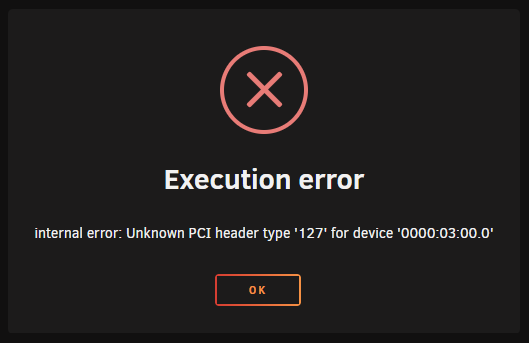
Running Windows 10 on a passed through 512GB Intel 660P NVME drive on an EVGA Classified K Z170 board I have the opportunity to swap the 660P for a 1TB Samsung EVO 980 Pro. I know my existing board won't take full advantage of this drive but the extra size and a little future proofing never hurt… (except when it does) Unraid lets me reconfigure the VM but when I start it I get: internal error: Unknown PCI header type '127' for device '0000:03:00.0' And after that happens I don't see the drive anywhere accessible to unraid. If I reboot the machine I can see the drive in Unassigned devices and even access it… and when I look at the System Devices Page I see: But as soon as I try to launch the VM I get the error and the detail page changes to: !!! Unknown header type 7f … I spent a bitt looking around and I see lots of references to similar problems with passing GPU's through, but very little about NVMe drives. I did find this page and it seems to be about the same thing but it goes a bit over my head: 1542494 – VMs with NVMe devices passed through sometimes fail to be launched (redhat.com) Any help would be appreciated… Should I cut my losses and reinstall the 660P? Thank you I'll have to pull this drive and reinstall the 660p tonight, but I'll check back here in case anyone has any ideas or needs different info. jupiter-syslog-20210308-2108.zip syslog-10.40.70.11.zip


-
I'm seeing the same thing... I also can't add plugins to grafana... They seem to work with CLI but then they aren't there.. And if I try to unzip the files into the plugins folder I get an access error. From the Github: Bits and bobs The read-only paths are required for Telegraf to report on host devices. Is this what I'm running into? Arbadacarba
-
So, after struggling with this for over a week, I told the system to check for updates and discovered there was one... Now it's working.. Sheesh... I could have found that earlier.
-
Not having seen mass complaints on here I have to believe something has gone wrong with my install... But just in case I missed something. For the past couple of weeks thing have not been working... If I try to use Switzerland the UI doesn't load and if I use Denmark, it loads but nothing downloads...
-
RE: Transmission_VPN I've looked through this thread, and can't seem to find an answer: Is there a way to use transmission remote with the docker? Arbadacarba
-
I've been wondering this too... I'm a believer in not over complicating things (this is an intellectual stance, not one I can hold to emotionally all the time) and when I found my gaming VM boots and works without the vbios I stopped there. Am I missing out on something? Is there a reason to use the vbios if the system works?
-
I'm seeing the same thing. It's had one CPU core pegged for quite a while
-
I had the old version reporting on my UPS - but when I replaced it with the new version I can't get it to work. Was Sudo removed? Thanks
-
Did parity Sync get WAY faster in these builds? It went from taking 3+ days to rebuilding in less than 20 hours. My 14TB parity drive has rebuilt so fast I'm worried something is seriously wrong... but I just had to start the rebuild again (I keep Nuking my parity drive... My mistake every time) and it's done 10% in an hour and a half.
-
Hopefully you won't object to me dropping mine here... It's a beQuiet Dark Base Nine Hundred

-
I did a bit of searching and didn't come up with anything that matches my issue... I have no idea if it has directly to do with RC5 because it had been working at first... We watched a program on it 22 hours ago. Neither my laptop or my Nexus TV box can see the Plex server (Plexinc Docker) My Laptop could access the server at first but found no media and now I get "This Site cannot be reached". I tried refreshing the Plex docker, and I restarted the server a couple of times. I tried downlgrading to RC4 and that did NOTHING so I went back to RC5... The only thing I did on the machine between last night and tonight was run a VM with a Marvel Sata card passed through for a few hours but it is not running now. Next thing I'll try is reverting to a backup of the USB disk that I made before the problem occured. Though I thought I would put this out there first. Thanks Monkeying with it still has me confused... Fix Common Problems found that my drive mapping was not set to slave mode... Something that was set correctly before, but is not after the reinstall... (Of Plex) so I reset them. Now the browser finds the server, but the interface cannot find the media... A few minutes later and we are back to not finding the website... This is the first issue I've had with unraid that was not (as far as I know) self inflicted. Other than the fact that I'm running a release candidate. jupiter-diagnostics-20191104-2216.zip
-
Running into an issue with the "Other" items: I have enabled it in the settings and tried a couple of triggers ("Backup") but nothing seems to work. What I want to do is log my backup actions and have it highlight them... Maybe even have it trigger a red bar with a backup failure. My Log line looks like this: logger Backup ${sequential}/${NumberOfShares} ${ShareNames[counter]} Succeeded -t$PROG_NAME Oct 24 23:18:53 Jupiter Seagate_Backup_Plus_Drive-1: Backup 7/14 EBooks Succeded logger Backup ${sequential}/${NumberOfShares} ${ShareNames[counter]} FAILED -t$PROG_NAME No Example But there is no color on the log. Thanks
-
On the one hand this is not an important request, but on the other I have to at least mention it. Was there a reason the order an placement of information doesn't line up with the elements from the other 3 device types? I recognize there are more items you need to show for unassigned devices, but it seems that it would look slick (Honestly I think it already works pretty slick) if the ones that matched... matched up as it were. Thanks for the great plugin.
-
As for a general solution, I use Krusader (Granted it feels a little antiquated) and have a "Custom Tab" configured to open directly to it. I wish the Custom tab was a little more flexible, resizing and making better use of the screen itself. But that's more of a problem with the implementation of "Custom Tab" than Krusader.
-
Am I missing something? I routinely close my laptop while running large moves with Krusader and take my laptop to work... Reboot it a time or two and then reopen the VNC window for Krusader and see everything either finished or progressing nicely. Why do you think you need to leave it open?
-
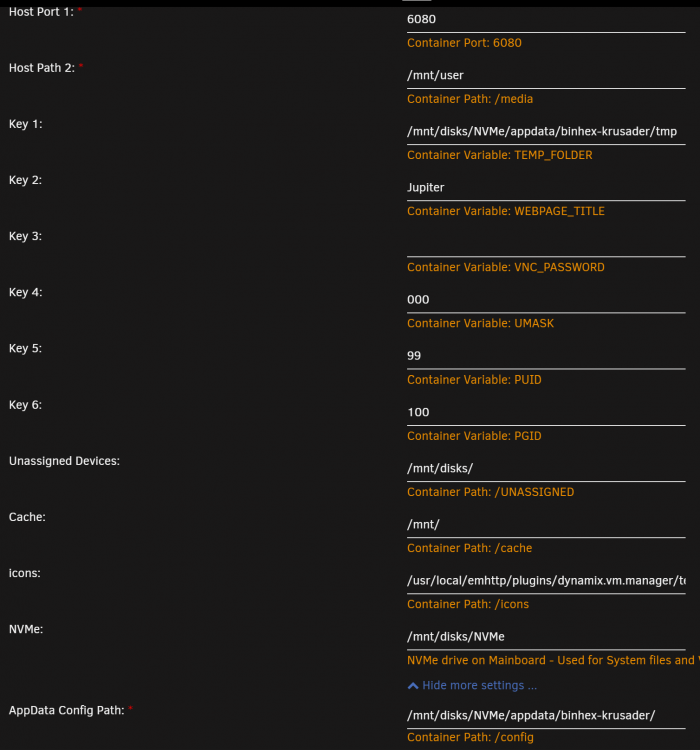
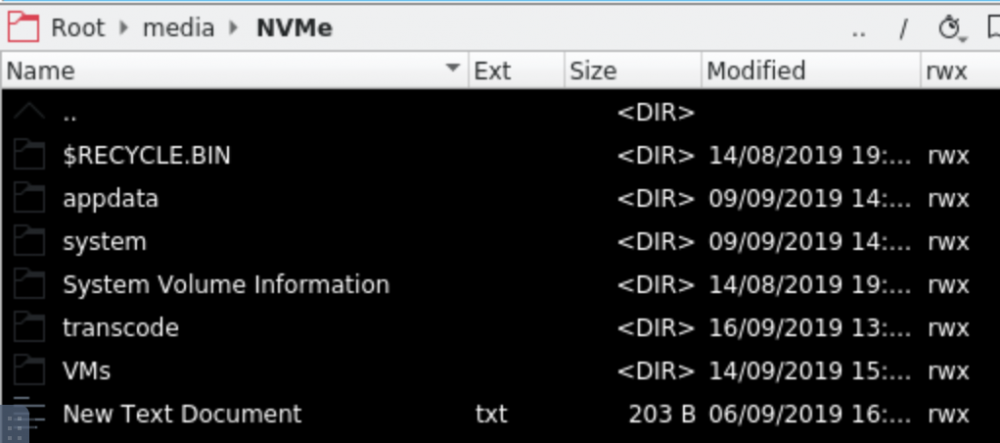
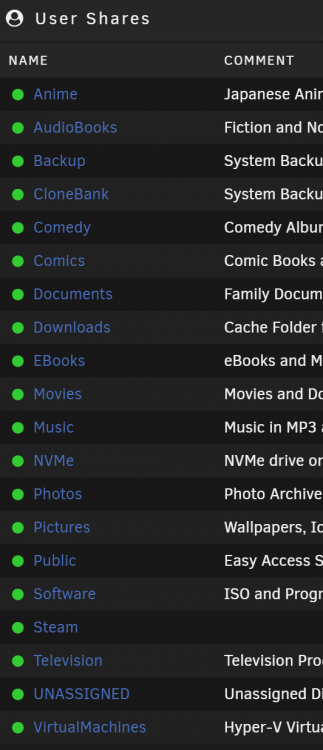
I'll try to show what I did a little more clearly... I was sitting in a coffe shop passing time when I sent that earlier. Goals: I have a 500GB NVMe drive that houses two partitions: My previous Windows 10 install that powered my server before I discovered Unraid, and a second partition that I wanted to use for things that I want to run as fast as possible (ie: Docker, components and VMs). I made my Windows install usable as both a bare metal installation and inside the VM using SpaceInvaders instructions - Working Then I copied the domain, system, and appdata folders to the second partition of the NVMe drive and used the Setting Screens for VMS and Docker to assign their new locations on the NVMe drive (Second Partition is actually named NVMe) then deleted the old ones by removing them from the share folder and from the media folder as seen through krusader. Then I adjusted Krusader as below: You can see the entries for NVMe and Unassigned Devices. In Krusader I get: and UNASSIGNED works as I would expect as well. Here's where it got weird and I guess I have an idea of why: Because of the way I created entries for them in Krusader, it created a folder or "something" in the /mnt/user folder. In "User Shares" in the web UI I have: I did not create those shares other than by using Krusader. However, when I look in them on this screen using the view button they are empty... and in Network on my Windows 10 machines they appear empty as well... I wonder if there is a way to create a symlink or something instead of a folder in that /mnt/user folder that would be more useful. Thanks for reading... I really haven't a clue what I'm doing. I have 25+ years with windows and about 2 months of linux.
-
Thanks. Hmm... I wonder... I tinkered around and my Drives mapped in Unassigned Devices showed up in my Shares screen... I wonder if they would work. I moved my System, Domain, and Appdata folders onto the second partition of my NVMe drive and while playing with mappings in Krusader noticed that UNASSIGNED and NVMe (The names of the shared folders) appeared in my Shares... I don't remmember the UNASSIGNED one being there before. I don't actually use those shares from other computers so would not having my Windows accounts access them even matter? OK, More playing after my little guy goes to bed tonight.
-
Just found those instructions myself and jumped over here hoping to find that the @ symbol have been fixed or was about to be fixed... Guess not. Any hint on where I would look to find the reason the @ symbol is verboten?
-
Could it be that the current version of windows refuses to connect to anoymous shares? I had to enable insecure guest access in Group Policy settings: Computer configuration\administrative templates\network\Lanman Workstation "Enable insecure guest logons" https://support.microsoft.com/en-ca/help/4046019/guest-access-in-smb2-disabled-by-default-in-windows-10-and-windows-ser I did this and was happy with the result.
-
Just a quick note that there is anther solution to this problem without enabling SMB1. Microsoft has replaced SMB with "Function Discovery" (in a manner of speaking) and there is a daemon / script that enables that for Linux. I have "Instructions" in the thread here: forums.unraid.net/topic/82765-solved-windows-network-working-with-no-smb1/ Kevin
-
I'm a new user who is still on his 30 day trial... So far the flexibility of Unraid has been perfect for my needs as both a home media server, and as a learning tool for Linux and even ESXi


